Best Remote Control Software in 2026: 9 Tools Compared

How we put this together: we compare official feature and pricing pages, app store listings, privacy policies and public user reviews. Prices change, so check the provider's site before you pay.
Key takeaways
- The category splits into personal access to your own machines, on-demand support for someone else, and unattended management of many machines.
- TeamViewer is the best-known all-rounder, but its business pricing is premium, so smaller teams should compare AnyDesk and Splashtop first.
- RemotePC is the cheapest way to reach your own computers unattended, while Chrome Remote Desktop and RustDesk cost nothing for personal use.
- Zoho Assist suits small support teams, and ConnectWise ScreenConnect suits managed service providers with many technicians.
- Always confirm consent, encryption, and access controls before giving any tool unattended access to a work machine.
Quick comparison
| Name | Who it suits | Starting price | Free option | |
|---|---|---|---|---|
 TeamViewer TeamViewer | All-round remote support | $24.90 per month | Yes | Visit |
 AnyDesk AnyDesk | Low-latency connections | $22.90 per month | Yes | Visit |
 Splashtop Splashtop | Value remote access | $5 per month | Free trial | Visit |
 RemotePC RemotePC | Cheap unattended access | $22.12 per year | Free trial | Visit |
 Zoho Assist Zoho Assist | Small support teams | $12 per month | Yes | Visit |
 ConnectWise ScreenConnect ConnectWise ScreenConnect | MSPs and IT teams | $27 per month | Free trial | Visit |
 RealVNC Connect RealVNC Connect | Cross-platform VNC access | $8.25 per month | Free trial | Visit |
 Chrome Remote Desktop Chrome Remote Desktop | Free personal access | Free | Yes | Visit |
 RustDesk RustDesk | Open-source self-hosting | Free | Yes | Visit |
The best remote control software
Remote control software lets you see and operate another computer from your own screen, whether that machine is in the next room or another country. Support teams use it to fix problems without travel, and individuals use it to reach a home or office computer from a laptop or phone. We compared official pricing pages and published 2026 comparisons, focusing on price, security, and the job each tool does best.
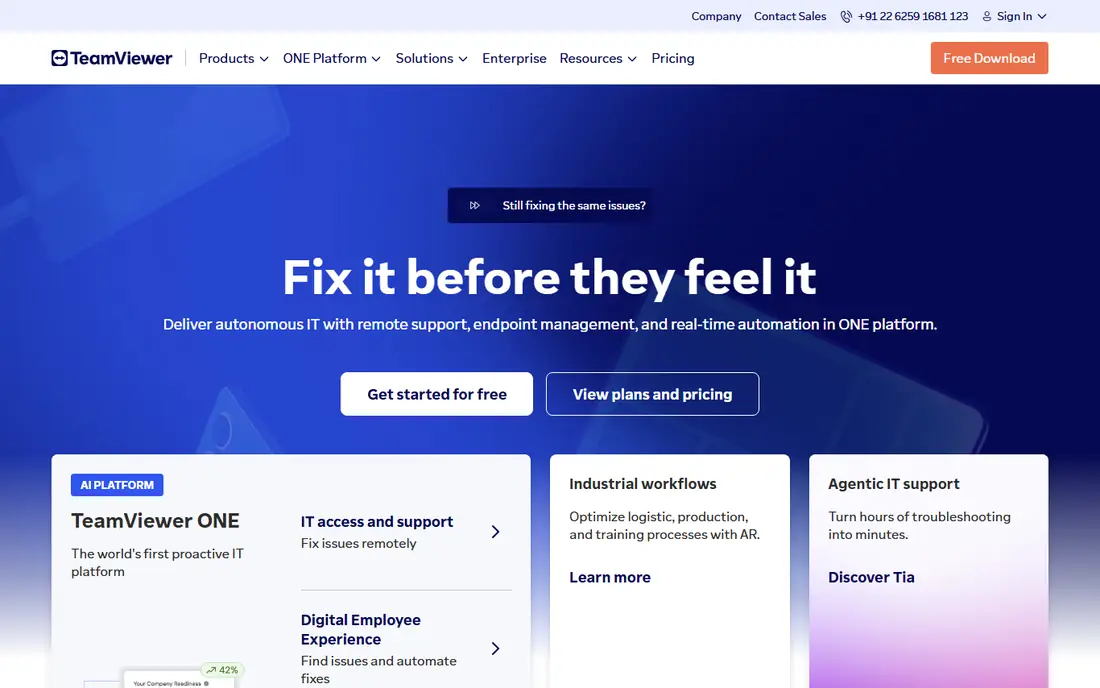
TeamViewer is the name most people think of first, and that familiarity helps when you ask a client to install something. It covers remote support, unattended access, file transfer, and mobile device support across Windows, Mac, Linux, and mobile, with compliance credentials that larger firms care about. The Remote Access plan starts near $24.90 per month billed annually, while the Business support plan costs more.
The downside is price and the strict free tier. Personal use is free, but commercial use needs a paid license, and the system can flag personal accounts it suspects of business use. For a business that wants the safe, widely recognized choice and can pay for it, TeamViewer remains a strong pick. Smaller teams should price the alternatives below before committing.
- Works across nearly every platform
- Strong security and compliance options
- Widely recognized by clients
- Business pricing is premium
- Free tier flags suspected commercial use
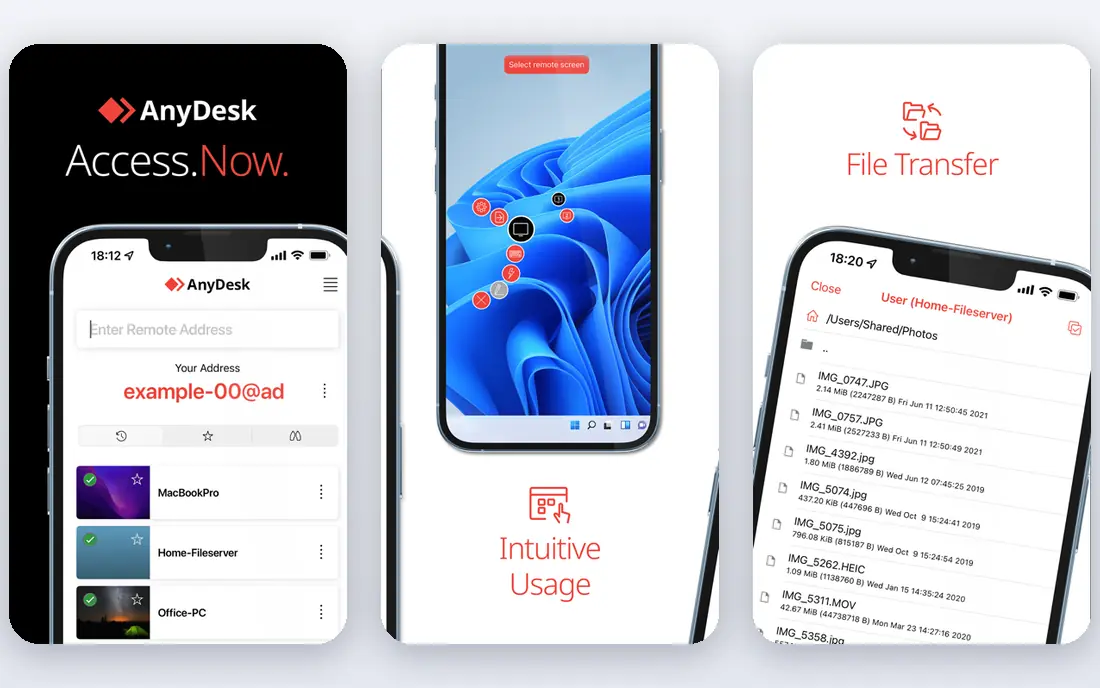
AnyDesk wins on speed. Its DeskRT codec keeps sessions smooth even on weaker connections, which matters when you support users on home broadband or work with graphics-heavy screens. The app is small, starts quickly, and runs on Windows, Mac, Linux, mobile, and Raspberry Pi. Published pricing puts the Solo plan near $22.90 per month billed annually, with a free tier for personal use.
The trade-off is breadth. AnyDesk covers core remote access and support well, but larger IT suites offer deeper ticketing, automation, and fleet management. For solo consultants, small support teams, and anyone who values low latency above all else, AnyDesk is our pick for most people in this group.
- Fast DeskRT codec
- Light footprint
- Works well on slower connections
- Support features trail larger suites
- Entry plan limits managed devices
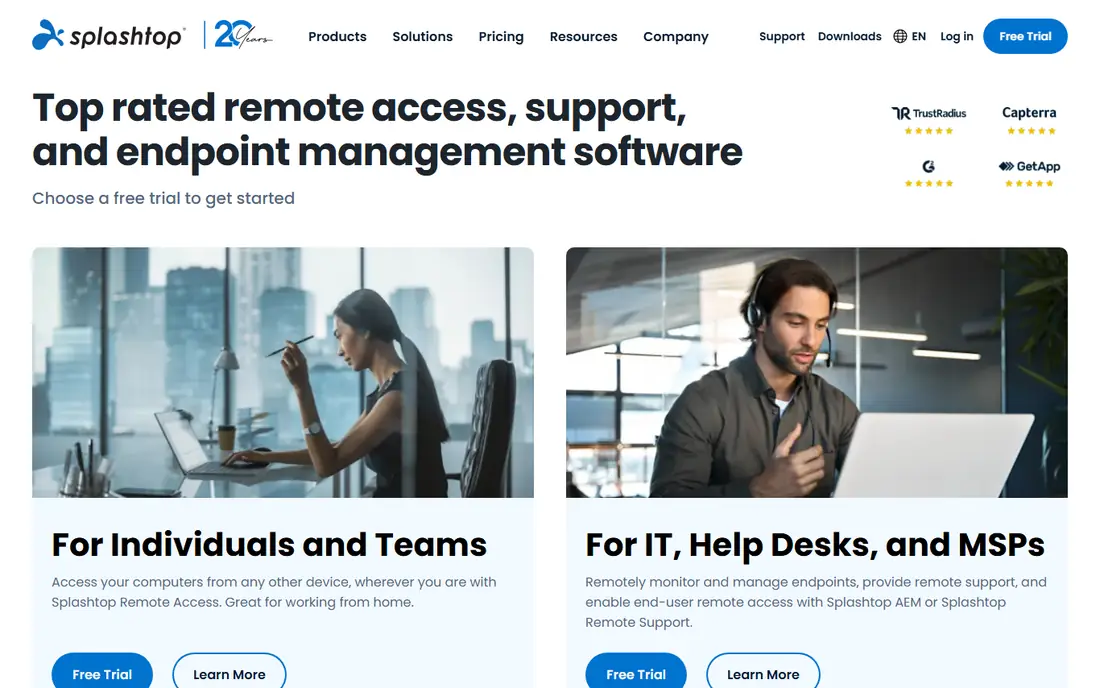
Splashtop undercuts many rivals on price for remote work access, with Business Access Solo starting near $5 to $6 per month billed annually in published comparisons. Its streaming quality is strong, which suits remote workers who run design software or large spreadsheets from home. Separate SOS plans cover on-demand support for technicians, starting near $22 per month.
Buyers should read the product lines carefully, since access and support are priced separately and the cheapest figure does not cover both jobs. For remote workers who mainly need to reach their own office computer, Splashtop is excellent value. Support teams should price SOS directly against Zoho Assist and ScreenConnect.
- Low entry price for personal access
- High performance streaming
- Strong support options
- Support plans cost more than access plans
- Pricing varies by product line
RemotePC is the cheapest credible way to reach your own computers unattended. A consumer plan starts near $22.12 per year for one computer, with team plans adding users and computers at still modest prices. Setup takes minutes, sessions run from a browser or app, and file transfer and remote printing cover everyday needs.
The tool is less suited to a busy helpdesk, since its support workflow and integrations are simpler than Zoho Assist or ScreenConnect. For a small business owner, freelancer, or family IT helper who mainly needs always-on access to a few machines, RemotePC is hard to beat on price.
- Very low annual price
- Simple setup
- Works from a browser
- Support features are basic
- Interface feels plain beside rivals
Zoho Assist suits small support teams that want helpdesk-style remote support without enterprise pricing. The Standard plan starts near $12 per technician per month, and a free tier covers one technician and a small number of unattended computers. It handles on-demand sessions, unattended access, file transfer, and session recording on higher tiers, and it fits naturally beside other Zoho tools.
The limit is scale. Larger managed service providers may want the automation and fleet tools in ScreenConnect, and some advanced features sit on the Professional tier. For a small team that charges by the technician and wants a low monthly bill, Zoho Assist is a strong, honest pick.
- Low per-technician price
- Free tier for one technician
- Good Zoho integrations
- Advanced features need higher tiers
- Smaller ecosystem than TeamViewer
ConnectWise ScreenConnect, formerly ConnectWise Control, is built for managed service providers and IT departments that support many machines and many clients. It supports concurrent sessions, role-based access, automation, and integrations with ticketing and monitoring tools that helpdesks rely on. Published pricing puts the One plan near $27 to $33 per month depending on the comparison and billing terms.
Small teams may find the price and setup heavier than they need, and solo users should compare Zoho Assist first. For an MSP that lives in support sessions all day, ScreenConnect pays for itself in workflow, and that is why it remains the category favorite for professional IT teams.
- Built for multi-technician teams
- Strong automation
- Deep integrations
- Higher price for small teams
- Setup takes more effort
RealVNC Connect is the classic VNC option, built on the open remote framebuffer approach that many IT professionals already know. It runs across Windows, Mac, Linux, Raspberry Pi, and mobile, with cloud connectivity that avoids manual firewall setup on most networks. Published pricing starts near $8.25 per month billed annually.
The interface feels older than TeamViewer or AnyDesk, and its support workflow is simpler, so busy helpdesks may prefer a dedicated support tool. For engineers, labs, and mixed-platform environments that want a stable, standards-based connection, RealVNC remains a dependable choice.
- Long-standing VNC standard
- Works across many platforms
- Lightweight client
- Interface feels dated
- Support workflow is simpler than rivals
Chrome Remote Desktop is the simplest free option for personal use. Install the extension, link your computers to a Google account, and reach them from a browser or mobile app. There is no subscription, no device limit that matters for personal use, and setup takes only a few minutes.
The limits are clear. There are no helpdesk features, no multi-user management, and no advanced file or session tools, and business use on work machines should follow company policy. For reaching your own home computer from a laptop, or helping a family member with a quick session, Chrome Remote Desktop is the tool to try first because it costs nothing.
- Completely free
- Very easy setup
- Runs in the browser
- No support ticketing or fleet tools
- Needs a Google account
- Limited file tools
RustDesk is the open-source alternative for people who want control over their remote access infrastructure. The software is free, the code is public, and teams can self-host the relay server so sessions do not depend on a vendor cloud. That appeals to privacy-minded users, schools, and small IT teams with technical skills.
Self-hosting is the catch. Running a relay securely takes setup and maintenance, and the community is smaller than the commercial rivals. Users who want a managed service should pick a commercial tool instead. For technical teams that value openness and data control, RustDesk is the best free and self-hosted pick.
- Open source
- Self-hosting option
- No vendor lock-in
- Self-hosting needs technical skill
- Smaller support community
How we picked these
We compared official pricing pages and published 2026 comparisons, then favored tools that are actively maintained, widely used, and clearly fit either personal access, on-demand support, or unattended management. Where published prices differed by plan or billing term, we used the most commonly cited entry figure and noted the variation in the text. We did not claim hands-on testing we did not do.
How to choose the right remote tool
Start with the job, not the brand. If you only need your own computers, RemotePC, Splashtop, Chrome Remote Desktop, or RustDesk will cost far less than a support suite. If you support clients, shortlist TeamViewer, AnyDesk, Zoho Assist, and ScreenConnect, then compare per-technician pricing and session features.
Security checks come next. Confirm encryption, two-factor authentication, consent prompts for attended sessions, and the ability to revoke unattended access instantly. Test on the slowest connection you will actually use, since a tool that stutters on home broadband will frustrate every session. Finally, check the renewal price and device limits, because the cheapest headline plan often caps the machines or technicians you can add later.
Frequently asked questions
What is the best remote control software for personal use?
Chrome Remote Desktop is the best free starting point, and RemotePC is the cheapest paid option for always-on access to your own machines. AnyDesk also offers a free personal tier with faster performance on weaker connections.
What is the best remote control software for IT support teams?
Zoho Assist suits small teams on a budget, while ConnectWise ScreenConnect suits managed service providers with many technicians. TeamViewer remains the best-known option for firms that want broad platform support and strong compliance credentials.
Is remote control software safe?
Yes, when it comes from a reputable vendor and is set up properly, with strong passwords, two-factor authentication, and consent prompts for attended sessions. Never grant unattended access to someone you do not trust, and remove access as soon as a support session ends.
Can I use remote control software on a phone?
Yes. TeamViewer, AnyDesk, Splashtop, Zoho Assist, Chrome Remote Desktop, and RustDesk all offer mobile apps for viewing and controlling computers. Typing and precise mouse work are easier on a tablet or laptop, but phones work well for quick checks.
What is the difference between remote access and remote support?
Remote access means reaching your own computers unattended, while remote support means connecting to someone else's machine, usually with their consent, to fix a problem. Some tools do both, but pricing often differs by job, so check which plan covers your use.
Do I need to install software on both computers?
In most cases, yes, though some tools run from a browser on the viewer side. Attended support usually needs the other person to run a small app or accept a session link, while unattended access needs an agent installed and left running.
Sources we checked (9)

Online Jobs is an independent blog about careers, online work, learning new skills and the tools that help people earn. More about us.
Keep reading
All posts
Zoom Alternatives
Zoom alternatives compared for 2026: Google Meet, Microsoft Teams, Webex, Jitsi and more for free calls, large meetings and webinars for teams and classrooms.

What Is the Best Free Tool to Rotate a PDF
What is the best free tool to rotate a PDF? We compare eight free rotation tools on per-page control, limits, privacy and saved output quality in detail.

What Is the Best AI Dubbing Tool
We compared the best AI dubbing tools in 2026, from ElevenLabs and HeyGen to Rask AI, Dubverse and Veed, for videos and creators in many languages worldwide.