Best Reminder App in 2026: 9 Apps Compared

How we put this together: we compare official feature and pricing pages, app store listings, privacy policies and public user reviews. Prices change, so check the provider's site before you pay.
Key takeaways
- The best free reminder app depends on your platform, because Apple Reminders and Microsoft To Do are free but tied to their own systems.
- Todoist and TickTick suit users who want reminders inside a fuller task system, not a bare alarm list.
- Due suits people who need a reminder to repeat until a task is done, while most other apps alert once.
- Check whether reminders are on the free tier before you choose, since several apps reserve them for paid plans.
Quick comparison
| Name | Who it suits | Starting price | Free option | |
|---|---|---|---|---|
 Todoist | cross-platform task users | Free | Yes | Visit |
 TickTick | tasks plus habits and calendar | Free | Yes | Visit |
 Microsoft To Do | free reminders for Microsoft users | Free | Yes | Visit |
 Google Tasks | simple free reminders in Google | Free | Yes | Visit |
 Apple Reminders | Apple device owners | Free | Yes | Visit |
 Any.do | polished shared lists | Free | Yes | Visit |
 Remember The Milk | long-term list keepers | Free | Yes | Visit |
 Things 3 | Apple users wanting a one-time buy | See website | No | Visit |
 Due | persistent nagging reminders | See website | No | Visit |
The best reminder apps
We compared these apps on price, free access, core features, and the limits that show up in daily use. The order below starts with the most broadly useful pick and then moves to options that suit a narrower need.
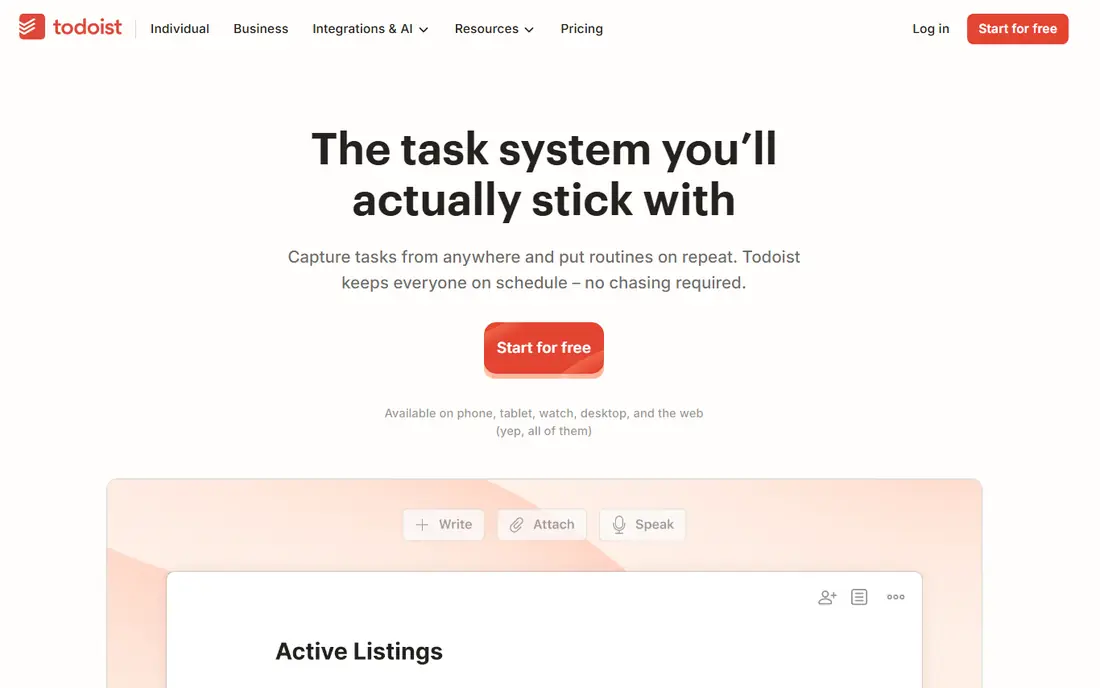
Cross-platform users who want one list on phone, desktop, and web will settle in quickly here. Todoist fits cross-platform task users and gives you a clear place to start without a long setup process. It turns a typed phrase into a dated task, and projects, labels, and priorities keep a long list readable when work piles up. Where Todoist stands out is in how it handles quick task capture. Typing a task with a date and a priority in one line creates a full task without opening several menus, which keeps capture fast on a busy day. The honest catch is the free plan does not include reminders, so reminder-led users need the paid plan or a different app. Try the free plan or trial first, test the exact task you care about most, and check pricing on the vendor site before you pay.
- Fast capture
- Natural language dates
- Projects and labels
- Reminders are a paid feature
- Free project limits apply
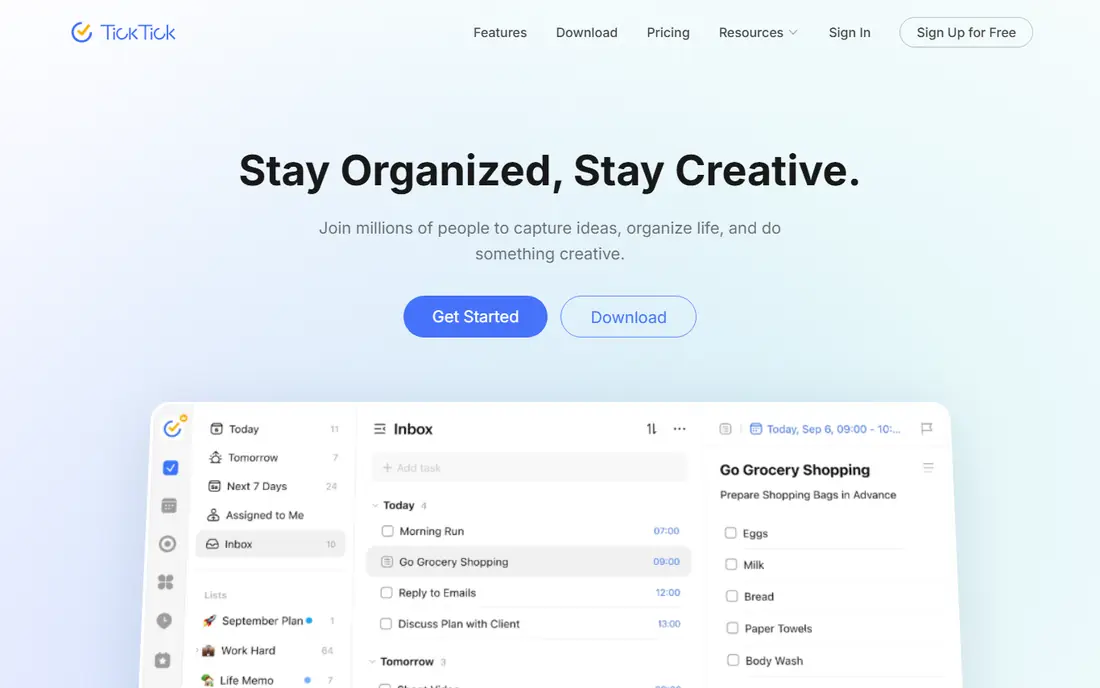
People who want tasks, habits, and a calendar in one app rather than three separate apps will like this balance. TickTick fits tasks plus habits and calendar and gives you a clear place to start without a long setup process. It combines a task list with a calendar, a habit tracker, and a focus timer, so a daily plan can live in one place from morning to evening. Where TickTick stands out is in how it handles combined planning tools. The calendar view shows tasks next to events, habits sit beside daily tasks, and the timer helps break work into focused blocks without switching apps. The honest catch is the free tier limits lists and reminders, so heavy users will hit the paid upgrade sooner than they expect. Try the free plan or trial first, test the exact task you care about most, and check pricing on the vendor site before you pay.
- Calendar view
- Habit tracking
- Pomodoro timer built in
- Free tier caps reminders per task
- Some features need Premium
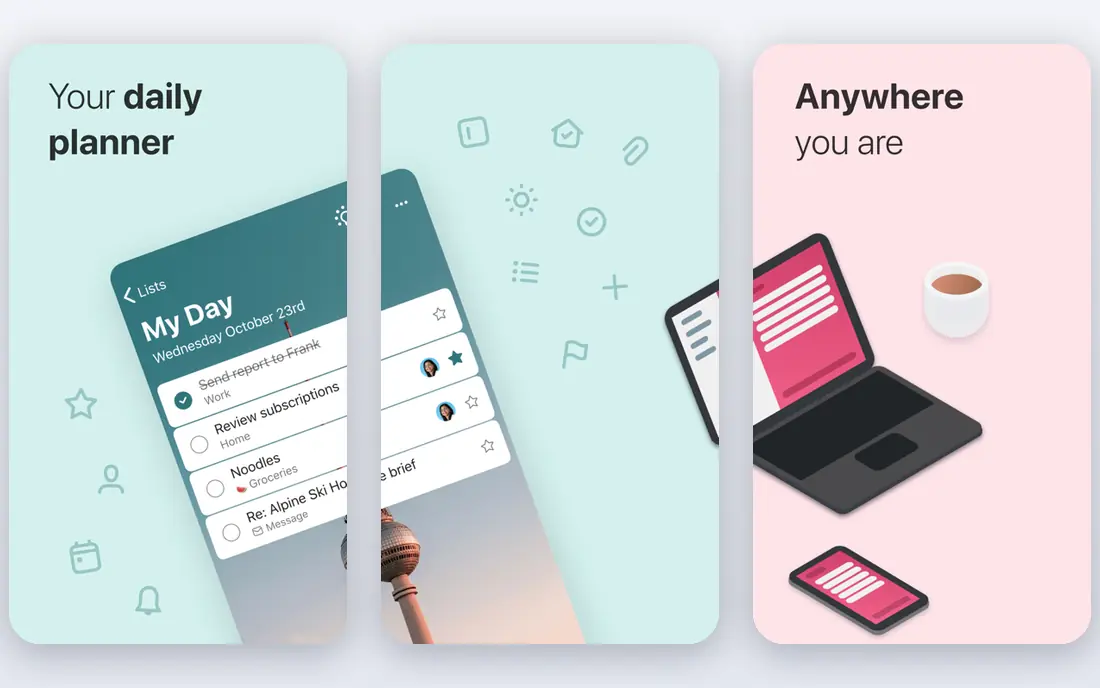
Microsoft users who want a free reminder app that works with Outlook will find this the simplest fit. Microsoft To Do fits free reminders for microsoft users and gives you a clear place to start without a long setup process. It turns flagged emails into tasks, syncs with Outlook and Teams, and keeps shared lists simple for families and small teams. Where Microsoft To Do stands out is in how it handles Outlook integration. Flagged mail becomes a task, planner assignments appear in the same list, and the app stays in step with the Microsoft tools many offices already use. The honest catch is it offers less depth than paid task managers, and users outside Microsoft services may find the links less useful. Try the free plan or trial first, test the exact task you care about most, and check pricing on the vendor site before you pay.
- Fully free
- Outlook and Teams links
- Shared lists
- Stays inside Microsoft services
- Fewer power features
Google users who want a plain list inside Gmail and Calendar will find this hard to beat for simplicity. Google Tasks fits simple free reminders in google and gives you a clear place to start without a long setup process. It keeps tasks beside mail and calendar events, so a reminder can be added while reading a message without opening another service. Where Google Tasks stands out is in how it handles Gmail and Calendar links. Tasks created from mail stay linked to that message, and calendar dates give each task a clear place in the week. The honest catch is the app is basic, with limited repeat options and no rich project tools, so complex plans need a stronger app. Try the free plan or trial first, test the exact task you care about most, and check pricing on the vendor site before you pay.
- Free with a Google account
- Gmail and Calendar links
- Very simple
- Basic notifications only
- No location reminders in the current flow
Apple owners who want a built-in reminder app with no extra cost should start here before buying anything. Apple Reminders fits apple device owners and gives you a clear place to start without a long setup process. It works with Siri, supports shared lists for family tasks, and syncs across iPhone, iPad, and Mac through the same account. Where Apple Reminders stands out is in how it handles Siri and shared lists. A spoken reminder becomes a task in seconds, and shared lists let a household split chores and shopping without a separate account. The honest catch is it is Apple only, so a household or team with Android devices will need a cross-platform option instead. Try the free plan or trial first, test the exact task you care about most, and check pricing on the vendor site before you pay.
- Free on Apple devices
- Siri support
- Shared lists
- Apple only
- No Android or Windows app
People who share lists with a partner or a small team and care about a clean look will enjoy this app. Any.do fits polished shared lists and gives you a clear place to start without a long setup process. It offers lists, a calendar view, and shared tasks in a design that stays readable even when several people add items at once. Where Any.do stands out is in how it handles shared lists and calendar. Shared lists update for everyone on the list, and the calendar view shows dated tasks in context rather than as a flat list. The honest catch is the free tier is useful but limited, and the most helpful extras, including some reminder channels, sit behind Premium. Try the free plan or trial first, test the exact task you care about most, and check pricing on the vendor site before you pay.
- Clean design
- Shared lists
- Calendar view
- Best features need Premium
- WhatsApp reminders are paid
Long-term list keepers who sort tasks by smart rules rather than by hand will find this a steady choice. Remember The Milk fits long-term list keepers and gives you a clear place to start without a long setup process. It supports smart lists that group tasks by due date, tag, or location rules, and it runs on web, phone, and desktop. Where Remember The Milk stands out is in how it handles smart lists. A smart list can pull together every overdue task, every task for one place, or every task with one tag, without manual sorting each day. The honest catch is reminders require the paid plan, which weakens the free tier for users whose main need is a timely nudge. Try the free plan or trial first, test the exact task you care about most, and check pricing on the vendor site before you pay.
- Smart lists
- Repeat tasks
- Wide platform support
- Reminders need Pro
- Older design feel
Apple users who prefer a one-time purchase to a monthly fee will like the calm design here. Things 3 fits apple users wanting a one-time buy and gives you a clear place to start without a long setup process. It organises work into areas and projects, with a today view that keeps the current day short and a later view for everything else. Where Things 3 stands out is in how it handles areas and projects. Areas hold ongoing parts of life, projects hold finite work, and the today view pulls only what is due now, which keeps the list calm. The honest catch is it is Apple only and bought per platform, so the full cost across iPhone, iPad, and Mac is higher than the first price shown. Try the free plan or trial first, test the exact task you care about most, and check pricing on the vendor site before you pay.
- One-time purchase per platform
- Clean design
- Areas and projects
- Apple only
- No subscription sync extras
- Bought per device
People who miss one alert and then forget the task entirely will benefit most from this focused app. Due fits persistent nagging reminders and gives you a clear place to start without a long setup process. It repeats a reminder at set intervals until the task is marked done, which suits bills, medicine, and other tasks that cannot slip by a day. Where Due stands out is in how it handles persistent reminders. An overdue reminder keeps returning on a schedule you set, so a single missed alert does not turn into a missed task. The honest catch is it is Apple only and it does one job, so users who also need projects, notes, or team lists will need a second app. Try the free plan or trial first, test the exact task you care about most, and check pricing on the vendor site before you pay.
- Auto-snooze until done
- Fast repeat setup
- Simple design
- Apple only
- No cross-platform sync
- Narrow scope
How we picked these
We started from official feature pages, pricing pages, and app store listings, and we checked privacy pages and public reviews where they helped explain a limit or a plan change. We left out products where the price or the free tier could not be pinned down, and we marked those cases as See website rather than guessing a figure. We also weighed fit over feature count. A product with fewer features can still be the right pick when it does one job well, costs less, or works on the devices a reader already owns. That is why the list mixes free options, paid specialists, and broad suites instead of ranking on price alone.
How to pick a reminder app that you will actually use
Start with the device you carry most. An app that is free and built in will beat a paid app that you have to open on purpose, because reminders only work when they reach you on time. Check whether the app works on every device you use, and whether shared lists matter for your household or team. Next, test one real reminder for a week. Set a bill, a call, and a repeat task, then see whether the alerts arrive, whether snooze is easy, and whether the task is easy to mark done. The app that passes that week test is the right pick, even if another app has a longer feature list.
Frequently asked questions
What is the best free reminder app?
Microsoft To Do and Google Tasks are strong free picks for cross-platform use, while Apple Reminders is the best free pick for Apple-only users. The right free app depends on the devices you already use.
What is the best app for daily reminders?
TickTick and Todoist suit daily reminders inside a task list, while Due suits daily tasks that must not be missed. Pick Due when a single alert is not enough.
What is the best task reminder app?
Todoist is a strong task reminder app for power users, and TickTick is a strong value pick with habits and a calendar included. Both work across phone and desktop.
What are the best reminder apps for families?
Microsoft To Do, Any.do, and Apple Reminders all support shared lists. Shared lists work best when every family member uses the same platform.
Do free reminder apps include location reminders?
Some do and some do not, and the detail changes over time. Check the current app listing before you rely on a location-based alert for an important task.
Sources we checked (9)

Online Jobs is an independent blog about careers, online work, learning new skills and the tools that help people earn. More about us.
Keep reading
All posts
Zoom Alternatives
Zoom alternatives compared for 2026: Google Meet, Microsoft Teams, Webex, Jitsi and more for free calls, large meetings and webinars for teams and classrooms.

Which Software Is Best for Data Entry
Compare the best data entry software for forms, OCR scanning, and spreadsheets, with free plans, pricing, and honest limits for each tool before you commit.
What's the Best App to Read PDFs
Find what's the best app to read PDFs in 2026, from Adobe Acrobat Reader and Foxit to PDF Expert and Xodo, with free options and honest limits for every device.