Best Recipe Organizer App Free in 2026: 8 Apps Compared


Free meal planning and recipe saving · Starting price: Free
How we put this together: we compare official feature and pricing pages, app store listings, privacy policies and public user reviews. Prices change, so check the provider's site before you pay.
Key takeaways
- Samsung Food gives the broadest free recipe box, meal planner, and shopping list in one app, with a paid Food+ tier for extra features.
- Copy Me That keeps the basics simple and cheap, but its free plan is limited to 40 recipes.
- AnyList is the strongest choice when shared grocery lists matter more than a large recipe library, since free recipe import is limited.
- Recipe Keeper, MyRecipeBox, and ChefTap suit cooks who want a tidy personal collection without a monthly bill.
- Check the free limits before you import a large collection, because caps on recipes, devices, and meal planning differ a lot.
Quick comparison
| Name | Who it suits | Starting price | Free option | |
|---|---|---|---|---|
| Samsung Food | Free meal planning and recipe saving | Free | Yes | Visit |
 Copy Me That | Simple web recipe clipping | Free | Yes | Visit |
 AnyList | Shared grocery lists | Free | Yes | Visit |
 Recipe Keeper | Cross-platform recipe collection | Free | Yes | Visit |
 MyRecipeBox | No-cost recipe storage | Free | Yes | Visit |
 ChefTap | Clipping and scaling recipes | Free | Yes | Visit |
 Paprika | One-time purchase recipe manager | $4.99 | No | Visit |
 Mela | Apple-only recipe manager | Free | Yes | Visit |
The best recipe organizer apps free
A good free recipe organizer should save a recipe in seconds, keep it readable in the kitchen, and turn a week of meals into a shopping list. The eight apps below all do that job in different ways, and our pick for most people is Samsung Food because its free tier covers saving, planning, and lists without forcing an upgrade.
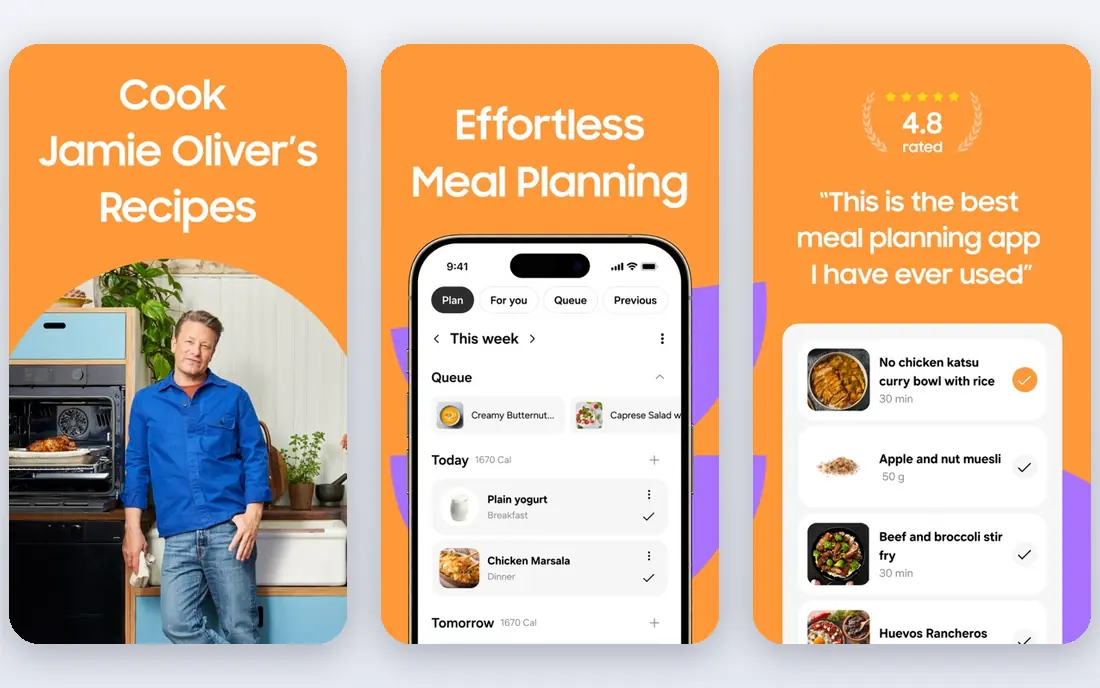
Samsung Food, formerly known as Whisk, is the most complete free recipe organizer we compared. You can save recipes from websites, build a weekly meal plan, and turn that plan into a shopping list that can be shared with family. The community catalog also gives you a place to browse when you have no plan at all, which helps on busy weeknights.
The honest catch is that the free version is not the whole product. Food+ costs $6.99 per month or $59.99 per year and adds features such as pantry tools and extra planning help. For most home cooks, though, the free tier covers the core job well, and it is the easiest starting point if you want to try a recipe organizer without paying first.
- Free recipe saving, meal planner, and shopping lists
- Large community recipe catalog
- Works on iOS, Android, and the web
- Some pantry and premium features need Food+
- Ads appear in the free version
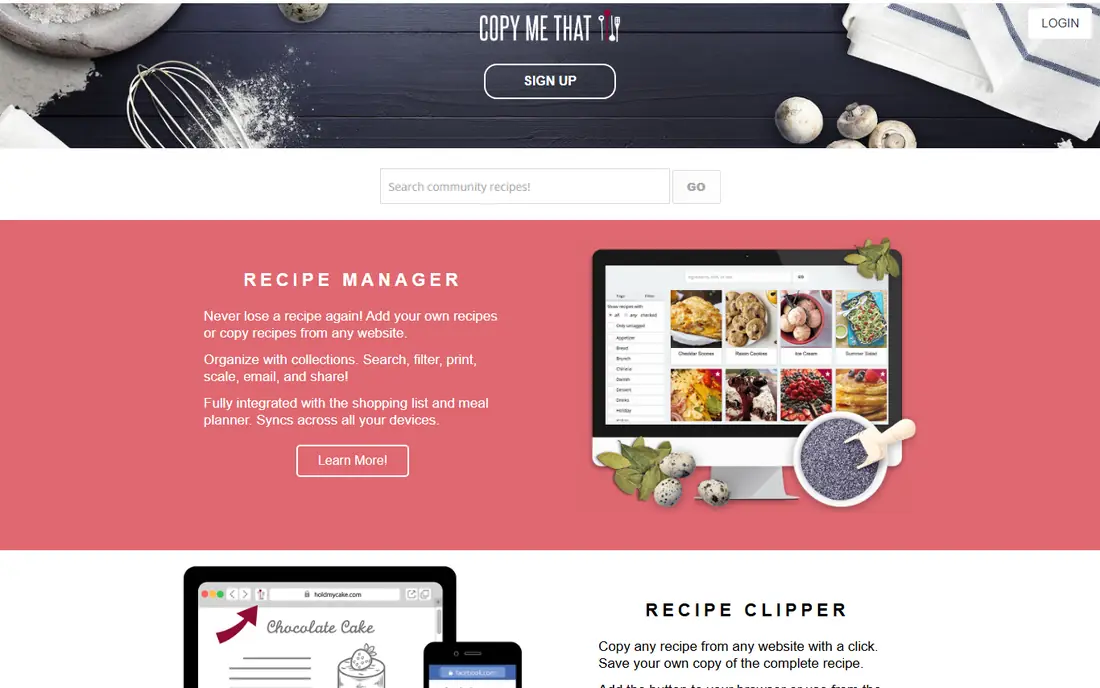
Copy Me That does one thing very well, which is turning a web recipe into your own editable copy. You can adjust ingredients, add your own notes and photos, and organize recipes into collections. The meal planner and shopping list sit alongside the recipe box, so a saved recipe can become a plan and then a list without extra apps.
The limit to watch is the 40-recipe cap on the free plan. That is enough to test the app properly, but a serious collector will hit it fast. Paid membership is listed at $0.99 per month, which keeps the upgrade cheap compared with most subscription apps in this list.
- Clean recipe clipping from websites
- Meal planner and shopping list included
- Your recipes can be exported
- Free plan limited to 40 recipes
- Unlimited recipes need a paid membership
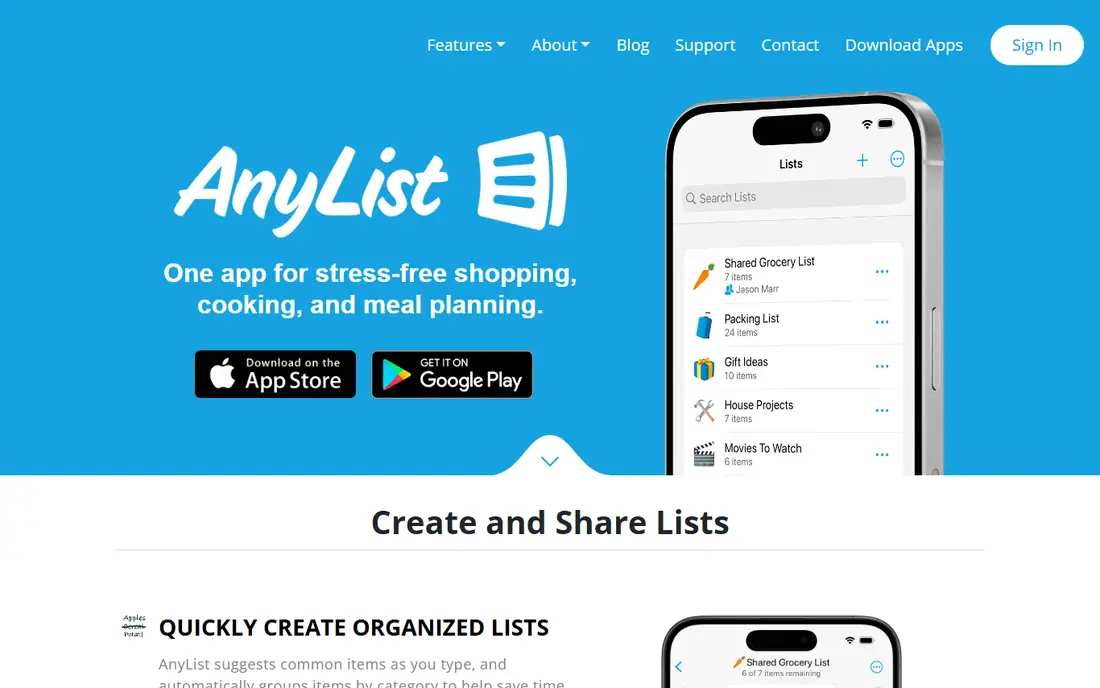
AnyList starts as a grocery list app and adds recipes around that core. Lists sync quickly between family members, items group by category, and you can add a photo so the shopper buys the right brand. For a household where the shopping list causes more friction than the recipe box, that focus is a real advantage.
Recipe lovers should read the free limits closely. Free users can import only 5 recipes from websites, and the meal planning calendar needs AnyList Complete, which costs $9.99 per year for one person or $14.99 per year for a household. If recipes matter more than lists, start with Samsung Food or Copy Me That instead.
- Fast shared lists that sync across the household
- Items sort by store category
- Photos can be added to list items
- Free recipe import limited to 5 recipes
- Meal planning needs AnyList Complete
Recipe Keeper suits cooks who move between phone and computer. It saves recipes from websites, scans printed cards, and keeps a meal planner and shopping list in the same app. That cross-platform reach matters when you plan on a laptop and cook from a phone, and few free apps cover Mac and Windows as well.
The paid side is where you need to check the details. The Pro upgrade is sold per platform, so buying it on one device does not always apply everywhere. The free download still gives you a useful recipe box, so try it on your main device first and only pay for the platforms you actually cook from.
- Works on iOS, Android, Mac, and Windows
- Scans printed recipes
- Meal planner and shopping list included
- Pro upgrade is priced per platform
- Full sync features sit behind the paid upgrade
MyRecipeBox is a straightforward choice for cooks who want a free place to store recipes and nothing more. The layout is plain, saving is quick, and there is no subscription push for the core collection. That simplicity is a strength in the kitchen, where a busy screen is the last thing you need with wet hands.
The trade-off is scope. You will not get the same meal planning depth, store integrations, or community catalog as Samsung Food, and shopping tools are more basic. Pick MyRecipeBox when a tidy personal archive is the whole job, and pick a larger app when planning and shopping need to work together.
- Free recipe saving and organization
- Simple layout that stays out of the way
- No subscription needed for the core box
- Fewer meal planning and shopping tools than larger apps
- Smaller community and support resources
ChefTap has been clipping web recipes for years, and that experience shows in its core tools. Saved recipes stay readable, ingredient amounts can be scaled up or down for a larger crowd, and the shopping list pulls from what you plan to cook. For cooks who regularly double a recipe for guests, scaling alone can justify the download.
The look and feel is less polished than Samsung Food or Mela, and some of the more advanced tools sit behind payment. If you judge apps by design first, this one may feel old. If you judge by clipping accuracy and practical cooking tools, ChefTap still earns its place.
- Clips recipes from websites
- Scales ingredient amounts
- Keeps a shopping list from saved recipes
- Interface feels dated next to newer apps
- Some advanced features need the paid version
Paprika is included because many readers searching for a free recipe organizer really want to avoid a monthly bill, and Paprika offers a different answer. Instead of a subscription, you pay once per platform, with iOS listed at $4.99 and Mac and Windows at $29.99. You get a mature recipe manager with meal planning, grocery lists, and pantry tracking.
The catch is that it is not free, and buying it on your phone does not open the desktop version. Still, for cooks who hate subscriptions and want a long-term tool, the one-time cost can work out cheaper than a year of most paid plans. Try the trial limits on Android and Windows first to see if the workflow suits you.
- One-time purchase per platform instead of a subscription
- Meal planner, grocery lists, and pantry tools
- Cloud sync across devices
- No fully free plan
- Each platform is sold separately
Mela is the calmest recipe manager in this list, built only for iPhone, iPad, and Mac. It saves recipes from its in-app browser, scans recipes from books, and sends meal plans to Apple Calendar and groceries to Apple Reminders. Sync runs through iCloud, and the app states that it collects no data, which privacy-minded cooks will like.
The limit is the platform lock-in. There is no Android or Windows version, so mixed-device households will struggle. The free download covers the basics, and Mela+ is a one-time purchase listed at $6.99 on iOS and iPadOS. If everyone in your home uses Apple devices, Mela is a strong and quiet choice.
- Clean Apple-only design
- Saves from an in-app browser
- Scans recipes from books
- Syncs through iCloud
- No Android or Windows version
- Full features need a one-time Mela+ purchase
How we picked these
We compared official feature pages, pricing pages, and app store listings for recipe apps that save, organize, and plan meals, and we favored apps that still work and are actively maintained in October 2026. Free limits mattered as much as features, so we checked recipe caps, meal planning access, and whether a paid tier was a subscription or a one-time purchase. We left out apps that only plan meals without storing recipes, and apps that had clearly stopped working.
What to check before you import your whole collection
Start with the free limit, not the feature list. A 40-recipe cap, a 5-recipe import limit, or a per-platform purchase can change the real cost fast, and importing hundreds of recipes into the wrong app wastes an afternoon. Export options matter too, so confirm you can take your recipes out again before you commit to one system.
Next, match the app to how you actually cook. Shared households need fast list sync and a clear shopping view. Solo cooks need fast clipping and a readable cooking mode. Apple-only homes can choose Mela, while mixed-device homes should favor Samsung Food, Recipe Keeper, or Copy Me That for wider platform support.
Test with ten recipes first
Save ten recipes you actually cook, plan one week, and shop from the list the app builds. That short test shows whether clipping works on your favorite sites, whether the planner feels natural, and whether the shopping list groups items in a useful way. If any step feels awkward in that test, it will feel worse with two hundred recipes in the box.
Keep your originals safe
Keep a backup of family recipes outside any single app, whether that is a folder of photos, a document, or an export file. Apps change pricing, close, or drop platforms, and a recipe box you cannot export is a risk. A quick export once a month takes minutes and protects years of collected recipes.
Frequently asked questions
What is the best free recipe organizer app?
Samsung Food is our pick for most people because its free tier covers recipe saving, meal planning, and shopping lists on iOS, Android, and the web. Copy Me That is simpler and cheaper to upgrade, while AnyList wins when shared grocery lists matter most. The right choice depends on whether you value planning, lists, or a plain recipe archive.
Is there a completely free recipe organizer app?
MyRecipeBox and the free tiers of Samsung Food, Copy Me That, and Recipe Keeper all let you store recipes without paying. Most free plans have limits, though, such as recipe caps or locked meal planning, so read the limits before you import a large collection. A truly unlimited free app is rare, and the closest options are usually simple archives.
Can I import recipes from websites for free?
Yes, Samsung Food, Copy Me That, Recipe Keeper, and ChefTap all support free web clipping with different limits. AnyList limits free web import to 5 recipes, so it is a poor fit if web clipping is your main need. Test clipping on your favorite recipe sites first, since some sites clip more cleanly than others.
Does a free recipe organizer app include meal planning?
Samsung Food includes a meal planner in its free tier, and Copy Me That and Recipe Keeper include planning tools as well. AnyList keeps its meal calendar behind AnyList Complete, and Paprika needs a purchase. If planning is central to how you cook, favor an app that includes it free rather than one that locks it away.
What is the best recipe organizer app for families?
AnyList is the strongest family pick for shared shopping, because lists sync fast and items sort by store category. Samsung Food is the better all-round family pick when meal planning and recipe saving matter as much as shopping. Try both free tiers with the people who actually shop and cook before you settle.
Sources we checked (8)

Online Jobs is an independent blog about careers, online work, learning new skills and the tools that help people earn. More about us.
Keep reading
All posts
Zoom Alternatives
Zoom alternatives compared for 2026: Google Meet, Microsoft Teams, Webex, Jitsi and more for free calls, large meetings and webinars for teams and classrooms.

Which Software Is Best for Data Entry
Compare the best data entry software for forms, OCR scanning, and spreadsheets, with free plans, pricing, and honest limits for each tool before you commit.

What's the Best App to Read PDFs
Find what's the best app to read PDFs in 2026, from Adobe Acrobat Reader and Foxit to PDF Expert and Xodo, with free options and honest limits for every device.