Best Recipe Apps in 2026: 9 Apps Compared


Organising a large recipe collection · Starting price: See website
How we put this together: we compare official feature and pricing pages, app store listings, privacy policies and public user reviews. Prices change, so check the provider's site before you pay.
Key takeaways
- Paprika is the best recipe manager for collectors, with a strong web clipper, offline access and a one-time purchase per platform.
- Mealime is the easiest planner for busy weeknights, with quick recipes and grocery lists built from your chosen meals.
- Yummly is best for discovery, with personalised suggestions based on tastes, diets and ingredients you already have.
- Plan to Eat suits cooks who already have favourite recipes and want a calendar to organise them into a week.
- A recipe app saves the most time when it builds the grocery list for you, so test that step before you commit to a planner.
Quick comparison
| Name | Who it suits | Starting price | Free option | |
|---|---|---|---|---|
| Paprika Recipe Manager | Organising a large recipe collection | See website | Free trial | Visit |
 Mealime Mealime | Fast weeknight meal planning | Free | Yes | Visit |
 Yummly Yummly | Discovering new recipes | Free | Yes | Visit |
 Plan to Eat Plan to Eat | Calendar-based meal planning | See website | Free trial | Visit |
 SideChef SideChef | Guided step-by-step cooking | Free | Yes | Visit |
 Tasty Tasty | Fun video recipes | Free | Yes | Visit |
 Prepear Prepear | Family meal planning | Free | Yes | Visit |
 AnyList AnyList | Shared grocery lists | Free | Yes | Visit |
 Recipe Keeper Recipe Keeper | Scanning and saving recipes | Free | Yes | Visit |
The best recipe apps
We compared official feature pages, pricing pages, app store listings and public reviews, and we separated three different jobs: finding recipes, planning a week and organising a collection you already own. An app can be strong at one job and weak at another, so the picks below are grouped by the job they do best.
Paprika Recipe Manager
Who it suits: Organising a large recipe collection

Paprika is a digital cookbook first and a planner second. Its browser extension and in-app browser clip recipes from websites, clean up ingredients and steps, and store them in a searchable collection with categories and tags. Once saved, a recipe works offline, scales to a different serving size, and feeds a grocery list that syncs across devices. For a cook with hundreds of saved links, that organisation is the whole point.
The cost model is different from most apps here. Paprika is sold as a one-time purchase per platform, so buying it for iPhone, Mac and Windows means separate purchases, and the price varies by platform. It also does not suggest a weekly plan for you, so a cook who wants inspiration handed to them may prefer Mealime or Yummly. If your main problem is a messy pile of bookmarks, Paprika solves it cleanly.
- Strong web clipper for saving recipes
- Offline access
- Scaling, timers and grocery lists built in
- One-time purchase per platform
- No built-in meal plan suggestions
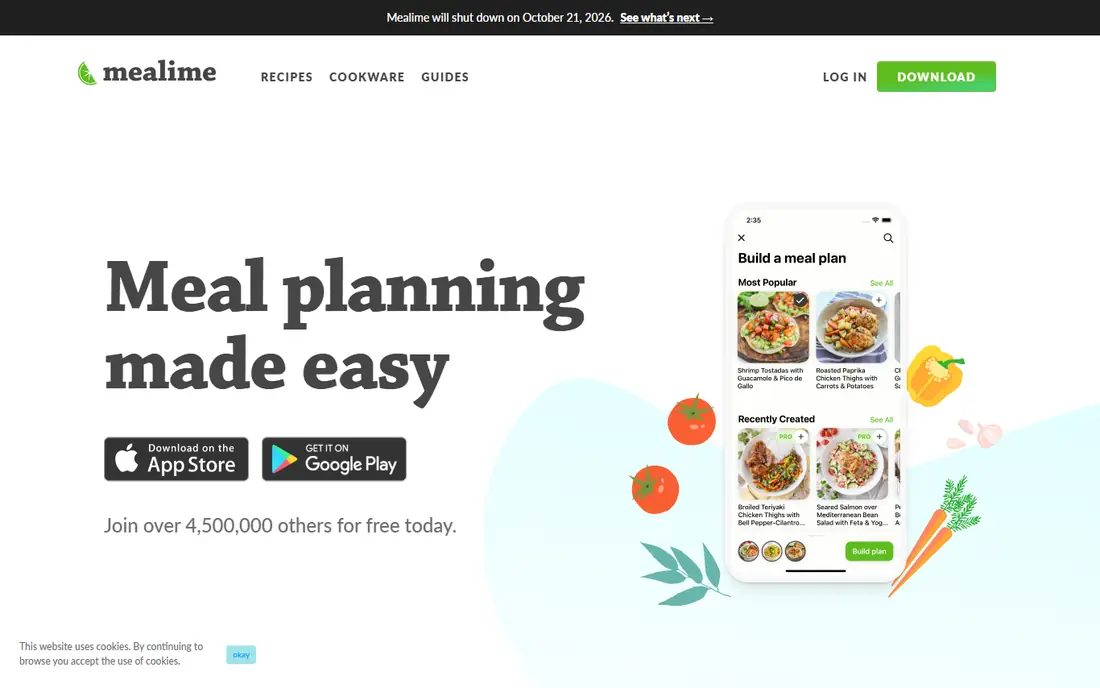
Mealime is built for the weeknight question of what to cook tonight. You set a diet, list foods you dislike and pick a few meals, and the app builds a plan with a consolidated grocery list. Most recipes are designed to take about 30 minutes, and the cooking mode shows one step at a time, which helps when your hands are busy. The free tier covers basic planning, while Pro adds more recipes, nutrition details and extra features.
The library is smaller and more curated than Yummly, so a cook who wants endless browsing may find it narrow. Editing a recipe in detail is also less flexible than in Paprika, since Mealime plans are built from its own collection. If your goal is a fast, healthy week with less shopping stress, that trade-off is worth it, and the free tier is enough to test the routine for a few weeks.
- Quick recipes built around your diet and dislikes
- Grocery list generated from your plan
- Clear step-by-step cooking mode
- Smaller recipe library than discovery apps
- Less flexible for editing recipes on the fly
Yummly works like a search engine tuned to your kitchen. Tell it your diets, allergies, favourite cuisines and ingredients you have, and it suggests recipes from across the web, with filters for time, nutrition and difficulty. That makes it the best pick for a cook who is bored of the same five dinners and wants new ideas without scrolling through blogs. The free tier covers discovery and saving, while a paid plan removes ads and adds guided cooking and nutrition tools.
Ads in the free version are the main annoyance, and recipe quality varies because sources differ, so always read a recipe through before shopping. Yummly also focuses more on finding recipes than on planning a full week, though saved recipes can feed a shopping list. For inspiration first and planning second, it is the strongest free starting point.
- Personalised suggestions based on taste and diet
- Large recipe library
- Filters for ingredients, time and nutrition
- Free version includes ads
- Some advanced features need a paid plan
Plan to Eat suits cooks who already know what they like and just need a system. You clip recipes from the web, drag them onto a calendar for the week, and the app builds a grocery list from those meals. Sharing a plan with a household is simple, and the calendar view makes it easy to see which nights are busy and which meals fit. For a family that plans together, that visual week is more useful than a list of suggestions.
The app does not generate a plan for you, so a cook who wants inspiration must bring their own recipes or browse elsewhere. There is also no permanent free tier, only a trial, and pricing is subscription based, so check the current rate on the vendor site. If you already have a collection and you want order, Plan to Eat gives you that order without extra features you will not use.
- Drag-and-drop calendar for weekly planning
- Strong recipe clipper
- Grocery list from planned meals
- No auto-generated plans
- Subscription only, with no free tier beyond a trial
SideChef is the closest thing here to a cooking teacher standing beside you. Its Cook Mode shows one step at a time with photos, timers and voice commands, so you do not need to touch the screen with messy hands. Recipes cover many diets and skill levels, and the app can build a shopping list from your chosen meals, with grocery delivery options in some regions.
The free tier covers a useful set of recipes, but the full library and some premium features need a subscription, and the home screen can feel crowded with promotions. If you are a beginner who wants guidance through each step, that hand-holding outweighs the clutter. Experienced cooks who already know techniques may prefer the cleaner organisation of Paprika.
- Step-by-step photos, timers and voice guidance
- Recipes for many diets
- Grocery list integration
- Premium library needs a paid plan
- Interface can feel busy
Tasty is best for casual inspiration rather than serious planning. Its short videos show each recipe from start to finish, which helps a beginner see what a dish should look like at each stage, and the library covers comfort food, quick dinners and baking in an approachable style. The app is free, with recipes, shopping lists and saved collections included.
Planning tools are thin compared with Mealime or Plan to Eat, and nutrition details and precise scaling are less developed. Tasty is the app you open when you want an idea for tonight, not the app you use to organise a month of meals. Pair it with a planner if you like its recipes but need a grocery list for the week.
- Short, clear video recipes
- Large library for casual cooking
- Easy sharing and saving
- Less useful for meal planning
- Nutrition and scaling tools are limited
Prepear combines meal planning, grocery lists and family sharing in one app. A household can share a plan, add items to a common list and follow curated plans or community recipes, which suits parents who split cooking and shopping. The free tier covers basic planning and lists, while Premium adds more plans, features and content.
The recipe library is smaller than Yummly, and some of the best plans sit behind the paid tier, so a single cook who only needs personal planning may find Mealime simpler. For a family that needs one shared system, though, Prepear keeps everyone on the same page, and that shared list is where it earns its place.
- Shared plans and lists for a household
- Curated meal plans
- Community recipes and blogs
- Premium features need a paid plan
- Smaller library than Yummly
AnyList is a list app that also handles recipes, rather than a recipe app that also handles lists. Its strength is shared grocery lists that update in real time, so a partner can add milk from the shop while you add it at home, and the list can sort by store aisle. Saved recipes can feed those lists, and a simple calendar covers basic meal planning.
Discovery is limited, since AnyList does not suggest recipes the way Yummly does, and the most useful sharing and list features need a paid subscription in some cases. If your main pain is shopping, not finding recipes, AnyList is the practical pick, and it pairs well with a discovery app for ideas.
- Real-time shared lists that sync across devices
- Recipe saving and meal planning
- Store aisle sorting
- Recipe discovery is limited
- Full features need a paid subscription
Recipe Keeper suits cooks with a pile of printed recipes, handwritten cards and cookbook pages. Its scanner reads printed recipes with useful accuracy, and you can also import from the web or type a recipe in by hand. Once saved, recipes feed a meal planner and a shopping list, and the collection syncs across phone and computer.
The interface is plainer than Paprika or Mealime, and Pro features such as extra sharing and advanced tools need an upgrade. For a cook digitising a family collection, though, the scanner is the deciding feature, and it handles a job that most rivals do poorly. Check the scanned ingredients after import, since any scanner can misread a quantity.
- Scans printed recipes with good accuracy
- Web import and manual entry
- Meal planner and shopping lists
- Interface is plainer than rivals
- Some features need a Pro upgrade
How we picked these
We compared official feature pages, pricing pages, app store listings and public reviews, and we tested the logic of each app against a real week of cooking: find a recipe, plan a week, build a list and cook a meal. We favoured apps that build a grocery list from a plan, since that step saves the most time, and we kept a mix of free, one-time purchase and subscription models.
We did not run hands-on cooking tests for this guide. Our comparisons rest on vendor documentation and published reviews, not on our own kitchen trials. Where a price could not be verified on the vendor site at the time of writing, we wrote See website rather than repeating a figure from a review site.
How to choose the right recipe app
Start with your biggest frustration. If you cannot decide what to cook, pick a discovery or planning app like Yummly or Mealime. If you already have recipes everywhere, pick an organiser like Paprika or Recipe Keeper. If shopping is the pain, pick a list-first app like AnyList or a planner that builds the list for you.
Test the grocery list first
Plan three dinners, generate the list and shop from it. A good app combines duplicate ingredients, sorts by aisle or category and lets you check items off in the shop. If the list is messy or incomplete, the app will cost you time rather than save it, no matter how pretty its recipe pages look.
Keep your recipes portable
Save recipes in a format you can export, and keep a backup outside any single app. A collection built over years is worth more than any one subscription, and an app that locks your recipes in is a risk if it closes or changes its pricing.
Frequently asked questions
What is the best recipe app overall?
Paprika is best for organising a collection, Mealime is best for fast weeknight planning, and Yummly is best for discovering new recipes. The best overall choice depends on whether your main job is finding, planning or organising.
Is there a best free recipe app?
Yummly and Mealime both offer useful free tiers, and Tasty is free for video recipes. Paprika and Plan to Eat need payment after a trial, so try a free app first if budget is the priority.
What is the best recipe app for meal planning?
Mealime is best for quick auto-generated plans, Plan to Eat is best for calendar planning with your own recipes, and Prepear is best for shared family plans. Test the grocery list step in each before you commit.
Can a recipe app help with dietary restrictions?
Yes. Mealime, Yummly and SideChef let you set diets, allergies and disliked ingredients, and they filter suggestions accordingly. Always read a full recipe before cooking, since filters depend on how each recipe was labelled.
How do I save recipes from websites?
Paprika, Plan to Eat and Recipe Keeper offer web clippers or import tools that save a recipe into your collection. Check ingredients, quantities and steps after import, since web pages with ads or unusual layouts can import imperfectly.
What is the best recipe manager app?
Paprika Recipe Manager is the strongest recipe manager here, with clipping, offline access, scaling and grocery lists. Recipe Keeper is a good alternative if scanning printed recipes is your main need.
Sources we checked (9)

Online Jobs is an independent blog about careers, online work, learning new skills and the tools that help people earn. More about us.
Keep reading
All posts
Best Writing Software
Looking for the best writing software in 2026? We compared 9 writing apps for books, articles and screenplays on price, features and fit. All verified.

Best Weather Apps
Searching for the best weather app? We compared eight top weather apps for accurate forecasts, radar, severe alerts, and daily planning near you today.

Best Video Editing Software
We compared the best video editing software for beginners and pros, checking official pricing, free plans and honest limits before ranking all nine editors.