Best Productivity Apps in 2026: 9 Apps Compared

How we put this together: we compare official feature and pricing pages, app store listings, privacy policies and public user reviews. Prices change, so check the provider's site before you pay.
Key takeaways
- Todoist is our pick for most people, because fast task capture matters more than a long feature list.
- Notion suits users who want notes, tasks and databases in one workspace, if they accept a longer setup time.
- TickTick gives you tasks, habits, calendar and a timer in one app, which suits users who want fewer subscriptions.
- Free plans are generous here, so start free for two weeks before paying, and only upgrade when you hit a real limit.
- Apple-only and team-heavy tools can be excellent, but only if their platform limits match how you actually work.
Quick comparison
| Name | Who it suits | Starting price | Free option | |
|---|---|---|---|---|
 Todoist | Fast personal task capture | Free | Yes | Visit |
 Notion | All-in-one workspace | Free | Yes | Visit |
 TickTick | Tasks, habits and calendar | Free | Yes | Visit |
 Trello | Visual boards for small teams | Free | Yes | Visit |
 Asana | Team project tracking | Free | Yes | Visit |
 ClickUp | Custom team workflows | Free | Yes | Visit |
 Microsoft To Do | Simple lists in Microsoft 365 | Free | Yes | Visit |
 Things 3 | Minimal Apple task lists | See website | No | Visit |
 Obsidian | Local notes and linked thinking | Free | Yes | Visit |
The best productivity apps
Productivity apps fail in a quiet way. You set one up, use it for a week, then drift back to scattered notes and memory. We compared official feature pages, pricing pages, app store listings and public reviews, and we weighted capture speed, free plan limits and whether a tool still works when your workload grows.
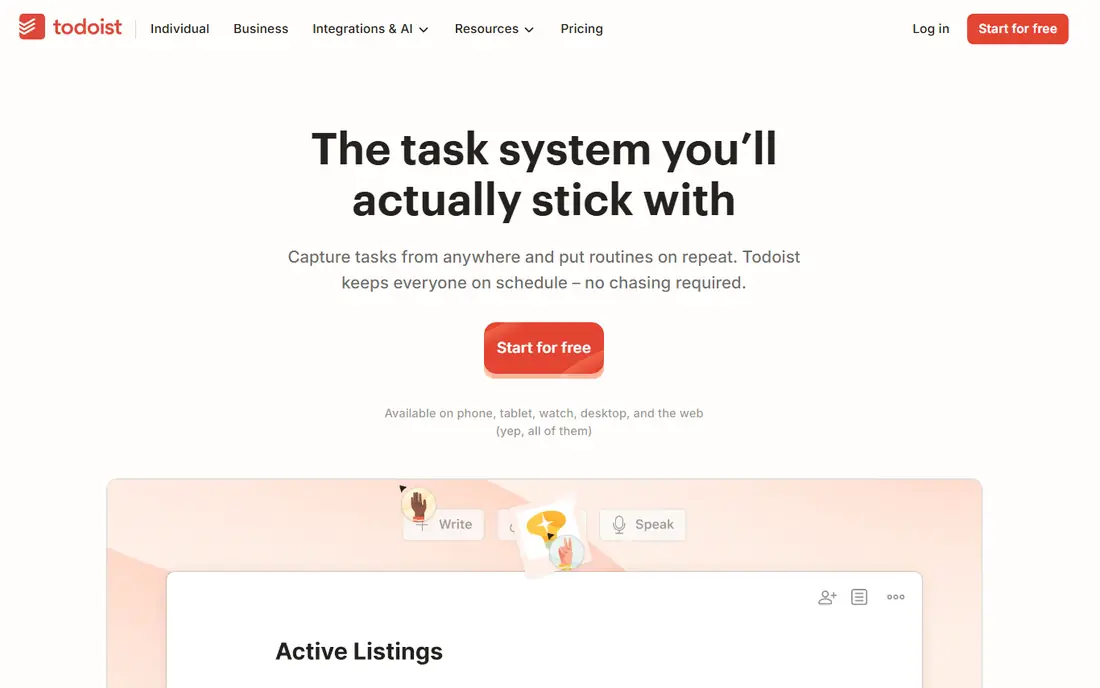
Todoist earns the top spot for a simple reason. Getting a task out of your head and into the app takes seconds, and natural language input turns a typed sentence into a dated, repeating task without menu hunting. That speed matters on busy days, when a tool that asks for five taps per task quietly stops getting used.
The free plan covers personal use well, with a limit on projects that only bites when your system grows large. Paid plans add reminders, more projects and team features, but most solo users can run free for a long time. If your main problem is remembering tasks, start here.
- Natural language input for dates and repeats
- Clean interface on every platform
- Projects, labels and filters for larger lists
- Free plan limits projects and collaborators
- Calendar and habit features are thinner than TickTick
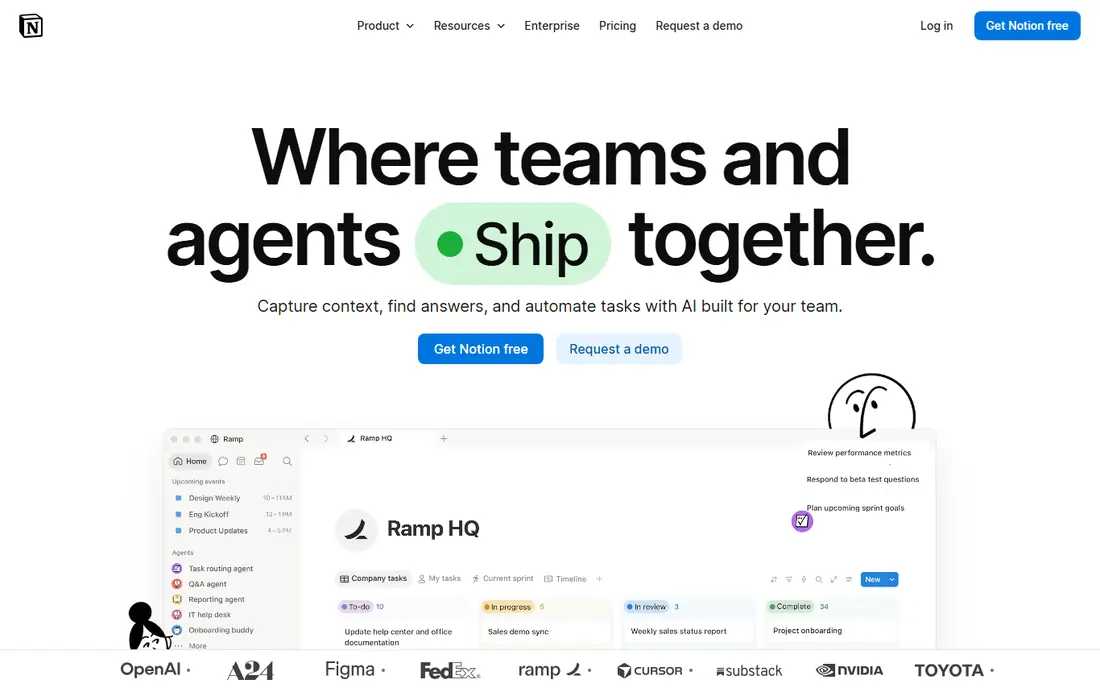
Notion appeals to people who are tired of switching between a notes app, a task app and a project tracker. You can build a daily list, a project board, a habit log and a small customer tracker inside one workspace, linked together so a change in one view shows up elsewhere. Templates shorten the setup, and the free plan covers a lot of personal use.
That flexibility is also the risk. Without a clear setup, Notion becomes a second job, with pages you build and never open. Start with one database and one daily page, add structure only when you feel a gap, and keep simpler tasks in a task app if Notion starts slowing you down.
- Pages, databases, calendars and Kanban views in one place
- Generous free plan for personal use
- Large template library for common setups
- Setup takes time and can feel overwhelming
- Offline use is weaker than local note apps
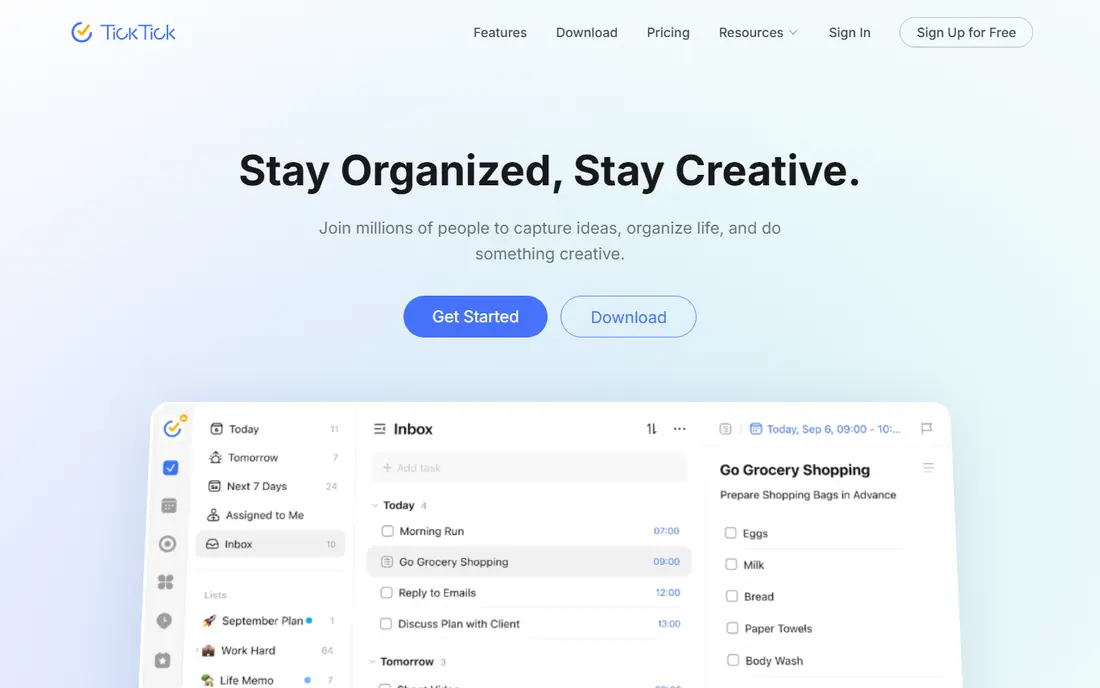
TickTick is the app for users who want one subscription instead of three. Tasks sit beside a calendar, habit tracking and a focus timer, so a day plan, a streak and a timed work session live in the same place. That combination suits students, freelancers and anyone who plans days around both deadlines and routines.
The extra features make the interface busier than Todoist, and a few views require payment. If you only need a task list, that extra weight may annoy you. If you currently pay for separate habit and timer apps, TickTick can replace them and simplify your setup.
- Tasks, calendar, habits and Pomodoro timer in one app
- Good value paid plan compared with rivals
- Apps on desktop, mobile and watch
- Interface is busier than Todoist
- Some advanced views sit behind the paid plan
Trello remains the easiest board tool to teach. A card moves from left to right, everyone sees the same board, and a new team member understands the system in minutes. That clarity suits small teams, content calendars, hiring pipelines and household projects, where visual status matters more than Gantt charts.
Complex projects expose its limits. Dependencies, workload views and detailed reporting need paid plans or add-ons, and large programmes may outgrow boards alone. For small teams with straightforward workflows, though, Trello's simplicity is a strength, not a gap.
- Kanban boards that are easy to explain to a team
- Free plan covers basic boards and cards
- Wide integration library for common tools
- Weak for complex dependencies and reporting
- Paid plans needed for fuller automation and views
Asana fits teams that need structure without a full enterprise platform. Tasks link to projects, timelines show deadlines, and workload views help managers spot overloaded colleagues before a deadline slips. Templates for common team workflows shorten setup, and the free plan covers small teams with basic needs.
Solo users may find it heavier than Todoist or TickTick, with more fields and views than a personal list needs. If you work in a team of five or more, or you manage several projects with shared deadlines, Asana's structure pays off. If you work alone, a simpler app will feel faster.
- List, board, timeline and workload views
- Strong templates for marketing and product teams
- Free plan for small teams
- Can feel heavy for solo users
- Paid plans needed for goals, portfolios and advanced reporting
ClickUp tries to replace several tools at once, with tasks, docs, goals, time tracking and dashboards under one login. Teams that want custom fields, many views and automation without buying separate apps often like that breadth, and the free plan is generous enough to test a real project before paying.
Breadth brings complexity. New users face many settings, and a workspace built without discipline can become slow and confusing. Start with one view and a small set of fields, then add automation only when a repeated task proves it is needed. Done that way, ClickUp scales further than most rivals on this list.
- Many views, including list, board, Gantt and docs
- Generous free plan for small teams
- Custom fields and automation for varied workflows
- Depth can overwhelm new users
- Performance and setup time vary with workspace size
Microsoft To Do suits users who already live in Outlook and Microsoft 365. Tasks from flagged mail flow into lists, the My Day view gives a fresh daily plan, and the app stays simple enough that it never gets in the way. For personal lists and shared household tasks, that simplicity is enough.
Teams needing timelines, workload views or detailed reporting will outgrow it quickly. It also makes most sense if you already use Microsoft tools, since its integrations are the main advantage over Todoist's free plan. If you do, it is a strong free choice with no subscription pressure.
- Fully free with a Microsoft account
- Clean My Day view for daily planning
- Deep links to Outlook tasks and mail
- Weaker project and collaboration features than Asana or ClickUp
- Best value only inside the Microsoft ecosystem
Things 3 is the pick for Apple users who want a task app that feels quiet. The design hides complexity until you need it, with areas for life domains, projects for larger goals, and a Today view that stays short. A one-time purchase model also appeals to users tired of monthly subscriptions, even though buying for Mac, iPhone and iPad separately adds up.
Platform is the deal breaker. If you use Windows or Android anywhere in your day, Things 3 cannot follow you, and that gap matters more than design. For Apple-only users who value calm design over team features, it remains one of the best task apps available.
- Beautiful, calm design with very low friction
- One-time purchase rather than a subscription
- Areas, projects and deadlines without clutter
- Apple only, with no Windows or Android app
- Paid per device family, which adds up across Mac, iPhone and iPad
Obsidian serves a different job from the task apps above. It stores notes as plain text files on your device, links them together, and shows a graph of how ideas connect, which suits writers, researchers and students building knowledge over years. Because files are local and plain, you are not locked into a proprietary format, and a large plugin library extends the app in many directions.
Task management is weaker here, so most users pair Obsidian with a task app rather than replacing one. Paid sync is needed for easy sync across devices, though you can sync files yourself with other tools. For long-term notes and thinking, its local-first model is a genuine advantage.
- Notes stored as plain files on your device
- Links and graph view connect ideas across notes
- Free for personal use with a large plugin library
- No built-in task management as strong as Todoist
- Sync and publishing are paid extras
How we picked these
We compared official feature pages, pricing pages, app store listings and public reviews, and we weighted capture speed, free plan generosity and platform coverage over raw feature counts. A tool with fifty features that slows daily capture scored below a simpler tool that gets used every day. We also checked whether paid plans add features you will actually hit, such as project limits or team views, rather than features that only look good on a pricing page.
How to choose without overhauling your system
Match the tool to the job
Task capture, notes, team projects and habit tracking are different jobs, and one app rarely does all four well. Pick a task app for daily capture, a notes app for reference, and a team tool only if you share work with others. Trying to force one app to do everything often creates a setup you abandon, while two focused apps that sync or sit side by side tend to last.
Test free plans for two weeks
Free plans on this list cover real use, so run a candidate for two full weeks, including a busy week, before paying. Count how often you open it, how fast capture feels, and whether you hit a limit that actually blocks work. A paid plan bought on day one often pays for features you never use, while a free trial that ends mid-project tells you exactly what the paid tier is worth.
Keep the system small
Start with one project list, one daily view and one weekly review, then add structure only when a repeated problem appears. Extra tags, folders and automations feel productive during setup, but each one adds maintenance later. The system that survives is usually the smallest one that still answers three questions: what is due today, what is next, and what can wait.
Frequently asked questions
What is the best productivity app?
Todoist is our pick for most people, because fast capture and a clean list beat a larger feature set for daily use. Notion suits users who want notes and tasks in one workspace, while TickTick suits users who want habits and a timer included. Try the free plan of each for two weeks and keep the one you open most.
What are the best free apps for productivity?
Todoist, Notion, TickTick, Trello, Asana, ClickUp, Microsoft To Do and Obsidian all offer free plans that cover real personal use. Microsoft To Do is fully free with a Microsoft account, while the others limit projects, collaborators or views on free plans. Start free and upgrade only when you hit a limit that blocks your work.
What is the best productivity software for teams?
Asana suits teams that want structured projects with timelines and workload views, while ClickUp suits teams that want custom fields and many views in one place. Trello suits small teams with simple visual workflows. Match the tool to team size and project complexity, and avoid buying enterprise features a small team will never use.
Is Notion better than Todoist?
Notion is better if you want notes, databases and tasks in one linked workspace and you are willing to spend time setting it up. Todoist is better if you mainly need fast task capture and a clean daily list. Many users run both, with Todoist for tasks and Notion for reference notes and projects.
What is the best new productivity app for habits?
TickTick is a strong choice, because habits sit beside tasks and a calendar in the same app, so a daily routine and a deadline list share one view. Obsidian with plugins can track habits too, but it needs more setup. Pick the app you already open daily, since a habit tracker you ignore cannot help.
Do I need a paid productivity app?
Most solo users do not, at least at first, since free plans on this list cover personal task lists and notes well. Pay when you hit a real limit, such as project caps, team seats, reminders or sync, or when a paid feature saves you measurable time each week. Avoid paying for several apps that overlap, and cancel any tool you have not opened in a month.
Sources we checked (9)

Online Jobs is an independent blog about careers, online work, learning new skills and the tools that help people earn. More about us.
Keep reading
All posts
Zoom Alternatives
Zoom alternatives compared for 2026: Google Meet, Microsoft Teams, Webex, Jitsi and more for free calls, large meetings and webinars for teams and classrooms.

What Is the Best Free Tool to Rotate a PDF
What is the best free tool to rotate a PDF? We compare eight free rotation tools on per-page control, limits, privacy and saved output quality in detail.

What Is the Best AI Dubbing Tool
We compared the best AI dubbing tools in 2026, from ElevenLabs and HeyGen to Rask AI, Dubverse and Veed, for videos and creators in many languages worldwide.