Best Pomodoro App in 2026: 8 Apps Compared

How we put this together: we compare official feature and pricing pages, app store listings, privacy policies and public user reviews. Prices change, so check the provider's site before you pay.
Key takeaways
- Forest is our pick for phone distraction, since a growing tree gives a visible reason to leave the phone alone during a session.
- Pomofocus is the best free starting point, with a clean browser timer, task estimates and no signup needed for basic use.
- Focus To-Do and TickTick suit users who want tasks, a timer and reports in one app, rather than a timer alone.
- Toggl Track suits freelancers who need to bill time, since it pairs a Pomodoro timer with time tracking and reports.
- The classic pattern is 25 minutes of work and a 5 minute break, with a longer break after four sessions, but most apps let you change those intervals.
Quick comparison
| Name | Who it suits | Starting price | Free option | |
|---|---|---|---|---|
 Forest | Phone distraction | $3.99 one time | Yes | Visit |
 Pomofocus | Free browser timer | Free | Yes | Visit |
 Focus To-Do | Tasks plus timer | Free | Yes | Visit |
 TickTick | Tasks plus Pomodoro | Free | Yes | Visit |
 Toggl Track | Time tracking plus timer | Free | Yes | Visit |
 Be Focused | Apple devices | Free | Yes | Visit |
 Session | Apple power users | Free | Yes | Visit |
 Marinara Timer | Free custom intervals | Free | Yes | Visit |
The best Pomodoro apps
The Pomodoro Technique is simple: work for a set interval, take a short break, repeat, and take a longer break after four intervals. The classic intervals are 25 minutes of work and 5 minutes of break, but the best app for you depends on whether you need a task list, blocking, billing, gamification or just a timer that stays out of the way. The apps below all support that core pattern and are still maintained in 2026.
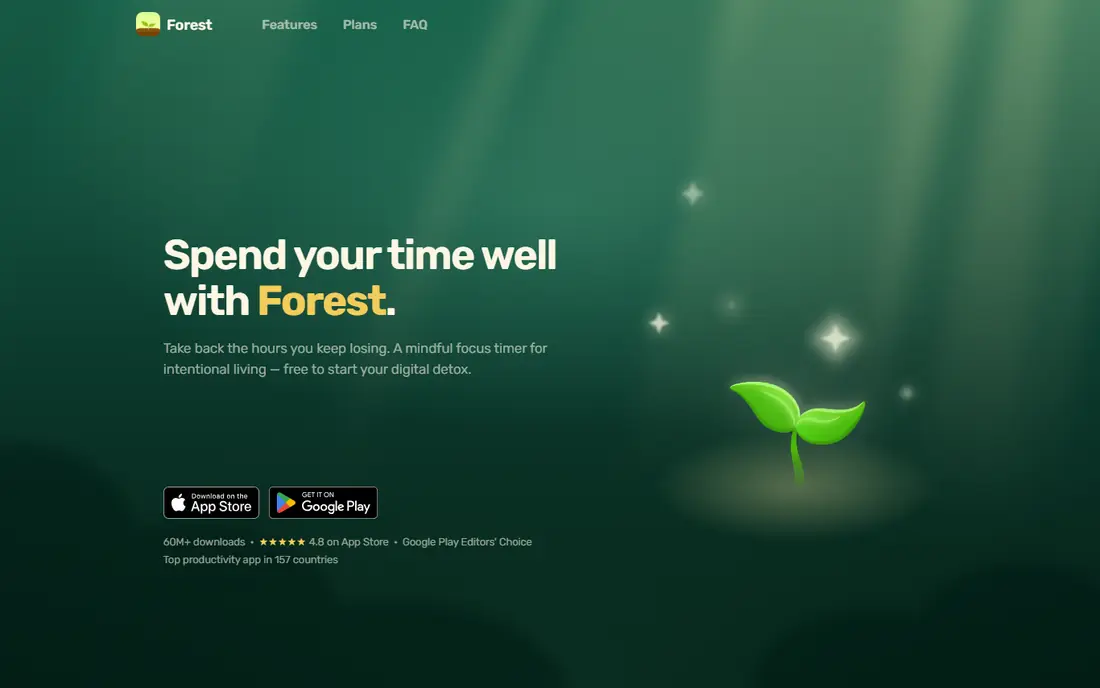
Forest turns focus into a visible stake: plant a tree at the start of a session, and it grows while you work. Leave the app to scroll, and the tree dies. That simple mechanic is why Forest remains popular with students and anyone who reaches for a phone the moment work gets hard. Sessions can run from 10 to 120 minutes, a task list keeps the session tied to a job, and a forest view shows completed sessions over time.
The pricing split is the main confusion. Forest costs $3.99 once on iOS, while Android offers a free version with a Pro upgrade, so check your store price before you buy. Desktop users get less here, since Forest is phone led with only a Chrome extension on the side, and there is no detailed export of history. For phone distraction, though, no other app on this list applies pressure at the exact moment you pick up the phone.
- Tree grows during a session and dies if you leave the app
- Task list included
- Works offline once installed
- IOS price is a one time $3.99 while Android is free with paid upgrades
- Desktop support is limited to a browser extension
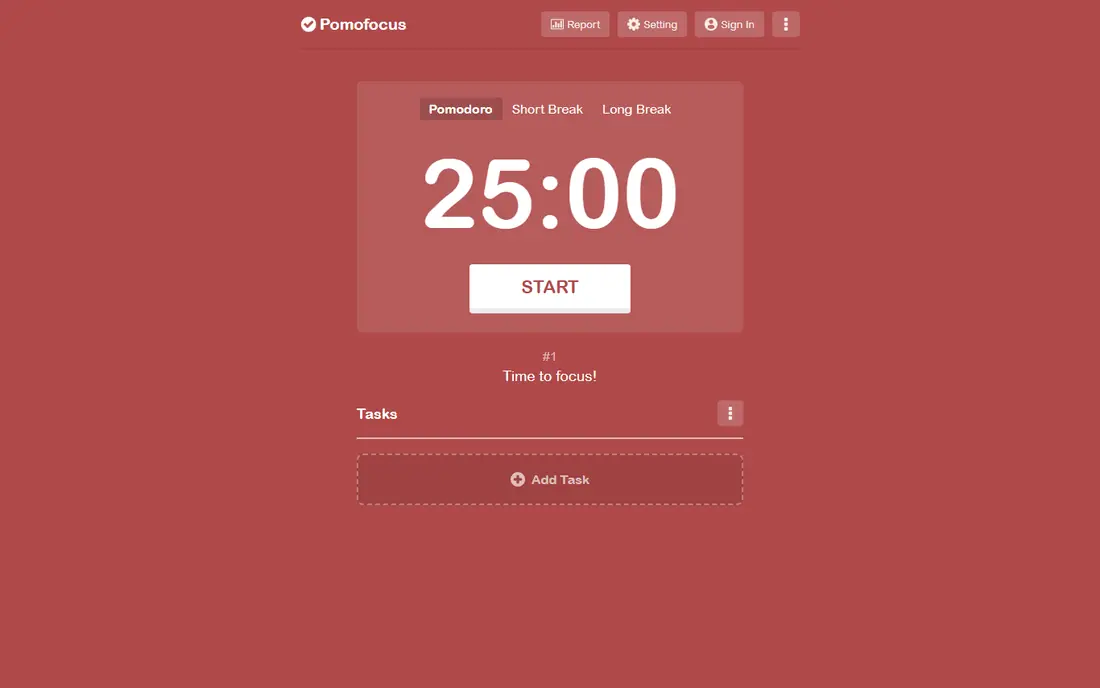
Pomofocus is the timer we suggest first to anyone who wants to try Pomodoro without installing anything. Open the site, start a 25 minute session, and use the task list to estimate how many sessions each task will take. The interface is minimal, the timer is easy to read, and reports show daily session counts without clutter. A paid plan, listed at $3 per month in recent comparisons, adds more projects, reports and integrations.
The limits are platform and depth. Pomofocus is web based, so it does not offer a full mobile app experience, and free reports are basic compared with Toggl Track or Focus To-Do. For a student, writer or office worker who works mainly in a browser, those limits rarely matter. Pomofocus is the lowest friction way to test whether Pomodoro suits your work style.
- Clean browser timer
- Task list with time estimates
- No signup needed for basic use
- No dedicated desktop or mobile apps
- Advanced reports need a paid plan
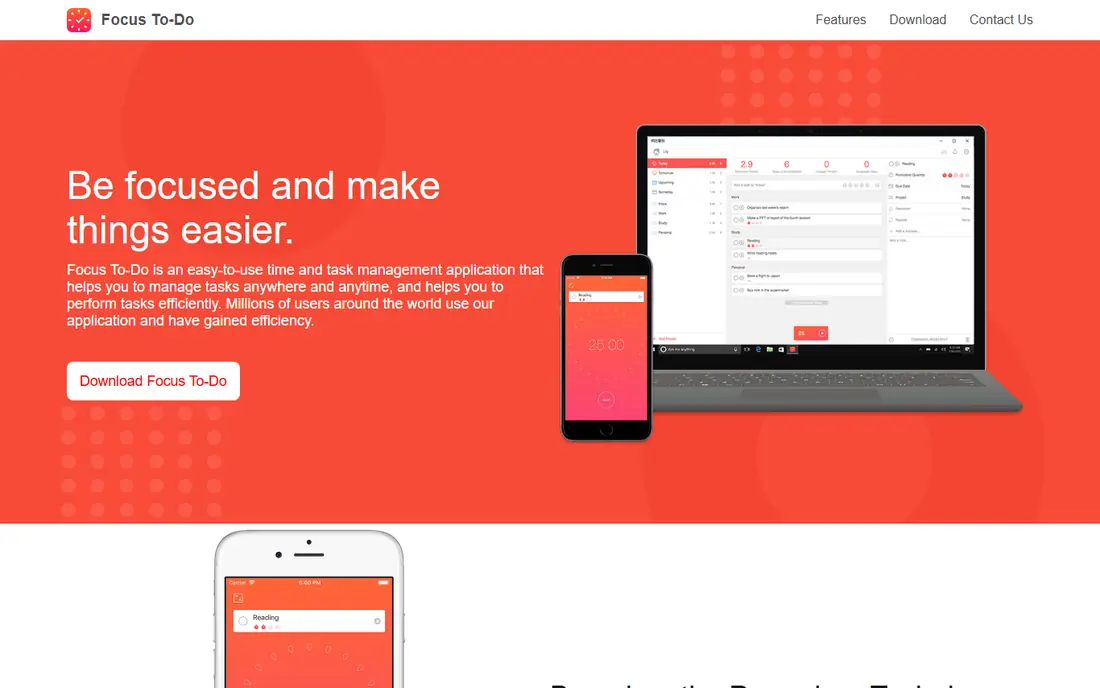
Focus To-Do combines a task manager with a Pomodoro timer, so you can plan tasks, estimate effort, run sessions and review reports from one app. It syncs across Windows, Mac, iOS, Android and web, which helps if you start a task at a desk and finish it on a phone. Reports show focus time by day and by task, which makes it easier to see where time actually went.
The interface can feel busy compared with Pomofocus, since tasks, calendar and reports share the screen, and some features need Premium. Recent listings put Premium at $1.99 per month on iOS, $3.99 for three months, or $11.99 for lifetime access, though prices vary by platform and store. Focus To-Do suits users who want one app for tasks and focus, rather than a timer plus a separate to-do list.
- Task manager plus Pomodoro timer
- Cloud sync across devices
- Productivity reports
- Interface can feel busy
- Some advanced features need Premium
TickTick is a task manager first, with a Pomodoro timer built into tasks, which suits users who already plan their day in lists. You can set a task, start a Pomodoro session from that task, and see focus time alongside due dates, calendar events and habits. That integration means you do not need to copy tasks between a to-do app and a timer, and the app syncs across phones, tablets and computers.
The timer itself is simpler than a dedicated Pomodoro app, and full features need Premium, listed at $35.99 per year in recent comparisons. TickTick fits users who want tasks to drive the day and focus sessions to support tasks, rather than users who want deep focus analytics alone. If you already use TickTick for tasks, the Pomodoro timer is a strong reason to stay.
- Full task manager with lists, calendar and habits
- Pomodoro timer inside tasks
- Sync across devices
- Pomodoro features sit inside a larger task app
- Premium needed for full features
Toggl Track suits freelancers, agencies and anyone who bills by the hour, since it pairs time tracking with a Pomodoro timer. You can track time by project and client, generate reports, and use the Pomodoro timer to structure work into focused intervals with breaks. The free plan covers basic tracking for individuals, while paid plans add team features, billing rates and deeper reports.
The Pomodoro timer is not as gamified or as focused as Forest, and the app is larger than a simple timer, so a user who only wants a timer may find Toggl Track heavy. For a freelancer who needs to show a client how time was spent, or for a team that needs project reports, Toggl Track is the most practical choice here. Check the current paid price, since Toggl Track pricing changes with plan updates.
- Time tracking with reports and billing
- Pomodoro timer alongside tracking
- Wide platform support
- Pomodoro is one feature in a larger tracking tool
- Paid plans start at $9 per user per month in recent comparisons
Be Focused is a clean, dedicated Pomodoro app for Apple devices, with support for Mac, iPhone, iPad and Apple Watch. It tracks sessions and tasks, lets you set custom work and break intervals, and shows progress toward a daily goal. The interface stays simple, which suits users who want a timer that does one job well rather than a full task system.
The main limit is platform: there is no Android or Windows version, so a user with mixed devices will need a different app. Pro features, listed from $1.99 in recent comparisons, add sync and extra features, while the free app covers basic timing. Be Focused fits Apple only users who want a simple, reliable Pomodoro timer on every Apple device they own.
- Clean Pomodoro timer for Mac, iOS, iPad and Watch
- Task tracking
- Sync across Apple devices
- No Android or Windows version
- Pro features need a paid upgrade
Session, formerly known as a Mac and iOS focus app, suits Apple users who want more than a fixed 25 minute timer. It supports Flowtime, where you work until you naturally need a break, as well as classic Pomodoro intervals, and it offers automations that can start blocking or change settings when a session begins. Session data is detailed, which helps users who want to review focus patterns over time.
Session is Apple only, so Android and Windows users should choose another app here, and the paid plan is listed at $4.99 per month in recent comparisons. The app also takes more setup than Pomofocus or Be Focused, since automations and integrations need configuring. Session fits power users who want flexible timing and data, and who work mainly on Apple devices.
- Flexible focus sessions including Flowtime
- Automations and integrations
- Detailed session data
- Apple only
- Paid plan listed at $4.99 per month in recent comparisons
Marinara Timer is a fully free browser timer with custom intervals, which makes it useful for groups, classrooms and users who want a non standard pattern, such as 50 minutes of work and 10 minutes of break. You can share a timer link so a group follows the same session, and the interface stays simple with no account needed for basic use. That simplicity is the point: Marinara Timer does timing and little else.
The limits are clear. There is no task manager, no mobile app and no detailed reporting, so users who want tasks and analytics should choose Focus To-Do or Toggl Track instead. Marinara Timer fits users who want a free, custom timer in a browser, for solo work or for a shared session, without signing up or paying.
- Fully free browser timer
- Custom work and break intervals
- Shareable timer links for groups
- Web only
- No task manager or detailed reports
How we picked these
We shortlisted Pomodoro apps that support custom work and break intervals, are still maintained in 2026, and run on at least one major platform without a broken signup or paywall for basic timing. We compared timer clarity, task integration, blocking, reports, platform coverage and price, including free tier value. We gave weight to apps that cover a distinct need, such as phone distraction, billing or Apple only use, rather than listing eight similar timers.
We did not test focus outcomes, since focus depends on the user, the task and the environment as much as on the app. Prices were checked against vendor listings and recent comparisons, and where a price varies by platform or store, we list the most commonly cited figure or See website. Always check the current price in your app store, since mobile prices vary by region.
How to use Pomodoro without burning out
Start with the classic pattern for a week before you change it. Work for 25 minutes, take a 5 minute break, repeat four times, then take a longer break of 15 to 30 minutes. That rhythm is short enough to start easily and structured enough to show whether timed work helps you.
Match intervals to the task
Short, boring tasks suit 25 minute sessions, while deep writing, coding or design work may suit 50 minute sessions with 10 minute breaks. Use Flowtime or a custom timer, such as Session or Marinara Timer, if fixed intervals break your flow. The right interval is the one you can repeat all day without dreading the next session.
Plan breaks that actually restore
A break spent scrolling the same phone you just avoided will not restore focus. Stand up, stretch, get water, look away from the screen, or step outside for a few minutes. Keep breaks short and screen free where possible, and save phone checks for the longer break after four sessions.
Tie sessions to tasks, not just time
Start each session with one clear task, and note how many sessions that task took. That record, available in Focus To-Do, TickTick, Toggl Track and Pomofocus, shows which tasks take longer than expected and where your day actually goes. If a task takes many more sessions than planned, break it into smaller steps for the next day.
Frequently asked questions
What is the best pomodoro app overall?
Forest is our pick for most phone users, thanks to its tree mechanic that discourages phone use, while Pomofocus is the best free starting point in a browser. Focus To-Do is the best all round pick if you also want a task manager and reports in the same app.
What are the best study timer apps for students?
Forest, Pomofocus and Focus To-Do are strong study timer apps, with Forest adding phone distraction control, Pomofocus offering a free browser timer, and Focus To-Do adding tasks and reports. Students who study mainly on a phone will get most from Forest, while students on a laptop will get most from Pomofocus.
What is the best pomodoro app for free?
Pomofocus and Marinara Timer are fully usable for free in a browser, with no signup needed for basic timing. Forest is free on Android with paid upgrades, and Focus To-Do, TickTick and Toggl Track all offer free plans with core timing and task features.
How long should a Pomodoro session be?
The classic session is 25 minutes of work followed by a 5 minute break, with a longer break after four sessions. Many apps let you change those intervals, and 50 minutes of work with a 10 minute break suits deep work for some users. Try the classic pattern first, then adjust based on what you can sustain.
Can a Pomodoro app block distracting apps?
Some apps include blocking, such as Flow on Apple devices and Freedom as a separate blocking tool, but most timers on this list do not block apps by themselves. Forest discourages phone use through its tree mechanic rather than blocking, while Session offers automations that can support blocking on Apple devices. Pair a timer with a blocking app if blocking is essential for you.
Does Pomodoro work for creative work?
Pomodoro can help creative work by giving a clear start and a regular break, but fixed intervals can interrupt flow for some writers and designers. If that happens, try Flowtime in Session, a longer 50 minute interval in Marinara Timer, or a custom interval in Focus To-Do, and judge by completed work rather than by sessions alone.
Sources we checked (8)

Online Jobs is an independent blog about careers, online work, learning new skills and the tools that help people earn. More about us.
Keep reading
All posts
Zoom Alternatives
Zoom alternatives compared for 2026: Google Meet, Microsoft Teams, Webex, Jitsi and more for free calls, large meetings and webinars for teams and classrooms.

Which Software Is Best for Data Entry
Compare the best data entry software for forms, OCR scanning, and spreadsheets, with free plans, pricing, and honest limits for each tool before you commit.

What's the Best App to Read PDFs
Find what's the best app to read PDFs in 2026, from Adobe Acrobat Reader and Foxit to PDF Expert and Xodo, with free options and honest limits for every device.