Best Point of Sale Software in 2026: 9 Tools Compared

How we put this together: we compare official feature and pricing pages, app store listings, privacy policies and public user reviews. Prices change, so check the provider's site before you pay.
Key takeaways
- Square is the best starting point for most small businesses, with free software, flexible hardware, and tools for retail, restaurants, and mobile sellers.
- Shopify POS suits shops that already sell online, because in-store and online stock, customers, and orders stay in sync in one system.
- Toast suits full-service and quick-service restaurants, while Lightspeed Retail suits shops with large, complex inventories and multiple locations.
- Helcim suits businesses that want transparent interchange-plus payment pricing, while Clover suits businesses that want a wide choice of hardware.
- Check total cost, not just software price: payment processing fees, hardware, and add-ons often matter more than the monthly subscription.
Quick comparison
| Name | Who it suits | Starting price | Free option | |
|---|---|---|---|---|
 Square | Overall small business point of sale | Free | Yes | Visit |
 Shopify POS | Omnichannel retail | $5 per month | No | Visit |
 Lightspeed Retail | Inventory-heavy multi-location retail | $89 per month | No | Visit |
 Toast | Restaurants and food businesses | Free | Yes | Visit |
 Clover | Flexible hardware and app marketplace | See website | No | Visit |
 Helcim | Transparent payment pricing | Free | Yes | Visit |
 KORONA POS | Payment processor flexibility | $59 per month | No | Visit |
 TouchBistro | iPad restaurants | $69 per month | No | Visit |
 GoDaddy POS | Low-cost point of sale for small sellers | Free | Yes | Visit |
The best point of sale software
Point of sale software should do more than take a payment. It should track stock, record customers, manage staff, and report on sales, without slowing down checkout. The tools below cover retail, restaurants, and mobile selling, but they are built for different business types, so the best pick depends on what you sell, where you sell, and how complex your stock is.
Square is the easiest point of sale to start with, and that is why it leads most small business lists. The software is free, hardware ranges from a small card reader for a phone to a full register, and the same account can handle retail sales, restaurant orders, invoices, and online selling. Inventory, customer records, and sales reports sit in the same dashboard, so a small shop can run most of its operation without extra software. The trade-off is specialisation. Full-service restaurants with complex table management, kitchen workflows, and menu engineering may find Toast deeper, and very large retailers may prefer Lightspeed inventory. Payment processing fees also apply, so total cost depends on sales volume, not just software price. For most small businesses starting out, Square offers the lowest barrier to a professional checkout, with room to add paid retail or restaurant plans as the business grows.
- Free software to start
- Flexible hardware from phone readers to registers
- Retail, restaurant, and service tools in one ecosystem
- Restaurant depth is lighter than Toast for full-service venues
- Payment processing fees apply on every sale

Shopify POS suits shops that sell both in a store and online, because it keeps stock, customers, and orders in one system. A sale in store reduces online stock at once, a customer who buys online can return in store, and local pickup and delivery options sit alongside normal checkout. That sync removes the manual stock checks that cause oversells for omnichannel retailers. The catch is the Shopify plan itself. POS Lite is included at a low add-on price on some plans, while POS Pro, with more locations and features, costs more per location, so check the vendor site for the plan that matches your shop. Restaurants should look at Toast instead, because Shopify POS is built for retail. For a Shopify retailer opening or growing a physical shop, Shopify POS is the natural, low-friction choice.
- In-store and online stock stay in sync
- Customer profiles shared across channels
- Strong for shops that already use Shopify
- Needs a Shopify plan for full use
- Restaurant features are limited
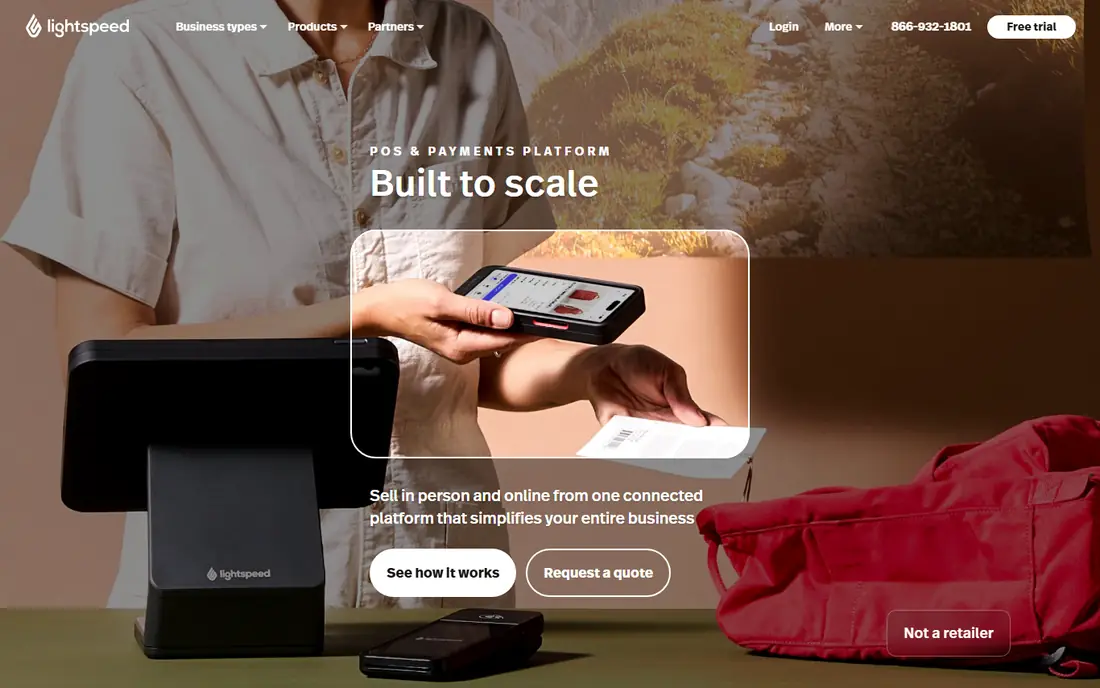
Lightspeed Retail is built for shops with thousands of products, several locations, or complex stock, such as specialty retail, bike shops, pet stores, and apparel chains. It handles variants, purchase orders, vendor catalogues, multi-location transfers, and detailed reporting in a way that simpler point of sale tools do not. Staff can see stock across locations at checkout, and managers can plan reorders from sales data rather than guesswork. That depth costs more, with paid plans starting at $89 per month on published pricing, and setup for a large catalogue takes time. Small boutiques with a few hundred products may not need it. For inventory-heavy retailers that have outgrown a basic till, Lightspeed Retail is the point of sale that keeps stock accurate as the business scales.
- Deep inventory, purchase orders, and vendor tools
- Multi-location stock control
- Detailed sales reporting
- Higher price than Square or Shopify POS
- Learning curve for large catalogues
Toast is the restaurant benchmark in this list, built from the ground up for food service rather than adapted from retail. It covers table management, kitchen display, online ordering, delivery, menus, and staff tools in one system, with reporting that tracks food cost, labour, and menu performance. Quick-service and full-service restaurants both use it, and its hardware is designed for busy, spill-prone restaurant floors. The trade-off is commitment. Toast hardware is proprietary, and many plans involve contracts, so restaurants should read terms carefully and compare total cost, including processing fees. A retail shop should not pick Toast, because its strengths are restaurant-specific. For a restaurant that wants one system for ordering, kitchen, payments, and reporting, Toast is the strongest specialist pick.
- Restaurant-specific ordering, tables, and kitchen tools
- Online ordering and delivery integrations
- Strong reporting for food businesses
- Hardware and contracts can lock restaurants in
- Less suited to pure retail
Clover suits retail and restaurant businesses that want hardware choice. Devices range from small handheld terminals for tableside payments to full countertop stations, and an app marketplace adds loyalty, inventory, employee, and reporting tools on top of the core point of sale. That flexibility helps businesses that need a specific form factor, such as a food truck, a salon, or a busy counter. Pricing is the warning. Clover pricing varies by whether you buy direct or through a reseller, and reseller contracts have a reputation for fees that are hard to compare. Buy direct where possible, ask for the full fee schedule in writing, and check processing rates separately from hardware and software costs. For businesses that prioritise hardware variety and can buy carefully, Clover is a versatile, well-supported system.
- Wide range of hardware from handheld to countertop
- Large app marketplace for add-ons
- Payments, inventory, and reporting in one system
- Pricing varies widely by seller channel
- Some reseller contracts include hidden fees
Helcim appeals to businesses that care most about payment costs. Its basic software is free, and it uses interchange-plus pricing, which shows the card network cost plus a markup, rather than a flat rate that can hide margins. That transparency helps business-to-business sellers, wholesalers, and higher-volume businesses compare true processing costs, and it can save money as volume grows. The ecosystem is narrower than Square or Shopify, with fewer retail and restaurant add-ons, and restaurant depth does not match Toast. Hardware options are more limited too. For a business that processes a lot of card payments and wants to understand exactly what each sale costs, Helcim is a strong, low-cost point of sale, provided its feature set covers the checkout and reporting you need.
- Free software with interchange-plus pricing
- No monthly fee on the basic plan
- Good for business-to-business and high-volume sellers
- Hardware and feature range is narrower than Square
- Less restaurant depth than Toast
KORONA POS suits businesses that do not want to be locked into one payment processor. It supports a range of processors, so a business can keep a preferred processing deal while still using modern point of sale software, which is valuable for franchises, multi-location retailers, and businesses with negotiated rates. Inventory, customer management, and reporting are solid, and the system handles multiple locations well. Pricing starts at $59 per terminal per month on published plans, so a business with many tills should calculate total cost carefully. The interface is practical rather than polished, and smaller shops may prefer Square simplicity. For businesses where processor choice is a deal-breaker, KORONA POS is one of the few modern systems that puts that flexibility first.
- Works with many payment processors
- Good for multi-location and franchise businesses
- Strong inventory and reporting tools
- Per-terminal pricing adds up for many tills
- Interface is more functional than modern rivals
TouchBistro is an iPad-based point of sale built for restaurants, and it suits independent restaurants that want a modern, mobile system without Toast scale. Tables, menus, modifiers, staff permissions, and reporting run on iPads that staff can carry, which helps with tableside ordering and busy floors. Menu management is straightforward, and the system integrates with payments, reservations, and reporting tools. The ecosystem is smaller than Toast, and pricing is per terminal, starting around $69 per month per terminal on published plans, so a restaurant with many terminals should total the cost. For a single-location or small-group restaurant that likes iPad hardware and wants a restaurant-focused system, TouchBistro is a credible, well-liked alternative to Toast.
- IPad-first design for restaurant floors
- Table, menu, and staff management
- Good alternative to Toast for independent restaurants
- Smaller ecosystem than Toast
- Pricing is per terminal, so multi-terminal costs add up
GoDaddy POS suits very small sellers who want a free, simple checkout without learning a large system. It handles in-person payments, basic inventory, and sales reporting, and it links to GoDaddy online store tools for sellers who also trade on the web. Market sellers, pop-ups, and tiny shops can start quickly, with hardware options for card payments on a phone or tablet. Feature depth is lighter than Square, Shopify POS, or Lightspeed, and restaurants or inventory-heavy retailers will outgrow it. Payment processing fees still apply, as with every point of sale. For a microbusiness that needs a low-cost, low-fuss till, GoDaddy POS is a reasonable starting point, with a clear upgrade path to Square or Shopify POS when stock, staff, or channels grow more complex.
- Free software to start
- Simple setup for small shops and market sellers
- Links to GoDaddy online selling tools
- Feature depth is lighter than Square or Shopify
- Less suited to complex retail or restaurants
How we picked these
We compared official feature pages, pricing pages, app store listings, privacy policies, and public user reviews, focusing on point of sale systems that small and mid-size businesses can buy and run in 2026. We covered retail, restaurants, mobile selling, and payment pricing, because a till that suits a boutique will not suit a full-service restaurant. We did not claim hands-on testing, and where pricing varies by seller, terminal count, or plan we point readers to the vendor site for the full fee schedule. We also weighed total cost, not just software price. Payment processing, hardware, contracts, and add-ons shape the real monthly cost far more than a headline subscription, so the buying guide below starts with business type and sales volume, then moves to fees and hardware, before recommending a shortlist.
What to check before you choose point of sale software
Start with business type and sales channels. A retailer needs barcode scanning, variants, and stock sync, a restaurant needs tables, kitchen display, and menu modifiers, and a mobile seller needs a portable reader and offline resilience. List your must-have checkout features, then test the shortlisted system with a real busy-hour scenario, including refunds, discounts, and split payments, not just a single clean sale. Next, calculate total cost for a year. Add software subscriptions per terminal or location, hardware purchase or rental, payment processing fees at your real average sale and volume, and any add-ons for loyalty, online ordering, or advanced reporting. Ask for contracts, cancellation terms, and processor lock-in in writing, especially for Clover and Toast, where seller channel and hardware can affect terms. Finally, check support hours, offline mode, and data export, because a till that fails on a Saturday night, or that traps your sales history, costs far more than its monthly fee.
Frequently asked questions
What is the best point of sale software for a small business?
Square is the best starting point for most small businesses, because its software is free, hardware is flexible, and it covers retail, restaurants, and services. Shopify POS suits shops that already sell on Shopify, Toast suits restaurants, and Lightspeed suits inventory-heavy retailers. The best choice depends on business type, stock complexity, and sales channels, not on a single overall ranking.
How much does point of sale software cost?
Software ranges from free for Square, Helcim, and GoDaddy basic plans, to $5 per month for Shopify POS Lite, $59 per terminal for KORONA POS, $69 per terminal for TouchBistro, and $89 per month for Lightspeed Retail, with Toast and Clover pricing varying by plan and seller. Total cost also includes payment processing fees, hardware, and add-ons, so calculate a full year at your real volume before comparing headline prices.
Do I need special hardware for point of sale software?
Most systems work with a phone or tablet plus a card reader to start, and offer dedicated terminals, registers, printers, and kitchen displays as you grow. Square, Clover, and TouchBistro offer the widest hardware ranges, while Toast uses proprietary hardware. Check hardware compatibility before buying, and confirm whether hardware is purchased, rented, or tied to a contract.
Can point of sale software work offline?
Many modern systems offer limited offline mode, taking payments and recording sales that sync when connection returns, but features such as stock sync, loyalty, and online ordering need a connection. Offline behaviour varies by vendor and payment type, so test it before relying on it, especially for market stalls, food trucks, and venues with unreliable Wi-Fi. Keep a backup connection or a manual card process for busy periods.
What is the difference between a point of sale and a payment processor?
A point of sale is the software and hardware that runs checkout, stock, customers, and reporting, while a payment processor moves money from a customer card to your account and charges a fee. Some vendors bundle both, such as Square and Toast, while others, such as KORONA POS, let you choose a separate processor. Compare processing fees separately from software fees, because the processor often costs more over a year than the software itself.
Is Shopify POS good for a physical shop without an online store?
Shopify POS works best for shops that also sell online, because its strength is syncing in-store and online stock and customers. A shop with no online store can still use it, but it pays for Shopify plan features it may not need, and Square or Lightspeed may offer better value. If you plan to sell online later, Shopify POS is a good forward-looking choice, but for a purely physical shop, compare Square and Lightspeed first.
Sources we checked (9)

Online Jobs is an independent blog about careers, online work, learning new skills and the tools that help people earn. More about us.
Keep reading
All posts
ZoomInfo Alternatives
The best ZoomInfo alternatives in 2026, compared on price, free plans, data coverage, and which tool fits small teams or large sales teams best in detail.

Workday Alternatives
We compared the best workday alternatives for HR, payroll, and global hiring, from BambooHR and Gusto to Rippling, Deel, and HiBob for growing teams in 2026.

Which SaaS Tools Have the Best Customer Support
Which SaaS tools have the best customer support? Compare eight popular tools on help centres, live help, response options and overall support quality.