Best Platforms for Selling Online in 2026: 8 Platforms Compared

How we put this together: we compare official feature and pricing pages, app store listings, privacy policies and public user reviews. Prices change, so check the provider's site before you pay.
Key takeaways
- Shopify is the safest all-round pick for a standalone store, with hosted checkout, a large app store and predictable monthly pricing.
- WooCommerce gives the most control for the lowest software cost, but you pay separately for hosting, themes and extensions.
- Etsy, eBay-style marketplaces and Gumroad suit sellers who want existing traffic, while standalone stores suit sellers who want brand control.
- Monthly price is only part of the cost, since payment processing and platform transaction fees can add several percent to every order.
- Start with the smallest plan that covers payments, shipping and your product count, and upgrade only when sales or features demand it.
Quick comparison
| Name | Who it suits | Starting price | Free option | |
|---|---|---|---|---|
 Shopify Shopify | All-round online store | $39 per month | Free trial | Visit |
 WooCommerce WooCommerce | Maximum control on WordPress | Free | Yes | Visit |
 Etsy Etsy | Handmade and vintage sellers | See website | No | Visit |
 Squarespace Squarespace | Design-led stores | $19 per month | Free trial | Visit |
 Wix Wix | Small stores with strong design | $29 per month | Yes | Visit |
 BigCommerce BigCommerce | Growing brands and B2B | $39 per month | Free trial | Visit |
 Ecwid Ecwid | Adding a store to an existing site | $5 per month | Yes | Visit |
 Gumroad Gumroad | Digital products and creators | See website | No | Visit |
The best platforms for selling online
Selling online splits into two choices: build your own store, or sell where buyers already shop. The platforms below cover both routes, so match the choice to how much control, traffic and hands-on work you want.

Shopify is the default recommendation for a standalone store because it handles hosting, security, checkout and payments in one place. You can add products, connect a domain, set shipping rates and start selling in a day, and the app store covers most gaps, from reviews to subscriptions to email marketing. Basic costs $39 per month, or $29 per month billed annually, with Grow at $105 per month and Advanced at $399 per month on monthly billing.
The honest catch is the total bill. Using Shopify Payments avoids an extra platform transaction fee, while outside gateways add 2 percent on Basic, and many stores add $100 or more a month in apps. That still suits most small businesses, because the time saved on hosting and maintenance is worth the fee, but budget for apps from the start rather than treating the plan price as the whole cost.
- Hosted store with checkout included
- Large app store for shipping, email and reviews
- Strong payment and discount tools
- Extra transaction fee if you use an outside payment provider
- App costs can stack up
- Less design freedom than open source tools
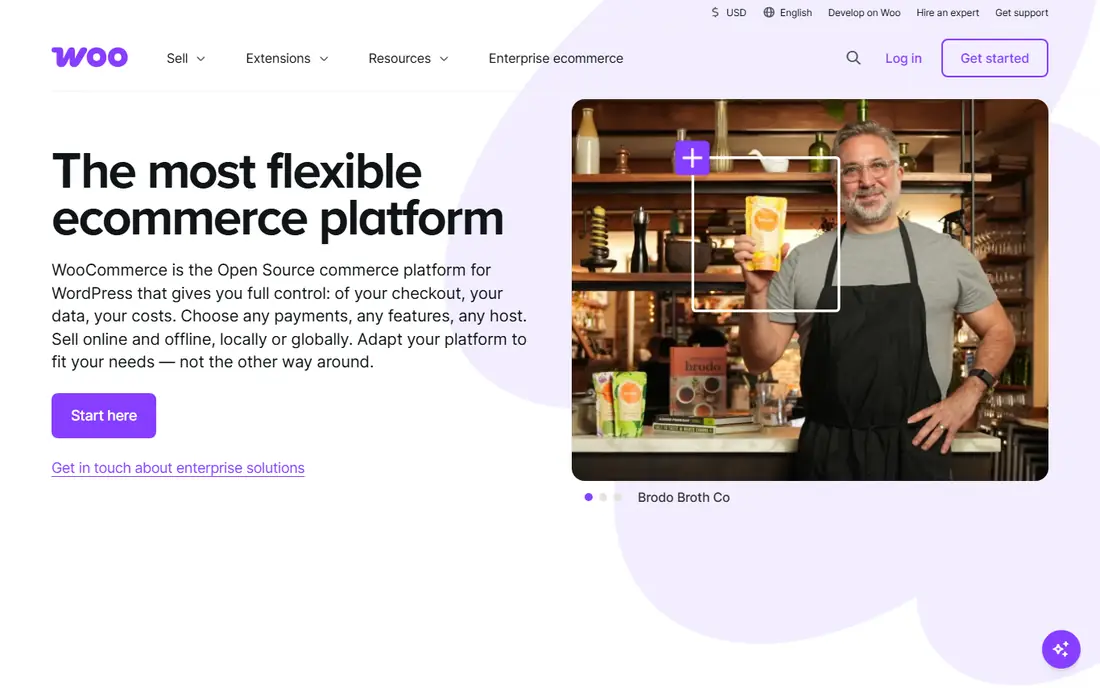
WooCommerce turns a WordPress site into a full store, and it is the best fit if you already run WordPress or want full control over your site and data. The plugin itself is free, there is no WooCommerce transaction fee, and you can shape checkout, shipping, taxes and product pages far beyond what hosted platforms allow. Content and commerce also live together, which helps stores built around articles, guides or a blog.
Control comes with work. You need hosting, a domain, an SSL certificate and a plan for updates and backups, with managed WordPress hosting often running $30 to $60 per month for a store. Premium themes and extensions add cost too, so a realistic small store budget is often $30 to $100 per month all in. Choose WooCommerce when control matters more than speed of setup.
- Free open source plugin with no platform transaction fee
- Full control over design, data and checkout
- Huge theme and extension library
- You manage hosting, updates and security
- Setup takes longer
- Costs for hosting and extensions vary widely

Etsy suits makers, vintage sellers and small-batch producers who want buyers without building traffic from zero. Opening a shop is simple, listings are quick to create, and buyers already trust the marketplace for handmade, vintage and craft supplies. There is no monthly fee for a basic shop, though Etsy Plus at $10 per month adds extra tools, and fees are charged per sale instead.
Those fees are the trade. Listings cost $0.20 each, the transaction fee is 6.5 percent of the sale price, and US payment processing is 3 percent plus $0.25 per sale, with a $15 one-time shop setup fee for new shops. For a low volume maker, that is often cheaper than a monthly store plan, but as sales grow, a standalone store can become better value and give you full control over branding and customer data.
- Built-in traffic from buyers looking for handmade and vintage goods
- No monthly store fee to start
- Simple listing setup
- Fees apply per listing and per sale
- Limited brand control
- You compete with similar sellers on the same marketplace
Squarespace is the pick when the look of the site matters as much as the store itself, for example for photographers, designers, food brands and creative studios. Templates are polished out of the box, and the same platform handles pages, a blog, bookings and commerce, so a small brand can run everything in one place. Basic is listed at $19 per month billed annually, with Core at $29 per month billed annually removing the store fee.
The limits show up at scale. The app and extension range is smaller than Shopify, and complex shipping, B2B pricing or large catalog needs can push you toward another platform. For a small catalog where design and simplicity matter most, though, Squarespace gives a professional store with far less setup than WooCommerce and a cleaner result than a bare marketplace listing.
- Polished templates that look good with little design work
- Website, blog and store in one place
- Simple product and inventory tools
- Smaller app ecosystem than Shopify
- Basic plan adds a 2 percent store fee
- Less suited to very large catalogs
Wix suits a small store owner who wants to design the site visually without touching code. The drag-and-drop builder, templates and built-in tools for bookings, blogs and marketing make it easy to launch a complete site, not just a product list. The Core plan is listed at $29 per month billed annually and is the entry point for selling online with payments.
The free plan is for a basic website only, so selling needs a paid plan, and stores with large catalogs or complex shipping rules may outgrow Wix sooner than Shopify or BigCommerce. For a shop with tens of products, a clear brand look and simple shipping, Wix is a fast, friendly route to a first sale, with room to add marketing and booking tools as the business grows.
- Visual drag-and-drop builder
- Core plan covers online payments
- Wide template range for small stores
- Free plan does not include ecommerce
- Switching templates can mean rebuilding
- Less strong for large or complex stores
BigCommerce is built for brands that expect to grow past a simple store, especially those selling wholesale or across multiple storefronts. It includes more features out of the box than Shopify, such as B2B pricing tools and multi-storefront management, which reduces the need for paid apps. Core costs $39 per month, or $29 per month billed annually, with higher tiers for larger sales volumes.
The catch to check is the sales threshold. Core covers up to $30,000 in yearly online sales before an automatic upgrade, so a fast-growing store should model that step into its budget. If you sell mainly direct to consumers with a small catalog, Shopify or Squarespace may be simpler, but for a growing brand with B2B customers, BigCommerce is a strong, scalable choice.
- No platform transaction fee on most gateways
- Built-in B2B and multi-storefront features
- Strong for larger catalogs
- Core plan covers up to a set yearly sales level before auto-upgrade
- Fewer beginner templates than Squarespace
- Enterprise pricing is quote based
Ecwid, now part of Lightspeed, takes a different approach from the store builders above. Instead of a new website, it drops a store into a site you already have, whether that is a blog, a portfolio or a business page. That makes it ideal for creators and small businesses who already get traffic and just need a buy button, a product list and checkout without a rebuild.
The Starter plan is listed at $5 per month billed annually and caps you at 10 products, while a free plan covers a tiny catalog. If you later need a full store with its own design and marketing tools, a standalone platform will serve you better, but for adding commerce to an existing audience, Ecwid is the lowest friction option here.
- Embeds a store into an existing website, blog or social page
- Free plan for tiny catalogs
- No need to rebuild your site
- Starter caps you at 10 products
- Less of a full brand home than a standalone store
- Advanced features need higher tiers
Gumroad suits creators selling digital products such as ebooks, courses, music, templates and software. You can list a product, set a price and share a link in minutes, with no monthly subscription to pay while you build an audience. Discovery features and a simple checkout help small creators sell without running a full store, and payments are handled for you.
The trade is control and cost at scale. Store design is limited compared with Shopify or WooCommerce, physical product shipping is not its strength, and per-sale fees mean a high volume seller may pay more than on a monthly plan. For a creator testing a first digital product, though, Gumroad removes the monthly risk and lets sales, not subscriptions, decide whether the product earns its keep.
- No monthly fee, with fees per sale instead
- Quick setup for ebooks, courses and software
- Built-in audience and discovery tools
- Limited store design control
- Fees per sale can add up at volume
- Less suited to physical products and complex shipping
How we picked these
We compared official feature pages, pricing pages, fee schedules and public reviews for platforms that were live in October 2026 and genuinely let a small business sell online. We kept a mix of hosted stores, open source software, marketplaces and creator tools, so the list covers both brand control and built-in traffic. Prices are monthly list rates shown on vendor pages at the time of checking, and where a fee is charged per sale rather than monthly, we say so and point to the vendor fee page.
What to check before you choose
Count the full cost, not just the plan
Add payment processing, platform transaction fees, apps, themes and shipping tools to the plan price. A $29 plan with a 2 percent outside gateway fee and $80 in apps can cost more than a $39 plan with no extra fee. Model the total at your expected monthly sales, not at zero sales, and recheck it after three months of real orders.
Match the platform to your traffic plan
If you already have an audience from social media, email or a blog, a standalone store or Ecwid lets you keep that traffic and data. If you have no audience yet, Etsy or Gumroad give you discovery, though you share the marketplace with competitors. Many sellers use both: a marketplace for discovery and a store for repeat buyers and brand control.
Test checkout before you launch
Run a real test order, check shipping rates, taxes, discount codes and mobile checkout, and confirm that order emails reach customers. A store that looks good but fails at checkout loses the sale and the trust that goes with it. Keep the first version simple, launch it, and add features only when customer questions or sales data show a clear need.
Frequently asked questions
What is the best platform to sell online for beginners?
Shopify is the safest beginner pick for a standalone store, because hosting, checkout and payments are included and setup is guided. Squarespace and Wix are easier if design matters most and the catalog is small. Etsy is best if you want existing marketplace traffic and sell handmade or vintage goods.
Is Shopify or WooCommerce better?
Shopify is better if you want a hosted store with little maintenance and a fast launch. WooCommerce is better if you want full control, no platform transaction fee, and you already use WordPress or are comfortable managing hosting. Shopify costs more per month in plan fees, while WooCommerce costs more in time and hosting choices.
Can I sell online for free?
Yes, in limited ways. WooCommerce itself is free, though hosting costs extra, and Ecwid offers a free plan for a tiny catalog. Etsy and Gumroad charge no monthly fee but take fees per sale. A free route suits testing an idea, but a paid plan usually becomes worthwhile once sales are regular.
What fees does Etsy charge?
Etsy charges $0.20 per listing, a 6.5 percent transaction fee on the sale price, and US payment processing of 3 percent plus $0.25 per sale, plus a $15 one-time setup fee for new shops. Optional costs include Etsy Plus at $10 per month and advertising fees if you use offsite ads. Check the current Etsy fee page before pricing products, since fees can change.
Do I need my own website to sell online?
No. Marketplaces such as Etsy and creator tools such as Gumroad let you sell with just a listing and a link. A standalone store gives you more brand control, customer data and freedom over pricing and design, which matters more as sales grow. Many sellers start on a marketplace and add a store later.
How much does it cost to start an online store?
A small store can start for $5 to $39 per month in plan fees, plus a domain at roughly $10 to $20 per year and payment processing on each order. WooCommerce adds hosting instead of a plan fee, while marketplaces add per-sale fees instead of a monthly fee. Budget for a theme or a few apps as well, and keep the first version simple to control costs.
Sources we checked (8)

Online Jobs is an independent blog about careers, online work, learning new skills and the tools that help people earn. More about us.
Keep reading
All posts
Best White Label SEO Companies
We compare the best white label SEO companies and tools in 2026 for agencies, from fulfilment services to branded reporting platforms, margins and prices.

Best Webinar Software
We compared the best webinar software for 2026 on price, attendee limits, automation and ease of use, to help you host better live sessions with confidence.

Best Web Scraping Tools
Compare the best web scraping tools in 2026, from no-code Octoparse and Browse AI to Apify, Firecrawl, Bright Data, Zyte, ScraperAPI and free Scrapy, with prices.