Best Platforms for Creating Posters in 2026: 8 Tools Compared

How we put this together: we compare official feature and pricing pages, app store listings, privacy policies and public user reviews. Prices change, so check the provider's site before you pay.
Key takeaways
- Canva is our pick for most people, thanks to its large template set, easy editor and print size options.
- Adobe Express is the best paid value pick at $9.99 per month, and it is a strong choice if you already use Adobe tools.
- PosterMyWall is the best pick for fast event and local business posters with ready made sizes.
- Free plans work well for a single poster, but check watermark, export quality and print size limits before you start.
- Always set the right print size and bleed before you design, because resizing a finished poster can spoil the layout.
Quick comparison
| Name | Who it suits | Starting price | Free option | |
|---|---|---|---|---|
 Canva | Most poster jobs | $18 per month | Yes | Visit |
 Adobe Express | Adobe users and value | $9.99 per month | Yes | Visit |
 VistaCreate | Quick animated and static posters | $10 per month | Yes | Visit |
 PosterMyWall | Event and local posters | $13 per month | Yes | Visit |
 Visme | Data and infographic posters | $12.25 per month | Yes | Visit |
 Venngage | Infographic posters | $10 per month | Yes | Visit |
 Piktochart | Charts and report posters | $14 per month | Yes | Visit |
 DocHipo | Fast branded posters | $12 per month | Yes | Visit |
The best platform for creating posters
A poster platform should give you a good starting template, a size that fits your print or screen use, and an export that stays sharp. The tools below differ in template depth, brand tools and price, so pick by the kind of poster you make most often.
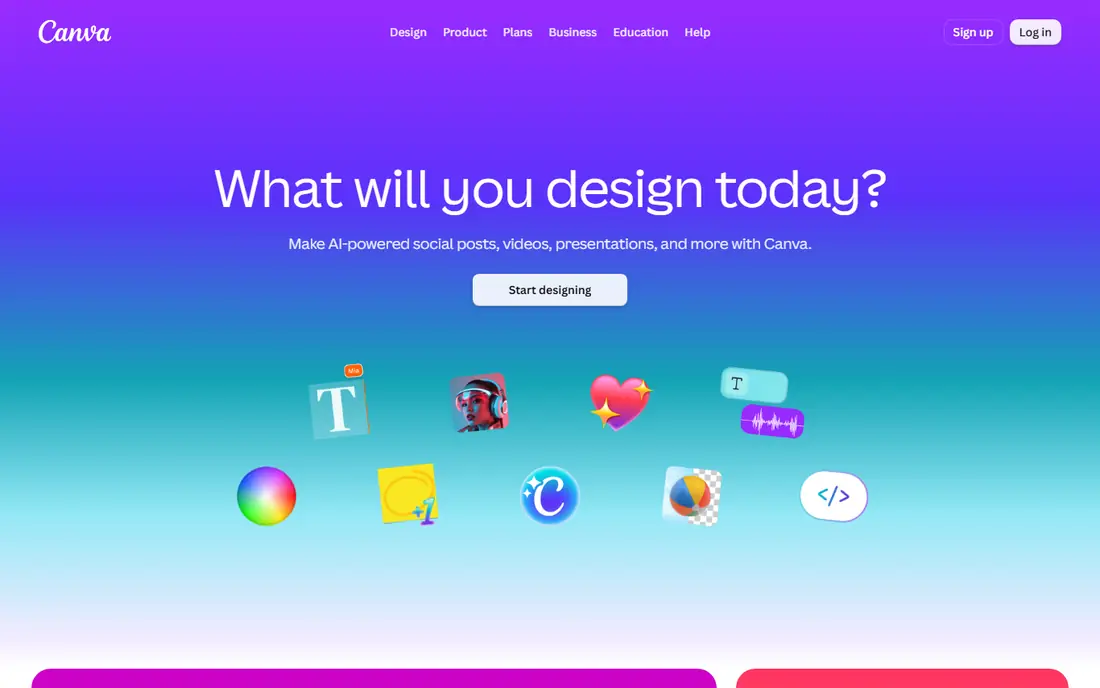
Canva is our pick for most poster makers because it removes the blank page problem. You pick a poster size, choose a template for an event, sale, class or film night, then swap the words, colours and photos for your own. The editor is direct, and you can resize a design for social posts or a flyer without starting again. For a small team, shared folders and brand colours keep posters looking consistent.
The catch is price and paywalls. Canva Pro is listed at $18 per month, or $144 per year, and background removal and some premium assets sit behind Pro. The free plan still covers a lot of everyday posters, so start there and test a real poster from start to print. Check the export resolution for large prints, because a design that looks sharp on screen can look soft at A2 or larger if the images are low resolution.
- Huge template library
- Easy drag and drop editor
- Print and social sizes in one place
- Some tools and assets need Pro
- Monthly price is higher than Adobe Express
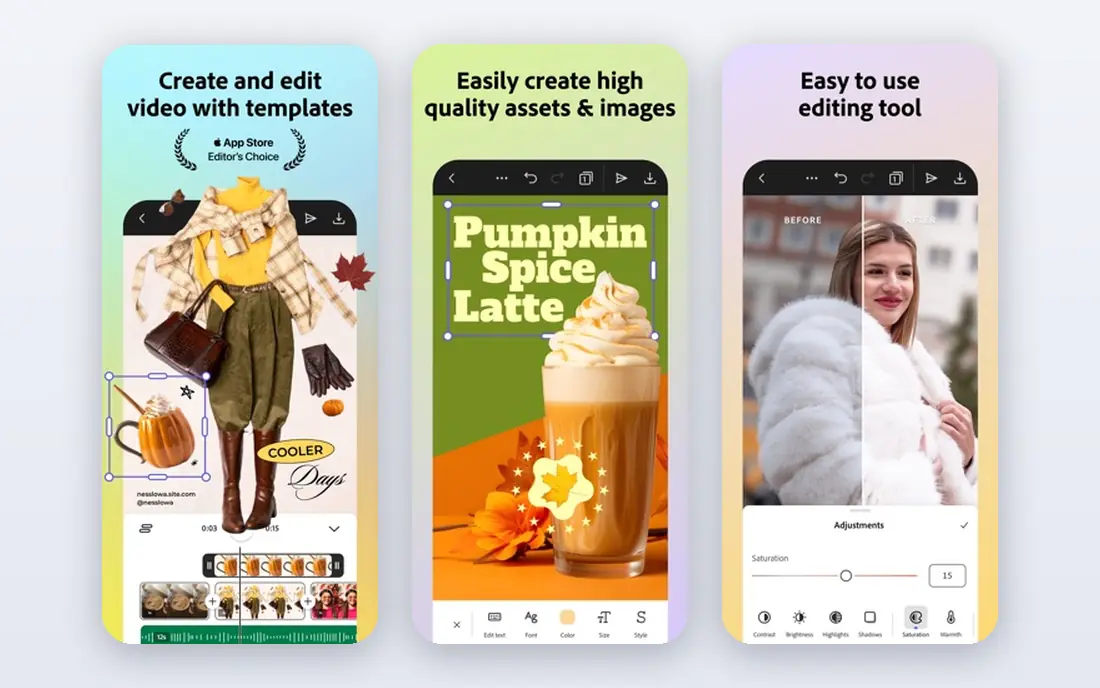
Adobe Express is the best value paid pick in this list. Premium is listed at $9.99 per month, and the free plan includes background removal, a tool Canva reserves for Pro. If you already use Adobe Stock photos or Adobe Fonts, or if Premium is included in a Creative Cloud plan you pay for, the case is even stronger. Templates cover events, sales and social graphics, and the editor stays simple for non-designers.
The trade-off is breadth. Canva still has the larger free template library for many everyday poster jobs, and some users will find Express templates less varied for niche events. Try both free plans with the same poster brief and compare the result, not just the feature list. If Express gives you a clean poster in less time, the lower price is a bonus, not the main reason to switch.
- Lower paid price
- Adobe Stock assets and fonts
- Background removal on the free plan
- Template range is smaller than Canva for some poster types
- Team terms need a close read
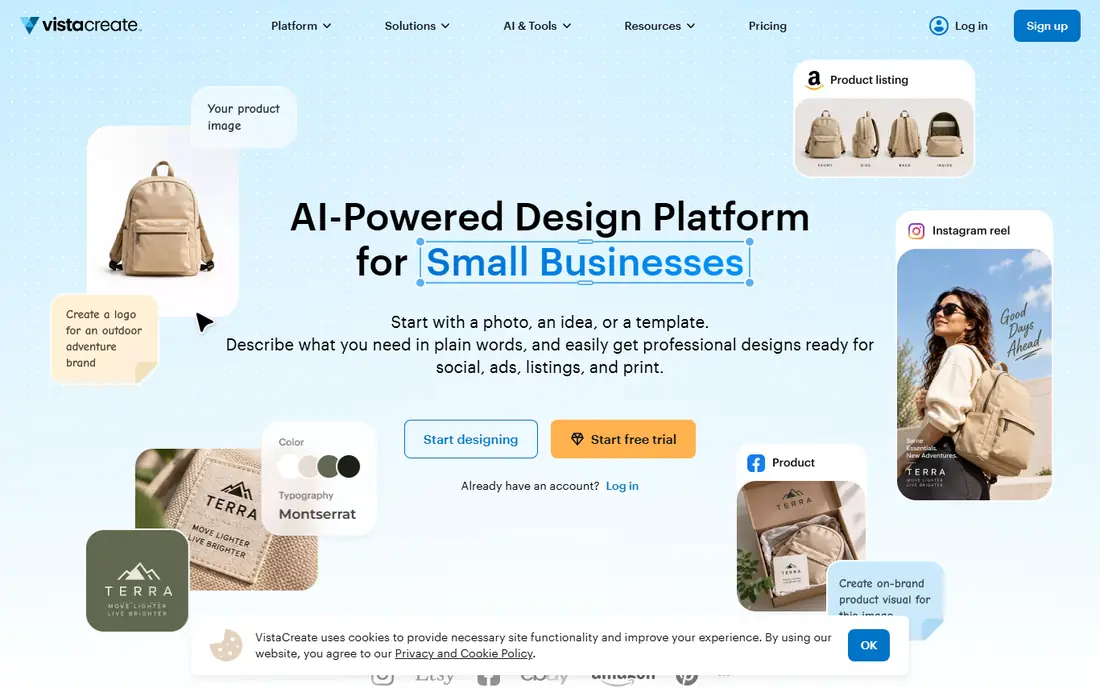
VistaCreate suits a creator who wants a poster fast and sometimes wants motion too. It offers static and animated templates, so the same event poster can work as a printed sheet and as a short social clip. The editor is simple, with ready made layouts for sales, food, fitness and events. For a shop or a class that posts weekly, that speed matters more than advanced design controls.
Pro is listed at $10 per month when billed annually, and it adds a brand kit and more assets. The free plan is a good test, but check which templates and downloads are free before you promise a client a finished file. For large format print, confirm the export size and quality early. VistaCreate is best as a fast, low cost poster tool, not as a full print design studio.
- Large template set
- Animated poster options
- Brand kit on Pro
- Print tools are less deep than Canva
- Some assets need Pro
PosterMyWall is our pick for local events, churches, schools, clubs and small shops. Its templates are built around real events, such as gigs, sales, menus and community notices, so you spend less time hunting for a layout that fits. You can pick a print size, swap in your date and venue, add a photo, and download a version for social media too. That two format workflow is handy for a poster that must work on a wall and on a phone.
Premium is listed from about $13 per month, and the free plan lets you design before you pay. The catch is download terms on free work, so read those terms before you share a poster widely. If you make posters every week for the same venue, the paid plan pays for itself in saved time. If you make one poster a year, the free plan plus a careful export check may be enough.
- Strong event templates
- Easy sizing for print and social
- Quick text and photo swaps
- Free downloads carry limits
- Design depth is less than Canva
Visme is the pick when your poster must explain numbers, not just announce an event. It combines poster layouts with charts, maps and data visuals, so a research poster, a classroom poster or a report summary can show data clearly. You can build a chart inside the poster, rather than pasting in a screenshot from another tool. That keeps numbers editable and the layout tidy.
Starter is listed at $12.25 per month per user when billed annually, and the free plan is limited, with a watermark on some exports. That watermark matters for a public poster, so test the export before you commit to Visme for a client job. The editor takes a little longer to learn than Canva, but for data posters the extra control is worth it. For a simple event poster, a simpler tool will be faster.
- Charts, maps and data widgets
- Good for report and classroom posters
- Brand tools
- Free plan has a watermark on some exports
- Learning curve is higher than Canva
Venngage is built for posters that teach, compare or summarise. Its infographic templates help you turn a list, a timeline or a set of stats into a poster that reads in order, top to bottom. That structure helps for school projects, health posters and business reports, where a plain photo poster would bury the point. Icons, charts and colour palettes are built in, so you do not need to hunt for each element.
Premium is listed at $10 per month per user for a yearly plan, with a Business plan at $24 per month. The free plan is a useful trial, but many of the best templates need a paid plan. Start with a free template that matches your content type, and check the export quality for print. If your poster is mostly text and photos, Canva or PosterMyWall will be quicker. If it is mostly data, Venngage earns its place.
- Strong infographic templates
- Easy chart tools
- Good for education and reports
- Free plan is limited
- Premium templates need a paid plan
Piktochart suits teams that turn reports into posters. It offers infographic and report templates with charts and maps, and it is used by communication teams and educators for posters that must stay accurate. You can link a chart to data, adjust colours to a brand palette, and share a draft with a team for comment. That review step helps when a poster carries facts that must be right.
Pro is listed at $14 per month per user when billed annually, and Business is $24 per month. The free plan covers a basic test, but it is not a full poster studio for large print work. Check the print export and chart rendering at your final size before you pay. For a photo-led event poster, choose a different tool. For a data-led poster that will be checked by others, Piktochart is a solid pick.
- Clear data poster templates
- Maps and charts
- Team sharing
- Photo poster templates are thinner
- Pro price is higher than some rivals
DocHipo is a good pick for a busy marketer who wants a branded poster without a long design session. It offers templates by industry and intent, plus a graphics library, AI writing help and text to image tools. That mix helps when you need a poster for a specific trade, such as a salon, a gym or a cafe, and you want the copy and layout to match the job. The editor is direct, with little learning time.
Pro is listed at $12 per month per user, and a Pro Unlimited plan is listed at $288 per month for unlimited users, which is a team tier, not a solo price. The free plan is the right test. Try one real poster, check the fonts, colours and export, and see if the template range fits your trade. If it does, DocHipo can be faster than a general tool. If it does not, Canva's larger library will serve you better.
- Industry templates
- Brand and intent based graphics
- AI writing and image tools
- Smaller community and tutorial set than Canva
- Pro Unlimited is a large step up
How we picked these
We compared official feature pages, pricing pages and template libraries, and we weighted template range, size options, export quality and free plan limits. We looked for tools that offer common poster sizes for print and social, let you swap text and photos easily, and state their paid prices clearly. We did not claim hands-on testing for every tool, and prices change, so check the vendor pricing page before you buy. A tool that looks cheap on a headline price can cost more once you add seats or print exports.
How to choose a poster size and file
Start with where the poster will live. A wall poster needs a print size such as A3 or A2, high resolution images and a file type your printer accepts, often PDF. A social poster needs the right pixel size for the platform and a JPG or PNG that stays sharp on a phone. A classroom poster may need both, so pick a tool that lets you resize without rebuilding the layout. Canva and VistaCreate handle that resize step well.
Check text, contrast and distance
A poster is read from a distance first, then up close. Keep the headline short, the date and place large, and the body text brief. Use high contrast between text and background, and test the poster at arm's length and from across a room. If you must squint to read the headline, it is too small or too low contrast. Leave white space around the headline so it stands out, and keep contact details in one clear spot.
Check print quality before you pay for printing
Use your own photos at full resolution where possible, and avoid stretching a small web image to fill a large poster. Export a test print at the final size, or at least view the export at 100 percent on screen. Check small text, logos and thin lines, because those show softness first. Ask your printer about bleed, the extra margin that stops white edges, and set it before you design, not after.
Keep brand and cost in view
If you make posters often, a brand kit with your colours, fonts and logo saves time and keeps posters consistent. That feature is often paid, so weigh it against how many posters you make each month. For one poster, a free plan is fine. For weekly posters, a paid plan with a brand kit and premium assets is often cheaper than the time lost rebuilding each design.
Frequently asked questions
What is the best platform for creating posters?
Canva is our pick for most people, because it has the widest template range and an easy editor. Adobe Express is the best value paid pick, and PosterMyWall is the best pick for fast event posters. The right tool depends on whether your poster is an event notice, a data poster or a brand campaign.
What are the best platforms for creating posters for free?
Canva, Adobe Express, VistaCreate and PosterMyWall all offer free plans that cover a basic poster. Free plans may limit premium templates, assets or export options, and some add a watermark. Design the poster first, then check the export terms before you share or print it.
Can I print a poster made in Canva or Adobe Express?
Yes, if you set the right size and export quality. Choose a print size in the editor, use high resolution images, and export as a PDF for most printers. Ask your printer about bleed and file type before you order a large run, and print one test copy for large posters.
Which poster tool is best for infographics?
Visme, Venngage and Piktochart are the strongest picks for data posters. They offer charts, maps and structured layouts that keep numbers readable. Canva can also make a simple infographic, but the three data tools give you more chart control and cleaner layouts for reports.
Do I need design skills to make a good poster?
No. These tools are built for non-designers, with templates, drag and drop editing and ready made colour palettes. You still need a clear headline, a short message and a good photo, but you do not need to learn professional design software. Start from a template close to your poster type, then change only the words and images.
How much should I pay for a poster tool?
For occasional posters, start free and pay only if you need premium templates, a brand kit or watermark free exports. Paid plans in this list start at about $9.99 to $14 per month for a solo user. For weekly posters, a paid plan often saves enough time to justify the cost. Check renewal terms and seat counts for team plans.
Sources we checked (8)

Online Jobs is an independent blog about careers, online work, learning new skills and the tools that help people earn. More about us.
Keep reading
All posts
Top Rated Poster Maker Software
Top rated poster maker software compared for 2026: Canva, Adobe Express, VistaCreate, PosterMyWall and more for events, sales and classrooms for US users.
Best Tools for Print Design
Compare the best tools for print design, from professional layout and vector software to browser tools, free editors, team publishing platforms and press prep.
Best Tools for Motion Design
Compare the best tools for motion design in 2026. We review 8 apps for 2D animation, 3D motion, interactive graphics, pricing and free plans. Start here.