Best Planner App for ADHD in 2026: 8 Apps Compared

How we put this together: we compare official feature and pricing pages, app store listings, privacy policies and public user reviews. Prices change, so check the provider's site before you pay.
Key takeaways
- Tiimo and Structured help most with time blindness, because they show the day as a visual timeline rather than a plain list.
- Sunsama helps most with overcommitting, because its guided daily ritual forces realistic time estimates before the day starts.
- Motion helps most with a shifting workload, because it rebuilds the schedule when tasks and meetings change.
- Todoist and TickTick are the best low-cost all-rounders when you need tasks, reminders and a calendar in one place.
- The best ADHD planner is the one you will open every morning, so start with a free plan or trial before paying for a year.
Quick comparison
| Name | Who it suits | Starting price | Free option | |
|---|---|---|---|---|
 Tiimo | Visual daily planning | Free | Yes | Visit |
 Sunsama | Guided, realistic daily planning | $22 per month | Free trial | Visit |
 Motion | AI scheduling for busy days | $34 per month | Free trial | Visit |
 Structured | Simple visual timeline | Free | Yes | Visit |
 Todoist | Reliable task capture | Free | Yes | Visit |
 TickTick | Tasks, calendar and timer in one app | Free | Yes | Visit |
 Akiflow | Tasks and calendar in one timeline | See website | Free trial | Visit |
 Reclaim.ai | Protecting focus time automatically | Free | Yes | Visit |
The best planner apps for ADHD
A standard to-do list often fails for ADHD because it hides time. A list does not show how long tasks take, when transitions happen, or whether the day is already full. The apps below tackle different parts of that problem. Some make time visible, some slow down planning so you do not overcommit, and some rebuild the plan when life changes. We compared them on planning style, calendar support, reminders, price and free options, so you can pick by your biggest sticking point rather than by popularity.
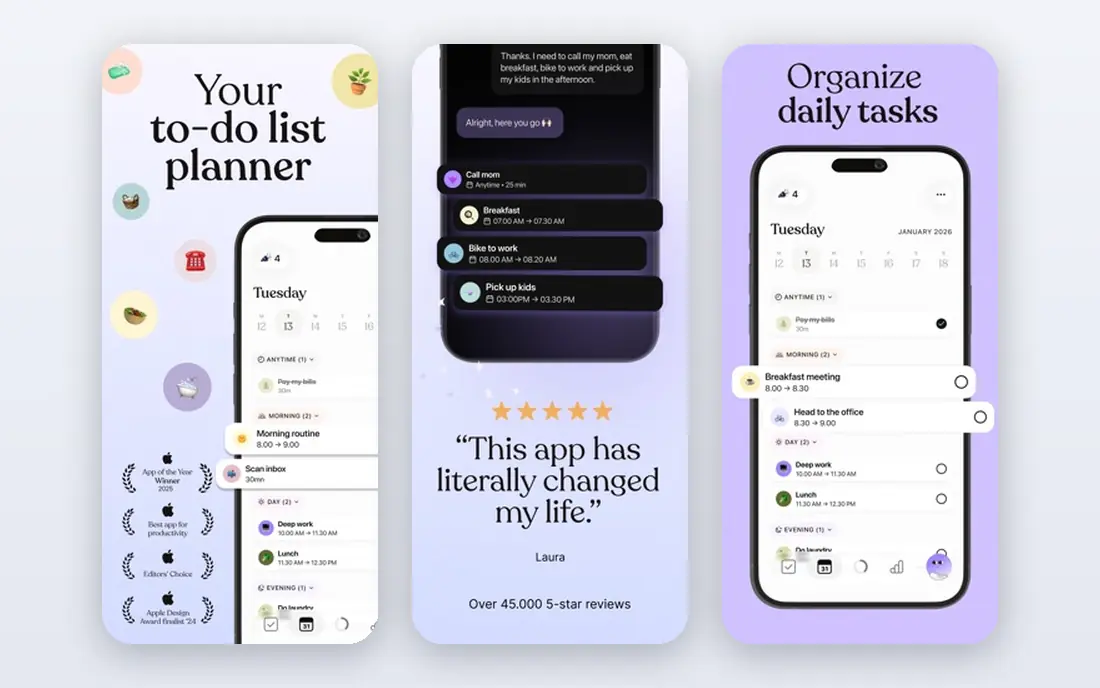
Tiimo is built for ADHD and autistic users, and that focus shows in its design. Instead of a dense list, Tiimo shows the day as a sequence of coloured blocks with icons, countdown timers and routine templates. That visual sequence helps with time blindness, because you can see what is next, how long it lasts, and how much of the day is left. Transition reminders warn you before the next activity starts, which reduces the shock of switching tasks. The calm design also avoids the clutter that makes many planners hard to open.
Tiimo is not a full project manager. It has no subtasks, no priority system and no filtering for complex work, so it works best alongside a task app if you manage many projects. Published pricing has varied by region and by app store, with a free tier and a paid Pro plan, so check the current price in your app store before subscribing. If seeing the day is your main problem, Tiimo is the clearest starting point on this list.
- Visual timeline built for neurodivergent users
- Timers and routine templates
- Gentle, low-clutter design
- Limited as a full task manager
- No subtasks or advanced project views
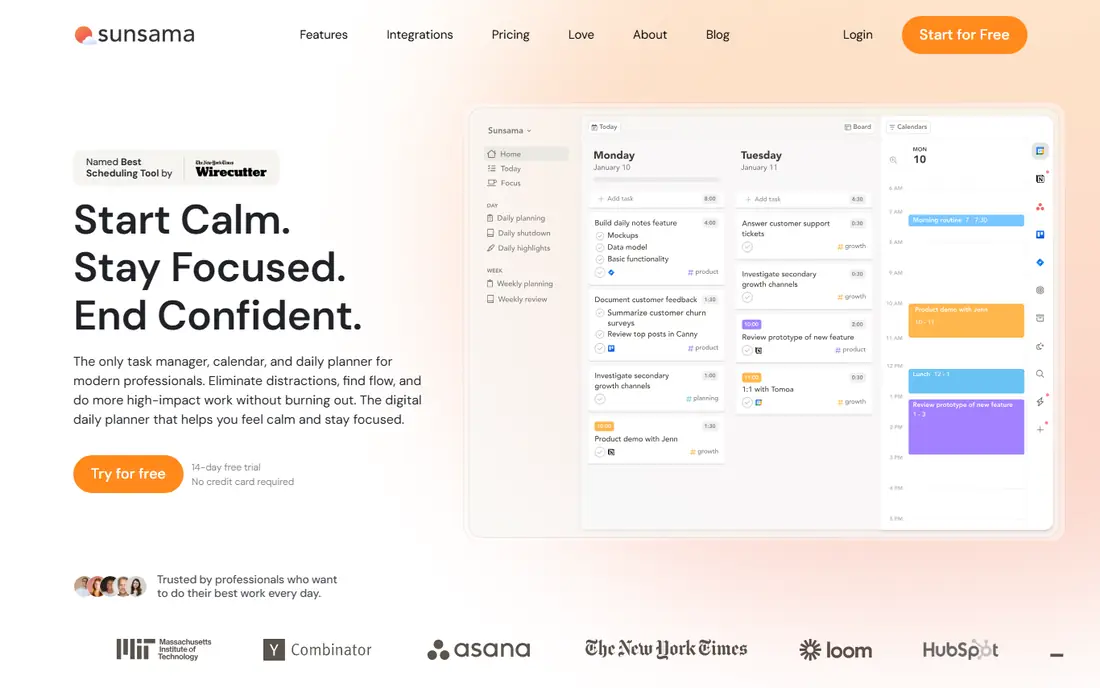
Sunsama takes a different approach: it slows you down each morning and asks you to plan the day on purpose. You pull tasks from Todoist, Trello, Asana, Gmail, Slack and your calendar, estimate how long each task will take, and place them on a realistic timeline. That ritual directly tackles overcommitting, because a day that looks full on paper is hard to ignore. Sunsama also includes a shutdown ritual, a timer, and a weekly review, which help close the day instead of leaving tasks open in your head overnight.
The cost is the main barrier. Sunsama is priced around 22 dollars per month billed monthly, or around 17 dollars per month billed yearly, with a 14-day trial and no free plan. The desktop experience is also stronger than the mobile app, which is better as a companion. Sunsama fits best for knowledge workers whose days are spread across several tools and who need a daily habit that keeps plans honest.
- Daily planning ritual that limits overcommitment
- Time estimates for every task
- Calendar and task integrations
- No free plan, only a trial
- Price is high for a personal planner
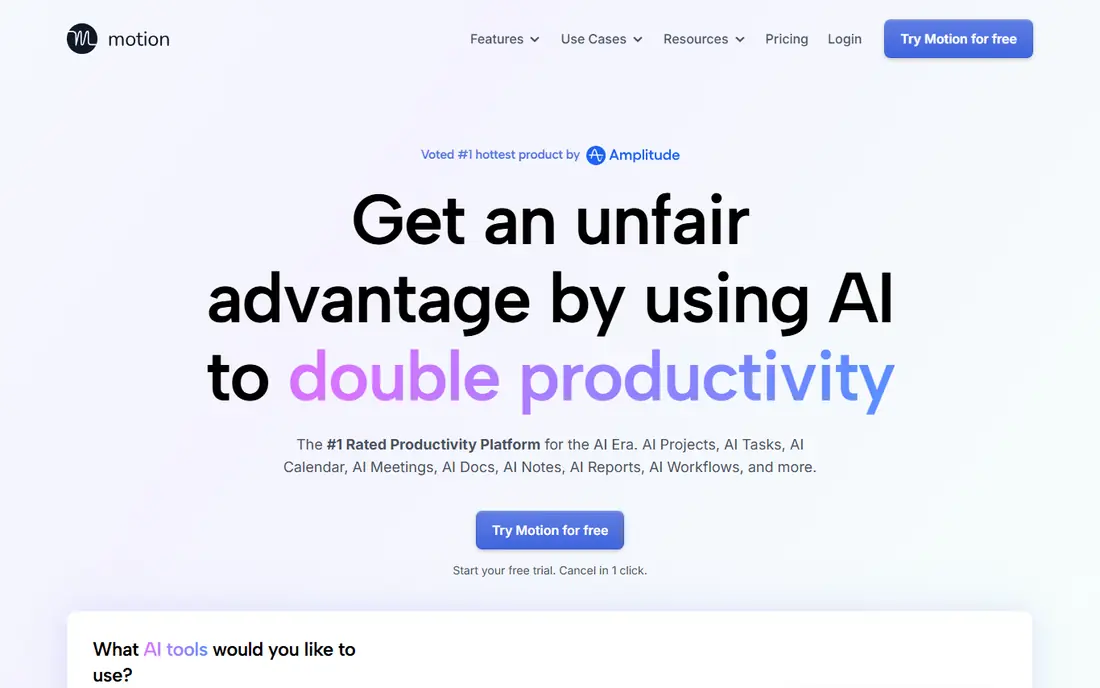
Motion is for people whose main problem is deciding when to do each task. You add tasks with deadlines and priorities, connect your calendar, and Motion builds a schedule around meetings and protected focus time. When a new task arrives or a meeting moves, Motion reschedules the rest of the day automatically. That removes the manual planning step that often leads to paralysis, and it stops the classic pattern of fitting five extra tasks into a day that is already full. For variable, deadline-driven work, that automation is genuinely helpful.
Motion is priced around 34 dollars per month for individuals, which is high for a personal planner. It also works best when your work is task-heavy and calendar-heavy; a person with a fixed daily routine may not need auto-scheduling at all. Motion fits best for professionals who bill by the hour or juggle many deadlines, and who will save enough time to justify the price. Try the trial with a real week of work before paying.
- Auto-scheduling around meetings
- Rebuilds the plan when priorities change
- Protects focus time blocks
- Subscription-only at a premium price
- Less useful for simple, fixed routines
Structured is the simplest visual planner on this list, and that simplicity is its strength. You build the day as a timeline of tasks with times, and you can see at a glance what is happening now and what comes next. The design is calm and attractive, which makes it easier to open than a dense productivity app. Structured is especially useful on iPhone, where it feels native and fast, and it also runs on Android, Mac and web. A free version covers basic planning, with Pro adding features by subscription or one-time purchase.
Structured will not replace a task manager for complex projects, since it focuses on the day rather than on project tracking. It also lacks the guided ritual of Sunsama and the auto-scheduling of Motion. Choose Structured if you want a cheap, visual day planner that you will actually use, and pair it with a task app if you need to track longer projects.
- Clean visual timeline
- Very low price for Pro
- Works on phone, Mac and web
- Limited project management
- Pro pricing varies by region and app store
Todoist is the capture tool many ADHD planners pair with a visual app. Its strength is speed: you can type a task in plain language, such as a task due tomorrow morning, and Todoist sets the date and time for you. Recurring tasks, priorities, labels and filters help you sort work without building a complex system. Todoist runs on web, phone and desktop, so a task captured on the go is waiting when you sit down to plan. The free plan covers core tasks and projects, with Pro priced around 7 dollars per month or 60 dollars per year in published comparisons.
Todoist alone does not solve time blindness, because its default view is a list, not a timeline. You can add a calendar view on paid plans or pair it with a visual planner such as Tiimo or Structured. Todoist fits best as the reliable inbox for everything you need to remember, while another app handles how the day looks. If forgetting tasks is your main problem, start here.
- Fast natural-language task entry
- Reliable reminders and recurring tasks
- Works on almost every platform
- No visual timeline by default
- Calendar view needs the paid plan for full use
TickTick is the best value all-rounder on this list. It combines tasks, calendar, habits and a Pomodoro timer in one app, so you do not need three separate tools to plan, track and focus. The free plan is genuinely useful, and the paid plan is priced around 3 dollars per month in published comparisons, far below Sunsama or Motion. TickTick also supports reminders, lists, tags and calendar views, which cover most daily planning needs without a steep learning curve.
The trade-off is polish. TickTick can feel busy compared with Structured or Tiimo, and its design does not specifically target ADHD needs such as visual time or guided planning. It also lacks the auto-scheduling of Motion. TickTick fits best for someone who wants one cheap app that does a lot, and who is comfortable building their own daily routine inside it rather than following a guided ritual.
- Tasks, calendar, habits and timer in one app
- Generous free plan
- Low paid price
- Interface can feel busy
- Some advanced features need the paid plan
Akiflow is built around a single idea: tasks and calendar events belong on the same timeline, so you can see whether a task actually fits in the day. You can drag tasks onto the calendar, time-block your work, and pull tasks from Gmail, Slack, Todoist and other tools into one view. That unified view helps with time blindness and overcommitting at the same time, because a task without a time slot is visible as unplanned work. Akiflow is fast and keyboard-friendly, which suits people who plan on a computer and want to move quickly.
Akiflow is a paid tool with a trial, and its price has been reported in the 19 to 34 dollar per month range depending on plan, so check the current pricing page before subscribing. It is also stronger on desktop than on mobile, so phone-first planners may prefer Tiimo or Structured. Akiflow fits best for desktop workers who live in their calendar and want tasks and meetings in one honest timeline.
- Unified timeline for tasks and calendar
- Fast keyboard-first entry
- Integrations with Gmail, Slack and other tools
- Pricing is not free and varies by plan
- Best for desktop-heavy workers
Reclaim.ai is not a planner you open each morning. It is a calendar assistant that defends your time automatically. You tell it which habits, focus blocks and breaks matter, and it finds slots in your Google Calendar, moves them when meetings appear, and adds buffer time between commitments. That automation helps with a common ADHD problem: focus time that erodes because meetings keep taking priority. The free plan is genuinely useful, with paid plans adding more features for teams and heavier schedules.
Reclaim.ai works best as a companion to another planner, not as a replacement. You still need a task list and a daily plan, and Reclaim.ai needs a calendar that reflects your real commitments. If your calendar is empty because you never schedule tasks, Reclaim.ai has little to protect. Pair it with Todoist, TickTick or Sunsama, and let it guard the time you have already planned.
- Auto-schedules focus, habit and break time
- Works with Google Calendar
- Useful free plan
- Not a full planner on its own
- Needs a calendar habit to work well
How we picked these
We looked for planner and calendar apps that are available in 2026, address a specific ADHD-related planning problem, and offer a free plan or trial so readers can test them without paying upfront. We checked vendor homepages and pricing pages, and we used recent comparisons for prices that vary by region or app store. We excluded generic to-do apps with no calendar, timer or visual planning angle, and we excluded apps that are no longer maintained. We also kept a mix of visual planners, guided planners, auto-schedulers and low-cost all-rounders, because ADHD planning needs differ from person to person.
We did not claim hands-on clinical testing, and we did not rank apps by a single score. Instead, we grouped them by the problem they solve best, so you can start with time blindness, overcommitting, starting tasks or routine breakdowns. Prices change, especially in app stores, so check the current price before subscribing.
Choosing a planner that you will actually use
Start with your biggest friction point, not with the app that looks most impressive. If you lose track of time, try Tiimo or Structured for two weeks. If you overcommit, try Sunsama and see whether the daily ritual feels helpful or heavy. If you cannot decide when to work, try Motion or Akiflow with a real week of tasks. If you forget tasks, start with Todoist or TickTick and add a visual layer later. Testing one app at a time matters, because downloading five planners at once usually ends with none of them used.
Build a simple daily routine around the app
Pick a fixed time to plan, such as the first ten minutes of the workday, and keep the routine short. Review the calendar, pick three priorities, place them on a timeline, and leave gaps for breaks and overruns. A planner works when it reduces decisions, not when it adds a second job. If the app needs more than ten minutes of setup each morning, it is probably too complex for daily use, and a simpler tool will serve you better.
A note on ADHD and general information
These apps are general productivity tools, not medical treatment. This guide is general information only and does not replace medical advice, diagnosis or treatment. If ADHD symptoms affect work, study or daily life in a serious way, speak to a qualified health professional about assessment and support options. An app can support a routine, but it cannot replace professional care where that care is needed.
Frequently asked questions
What is the best planner app for ADHD?
Tiimo is often named the best ADHD planner app because it is built for neurodivergent users and shows the day as a visual timeline with timers. Structured is a cheaper visual alternative, while Sunsama is better if overcommitting is your main problem. The best app for you depends on whether time blindness, starting tasks or planning overload is the bigger issue.
What is the best ADHD planner app for adults?
For adults, Sunsama and Motion suit work-heavy days, while Tiimo and Structured suit visual daily planning. Todoist and TickTick suit adults who need reliable task capture across devices. Try a free plan or trial for two weeks, and keep the app you open without prompting.
What are the best planner apps for ADHD with a calendar?
Akiflow, TickTick, Motion and Reclaim.ai all link tasks to a calendar, though in different ways. Akiflow and TickTick show tasks and events on one timeline, Motion auto-schedules tasks around meetings, and Reclaim.ai protects focus time inside Google Calendar. Pick Akiflow or TickTick for manual control, and Motion or Reclaim.ai for automation.
What is the best daily planner app for ADHD?
For a daily planner, Tiimo and Structured are the clearest visual picks, because they show the day as a sequence rather than a list. Sunsama adds a guided daily ritual that helps you choose realistic priorities. A daily planner works best when you review it each morning and keep the plan to a few priorities, not a long list.
Are there free ADHD planner apps?
Yes. Tiimo, Structured, Todoist, TickTick, Reclaim.ai all offer free plans, though paid features differ. Start free, use the app for two weeks, and only pay when you hit a limit that matters, such as calendar views, integrations or unlimited routines.
Sources we checked (8)

Online Jobs is an independent blog about careers, online work, learning new skills and the tools that help people earn. More about us.
Keep reading
All posts
Zoom Alternatives
Zoom alternatives compared for 2026: Google Meet, Microsoft Teams, Webex, Jitsi and more for free calls, large meetings and webinars for teams and classrooms.

Which Software Is Best for Data Entry
Compare the best data entry software for forms, OCR scanning, and spreadsheets, with free plans, pricing, and honest limits for each tool before you commit.

What's the Best App to Read PDFs
Find what's the best app to read PDFs in 2026, from Adobe Acrobat Reader and Foxit to PDF Expert and Xodo, with free options and honest limits for every device.