Best Pixel Art Software in 2026: 8 Tools Compared

How we put this together: we compare official feature and pricing pages, app store listings, privacy policies and public user reviews. Prices change, so check the provider's site before you pay.
Key takeaways
- Aseprite is our pick for most pixel artists and indie game developers, with a focused animation timeline and sprite sheet export.
- Piskel and Pixelorama are the best free starting points, with Piskel in the browser and Pixelorama as a full desktop editor.
- Pyxel Edit and Pro Motion NG suit tile-based game work, while GraphicsGale suits Windows artists who want a classic workflow.
- Krita and Photoshop are general art tools that can handle pixel art, but they lack the focused pixel and animation workflow of the specialists.
Quick comparison
| Name | Who it suits | Starting price | Free option | |
|---|---|---|---|---|
 Aseprite | Indie sprite animation | $19.99 one-time | No | Visit |
 Piskel | Free browser pixel art | Free | Yes | Visit |
 Pixelorama | Free desktop pixel art | Free | Yes | Visit |
 Pyxel Edit | Tilesets for games | $20 one-time | No | Visit |
 GraphicsGale | Classic Windows pixel work | Free | Yes | Visit |
 Pro Motion NG | Professional tile and sprite work | $19.95 one-time | Yes | Visit |
 Krita | Free general painting with pixel support | Free | Yes | Visit |
 Photoshop | General art with pixel tools | $20.99 per month | Free trial | Visit |
The best pixel art software
Pixel art software lets you edit an image pixel by pixel, with control over colour, layers and animation frames. Good tools add onion skinning, palette control, tilemaps and sprite sheet export, which turn single images into game-ready assets. We compared official pages, pricing pages and public guides to build this list, covering free editors, one-time purchases and general art tools that handle pixel work.
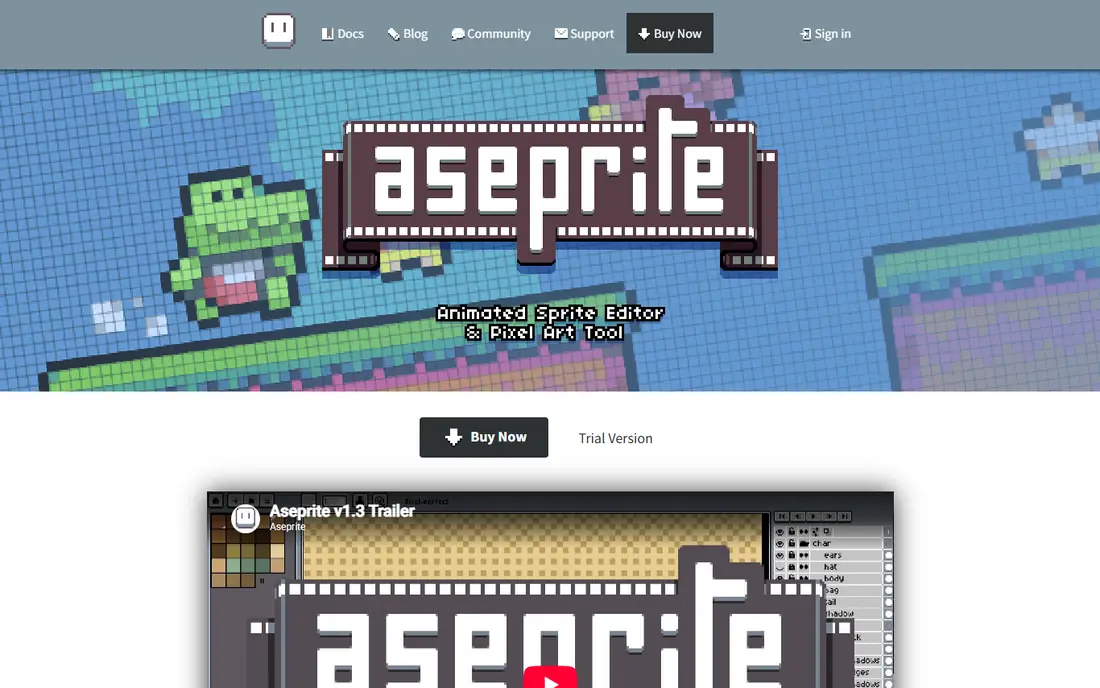
Aseprite is the standard pick for indie pixel art, and for good reason. The drawing tools are built for pixels, with a pixel-perfect mode that avoids anti-aliased edges, and the timeline makes frame-by-frame animation straightforward. Onion skinning shows neighbouring frames, tags organise animations, and layers and cels keep complex sprites manageable.
Export is another strength. Sprite sheets, GIFs, PNG sequences and JSON texture atlases cover most game engine needs, and command-line tools help with larger pipelines. The $19.99 one-time price is low for a professional tool, and there is no subscription. The only real catch is that the ready-built app is paid, though the source is available to compile yourself if you have the technical skill and time.
- Pixel-perfect drawing and animation timeline
- Onion skinning and tags
- Sprite sheet and JSON export
- No free plan for the ready-built app
- Focused on pixels, not general painting
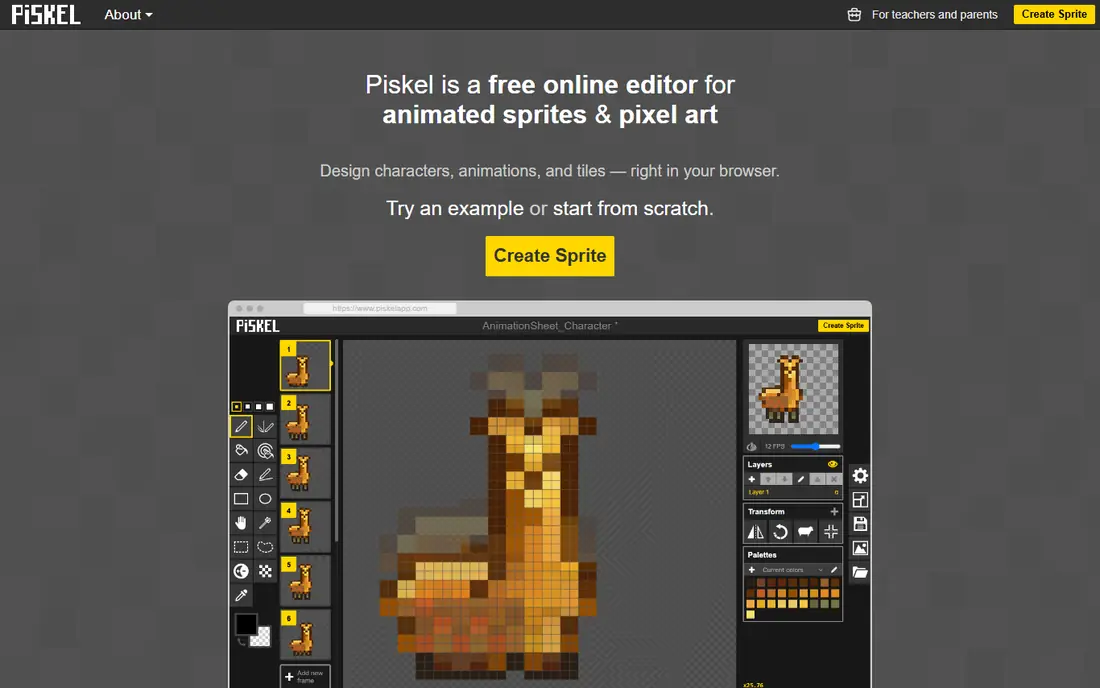
Piskel is the best free starting point for someone who wants to try pixel art without installing anything. Open it in a browser, draw frames, preview the animation live, and export a sprite sheet or GIF. That low friction makes it ideal for beginners, classrooms and quick game jam sprites.
Advanced work will eventually push you toward Aseprite or Pixelorama, since Piskel lacks some of their tilemap, palette and scripting depth. For learning, small sprites and short animations, though, Piskel is hard to beat. It is free, simple and genuinely useful, not just a demo.
- Free and runs in the browser
- Simple animation preview
- Built-in sprite sheet export
- Fewer advanced tools than Aseprite
- Browser focus suits small projects best
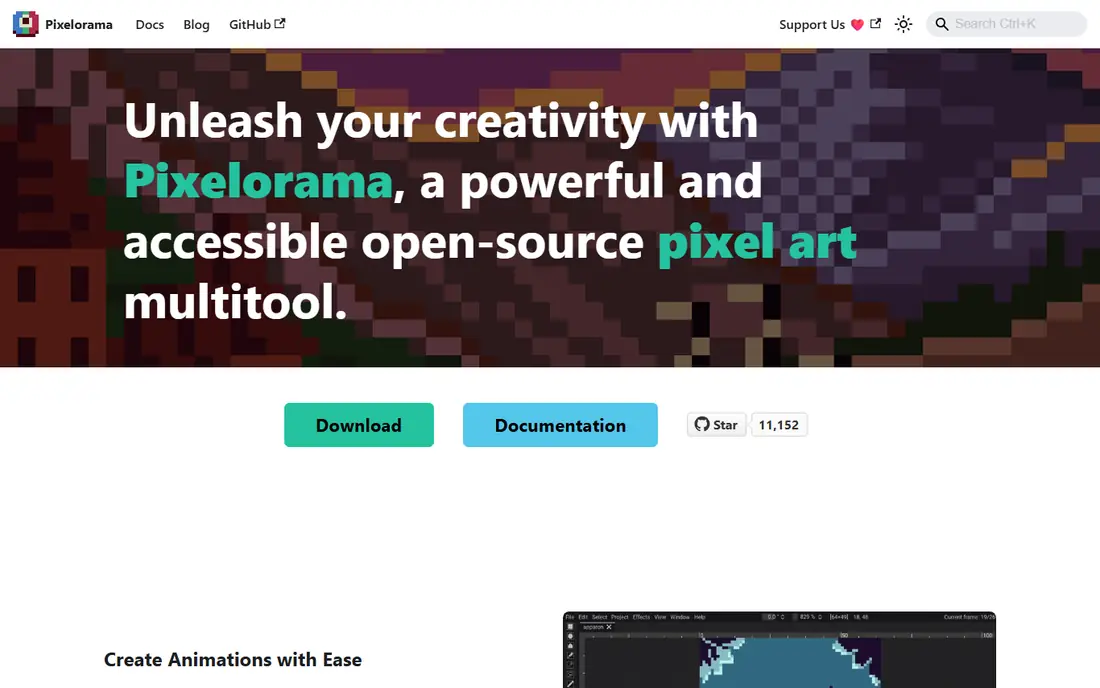
Pixelorama is the strongest free desktop alternative to Aseprite. It is open source, runs on Windows, Mac and Linux, and covers layers, animation, palettes and tilemaps, including rectangular, isometric and hexagonal tilemaps. Non-destructive layer effects and full palette control give it depth that many free tools lack.
The community is smaller than Aseprite, so tutorials and extensions are fewer, but the core tool is capable for serious projects. If your budget is zero and you want a desktop editor rather than a browser tool, Pixelorama is the first free option to try. It also suits developers who prefer open source software.
- Free and open source
- Tilemaps and palette tools
- Animation and sprite sheet support
- Smaller community than Aseprite
- Interface takes a little learning
Pyxel Edit is built for tilesets, and that focus shows. Edit one tile and see linked tiles update live, which saves time when building levels and terrain. The interface is simple and game-focused, without the broader painting tools that can distract from tile work.
Animation and general pixel art are less developed than in Aseprite, so Pyxel Edit suits a specific job rather than every pixel task. For a game developer building large tile-based levels, it is a strong specialist at a low one-time price. For character animation, pair it with Aseprite or Pixelorama.
- Excellent tileset tools with live tile updates
- Simple, focused interface
- Low one-time price
- Less animation depth than Aseprite
- Development pace is slower than rivals
GraphicsGale is a classic Windows pixel editor with a loyal following among game artists. Frame-by-frame animation, onion skinning and palette tools are solid, and the free version covers much of what a beginner or hobbyist needs. For Windows users who like a traditional desktop workflow, it remains a capable choice.
The interface will feel dated next to Aseprite or Pixelorama, and Mac and Linux users need another tool. The free version also has limits compared with the paid edition, so check which features you need before committing. For Windows-only pixel animation on a budget, GraphicsGale still earns its place.
- Free version for Windows
- Excellent frame animation tools
- Long track record with pixel artists
- Windows only
- Interface feels dated
- Free version has some limits
Pro Motion NG is a professional tool for large-scale sprite and tile work, with roots in classic game art. Its tilemap editor supports collision masks, and colour-cycling animation lets you animate palette shifts, such as flowing water, without redrawing frames. Project tools handle large sprite sets for commercial games.
The interface favours workflow efficiency over modern polish, so beginners may find it harder to learn than Aseprite or Piskel. It is also Windows focused, which limits some users. For studios and professional artists producing tile-heavy games, Pro Motion NG offers depth that simpler editors cannot match.
- Deep tilemap editor with collision masks
- Colour-cycling animation
- Built for large commercial sprite sets
- Windows focused
- Interface takes time to learn
- Less beginner-friendly than Piskel
Krita is a free, open source painting program that can handle pixel art, though pixels are not its main focus. Brushes, layers and animation tools are extensive, and it suits artists who move between pixel art and broader illustration in one app. For a free general art tool, Krita is excellent.
Pixel-specific workflow is the trade-off. You need to set up pixel-perfect brushes and grid settings yourself, and sprite sheet export is less direct than in Aseprite. If pixel art is your only job, a specialist will be faster. If you paint, illustrate and animate in many styles, Krita covers pixel work well enough to be worth trying.
- Free and open source
- Huge painting and brush library
- Animation support for frame work
- Not built for pixels first
- Sprite sheet export needs extra steps
- Interface is broad
Photoshop can make pixel art, using the pencil tool, layers, timeline animation and palette controls, and many artists already know it. File support and editing depth are unmatched, which helps when pixel assets sit inside a larger art pipeline. For a studio already paying for Adobe tools, using Photoshop for occasional pixel work makes sense.
As a pixel-only purchase, Photoshop is hard to justify. The monthly price is high compared with a $19.99 one-time Aseprite license, and the interface is built for photography and illustration, not pixels. Beginners should start with Piskel, Pixelorama or Aseprite, and turn to Photoshop only when broader editing needs demand it.
- Huge toolset for layers, colour and editing
- Timeline for animation
- Industry standard file support
- Monthly subscription is expensive for pixel work alone
- Deep learning curve
- Not pixel-first
How we picked these
We compared official pages, pricing pages and public guides for software that truly supports pixel-level editing, and we kept only tools that are available now. We favoured a mix of free editors, one-time purchases and general art tools, plus both animation-focused and tile-focused specialists, so readers with different budgets and game types can find a fit. Where a price was uncertain, we used the most commonly published figure or wrote See website in earlier drafts, and we checked final figures against vendor pages.
What to check before you choose
Start with your main job. Character animation points to Aseprite, free learning points to Piskel or Pixelorama, tilesets point to Pyxel Edit or Pro Motion NG, and general art points to Krita or Photoshop. Download the free trial or free version first and draw a small sprite with animation, since a tool that feels right in a demo may still slow you down on real work.
Check export needs early. Your game engine may want sprite sheets, JSON atlases, GIFs or PNG sequences, and not every tool exports all of them cleanly. Finally, consider palette control. Indexed colour and palette tools keep game art consistent and small in file size, which matters more as a project grows.
Animation tips
Use onion skinning to judge motion between frames, keep frame counts low for a first character, and test the sprite in your game early. A walk cycle that looks good in the editor can still feel wrong at game speed, so export and test often rather than polishing frames in isolation.
Tiles and levels
For tile-based games, test tilemap tools before committing to an editor. Live tile updates, collision data and export to your engine save more time than a slightly nicer brush. Pyxel Edit and Pro Motion NG both target this workflow, while Aseprite and Pixelorama also offer tilemap support.
Frequently asked questions
What is the best software for pixel art?
Aseprite is the best overall pick for most pixel artists, thanks to its animation timeline, pixel-perfect drawing and sprite sheet export. Pixelorama is the best free desktop alternative, and Piskel is the best free browser option. The best choice depends on budget and whether you need animation or tilesets.
What is the best free pixel art software?
Pixelorama is the strongest free desktop editor, with tilemaps, palettes and animation at no cost. Piskel is the simplest free browser tool, and Krita is a strong free general art tool that can handle pixel work. GraphicsGale also offers a free Windows version for classic pixel animation.
What is the best pixel animation software?
Aseprite leads for pixel animation, with onion skinning, tags and a clear timeline. Piskel and Pixelorama also handle frame animation well for free, while GraphicsGale and Pro Motion NG suit Windows animation workflows. Test a short walk cycle in two tools before choosing.
Can I make pixel art in Photoshop?
Yes, Photoshop can make pixel art with the pencil tool, layers and timeline, but it is not built for pixels first and costs a monthly subscription. It suits artists who already use Adobe tools for other work. For pixel-only work, Aseprite or Pixelorama will be faster and cheaper.
Do I need paid software to start pixel art?
No. Piskel, Pixelorama and Krita are free and cover learning, animation and game sprites well. Paid tools such as Aseprite add polish, export depth and a larger community, and the one-time price is low once you know pixel art is a regular hobby or job.
Which pixel art tool is best for game development?
Aseprite is the most common pick for indie game sprites and animation, while Pyxel Edit and Pro Motion NG suit tile-heavy games. Check sprite sheet, JSON atlas and tilemap export for your engine before choosing, and test a real asset in the engine early.
Sources we checked (8)

Online Jobs is an independent blog about careers, online work, learning new skills and the tools that help people earn. More about us.
Keep reading
All posts
Zoom Alternatives
Zoom alternatives compared for 2026: Google Meet, Microsoft Teams, Webex, Jitsi and more for free calls, large meetings and webinars for teams and classrooms.

Which Software Is Best for PDF Page Removal
Which software is best for PDF page removal? We compare free and paid tools for deleting pages quickly, safely, and without harming your file in this guide.

Which Software Is Best for Data Entry
Compare the best data entry software for forms, OCR scanning, and spreadsheets, with free plans, pricing, and honest limits for each tool before you commit.