Best Photo App in 2026: 8 Apps Compared

How we put this together: we compare official feature and pricing pages, app store listings, privacy policies and public user reviews. Prices change, so check the provider's site before you pay.
Key takeaways
- Google Photos is our pick for most people because it combines storage, search, and simple editing in one app.
- Snapseed is the best free editor, with pro-level tools, no subscription, and no ads.
- Adobe Lightroom is the best choice for serious photographers who edit RAW files and sync across devices.
- Halide is the best pro camera for iPhone users who want manual control and RAW capture.
- VSCO suits creators who want a consistent film-style look across a whole set of pictures.
Quick comparison
| Name | Who it suits | Starting price | Free option | |
|---|---|---|---|---|
 Google Photos | Most people | Free | Yes | Visit |
 Snapseed | Free editing | Free | Yes | Visit |
 Adobe Lightroom | Serious editing and RAW | See website | Yes | Visit |
 VSCO | Film-style presets | Free | Yes | Visit |
 Halide | Pro iPhone camera | See website | No | Visit |
 ProCamera | Manual iPhone camera | See website | No | Visit |
 Picsart | Creative edits and design | Free | Yes | Visit |
 Apple Photos | iPhone and Mac users | Free | Yes | Visit |
The best photo apps
The phrase best photo app covers three different jobs: taking pictures, editing them, and storing them. Some apps do one job well, others try to do all three. The eight below cover that range, so pick by the job you do most, whether that is quick phone snaps, careful RAW editing, or keeping a large library in order.
Google Photos is the app most people should start with, because it solves the problem that comes after taking pictures: finding them again. Search by person, place, or object works well, albums and sharing are simple, and backup means a lost or broken phone does not mean lost pictures. The built-in editing tools cover crops, light, colour, and filters well enough for everyday use.
The limit is storage and editing depth. The free tier shares space with your Google account, so a large photo library will eventually need a paid storage plan, and serious RAW editing still belongs in Lightroom or Snapseed. For everyday pictures, sharing, and backup, however, Google Photos is the most useful all-round photo app in this list.
- Strong search and automatic organisation
- Easy sharing and backup
- Simple editing built in
- Free storage is limited by your Google account plan
- Advanced editing is thinner than Lightroom
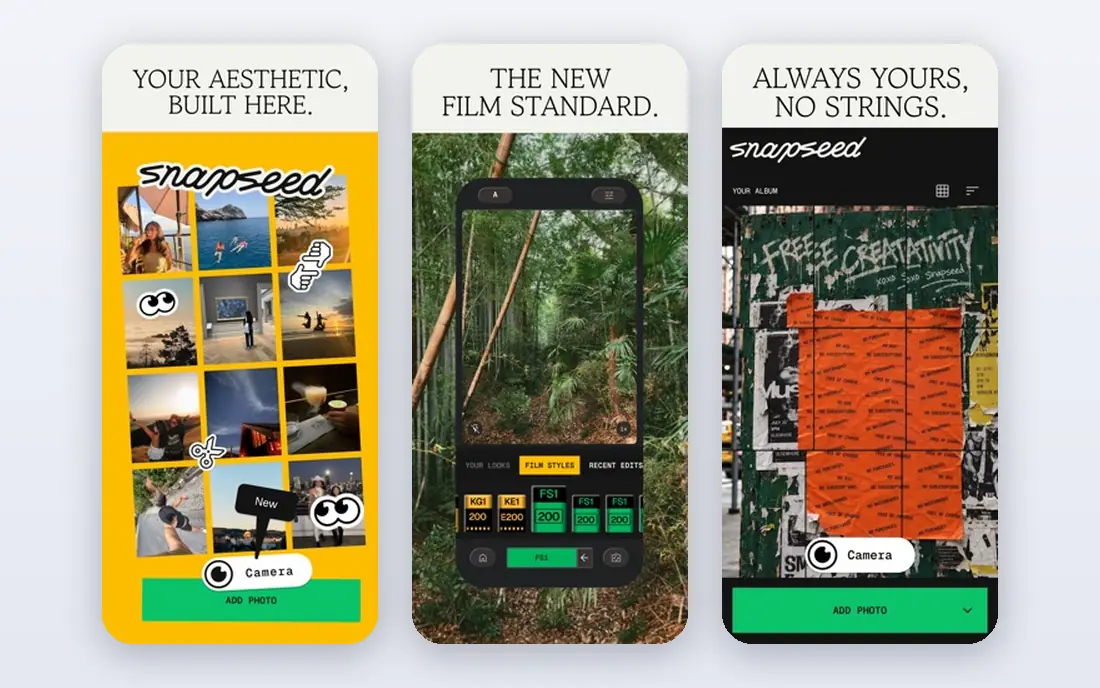
Snapseed, from Google, remains the best free photo editor by a clear margin. It offers selective adjustments, healing, perspective correction, HDR simulation, and RAW editing, all without a subscription, ads, or watermarks. You can save custom looks for a consistent style, and edits are non-destructive, so you can undo or adjust them later.
What it lacks is a library system and modern AI tools such as automatic background removal, which paid apps now offer. It also does not sync across devices like Lightroom. If you want a powerful editor that costs nothing and does not push you toward a subscription, Snapseed is the obvious pick, and it pairs well with Google Photos for storage.
- Completely free with no ads or subscriptions
- 29 tools including selective edits and RAW support
- Non-destructive editing
- No cloud library or sync
- Fewer AI tools than paid rivals
- Development pace has been slower at times
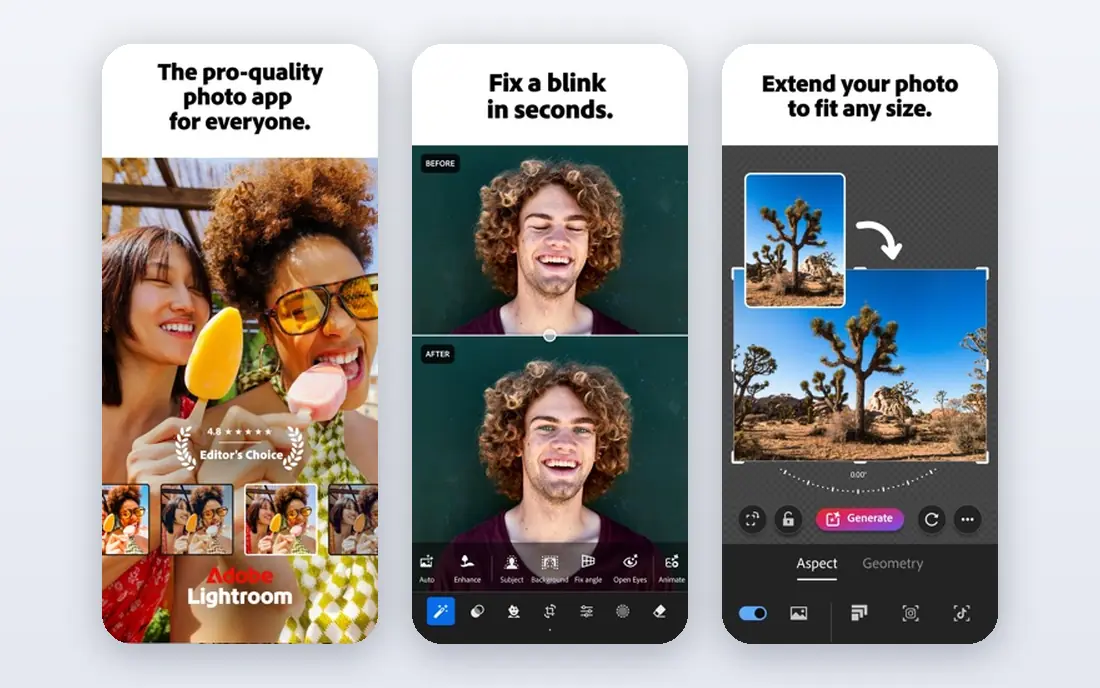
Adobe Lightroom is the standard for photographers who edit seriously on a phone and also work on a desktop. RAW files, colour grading, masking, and batch edits are all handled well, and cloud sync means an edit started on a phone appears on a tablet or computer. Presets help keep a consistent look across a shoot, which matters for professionals and keen amateurs alike.
The cost and learning curve are the drawbacks. The core mobile app is free to download, but premium tools and full sync require a paid plan, reported from around $9.99 per month in many comparisons, and the interface takes longer to learn than a simple filter app. If you shoot RAW often or edit across devices, Lightroom is worth it. If you only tweak holiday pictures, Snapseed will do.
- Professional RAW editing and masking
- Cloud sync across phone, tablet, and desktop
- Presets and batch editing
- Best features require a subscription
- Learning curve is steeper than Snapseed or VSCO
VSCO built its name on presets that mimic film looks, and that strength still defines it. The presets are well judged, the manual tools cover exposure, colour, and tone, and the community side gives creators a place to share work without the noise of a general social feed. For a consistent visual style across Instagram or a portfolio, VSCO is easy to use and hard to match for preset quality.
The free tier is limited, and many of the best presets sit behind a membership, reported from around $29.99 per year for Plus in several comparisons. Test the free presets first, and only pay if the paid looks match the style you actually want. For pure editing power at no cost, Snapseed remains ahead.
- Large library of film-inspired presets
- Manual editing tools
- Community for sharing work
- Many defining presets require a paid membership
- Free tier is limited
Halide is the pro camera app for iPhone users who want control the built-in camera does not offer. Manual focus with peaking, shutter and ISO control, RAW capture, and a clean interface make it useful for photographers who plan shots rather than just tapping the shutter. The design is thoughtful, and the results reward users who learn its tools.
It is iPhone only, and it is a paid app, with pricing that has varied between subscription and one-time purchase in app-store listings. Android users should look at ProCamera alternatives or their phone maker camera app in pro mode. For iPhone photographers who shoot RAW and want manual control, Halide is the best camera app in this list.
- Full manual control on iPhone
- RAW and ProRAW capture
- Focus peaking and detailed exposure tools
- IPhone only
- Paid app, with subscription or one-time options that vary by store
ProCamera is a strong alternative to Halide for iPhone users who want manual control. It offers shutter, ISO, focus, and white balance control, RAW support, and a range of photo and video modes, all in an interface that is clear once you learn it. For photographers who want one app for both stills and video with manual settings, it is a practical choice.
As with Halide, it is iPhone only and paid, and casual users may find the number of options more than they need. If you want a simple point-and-shoot experience, the built-in iPhone camera or Apple Photos will serve you better. If you want manual control without switching apps, ProCamera is worth comparing directly with Halide.
- Full manual control with a clear interface
- RAW support
- Video and photo modes in one app
- IPhone only
- Paid app
- Interface has many options for casual users
Picsart is less of a pure photo editor and more of a creative studio. It combines photo editing with design templates, stickers, text, collage tools, and AI features, which suits social media creators who want to turn a picture into a post, story, or thumbnail quickly. The range of tools is wide, and the template library saves time for repeat formats.
The free version covers basic edits, but many of the more interesting creative and AI tools require a paid plan, reported from around $11.99 to $13 per month in several comparisons. The interface can also feel busy next to Snapseed. If your main job is clean photo correction, pick Snapseed or Lightroom. If you make social content daily, Picsart earns its place.
- Photo and video editing plus design tools
- Templates, stickers, and AI tools
- Good for social content
- Many creative tools require a paid plan
- Interface can feel busy
Apple Photos is easy to overlook because it is already on your phone, but for Apple users it is often enough. It organises pictures by person, place, and date, offers simple but effective edits for light, colour, and crop, and syncs across iPhone, iPad, and Mac through iCloud. For everyday pictures, that built-in workflow beats installing a separate library app.
The limits are platform and control. There is no Android version, and manual editing is thinner than Snapseed or Lightroom. Storage beyond the free iCloud allowance also costs extra. If you live inside the Apple system and want pictures handled with little fuss, Apple Photos is a strong default. If you edit RAW files or need cross-platform tools, add Snapseed or Lightroom alongside it.
- Built into iPhone, iPad, and Mac
- Simple editing and organisation
- ICloud sync across Apple devices
- Apple devices only
- Less manual control than Lightroom or Snapseed
How we picked these
We compared official feature pages, app-store listings, and public reviews, and we favoured apps that are still maintained, that work on current iPhones or Android phones, and that cover taking, editing, or storing pictures as a core job. We checked for RAW support, manual camera control, editing depth, storage, and pricing, and we kept a mix of free and paid options. We did not claim hands-on testing for this guide. Instead, we weighed vendor pages against user reports about ease of use, subscription limits, and platform support.
What to look for in a photo app
Start with the job you do most. A camera app matters if you shoot manually, an editor matters if you post-process, and a library app matters if you have thousands of pictures to find and share. Next, check RAW support and export quality, since some apps compress pictures on export in ways that matter for printing or professional work. Storage is the hidden cost: free apps often share space with a cloud account, so check how much you use and what the next tier costs. Finally, test the app on your own pictures before paying. Presets that look good on sample images may not suit your style, and a camera interface that feels fast in a review may feel slow in your hand.
Frequently asked questions
What is the best free photo app?
Snapseed is the best free editor, with pro tools at no cost and no ads. Google Photos is the best free all-round app for storage, search, and simple edits, subject to your Google storage allowance. Many people use both: Google Photos for the library, Snapseed for careful edits.
What is the best app for taking pictures?
On iPhone, Halide and ProCamera offer the best manual control and RAW capture. On Android, the built-in pro mode on many phones is strong, and specialist camera apps vary by device. For most people, the built-in camera app is still the fastest option, and a pro app is worth it only if you use manual settings regularly.
What is the best photo editing app for beginners?
Snapseed and VSCO are the easiest starting points. Snapseed gives you more control for free, while VSCO gives you a consistent preset look with less learning. Apple Photos and Google Photos are also good for beginners who want simple edits inside the app they already use.
Is Lightroom worth paying for?
Yes, if you edit RAW files often, work across phone and desktop, or need batch editing and presets for a consistent style. If you only edit occasional phone pictures, Snapseed covers most of the same basic tools for free, and Lightroom may not justify a subscription.
Can I use these apps on both iPhone and Android?
Snapseed, Lightroom, VSCO, Picsart, and Google Photos work on both platforms, though features can differ slightly. Halide, ProCamera, and Apple Photos are Apple-only, so Android users should choose from the cross-platform apps in this list.
How do I avoid losing pictures when I switch apps?
Back up your original files before editing in a new app, and export finished pictures at full quality. Keep one library app, such as Google Photos or Apple Photos, as your main backup, and use editors for copies rather than as your only storage, so a subscription change does not put your pictures at risk.
Sources we checked (10)
- https://www.flozic.ai/blog/best-photo-editing-apps
- https://jernejletica.com/best-mobile-editing-apps/
- https://photos.google.com
- https://snapseed.online
- https://www.adobe.com/products/photoshop-lightroom.html
- https://vsco.co
- https://halide.cam
- https://www.procamera-app.com
- https://picsart.com
- https://www.apple.com/ios/photos/

Online Jobs is an independent blog about careers, online work, learning new skills and the tools that help people earn. More about us.
Keep reading
All posts
Best Collage Maker App
Looking for the best collage maker app? We compare 10 collage apps on templates, free plans, watermarks, and photo editing for social posts and print.

n8n Alternatives
n8n alternatives compared for 2026, with Zapier, Make, Activepieces, and more, covering visual builders, code steps, self-hosting, and pricing models.

eBay Alternatives
Looking for ebay alternatives? We compared 9 marketplaces for sellers on fees, buyer reach, categories and ease of listing, to help you sell with confidence.