Best Phone Call Recording Apps in 2026: 8 Products Compared


iPhone users who record often · Starting price: $9.99 per month
How we put this together: we compare official feature and pricing pages, app store listings, privacy policies and public user reviews. Prices change, so check the provider's site before you pay.
Key takeaways
- Call recording rules vary by state and country, so consent comes before any recording, not after it.
- iPhone and Android handle recording very differently, so the best app depends heavily on your phone.
- Transcription is a separate feature from recording, and it often costs extra or needs a paid plan.
- Three-way calling, carrier support, and app store limits can block recording even when an app looks right.
Quick comparison
| Name | Who it suits | Starting price | Free option | |
|---|---|---|---|---|
| TapeACall Pro | iPhone users who record often | $9.99 per month | Free trial | Visit |
 Rev Call Recorder | Recording with human transcription | Free | Yes | Visit |
 Cube ACR | Android users who want automatic recording | See website | Yes | Visit |
 Otter.ai | Meetings and calls that need live transcription | $16.99 per month | Yes | Visit |
 Fireflies.ai | Teams that record meetings and calls | $18 per month | Yes | Visit |
 Plaud Note | Hardware recording for calls and meetings | See website | Free trial | Visit |
 Voicit | Professionals who want reports from calls | See website | Yes | Visit |
 Just Press Record | Simple iOS recording and transcription | See website | No | Visit |
The best phone call recording apps
Recording a call can help you keep accurate notes, but the right app depends on your phone, your carrier, and the consent rules where you live. We compared recorders that work on iPhone, Android, or both, plus tools that add transcription.
Consent laws for call recording vary by state and country, and recording without required consent may be unlawful. This article is general information, not legal advice. Inform all parties and get consent before recording, and check the rules that apply to you.
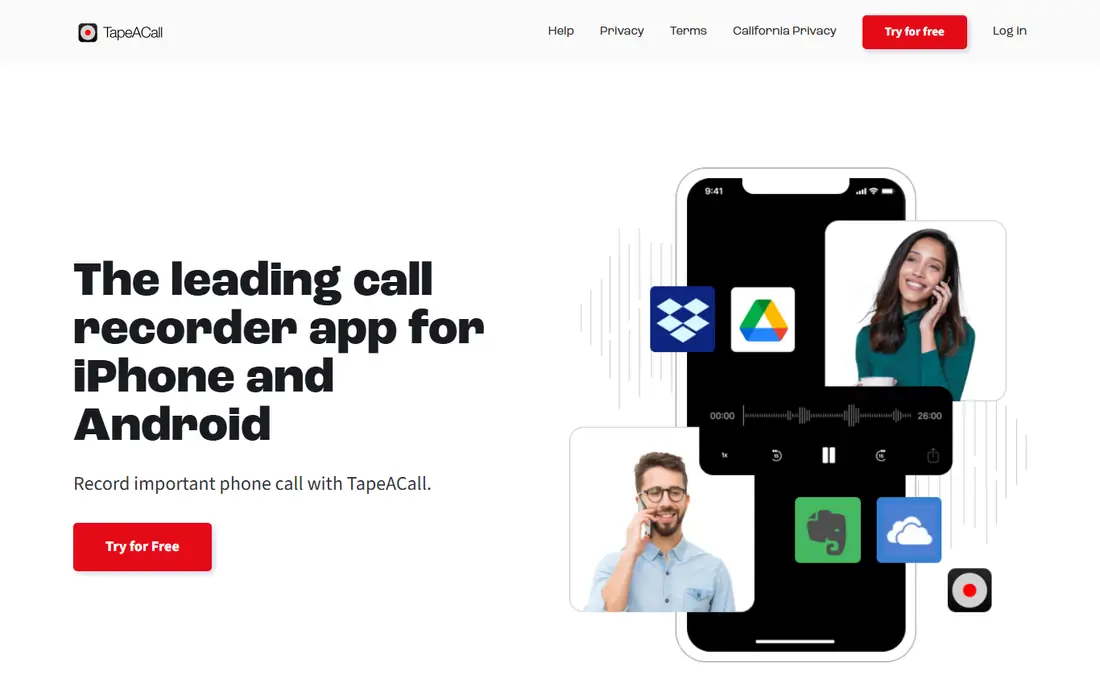
TapeACall Pro fits iPhone users who record calls regularly and want a set routine. You merge a recording line into the call, the recording saves to your account, and you can share or download it later.
It suits journalists, recruiters, and anyone who needs a steady archive of calls. The paid plan adds unlimited recording and transcripts, which helps if you review calls often.
The catch is carrier support. If three-way calling is disabled on your line, the merge step will not work, so ask your carrier to enable conferencing before you subscribe. Before you subscribe, check the vendor pricing page for the current plan, because prices and plan inclusions change, and confirm that the features you need sit on the plan you will actually buy. A short trial with your own data or daily routine will tell you more than a feature list alone.
- Unlimited recordings on paid plans
- Cloud sharing
- AI transcripts on paid plans
- Needs three-way calling support
- Paid plan needed for full use
Rev Call Recorder fits users who want free recording plus the option to order accurate transcripts. Recording itself is free, and you pay only when you order a transcript, which keeps occasional use affordable.
It suits podcasters, journalists, and researchers who need quotes they can trust. Human transcription costs more than AI transcription, but it handles names and unclear audio better.
The catch is that transcription pricing adds up on long calls. Order transcripts only for calls you need in text, and use the free recording for the rest. Before you subscribe, check the vendor pricing page for the current plan, because prices and plan inclusions change, and confirm that the features you need sit on the plan you will actually buy. A short trial with your own data or daily routine will tell you more than a feature list alone.
- Free unlimited recording
- Optional human transcription
- Easy sharing
- Transcription is paid per minute
- Recording method depends on platform
Cube ACR fits Android users who want calls recorded without tapping a button each time. It can also record VoIP calls from supported apps, which sets it apart from phone-only recorders.
It suits users who take many calls and want a searchable call list with playback. Automatic recording removes the risk of forgetting to start a recording on an important call.
The catch is Android variation. System limits and phone maker settings affect results, so test it on your exact phone and check the vendor guidance for your model. Before you subscribe, check the vendor pricing page for the current plan, because prices and plan inclusions change, and confirm that the features you need sit on the plan you will actually buy. A short trial with your own data or daily routine will tell you more than a feature list alone.
- Automatic recording
- VoIP app support
- Call organisation
- Android limits affect newer devices
- Setup varies by phone
Otter.ai fits users who need text more than raw audio, such as meeting notes and interview review. Live transcription turns speech into searchable text, and summaries help you find key points without replaying the whole call.
It suits teams and professionals who review many conversations each week. Searchable transcripts make it easier to find a quote, a decision, or a number from a past call.
The catch is that Otter.ai is built for meetings and recorded audio rather than direct phone call capture on every phone. Check how it fits your phone workflow before you subscribe. Before you subscribe, check the vendor pricing page for the current plan, because prices and plan inclusions change, and confirm that the features you need sit on the plan you will actually buy. A short trial with your own data or daily routine will tell you more than a feature list alone.
- Live transcription
- Searchable transcripts
- Meeting summaries
- Call recording path depends on device
- Free plan has minute limits
Fireflies.ai fits teams that want meeting and call notes stored in one searchable place. Transcripts link to speakers and topics, and CRM links help sales and support teams keep notes tied to contacts.
It suits teams that already meet over video or voice platforms and want notes without manual typing. The archive helps new team members catch up on past conversations.
The catch is scope. It shines for meetings and supported platforms, so phone-only users should confirm the recording path for their exact setup. Before you subscribe, check the vendor pricing page for the current plan, because prices and plan inclusions change, and confirm that the features you need sit on the plan you will actually buy. A short trial with your own data or daily routine will tell you more than a feature list alone.
- Meeting transcription
- CRM links
- Searchable archive
- Best for meetings, not direct phone calls
- Paid plan for full use
Plaud Note fits professionals who want a dedicated recorder that works across phones and rooms. The small device captures audio independently of phone app limits, then pairs with an app for transcription.
It suits interviewers, consultants, and meeting-heavy workers who record in person as well as on calls. Hardware recording avoids some of the limits that affect phone apps.
The catch is cost and workflow. You pay for hardware plus a plan for fuller transcription, and you must carry and charge another device. Before you subscribe, check the vendor pricing page for the current plan, because prices and plan inclusions change, and confirm that the features you need sit on the plan you will actually buy. A short trial with your own data or daily routine will tell you more than a feature list alone.
- Dedicated hardware recorder
- AI transcription
- Works across phones
- Hardware cost on top of plan
- Transcription plan may be needed
Voicit fits recruiters, salespeople, and consultants who want more than a transcript. It turns recorded calls into structured reports, which saves time when you need to summarise a conversation for a file or a client.
It suits users who review many calls and need consistent notes. The report format helps you compare calls without listening to each one from start to finish.
The catch is that it is built for professional use, so casual users may find the free option limited. Check the plan limits before you commit. Before you subscribe, check the vendor pricing page for the current plan, because prices and plan inclusions change, and confirm that the features you need sit on the plan you will actually buy. A short trial with your own data or daily routine will tell you more than a feature list alone.
- Transcription plus structured reports
- Web and mobile access
- Sharing tools
- Paid plan needed for fuller use
- Best for professional calls
Just Press Record fits iOS users who want a simple recorder for voice notes and meetings, with transcription and sharing built in. The interface is plain, and iCloud sync keeps recordings available across Apple devices.
It suits users who want a low-friction recorder without a monthly plan for basic use. The one-time purchase model appeals to people who dislike subscriptions.
The catch is scope. It is not a dedicated phone call recorder for every scenario, so check how it handles your exact call type before you buy. Before you subscribe, check the vendor pricing page for the current plan, because prices and plan inclusions change, and confirm that the features you need sit on the plan you will actually buy. A short trial with your own data or daily routine will tell you more than a feature list alone.
- One-time purchase model
- Simple interface
- ICloud sync
- IOS only
- Phone call recording depends on device method
How we picked these
We compared apps that record phone calls on iPhone or Android, or that handle recorded calls with transcription and sharing. We checked each vendor site and app store listing for platform, starting price, and transcription options, and we noted where a method depends on carrier support. We did not test recording on every carrier, so test your chosen app on a short, consented call before you use it for work.
How to choose a call recording app
Start with consent, because the law comes first. In the United States, consent rules vary by state: some states require only one party to consent, while others require all parties to consent. Recording without required consent may be unlawful, and it can also make a recording unusable. Tell the other person you are recording, and get consent before the recording starts.
Next, check your phone and carrier. iPhones do not offer a general third-party recording path in the same way Android phones once did, so many iPhone apps use three-way calling to merge a recording line into the call. That method needs carrier support for three-way calling, so test it before you rely on it for an important call.
Then decide whether you need transcription. Recording alone gives you audio to replay, while transcription gives you searchable text you can skim and quote. Human transcription is more accurate but slower and costlier, while AI transcription is faster and cheaper but can mishear names, numbers, and technical terms.
Finally, check storage, sharing, and retention. Decide where recordings live, how long they are kept, and how you will export them if you cancel. If recordings hold sensitive details, use a passcode, avoid sharing links widely, and delete files you no longer need.
Frequently asked questions
Is it legal to record a phone call?
It depends on where you and the other person are located, because consent rules vary by state and country. Some places require one-party consent, while others require all-party consent. Always inform the other person and get consent first, and check local rules if you are unsure.
Why do iPhone call recorders use three-way calling?
iOS limits how third-party apps can capture a live call, so many iPhone recorders merge a recording service into the call through three-way calling. That method needs your carrier to support conference calls, and it adds a step to each recording. Test it on a short call before you depend on it.
Can Android apps record calls automatically?
Some Android apps can record automatically, but app store and system limits have narrowed what third-party apps can do in recent years. Results vary by phone maker, Android version, and app source, so check the vendor guidance for your exact device. A built-in phone recorder, where available, is often the simplest path.
Do I need transcription as well as recording?
Transcription helps if you need to search, skim, or quote a call, but it is not needed for every use. AI transcription is fast and affordable, while human transcription is more accurate for names and technical talk. If accuracy matters for work, budget for review time or human transcription.
Where should I store recordings?
Store recordings in a place with access controls, such as a locked account or encrypted storage, and avoid public links. Keep only what you need, name files clearly, and delete old recordings on a schedule. If a recording holds personal data, treat it with the same care as any other sensitive file.
Sources we checked (8)

Online Jobs is an independent blog about careers, online work, learning new skills and the tools that help people earn. More about us.
Keep reading
All posts
8 Best Apps to Summarize PDFs Fast for Study and Work
Need the best app to summarize PDFs fast? We compare 8 PDF summarizer apps on speed, accuracy, pricing, and chat features for students and workers at work.

n8n Alternatives
n8n alternatives compared for 2026, with Zapier, Make, Activepieces, and more, covering visual builders, code steps, self-hosting, and pricing models.

iPhone Alternatives
Looking for iPhone alternatives in 2026? Compare 9 Android phones from Samsung, Google, OnePlus, and more, with cameras, battery life, and honest trade-offs.