Best Payroll Companies for Small Business in 2026: 9 Companies Compared


Small teams that want payroll and HR in one place · Starting price: $49 per month
How we put this together: we compare official feature and pricing pages, app store listings, privacy policies and public user reviews. Prices change, so check the provider's site before you pay.
Key takeaways
- Gusto and Square Payroll publish the clearest starting prices in this group, at $49 per month plus $6 per person and $35 per month plus $6 per person paid.
- Full-service tax filing matters more than a low base price, because filing mistakes cost time and can draw penalties.
- Small teams with one state and simple pay should start with a basic plan and move up only when benefits or multi-state pay arrive.
- Contractor-only teams can often pay far less than teams with W-2 employees, so check that price separately.
- Always confirm the current price on the vendor site before signing up, since promotions and plan names change often.
Quick comparison
| Name | Who it suits | Starting price | Free option | |
|---|---|---|---|---|
| Gusto | Small teams that want payroll and HR in one place | $49 per month | No | Visit |
 Square Payroll | Shops already using Square | $35 per month | No | Visit |
 QuickBooks Payroll | Businesses that run QuickBooks accounting | See website | No | Visit |
 ADP RUN | Growing teams that want guided support | See website | No | Visit |
 Paychex Flex | Teams that want HR help alongside payroll | See website | No | Visit |
 Patriot Software | Budget-minded owners who want simple payroll | See website | No | Visit |
 Rippling | Teams that want payroll with IT and HR tools | See website | No | Visit |
 OnPay | Small teams that want one clear price | See website | No | Visit |
 Wave Payroll | Very small teams in supported states | See website | No | Visit |
The best payroll companies for small business
Payroll looks simple until tax deadlines, new hires, and state rules arrive together. The services below handle pay runs, direct deposit, and tax filing in different ways, and the right pick depends on team size, states, and whether benefits matter yet.
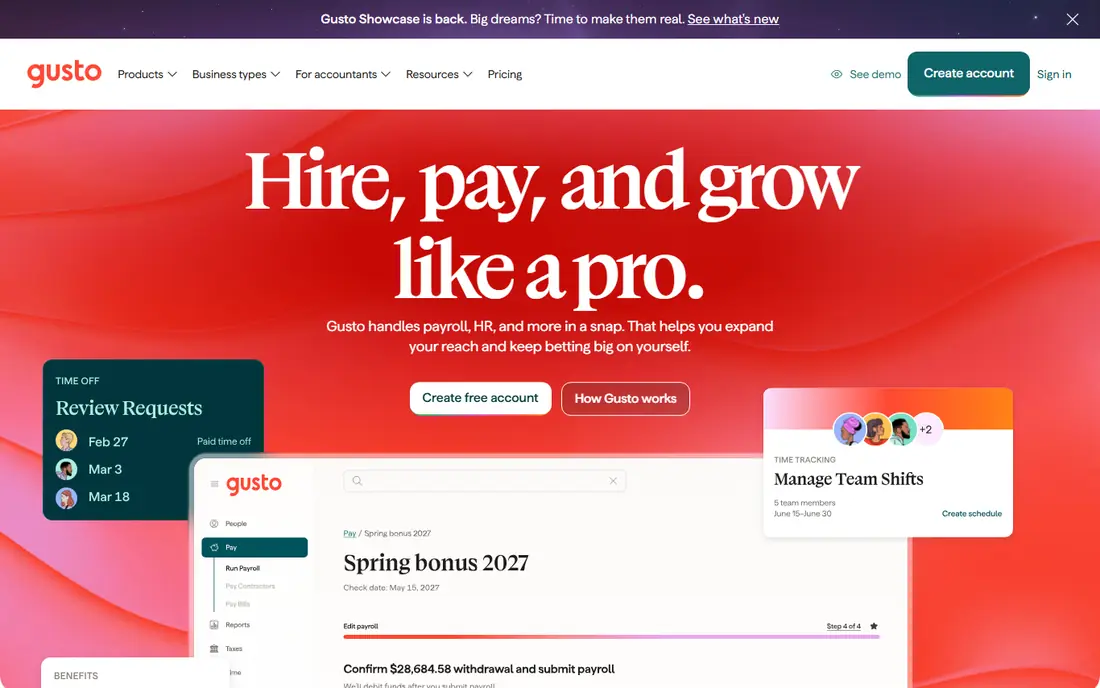
Gusto suits a small business that wants one account for pay, onboarding, and benefits rather than three separate tools. Its Simple plan lists single-state payroll, reports, and basic support, which covers many first hires without a maze of add-ons. The published price of $49 per month plus $6 per person makes it easy to estimate the monthly bill for a small team.
The catch is that growth pushes costs up in steps rather than small increments. Multi-state payroll, time tracking, and richer HR tools sit on higher tiers, so a team that hires across state lines should price the Plus plan too. For a steady, single-state team, though, Gusto gives a clean starting point and a clear path to add benefits later.
- Clear published pricing
- Automatic tax filing on its plans
- Benefits and onboarding tools in one account
- Higher tiers cost much more per person
- Multi-state payroll needs a higher plan

Square Payroll fits cafes, salons, and retail shops that already run Square for sales and scheduling. Its price is listed as $35 per month plus $6 per person paid, with unlimited pay runs and automated federal and state tax filings. Tips and timecards can flow in from Square point of sale, which saves manual entry for shift-based teams.
Owners who do not use Square can still use it, but the main advantage fades a little. The service does not try to be a full HR suite, so teams that need detailed benefits administration or performance tools may need another product beside it. For a small shop that wants payroll to match its sales system, Square keeps the setup short and the bill easy to read.
- One simple published price
- Unlimited pay runs
- Imports timecards and tips from Square
- Less HR depth than larger suites
- Best value when Square tools are already in use
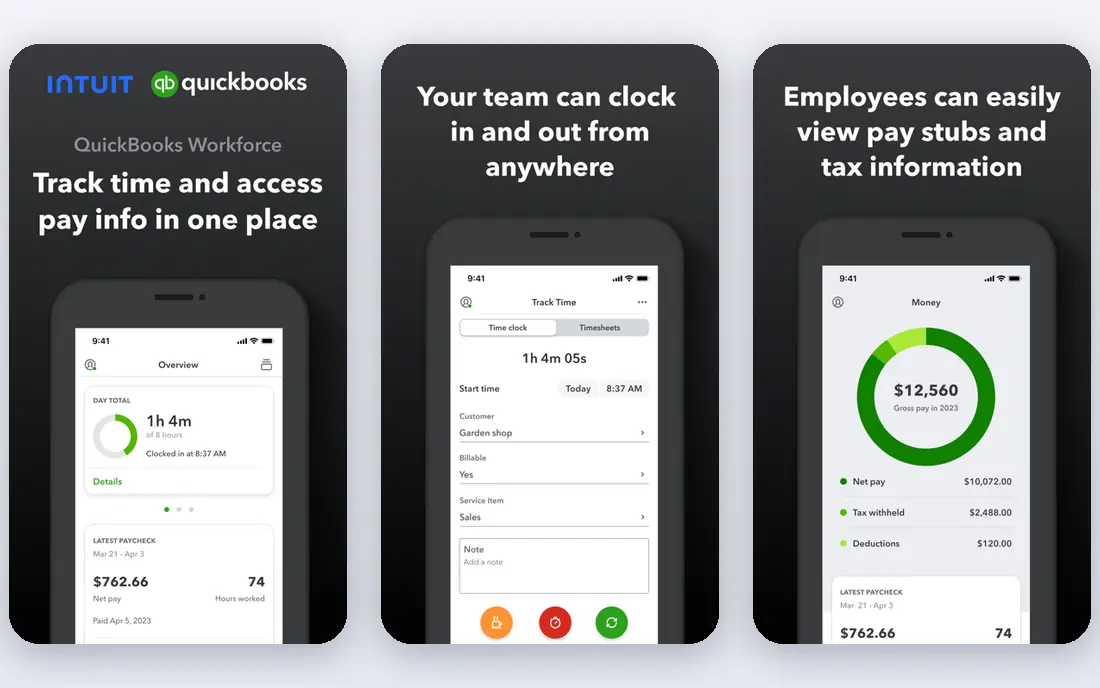
QuickBooks Payroll makes most sense when the books already live in QuickBooks. Pay data sits next to invoices, expenses, and reports, so month-end work involves less copying between systems. Bundled Workforce plans list full-service payroll, tax calculation and filing, and 1099 e-filing, which suits owners who want accounting and pay handled together.
The trade-off is that the headline price includes accounting software, so a business using a different bookkeeping tool pays for overlap. Promotions also change the first months of pricing, which makes the long-term price the number to compare. If QuickBooks is already the system of record, the bundle can be good value. If not, a standalone payroll service may be cheaper.
- Payroll posts close to the books
- Full-service tax handling on bundled plans
- Same-day direct deposit on higher bundles
- Pricing is bundled with accounting, which may duplicate a tool already in use
- Plan names and offers change
ADP RUN is built for small businesses that expect to grow and want a provider that can grow with them. It covers payroll, tax filing, and HR tools, with support staff who can answer questions about hiring and compliance as the team changes. That guidance can matter a lot for a first-time employer who is unsure about state registrations or new-hire forms.
The main drawback is price transparency. ADP generally asks businesses to request a quote, so an owner cannot compare ADP RUN with a published-price rival in five minutes. Teams with simple, stable payroll may find a cheaper published plan elsewhere. Teams that value a named support route and room to scale often find the call worth making.
- Long track record with small business payroll
- Guided setup and compliance help
- Scales to larger teams
- Pricing is quote-based, so comparison takes a sales call
- Smaller teams may pay for depth they do not use yet
Paychex Flex suits owners who want payroll plus a real HR partner, not just a pay calculator. The platform pairs payroll and tax filing with HR, benefits, and compliance support options, which helps when hiring spreads across states or when benefits start to matter. Reports and employee self-service keep routine questions away from the owner.
For a very small team, that breadth can feel like more than needed, and the quote-based price means the cost only becomes clear after a conversation. A business with five or fewer people and one state may do fine on a simpler published plan. A team that is adding staff, benefits, or locations may get more value from Paychex Flex over time.
- Payroll plus HR and compliance options in one platform
- Benefits administration available
- Suited to multi-state teams
- Quote-based pricing makes quick comparison hard
- Setup can feel heavy for a two-person team
Patriot Software appeals to owners who want payroll done without a long feature list. The company offers a basic payroll option for owners willing to handle tax filing themselves, plus a full-service option that files taxes for them. That choice lets a tiny business start cheap and upgrade only when filing work becomes a burden.
The limit is depth. Patriot does not match the HR, benefits, and performance toolsets of larger platforms, and full-service tax availability can vary by state. Owners should confirm their state is covered at the plan they want. For straightforward pay in a supported state, Patriot keeps costs and clicks down.
- Simple interface aimed at small owners
- Basic and full-service options
- Accounting software available from the same vendor
- Fewer advanced HR features than larger suites
- Check state coverage for full-service tax filing
Rippling stands out when onboarding involves more than a pay stub. It can pair payroll and HR with IT tasks such as setting up accounts and devices, which saves back-and-forth for remote or fast-growing teams. Automation for new hires, departures, and policy changes is the main reason larger small businesses pick it over a payroll-only tool.
That breadth comes with quote-based pricing and a setup that takes more thought than a basic payroll signup. A two-person business with simple pay will not use most of it. A team of ten or more, especially one hiring remotely, may find the combined system cheaper than buying payroll, HR, and IT tools separately.
- Payroll, HR, and device and app access in one system
- Strong automation for onboarding
- Global contractor options
- Quote-based pricing
- May be more system than a tiny team needs
OnPay takes a different approach from tier-heavy rivals by offering one plan structure for small businesses. That makes comparison easy, because there is no need to guess which tier holds a needed feature. Payroll, tax filing, benefits administration, and basic HR tools sit in the same account, with month-to-month billing rather than a long contract.
The single-plan model is a strength for small teams and a limit for larger ones, since a business with complex needs may want the deeper options that tiered platforms sell. Benefit options can also vary by state, so owners should confirm carriers before moving. For a team that wants a plain price and a plain setup, OnPay is a strong shortlist pick.
- Single plan structure rather than many tiers
- Payroll, benefits, and HR basics in one place
- Month-to-month billing
- Fewer tier choices for very large teams
- Check benefit carrier availability in your state
Wave Payroll fits micro-businesses that already use Wave for invoicing or accounting and want payroll in the same family. Where tax services are available, the base price is low, and the workflow stays simple for owners who run payroll themselves. It is a practical pick for a business with a handful of employees and steady pay.
The key check is state coverage. Full tax services are not available everywhere, and the cheaper plan in other states leaves tax filing to the owner. Teams outside supported states, or teams that need benefits and HR tools, should look elsewhere. Inside its coverage, Wave gives a low-cost route to proper pay runs.
- Low base price where tax services are available
- Pairs with Wave accounting and invoicing
- Simple pay runs
- Full tax services are limited to certain states
- Fewer HR features than larger payroll suites
How we picked these
We compared official pricing pages, plan descriptions, and app and service listings for payroll providers that serve US small businesses. We kept only services that handle employee pay, direct deposit, and tax filing or tax support, and we favoured providers with published prices or clear plan structures. Where a vendor uses quote-based pricing, we say so rather than guessing a number.
How to choose the right payroll company
Start with headcount and states, not with features. Count W-2 employees and contractors separately, list every state where staff live and work, and note whether anyone earns tips, overtime, or irregular hours. That short list rules out several providers at once, because some plans charge more for multi-state pay and some tax services vary by state.
Decide how much filing help you need
Full-service filing means the provider calculates, files, and pays payroll taxes for you. Basic payroll often leaves filing to the owner, which saves money but adds deadline risk. For most first-time employers, full-service filing is worth the extra cost, because one missed deposit can cost more than months of fees.
Price the whole year, not the first month
Promotions can cut the first months of a plan, so work out the standard monthly price plus the per-person fee for your team size. Add any charges for extra states, benefits administration, or year-end forms if they are not included. A plan that looks cheap for two people can turn expensive at ten people if the per-person fee is high.
Check benefits and accounting links
If health insurance, retirement, or workers compensation will arrive soon, pick a provider that can administer those benefits or connect cleanly to a broker. If the books live in QuickBooks, Xero, or Wave, a payroll tool that posts to that system will save reconciliation time. Test the employee self-service view too, since staff will use it for pay stubs and tax forms.
Frequently asked questions
What is the best payroll company for small business?
There is no single winner for every team. Gusto suits small teams that want payroll and HR together, Square Payroll suits shops already on Square, and OnPay suits owners who want one plain plan. Match the pick to team size, states, and benefits, then compare the full-year price.
What is the best small business payroll company for contractors only?
Contractor-only plans are usually much cheaper, with some vendors charging only a per-contractor fee and no base fee in months with no payments. Gusto and Square both list contractor-only options, so check those prices before paying for a full employee plan. Confirm that 1099 filing is included at year end.
What is the best payroll company for small businesses with multiple states?
Multi-state teams need a plan that files in every state where staff work, not just the home state. Gusto Plus, Paychex Flex, and ADP RUN are built for that case, but pricing and state coverage differ. List all work states during a demo or quote call and get filing coverage confirmed in writing.
Are payroll funding companies the same as payroll services?
No, and the distinction matters. A payroll service calculates pay, handles deposits, and files taxes. A payroll funding company advances cash to cover payroll, usually for staffing firms or businesses waiting on client payments. Funding can help cash flow, but it is a financing product with its own fees and terms, not a replacement for payroll software.
How much does small business payroll usually cost?
Costs vary with headcount, states, and plan tier. Published plans in this guide start around $35 to $49 per month plus about $6 per person, while quote-based providers vary more. Work out the standard price for your team size, add extra-state or benefits fees, and ignore short promotions when comparing.
Can I switch payroll providers mid-year?
Yes, but timing matters. Switching at a quarter or year boundary is cleanest, because tax filings and year-to-date totals move more simply. Keep old pay records and year-to-date reports, and confirm who files each quarter so nothing is filed twice or missed.
Sources we checked (9)

Online Jobs is an independent blog about careers, online work, learning new skills and the tools that help people earn. More about us.
Keep reading
All posts
n8n Alternatives
n8n alternatives compared for 2026, with Zapier, Make, Activepieces, and more, covering visual builders, code steps, self-hosting, and pricing models.

ZoomInfo Alternatives
The best ZoomInfo alternatives in 2026, compared on price, free plans, data coverage, and which tool fits small teams or large sales teams best in detail.

Workday Alternatives
We compared the best workday alternatives for HR, payroll, and global hiring, from BambooHR and Gusto to Rippling, Deel, and HiBob for growing teams in 2026.