Best Organization Apps in 2026: 8 Apps Compared

How we put this together: we compare official feature and pricing pages, app store listings, privacy policies and public user reviews. Prices change, so check the provider's site before you pay.
Key takeaways
- Todoist is the best all-round task app for fast capture and daily lists, with Pro at $5 per month billed annually.
- Notion is best when tasks live alongside notes, docs and databases, with Plus at $10 per user per month billed annually.
- TickTick adds a calendar, habit tracker and Pomodoro timer in one app, at $49.99 per year for Premium.
- Free apps such as Microsoft To Do and Google Tasks cover simple lists well, but they lack the filters and views of paid task managers.
- The best app is the one you open every day, so test capture speed and mobile use before you pay for a full system.
Quick comparison
| Name | Who it suits | Starting price | Free option | |
|---|---|---|---|---|
 Todoist Todoist | Fast daily task lists | $5 per month | Yes | Visit |
 Notion Notion | Notes, docs and tasks together | $10 per month | Yes | Visit |
 TickTick TickTick | Tasks, calendar and habits | See website | Yes | Visit |
 Any.do Any.do | Daily planning prompts | See website | Yes | Visit |
 Microsoft To Do Microsoft To Do | Simple lists for Microsoft users | Free | Yes | Visit |
 Google Tasks Google Tasks | Simple lists for Google users | Free | Yes | Visit |
 Trello Trello | Visual boards for projects | See website | Yes | Visit |
 Things 3 Things 3 | Elegant lists for Apple users | See website | No | Visit |
The best organization apps
Organization apps fail when they take longer to update than the task itself. The eight apps below differ in how fast they capture a task, how they show a day or a week, and how much setup they demand, so judge them on daily use, not on feature lists.
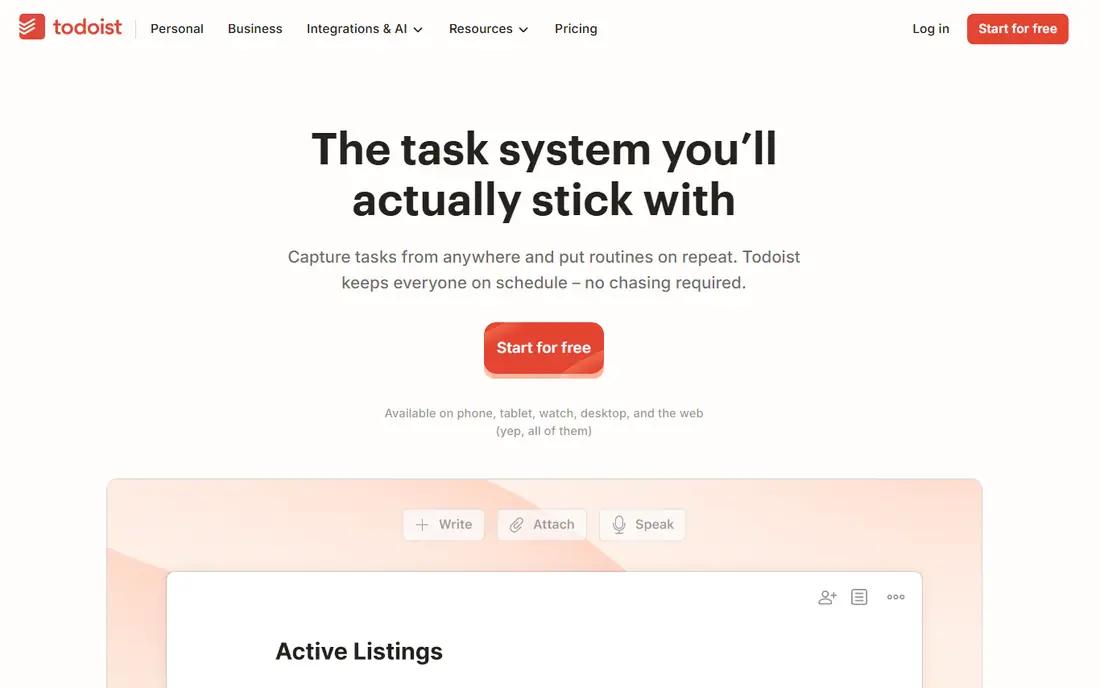
Todoist is the app we recommend first for personal organization, because adding a task takes seconds and the list stays readable as it grows. Type "call the dentist tomorrow at 9am" and Todoist sets the date and time, while projects, sections, labels and filters keep work, home and errands apart without a complex setup. It runs on web, iOS, Android, Windows and macOS, with watch apps for quick checks.
Pro costs $5 per month billed annually, or $60 per year, and Business is $8 per user per month. The free plan covers basic lists, but Pro adds reminders, larger projects, filters and activity history that most daily users will want. The honest limit is depth: Todoist is a task list, not a project workspace, so teams that need timelines, docs and databases should pair it with Notion or Trello rather than forcing it to be both.
- Natural language dates for fast entry
- Strong filters, labels and priorities
- Apps on every major platform
- No built-in calendar time blocking
- Project depth is thinner than Notion or Trello
- Pro price rose to $60 per year
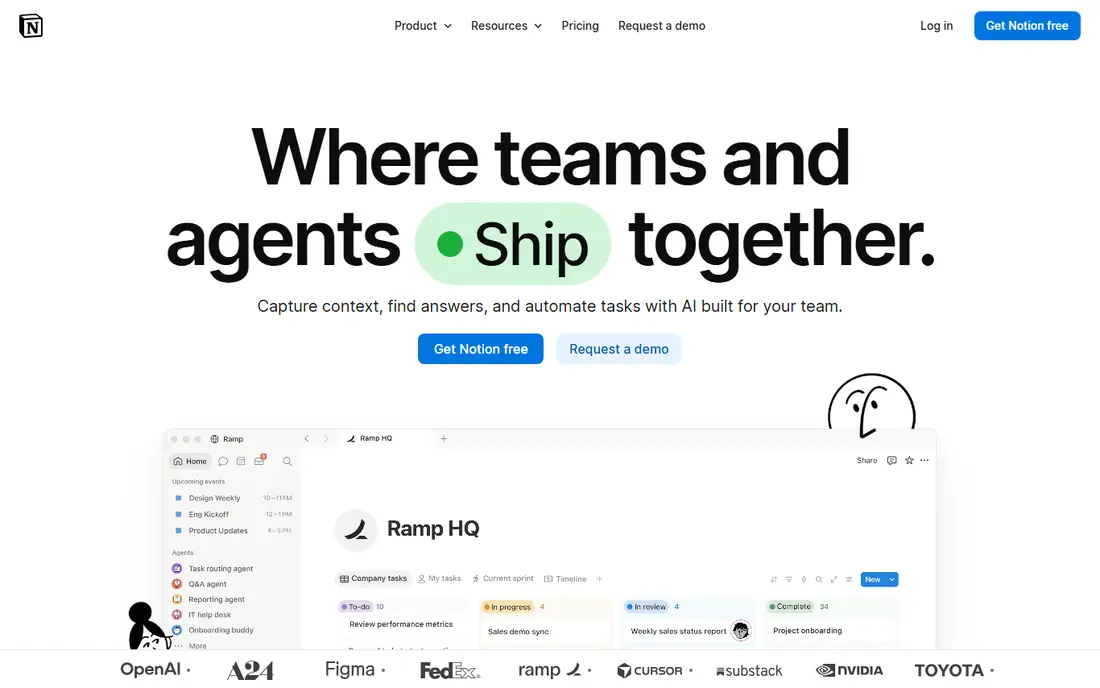
Notion suits people whose organization problem is scattered notes, docs and tasks, not just a to-do list. You can build a task database with views for today, this week and by project, link tasks to meeting notes, and share pages with a team, all in one workspace. Templates for planners, habit trackers and project hubs cut the setup time, though you still need to choose a structure that fits your work.
Plus costs $10 per user per month billed annually, with a free plan for individuals and Business at $20 per user per month. The free plan is generous for personal use, but Plus adds unlimited file uploads, longer version history and more collaboration controls. If you only want a fast daily list, Todoist will feel lighter, but if your tasks live inside documents, Notion keeps everything in one place.
- Databases, docs, wikis and tasks in one workspace
- Huge template library
- Strong sharing and permissions
- Needs setup before it feels like a task app
- Reminders and recurring tasks are weaker than Todoist
- Large workspaces can feel slow
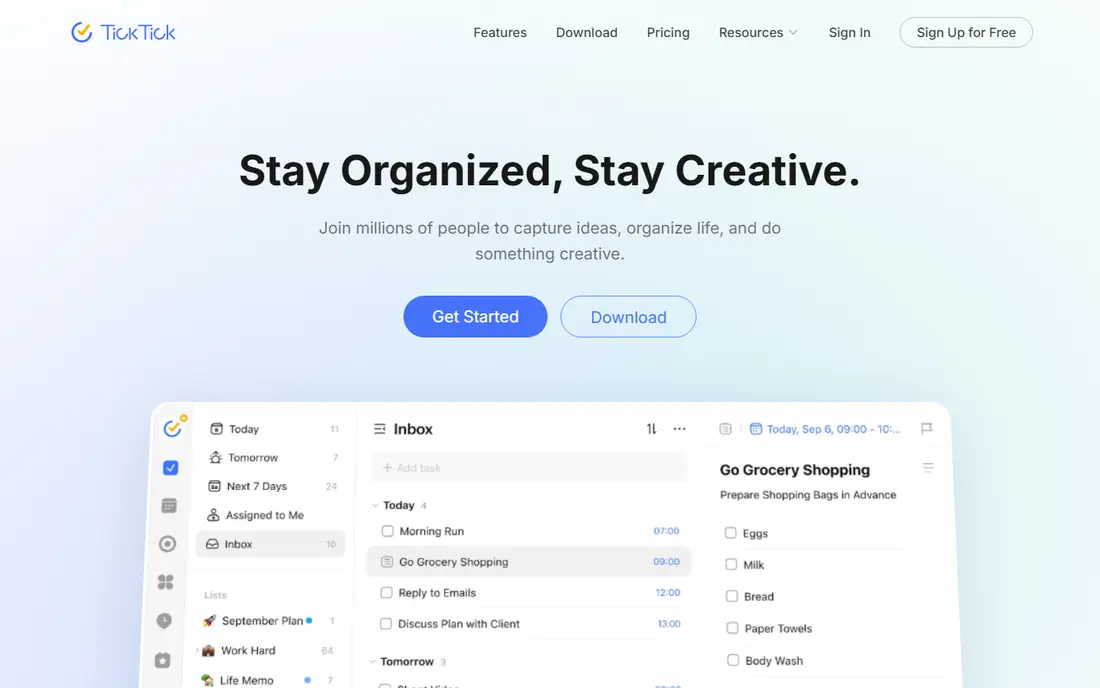
TickTick is the best value pick for people who want several productivity tools in one app. Tasks, a calendar, a habit tracker and a Pomodoro timer live together, so a morning plan, a focus session and a habit check can all happen without switching apps. The Eisenhower Matrix view helps when a list grows too long to scan, and smart lists and tags keep recurring routines in order.
Premium costs $49.99 per year, which undercuts Todoist Pro on annual billing, and the free plan covers core lists and calendar views. The trade is polish: TickTick packs in more features than Todoist, but the interface takes a day or two to learn, and some users will prefer separate apps for calendar and habits. If you like an all-in-one planner, TickTick is the strongest cheap option here.
- Calendar view, Pomodoro timer and habit tracker built in
- Eisenhower Matrix view
- Good value against Todoist Pro
- Interface can feel busy at first
- Some features duplicate what a calendar already does
- Premium is annual only in practice
Any.do is built for people who forget to check their task app, because its Plan My Day feature prompts you each morning to pick what matters today. That small nudge is the whole point: a list only helps if you look at it, and Any.do makes the daily review part of the routine. Lists, reminders, location alerts, a calendar view and shared grocery lists cover most personal and household needs.
Premium is listed at $59.88 per year, and the free plan covers basic lists and reminders. The catch is power: filters, custom views and project depth are thinner than Todoist or Notion, so heavy users may hit limits sooner. If your main problem is remembering to plan, rather than managing complex projects, Any.do's daily prompt is a genuine advantage.
- Plan My Day prompt builds a daily habit
- Clean lists with reminders and location alerts
- Calendar and grocery lists included
- Premium costs $59.88 per year
- Fewer power filters than Todoist
- Team features are thinner than Notion or Trello
Microsoft To Do is the best free option if you already live in Outlook, Teams or Microsoft 365, because tasks, flagged emails and Planner items can sit in one simple list system. My Day gives a clean daily view, you can share lists with family or colleagues, and steps, reminders and due dates cover everyday needs without a learning curve.
The limit is structure. Lists are flat, with only steps under a task, and there is no board, timeline or custom field system, so larger projects quickly feel cramped. If your needs are simple and your work already runs through Microsoft tools, To Do costs nothing extra and does the job well. If you need filters, boards or databases, Todoist, Trello or Notion will fit better.
- Free with a Microsoft account
- My Day view for daily planning
- Tight Outlook and Teams integration
- Lists are flat with only one level of steps
- No outline or board view
- Customization is minimal
Google Tasks is the quiet free option for Gmail and Google Calendar users, because tasks created in email or calendar appear in the same list without a separate app to manage. It is fast, simple and already installed in effect, which makes it easy to keep using for errands, follow-ups and small work lists. There is no paid tier to consider, and no setup beyond a Google account.
That simplicity is also the ceiling. There are no priorities, tags, filters or board views, and subtasks are limited, so a growing project soon needs a stronger tool. Use Google Tasks when your lists are short and your calendar already holds the schedule, and move to Todoist or TickTick when lists start needing structure, repeats and reminders that actually surface.
- Free and built into Gmail and Google Calendar
- Very fast for simple lists
- Syncs across devices
- No priorities, tags or board views
- Subtasks are limited
- No team project features
Trello organizes work as boards, lists and cards, which suits projects where status matters more than a due date list. A card moves from "to do" to "doing" to "done", comments and attachments keep context on the card, and sharing a board with a team takes seconds. That visual shape helps households, small teams and event plans where everyone needs to see progress without reading a long list.
The free plan covers core boards, but larger teams and heavier automation sit behind paid tiers, so check current pricing on the Trello site before planning a team rollout. Trello is weaker as a private daily list than Todoist, because a board adds friction to quick capture, but for shared projects and visual planning, it is clearer than any list app here.
- Boards, lists and cards make progress visible at a glance
- Easy sharing and comments
- Power-Ups add calendar and automation
- Simple cards can get messy on large projects
- Advanced automation and views need paid tiers
- Less strong as a personal daily list
Things 3 is the most pleasant task app on this list to open each morning, with a calm design, a clear Today and Upcoming view, and quick entry that works well on iPhone, iPad and Mac. It suits Apple users who want a personal organizer that stays out of the way, with areas for life and work, projects with headings, and deadlines that are easy to scan. Many users stick with it precisely because it does not try to be a full workspace.
The limits are platform and price. Things 3 is Apple only, so households or teams on mixed devices cannot share it, and it is sold as a one-time purchase per device, with Mac at $49.99 and iPhone and iPad versions priced separately. There is no free plan, though the design and focus may justify the cost for a committed Apple user who wants lists, not a system to maintain.
- Beautiful, calm design that encourages daily use
- Upcoming view and deadlines done well
- Fast quick entry on Apple devices
- Apple only, with no Windows or Android app
- One-time purchase per device adds up
- No team collaboration features
How we picked these
We compared official feature pages, pricing pages, app store listings and public reviews for organization apps that were live in October 2026 and covered personal task management, not just team project software. We kept a mix of fast list apps, all-in-one workspaces, visual boards and free built-in tools, so the list fits different habits rather than one ideal workflow. Prices are vendor list rates checked in October 2026, and where a price is annual only we give the yearly figure instead of converting it into a monthly rate that the vendor does not charge.
How to choose an organization app
Test capture speed first
Add ten tasks in each app you are considering, including a due date, a repeat and a subtask, and time how long it takes. The fastest app usually wins, because a slow capture step is the main reason lists go stale. Todoist and Google Tasks are fastest for plain lists, while Notion and Trello take longer but repay the setup on larger projects.
Match the view to your brain
Some people think in lists, others in boards or calendars. Todoist, Any.do and Things 3 suit list thinkers, Trello suits visual thinkers, TickTick suits calendar planners, and Notion suits people who want tasks next to notes. Picking against your habit guarantees extra work, so choose the view you already reach for on paper or in a calendar.
Keep the system small
Start with one app, one inbox list and one daily review, and add projects only when a list grows past twenty active tasks. A second app, a second list system and a second review habit will cost more time than they save. Review the app after a month: if tasks are captured, reviewed and completed, the system works, and if not, change the habit before you change the app.
Frequently asked questions
What is the best organization app overall?
Todoist is the best all-round pick for most people, because it is fast, works everywhere and covers daily lists well. Notion is better if tasks live with notes and docs, Trello is better for visual team projects, and TickTick is the best value all-in-one. The right app depends on whether you need speed, depth, boards or a calendar view.
Is there a good free organization app?
Yes. Microsoft To Do and Google Tasks are both free and cover simple lists well, especially inside their own ecosystems. Todoist, Notion, TickTick, Any.do and Trello also offer free plans with more structure. Free plans suit personal lists, while paid tiers add reminders, filters, views and collaboration that heavier users need.
Is Todoist or Notion better?
Todoist is better for fast daily task management, with natural language entry and strong filters. Notion is better as a workspace where tasks sit beside notes, docs and databases. Many people use both: Notion for planning and reference, Todoist for the daily list that actually gets checked.
Can I use Trello for personal organization?
Yes, Trello works for personal projects such as a move, a trip or a home renovation, where cards and board stages make progress visible. It is less efficient than Todoist for a plain daily list, because moving cards takes more taps than checking off tasks. Use Trello when status matters, and a list app when speed matters.
Is Things 3 worth paying for?
Things 3 is worth it for Apple users who want a calm, well designed personal task app and do not need Windows, Android or team features. The one-time purchase per device is the main cost to weigh, since Mac, iPhone and iPad versions are sold separately. Try the free trial pattern of a simpler app first if you are unsure whether you will keep up daily lists.
How do I stay organized with an app?
Capture every task in one inbox, review that inbox once a day, and give each task a due date or a clear next step. Keep active lists short, archive completed projects, and use one app for daily work rather than spreading tasks across notes, email and chat. A short daily review matters more than any feature, because it turns a list into a habit.
Sources we checked (8)

Online Jobs is an independent blog about careers, online work, learning new skills and the tools that help people earn. More about us.
Keep reading
All posts
Zoom Alternatives
Zoom alternatives compared for 2026: Google Meet, Microsoft Teams, Webex, Jitsi and more for free calls, large meetings and webinars for teams and classrooms.
PowerPoint Alternatives
Compare the best PowerPoint alternatives, from free Google Slides and Canva to Prezi and Gamma, with prices, collaboration and export options covered.
Gmail Alternatives
Gmail alternatives compared for 2026: Proton Mail, Outlook, Tuta, Fastmail, Zoho Mail and more for privacy, business and cross-platform use for US readers.