Best Online Tools to Measure Ping Time in 2026: 9 Tools Compared


Everyday speed and ping tests · Starting price: Free
How we put this together: we compare official feature and pricing pages, app store listings, privacy policies and public user reviews. Prices change, so check the provider's site before you pay.
Key takeaways
- Ping time measures round-trip latency in milliseconds, and lower is better, especially for gaming, video calls, and remote work.
- No single test tells the full story, so run tests from more than one tool and more than one location before you blame your internet provider.
- Speedtest by Ookla is our pick for most people, because it is widely available, easy to run, and includes ping, download, and upload in one test.
- Cloudflare Speed Test and Meter.net give useful extra detail on latency under load, which helps diagnose lag that only appears during use.
- Ping.pe and WonderNetwork are best for checking latency from many global locations to a specific server or website.
Quick comparison
| Name | Who it suits | Starting price | Free option | |
|---|---|---|---|---|
| Speedtest by Ookla | Everyday speed and ping tests | Free | Yes | Visit |
 Cloudflare Speed Test | Latency and loaded latency detail | Free | Yes | Visit |
 Fast.com | Quick Netflix-based latency check | Free | Yes | Visit |
 Meter.net | Detailed ping and jitter tests | Free | Yes | Visit |
 Ping.pe | Global ping from many locations | Free | Yes | Visit |
 WonderNetwork | Global ping to a host | Free | Yes | Visit |
 KeyCDN Tools | Website ping and performance checks | Free | Yes | Visit |
 Dotcom-Tools | Website speed from global locations | Free | Yes | Visit |
 Uptrends Tools | Free website and ping checks | Free | Yes | Visit |
The best online tools to measure ping time
We focused on free online tools that anyone can run in a browser, without installing software. Every tool below reports latency, and most also report download speed, upload speed, or jitter, which helps you tell a slow connection from a distant server.
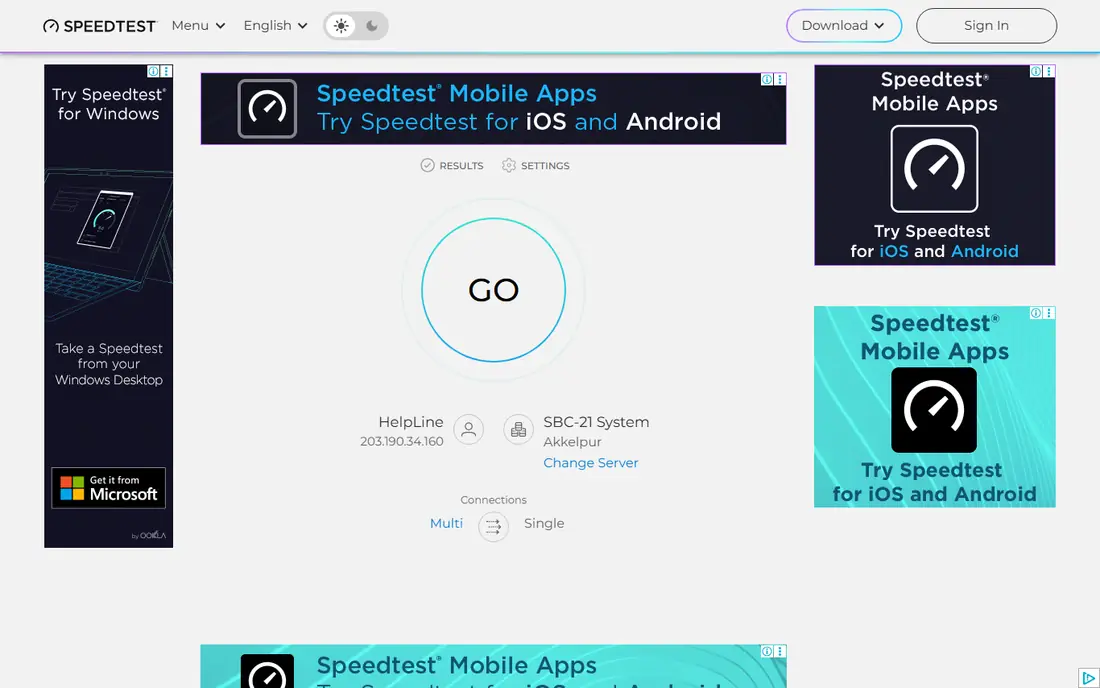
Speedtest by Ookla is the default speed test for most people, and it is a good starting point for ping. Run a test and you get ping, download, upload, and jitter in one result, with a choice of nearby servers. That combination helps you separate a high ping problem from a slow download problem, which need different fixes.
The result depends on the server you choose, so test against the nearest server and against a server near the service you actually use, such as a game server region. The free web version shows ads, and it tests from one location at a time. For a quick, repeatable check, Speedtest is still the easiest tool to recommend.
- Very widely available
- Fast and easy to run
- Includes ping, download, upload, and jitter
- Results depend on the chosen server
- Ads on the free web version
- Single-location test only
Cloudflare Speed Test stands out because it reports latency both when the connection is idle and when it is loaded with download and upload traffic. That loaded latency figure matters, because many connections look fine when idle but lag badly during a video call or a game when other traffic is present. The interface is clean, with no account needed.
Server choice is less flexible than Speedtest, and the loaded latency concept takes a minute to understand. If your main complaint is lag that appears only when someone else is streaming or downloading, Cloudflare's test gives you evidence that a simple idle ping test would miss.
- Shows unloaded and loaded latency
- Clean interface with no account
- Useful for diagnosing lag during use
- Single test location model
- Fewer server choices than Speedtest
- Results need a little interpretation
Fast.com, from Netflix, starts testing as soon as the page loads, which makes it the fastest way to check a connection. The main figure is download speed, but the detail view adds unloaded and loaded latency, which helps when streaming buffers or video calls stutter. It is a useful second test when Speedtest looks normal but streaming still struggles.
Control is limited. You cannot choose a test server in the same way as Speedtest, and the detail set is smaller. Fast.com is best as a quick streaming check, paired with a more detailed tool when you need to diagnose a specific problem.
- Starts instantly with no clicks
- Shows unloaded and loaded latency on detail view
- Useful for streaming problems
- Limited server and location control
- Fewer details than Speedtest
- Focused on streaming performance
Meter.net offers a focused test with detailed ping and jitter figures, plus download and upload speeds, and a history of your past tests. Jitter matters for voice and video, because a connection with stable low ping feels better than a connection whose ping jumps around, even if the average looks similar. The history view helps you spot patterns over days, not just one bad test.
The server network is smaller than Ookla's, so server choice matters, and the tool is less widely known, which means fewer people will recognise a Meter.net result when you share it with support. For detailed personal tracking, it is a strong and underrated tool.
- Detailed ping, jitter, and speed results
- History of past tests
- Clean and focused interface
- Smaller server network than Ookla
- Less widely known
- Results vary by server choice
Ping.pe answers a different question: how long does it take for users around the world to reach your server or website? Enter a host or IP address and Ping.pe pings it from many locations, showing latency by city on a map and in a table. That view is invaluable for a website owner, a game server host, or anyone choosing a server region.
For a simple home connection check, Ping.pe is less direct, because you need a host to test against and the interface assumes some technical knowledge. If you run a server or you are choosing where to host one, Ping.pe is one of the best free tools available.
- Tests a host from many global locations at once
- Clear map and table view
- Useful for server owners
- Needs a host or IP to test
- Less useful for a simple home connection check
- Interface is technical
WonderNetwork offers a similar global ping test, with a map view that makes regional differences easy to see at a glance. Enter a host, run the test, and you can see which regions reach it quickly and which lag, which helps with server placement and with diagnosing complaints from users in a specific country.
As with Ping.pe, you need a host to test, and the tool offers limited extra diagnostics beyond ping. It is not a home speed test, but for global reach checks, it is fast, free, and easy to share with a team or a hosting provider.
- Global ping test with a clear map
- Tests many locations quickly
- No account needed
- Needs a host to test
- Limited extra diagnostics
- Results depend on the target host
KeyCDN Tools includes a website ping test from multiple global locations, alongside tools for checking headers, performance, and DNS. That combination suits website owners who want to check both reachability and latency in one place, without signing up for a monitoring service. The basic tests run without an account.
The focus is websites, not home connections, so it will not diagnose your Wi-Fi or your gaming lag directly. The interface is also technical, assuming you know the host you want to test. For website performance checks, KeyCDN Tools is a useful free addition to Ping.pe and WonderNetwork.
- Website ping from global locations
- Extra tools for headers and performance
- No account for basic tests
- Website focused, not home connection focused
- Interface is technical
- Some tools need a KeyCDN account for full use
Dotcom-Tools runs website speed tests from many global locations, reporting results per location so you can see where a site loads slowly. That per-location view helps website owners find regional problems, slow servers, or routing issues that a single-location test would hide. Basic tests run without an account.
Tests take longer than a simple ping, because they load the full page from each location, and the tool is website focused rather than home connection focused. For a site owner checking global performance, Dotcom-Tools is a thorough free option.
- Website speed tests from many global locations
- Clear per-location results
- No account for basic tests
- Website focused
- Tests take longer than a simple ping
- Limited home connection use
Uptrends Tools offers a set of free checks, including website speed, ping, and uptime tools from global locations. That range makes it a handy bookmark for website owners who want a quick check without signing up for a monitoring plan. The tools are straightforward and the results are easy to share.
Free tools are simpler than Uptrends paid monitoring, with no alerting or long-term history in the free set, and beginners may need help interpreting waterfall and timing details. For a quick free website check, Uptrends Tools is a reliable option to keep alongside Ping.pe.
- Free tools for website speed, ping, and uptime checks
- Global locations
- No account for basic tests
- Website focused
- Free tools are simpler than paid monitoring
- Results need interpretation for beginners
How we picked these
We compared official tool pages and ran through their public test flows, and we kept only free online tools that are available in 2026 and that report ping or latency plainly. We favoured tools with a distinct job, from home speed tests to global host checks to website performance tests, and we noted where a tool needs a host to test. We did not claim hands-on network testing.
What to check before you blame your provider
Start with the basics. Run the test on a wired connection if you can, because Wi-Fi adds latency and jitter that a wired test removes. Close streaming, downloads, and large uploads during the test, unless you are deliberately testing loaded latency, and run the test three times at different times of day. A single high ping result at peak time does not prove a provider problem.
Next, test more than one destination. A high ping to one game server or website may mean that server is distant or busy, not that your connection is slow. Compare ping to a nearby Speedtest server, to Cloudflare, and to the service you actually use. If all destinations are high, the problem is more likely your connection. If only one destination is high, the problem is more likely routing or that server.
Finally, check jitter and packet loss as well as ping. A stable ping of 40 milliseconds feels better for calls and games than a ping that jumps between 20 and 120 milliseconds, even if the average looks similar. If ping is high on wired tests to several destinations at several times of day, share those results, with dates and servers, when you contact your provider, because concrete test data gets a faster response than a general complaint.
Frequently asked questions
What is a good ping time?
For most home use, under 50 milliseconds is good, under 20 milliseconds is excellent, and over 100 milliseconds will feel laggy for gaming and video calls. The right target depends on the service: browsing tolerates higher ping, while competitive gaming and live calls need lower and more stable ping.
Why is my ping high even with fast download speed?
Download speed and ping measure different things. Download speed measures capacity, while ping measures round-trip time. A fast connection to a distant server can still have high ping, and congestion, Wi-Fi, or routing can raise ping without lowering download speed.
Do online ping tools need installation?
No. Every tool in this list runs in a browser for basic tests. Some providers also offer desktop or mobile apps, but the web versions cover ping, download, upload, and jitter for most home checks.
What is jitter?
Jitter is the variation in ping over time. Low jitter means ping stays steady, which matters for voice and video calls. High jitter causes stutter and robotic audio even when average ping looks acceptable, so check jitter alongside ping.
How can I lower my ping?
Use a wired connection, choose a server region close to you, close background downloads and streams, and restart your router if ping has risen suddenly. If wired tests to several destinations stay high at different times of day, contact your provider with your test results.
Sources we checked (9)

Online Jobs is an independent blog about careers, online work, learning new skills and the tools that help people earn. More about us.
Keep reading
All posts
Best Phone Company
Looking for the best phone company in 2026? We compared 9 US carriers on price, coverage, data and perks so you can pick the right plan for your line.

Best Internet Service
Which internet service is the best for your address? We compare eight US providers on starting price, speed, connection type and availability limits in 2026.

Best Google Search Alternatives
Looking for Google search alternatives with more privacy or different results? We compare eight search engines on price, privacy, results and AI answers.