Best Music Production Software in 2026: 9 Products Compared


Electronic and live performance · Starting price: $99 one-time
How we put this together: we compare official feature and pricing pages, app store listings, privacy policies and public user reviews. Prices change, so check the provider's site before you pay.
Key takeaways
- Ableton Live is our pick for electronic music and live performance, with clip launching and a strong instrument library from $99.
- FL Studio suits beatmakers best, with a famous piano roll, pattern workflow, and lifetime free updates from $99.
- Logic Pro is the best value on Mac at $199.99 one-time, with a huge bundled instrument and effect collection.
- Reaper is the budget champion at $60, running efficiently on modest machines with a fully customizable setup.
- Pro Tools remains the studio standard for recording and mixing, but its subscription pricing suits professionals more than hobbyists.
Quick comparison
| Name | Who it suits | Starting price | Free option | |
|---|---|---|---|---|
| Ableton Live | Electronic and live performance | $99 one-time | Free trial | Visit |
 FL Studio FL Studio | Beatmakers and hip-hop | $99 one-time | Free trial | Visit |
 Logic Pro Logic Pro | Best value on Mac | $199.99 one-time | Free trial | Visit |
 Pro Tools Pro Tools | Professional recording studios | $9.99 per month | Free trial | Visit |
 Cubase Cubase | Film scoring and advanced MIDI | See website | Free trial | Visit |
 Reaper Reaper | Budget and efficiency | $60 one-time | Free trial | Visit |
 Bitwig Studio Bitwig Studio | Sound design and modular work | $199 one-time | Free trial | Visit |
 GarageBand GarageBand | Free start on Mac and iOS | Free | Yes | Visit |
 Reason Reason | Rack-based instruments | $9.99 per month | Free trial | Visit |
The best music production software
Every DAW on this list can produce a finished record, so the choice comes down to workflow, platform, and pricing model. Pay-once tools cost more upfront but less over years, while subscriptions spread the cost and keep you current.
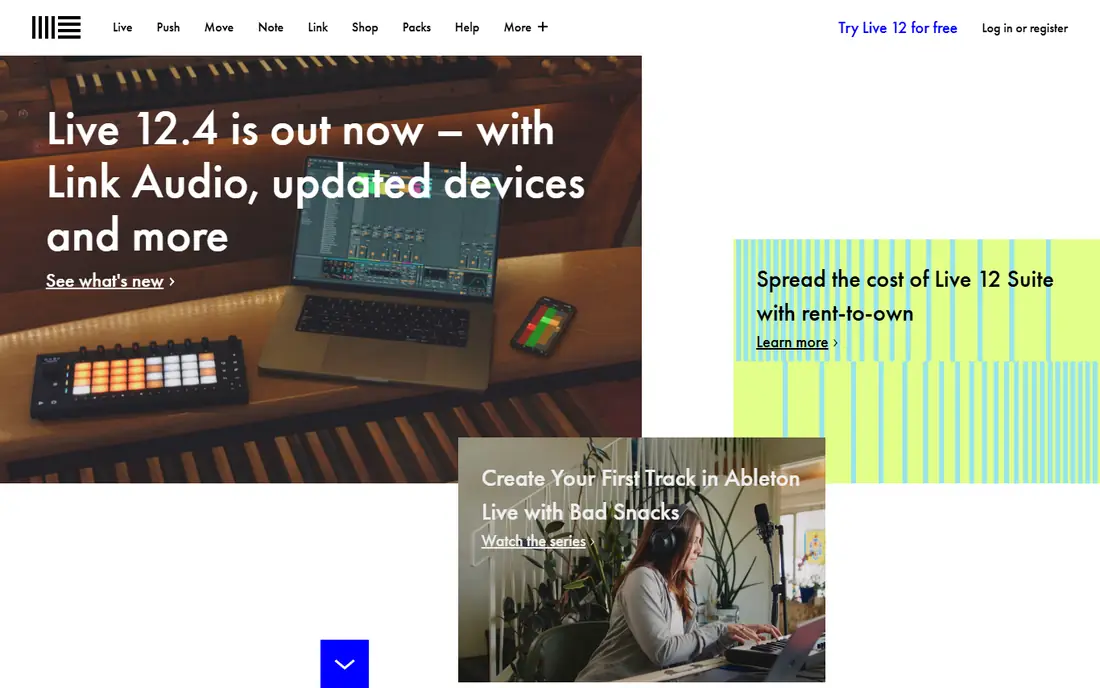
Ableton Live is the standard for electronic music and live performance, and its two-view design explains why. Session View lets you launch clips and try arrangements live, while Arrangement View handles linear song building. Live 12 adds MIDI transformation tools, new instruments like Meld, and stem separation in Suite, which keeps it current for modern production.
The price ladder matters. Intro starts at $99 but caps tracks, while Standard and Suite climb to $439 and $749. Beginners should start with Intro or the 30-day trial and upgrade only when they hit a real limit. If you perform live or build electronic tracks from loops and clips, no other DAW feels quite like Live.
- Session View for clip launching
- Strong warping and MIDI tools
- Large bundled instrument library
- Top Suite tier costs $749
- Weaker for traditional notation
- Major upgrades are paid
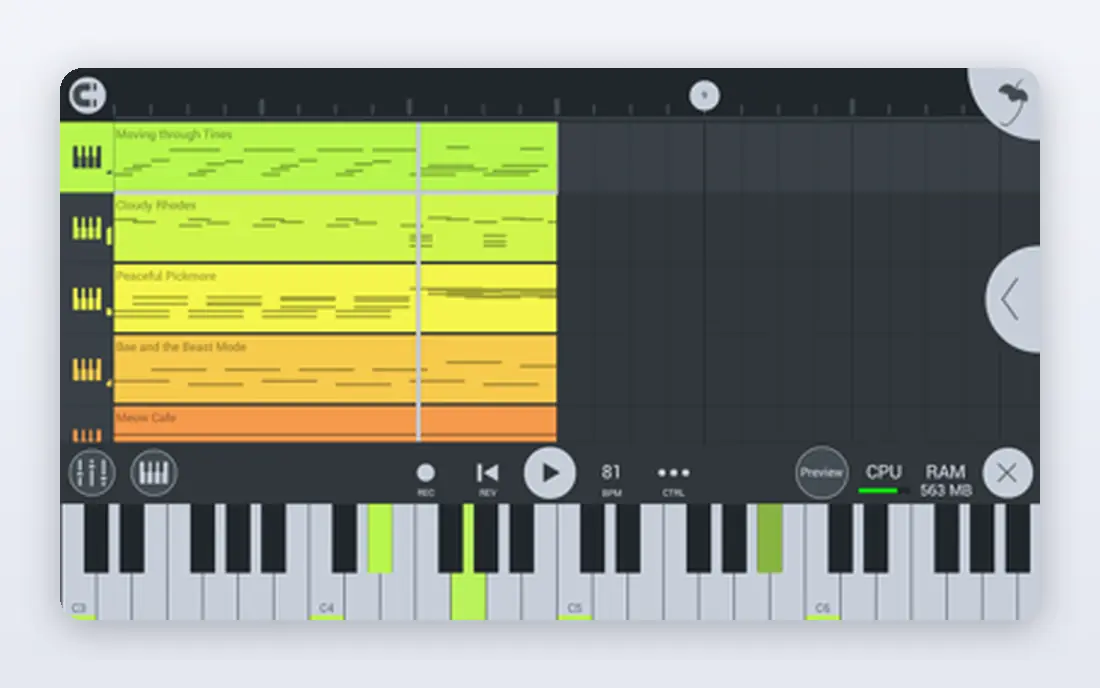
FL Studio is the beatmaker's DAW, built around patterns, a step sequencer, and a piano roll that producers consistently praise. You build beats fast, arrange patterns into songs, and mix with a full set of included instruments and effects. The Fruity edition starts at $99, with Producer at $179 adding audio recording, and every paid edition includes lifetime free updates.
That update policy is a genuine long-term saving, since rival DAWs charge for major upgrades. The catch is edition choice: Fruity cannot record audio, so vocalists and instrumentalists need Producer or higher. The unlimited trial lets you test everything before paying, with saving and export limited until you buy.
- Best piano roll in the business
- Pattern-based beat workflow
- Lifetime free updates
- Fruity edition cannot record audio
- Interface can feel busy to newcomers
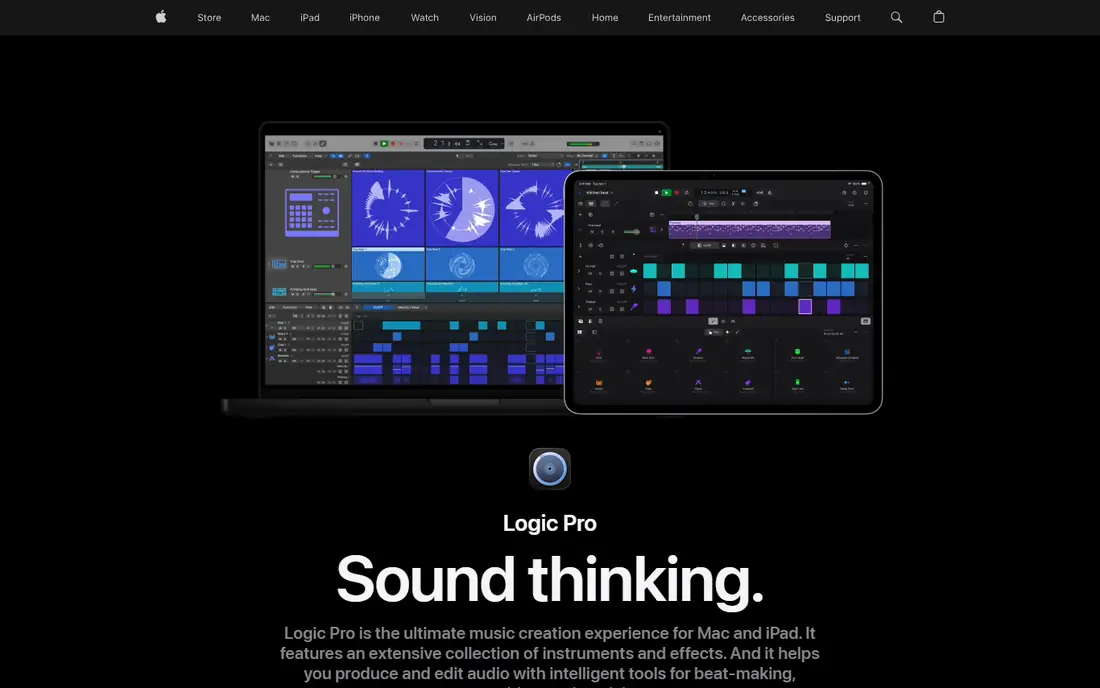
Logic Pro is the best value in music software for Mac owners. One $199.99 purchase buys a full DAW with a large library of instruments, loops, and effects, and Apple does not charge for major version upgrades. The interface is clean, the learning curve is gentle, and the bundled content alone would cost far more as third-party plugins.
The limit is platform. Logic Pro runs only on Mac and iPad, so Windows users need another pick. It also lacks Ableton's live clip-launching workflow, though its Live Loops view covers some of that ground. If you own a Mac and want one purchase that covers songwriting, recording, and mixing, Logic Pro is the obvious choice.
- Huge bundled instruments and effects
- Single purchase with no paid upgrades
- Gentle learning curve
- Mac only
- No Windows or Linux version
- Less suited to live clip performance
Pro Tools remains the standard in professional studios, film, and TV post, which matters if you plan to share sessions with commercial facilities. Its audio editing, comping, and mixing tools are deep, hardware support is broad, and session compatibility keeps it relevant for engineers who work across studios. The Artist tier starts at $9.99 per month, with a 30-day trial available.
For hobbyists, the subscription is the drawback, since years of payments exceed a one-time DAW purchase. Beatmakers and electronic producers will also find MIDI and loop tools less fluid than Ableton or FL Studio. Choose Pro Tools if studio compatibility or professional audio work is the goal, not if you mainly make beats at home.
- Industry standard for studios and post
- Strong audio editing and mixing
- Wide hardware support
- Subscription model adds up over time
- MIDI and beat tools trail Ableton and FL Studio
Cubase is the pick for composers and producers who live in MIDI. Its key editor, expression maps, chord tools, and scoring features suit film, TV, and orchestral work better than most rivals, and its mixing and audio editing are fully professional. Steinberg offers several editions, with a 60-day trial to test the workflow.
The price climbs steeply to the Pro edition, so check the current edition prices on the vendor site before deciding. Beginners may also find the interface dense, since Cubase exposes a lot of power at once. If you score to picture or program complex MIDI arrangements, Cubase rewards the learning time.
- Deep MIDI editing and scoring tools
- Strong mixing and comping
- Long industry track record
- Higher tiers are expensive
- Interface packs in a lot for beginners
Reaper is the budget champion and the efficiency king. A discounted license costs $60, the software runs well on older or modest machines, and it handles multitrack recording, MIDI, and mixing without fuss. The 60-day trial is fully functional, and the license terms are generous for personal and small commercial use.
What Reaper does not give you is a big bundled instrument library or a polished out-of-the-box look. You will add free or paid plugins for instruments, and you will spend time customizing themes and layouts. For home recording on a budget, especially vocals and live instruments, Reaper at $60 plus a decent interface is hard to beat.
- Only $60 for a discounted license
- Runs fast on modest hardware
- Deeply customizable
- Few bundled instruments
- Interface needs setup to feel polished
- Smaller tutorial library than big rivals
Bitwig Studio is the sound designer's DAW, with a modular approach that lets you route and modulate almost anything. It runs on Mac, Windows, and Linux, which is rare among major DAWs, and its clip launching rivals Ableton for live and experimental work. The Essentials edition starts around $199, with higher tiers adding more instruments and effects.
The community is smaller than Ableton's or FL Studio's, so tutorials and templates are thinner. The update plan model also means you pay to stay current after the included period, unlike FL Studio's lifetime updates. If you love building sounds from scratch and want Linux support, Bitwig is a creative and flexible home.
- Modular device routing
- Works on Mac, Windows, and Linux
- Strong clip launching and sound design
- Smaller community and tutorial library
- Update plan costs extra after the first year
GarageBand is the best free starting point, and it is better than its reputation suggests. It includes a solid set of instruments, loops, and effects, handles recording and MIDI, and runs on Mac and iOS at no cost. Best of all, GarageBand projects open directly in Logic Pro, so your work carries over when you upgrade.
The limits appear as you grow. Track counts, plugin options, and mixing depth are capped compared with full DAWs, and Windows users cannot use it at all. Treat GarageBand as a free trial of music production itself: if you finish songs in it and want more, Logic Pro is the natural next step.
- Completely free on Mac and iOS
- Surprisingly capable for beginners
- Projects open in Logic Pro
- Apple only
- Track and plugin limits frustrate advancing users
- No Windows version
Reason takes a different approach, modeling a studio rack full of synthesizers, samplers, and effects that you wire together with virtual cables. That hands-on workflow is genuinely fun and teaches signal flow in a visual way, and Reason also works as a plugin inside other DAWs if you only want its instruments. Subscription pricing starts at $9.99 per month, with a trial available.
The sequencer and mixing tools feel less modern than Logic or Cubase, and long-term subscription costs exceed a one-time purchase. Reason suits producers who love its rack instruments and want them inside their main DAW, or beginners who enjoy the tactile, visual approach. For a complete all-in-one DAW, Logic or FL Studio may serve better.
- Virtual rack of instruments and effects
- Fun, hands-on workflow
- Works as a plugin in other DAWs
- Subscription pricing for Reason Plus
- Sequencer feels dated to some users
- Smaller mixing feature set
How we picked these
We compared official pricing pages, feature lists, and public reviews for DAWs that are actively maintained in 2026 and run on current Mac or Windows systems. We weighted workflow fit, bundled content, platform support, pricing model, and trial availability, and we favored tools with a clear upgrade path for beginners. Prices are entry-level figures from vendor pages; higher editions add tracks, instruments, and effects at higher prices.
Buying guide: match the DAW to your music
The best DAW is the one whose workflow matches how you already think about music. Answer three questions before you buy.
What do you make
Beatmakers and electronic producers should trial FL Studio and Ableton Live first. Songwriters and bands on Mac should start with GarageBand or Logic Pro. Composers and scorers should look at Cubase, while home recordists on a budget should try Reaper. Genre matters less than workflow, but these starting points save time.
What computer do you own
Logic Pro and GarageBand are Mac only, while Ableton, FL Studio, Pro Tools, Cubase, Reaper, and Reason run on Mac and Windows, and Bitwig adds Linux. Check system requirements and audio interface compatibility before buying, since a DAW that strains your machine will frustrate you daily.
Pay once or subscribe
FL Studio, Logic Pro, and Reaper are pay-once purchases that cost less over five years. Pro Tools and Reason use subscriptions that spread cost but never end. Run the five-year total before choosing, and use the free trials to test the workflow. A DAW you enjoy using beats a more powerful one you avoid opening.
Frequently asked questions
What is the best music production software?
Ableton Live is our pick for electronic music and live performance, FL Studio for beatmakers, Logic Pro for Mac value, and Reaper for budget recording. There is no single best DAW, since each one can produce a finished record and the right choice depends on your workflow and platform.
What is the best music production software for beginners?
GarageBand is free and excellent for Mac beginners, while FL Studio and Logic Pro are the best paid starting points for beatmakers and Mac songwriters respectively. Use the free trials before buying, and pick the interface that feels natural after a few sessions.
What music production software is best for Windows?
FL Studio, Ableton Live, Reaper, Cubase, Pro Tools, and Bitwig all run on Windows. FL Studio suits beatmakers, Ableton suits electronic producers, and Reaper suits budget home recording. Logic Pro and GarageBand do not run on Windows.
Is FL Studio or Ableton Live better?
They win different rows. FL Studio has the best piano roll and lifetime free updates, which suits beat-focused production. Ableton has better time-stretching, clip launching for live performance, and a stronger bundled instrument set in Suite. Trial both for a week before deciding.
Can I switch DAWs later without losing my music?
You can export stems and MIDI from any DAW and import them into another, but project files do not transfer. Treat your first DAW as a multi-year commitment, and keep exported stems and MIDI backups of finished songs so a future switch stays possible.
Do I need expensive equipment to start producing music?
No. A computer, headphones, and a free or low-cost DAW like GarageBand or Reaper are enough to start. An audio interface and a MIDI keyboard help once you record instruments or play parts by hand, but they are not required for your first songs.
Sources we checked (9)

Online Jobs is an independent blog about careers, online work, learning new skills and the tools that help people earn. More about us.
Keep reading
All posts
Best Music Editing Software
We compared the best music editing software for 2026, from Audacity and GarageBand to Logic Pro, Ableton Live, FL Studio, REAPER and Pro Tools, with prices.
Best DJ Software
We compared the best DJ software for 2026, from Serato DJ Pro and rekordbox to free Mixxx, with prices, hardware support and honest trade-offs for every style.
Best Beat Making Software
Find the best beat making software for 2026, with FL Studio, Ableton Live, Logic Pro, BandLab, GarageBand and more on price, platform, workflow and free trials.