Best Mobile Video Editing Apps in 2026: 8 Apps Compared

How we put this together: we compare official feature and pricing pages, app store listings, privacy policies and public user reviews. Prices change, so check the provider's site before you pay.
Key takeaways
- CapCut is the best default for short-form social video, while VN Video Editor is the best free pick for multi-track editing without a watermark on basic exports.
- LumaFusion is the best one-time purchase for serious tablet and phone editing, with no subscription needed for the core app.
- InShot and KineMaster suit fast social edits, but their free tiers add watermarks or ads, so check export rules before you commit to a workflow.
- iMovie is the best free pick for casual Apple users, while PowerDirector and Filmora suit template-driven creators who want effects fast.
- Export quality, watermark rules, and device requirements matter more than template counts, especially for 4K projects on older phones.
Quick comparison
| Name | Who it suits | Starting price | Free option | |
|---|---|---|---|---|
 CapCut CapCut | Short-form social video | Free | Yes | Visit |
 InShot InShot | Fast vertical social edits | Free | Yes | Visit |
 KineMaster KineMaster | Layered mobile editing | Free | Yes | Visit |
 LumaFusion LumaFusion | Pro editing without subscription | $29.99 one-time | No | Visit |
 VN Video Editor VN Video Editor | Free multi-track editing | Free | Yes | Visit |
 PowerDirector PowerDirector | AI tools on a timeline | Free | Yes | Visit |
 iMovie iMovie | Casual Apple editing | Free | Yes | Visit |
 Filmora Filmora | Template-driven mobile edits | Free | Yes | Visit |
The best mobile video editing apps
Mobile editors differ in timeline depth, watermark rules, export quality, and template libraries. We compared official app store listings, vendor pages, and public documentation, and we focused on what the free tier exports, whether a watermark appears, maximum export quality on a typical phone, and how much control the timeline gives you.
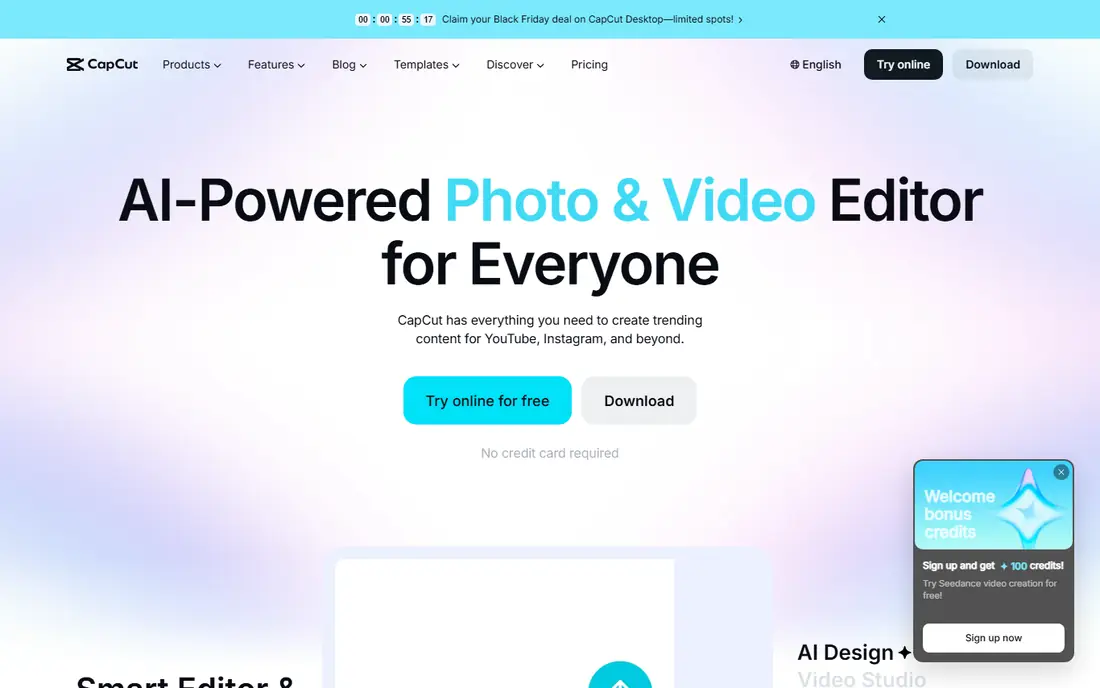
CapCut is the fastest route from a phone clip to a finished short-form video. Templates, trending effects, text styles, transitions, and music tools are built for TikTok, Reels, and Shorts, and the editing flow favors speed over deep timeline control. The free tier covers a wide range of basic editing, and basic exports do not carry a watermark, which is why CapCut remains the default for many social creators.
Pro adds more effects, assets, and AI tools for a monthly subscription, and heavy projects can strain older phones. Creators who need precise color grading, multi-track audio mixing, or long-form control will outgrow CapCut faster than social creators will. For short-form content made on a phone, CapCut is still the first app to try.
- Huge template and effect library
- Fast short-form workflow
- Free tier exports without a watermark on basic exports
- Pro features and assets sit behind a subscription
- Some advanced tools need a newer phone
InShot keeps mobile editing simple. Trim and split clips, adjust speed, add text, stickers, music, and transitions, then export in the aspect ratio your platform needs. The workflow is fast enough for daily posting, and the interface stays clear even for first-time editors.
The free trade-off is visible. Free exports carry a logo watermark, and ads appear in the app until you upgrade to Pro. Pro pricing varies by store and billing period, with monthly options commonly listed. InShot suits creators who post often, want a quick editor, and are willing to pay to remove the watermark, or who accept it for casual clips.
- Simple trim, crop, and text workflow
- Fast exports for vertical video
- Low learning curve
- Free exports carry a watermark
- Ads appear until you pay for Pro
KineMaster gives mobile editors more timeline depth than InShot or CapCut, with multiple video, image, sticker, and handwriting layers, blending modes, chroma key, and frame-accurate trimming. That layer control suits creators who build more complex edits on a phone or tablet, such as picture-in-picture tutorials or layered social videos.
Free exports carry a watermark, and ads appear until you upgrade to Premium, which is commonly listed as a monthly or yearly subscription. Export up to 4K is available on compatible devices, but older phones may struggle with long 4K timelines. KineMaster suits Android-first creators and tablet editors who want layer control without moving to a desktop editor.
- Multi-layer timeline with blending and chroma key
- 4K export on compatible devices
- Works on tablets and Chromebooks
- Free tier adds a watermark and ads
- Premium pricing varies by store
LumaFusion is the serious mobile editor in this guide, and its one-time price of $29.99 is the reason many creators choose it over subscriptions. A multi-track timeline, color correction, audio mixing, titles, and effects give tablet and phone editors control close to desktop tools, with export up to 4K on supported devices. Project transfer across supported devices helps creators who start on a phone and finish on a tablet.
There is no free version, so the purchase is a commitment, and a few advanced features cost extra. The learning curve is also steeper than CapCut or InShot, since the interface assumes some editing knowledge. For creators who edit client work, YouTube videos, or short films on a tablet, LumaFusion offers the best long-term value here.
- One-time purchase
- Multi-track timeline with color and audio tools
- Up to 4K export
- No free version
- Some features such as speed ramping cost extra
- Steeper learning curve
VN Video Editor, also called VN Video Editor by Ubiquiti Labs in app stores, is a strong free alternative to subscription editors. The timeline supports multiple tracks, keyframes, curves, masks, and speed control, which puts it closer to LumaFusion than to a template app. Free exports often carry no watermark, which is unusual for a free mobile editor.
The free tier includes ads, a project cap in some versions, and credits for certain AI features such as captions. Device requirements stay low, with Android 7.0 and later supported in many listings, so VN runs well on older phones that struggle with heavier editors. VN suits creators who want real timeline control for free and who can live with ads and project limits.
- Multi-track timeline with no watermark on free exports in many cases
- Keyframes and curves
- Low device requirements
- Ads in the free tier
- Project cap and AI caption credits apply in some versions
PowerDirector, from CyberLink, pairs a full mobile timeline with AI tools that speed up common jobs. Auto captions, background removal, object removal, and stabilisation help creators finish polished videos faster, while templates and effects cover social and YouTube formats. Export up to 4K is available on supported devices, and cloud projects help creators move between phone and desktop versions.
AI captions and some advanced tools require Premium, and the free tier carries limits and ads. PowerDirector suits creators who want AI help inside a real timeline, rather than a template-only app, and who edit a mix of social clips and longer videos on Android or iOS.
- AI captions, background removal, and effects on a full timeline
- Up to 4K export
- Strong template library
- Some AI tools sit behind Premium
- Free tier limits and ads apply
iMovie is the free, no-fuss editor for iPhone and iPad users. Trim clips, add titles, transitions, music, and themes, and export a clean video with no watermark and no subscription. Trailers and storyboard templates help beginners structure a short video without learning timeline jargon, and projects can move to iMovie on Mac for further editing.
The limit is depth. iMovie lacks the multi-layer control, advanced color tools, and AI features of LumaFusion and PowerDirector, and it runs only on Apple devices. For casual creators, family videos, school projects, and simple YouTube edits, iMovie is often all that is needed, and its zero cost makes it an easy first editor.
- Free on Apple devices
- Simple timeline with trailers and themes
- No watermark and no subscription
- Apple devices only
- Fewer advanced tools than LumaFusion or PowerDirector
Filmora, from Wondershare, is a template-driven editor that suits creators who want a polished result fast. Drag clips onto a timeline, pick a template or effect pack, add text and music, and export for social or YouTube. The mobile app shares the Filmora brand with desktop versions, which helps creators who later move to a computer for longer projects.
Free exports carry a watermark, and full assets, effects, and higher-quality exports sit behind a Pro subscription. That makes Filmora best for creators who value templates and ease over free watermark-free export, and who are willing to pay once the workflow proves useful. Beginners who find CapCut too social-focused and LumaFusion too deep often settle here.
- Large template, effect, and music library
- Drag-and-drop timeline
- Good for beginners moving from social templates
- Free exports carry a watermark
- Pro subscription needed for full assets and higher exports
How we picked these
We compared official app store listings, vendor pages, and public documentation, and we checked that each vendor homepage loads and belongs to the product named. We required a real mobile editing app that operates today, with a timeline or template workflow, and we favored a mix of free, one-time purchase, and subscription options across iOS and Android. We left out desktop-only editors and web-only AI generators, since this guide covers editing on a phone or tablet.
How to choose by export and device
Check watermark rules first, since a watermark can ruin an otherwise good free app for professional use. VN and CapCut basic exports avoid a watermark in many cases, while InShot, KineMaster, and Filmora free exports add one. Next, check export quality on your phone, since 4K on a product page does not guarantee smooth 4K editing on an older device with limited memory.
Then match the timeline to the project. Social clips need speed and templates, so CapCut, InShot, or Filmora fit. Longer YouTube videos, client work, and short films need multi-track control, so VN, PowerDirector, or LumaFusion fit better. Test one short project end to end, including export and upload, before committing to a subscription or a large project in any app.
Storage and performance tips
Mobile editing fills storage fast, especially in 4K. Free up space before a large project, close background apps, and export in stages for long videos rather than editing a single huge timeline. Keep original clips backed up outside the editing app, since app storage and project files do not always survive a phone change or an app reinstall cleanly.
Music and licensing
Built-in music libraries vary by app and plan, and a track that is licensed inside one app may not be licensed for use on every platform. Check the license for commercial use if you edit for a business, and keep receipts or license notes for paid music. When in doubt, use royalty-free tracks from a source that clearly covers your platform and use case.
Frequently asked questions
What is the best mobile video editing app for free?
VN Video Editor is the best free pick for multi-track editing, since free exports often carry no watermark. CapCut is the best free pick for short-form social video, while iMovie is the best free pick for casual Apple users. The right free app depends on whether you need timeline depth, social templates, or simple casual editing.
Is CapCut still free?
Yes, CapCut offers a free tier with a wide range of editing tools and basic exports without a watermark in many cases. Pro adds more effects, assets, and AI tools for a subscription. Check the current Pro price in your app store, since pricing varies by region and billing period.
Which mobile video editor has no watermark?
LumaFusion and iMovie have no watermark, since LumaFusion is a paid one-time purchase and iMovie is free on Apple devices. VN free exports often carry no watermark, and CapCut basic exports also avoid a watermark in many cases. InShot, KineMaster, and Filmora free exports add a watermark.
Can I edit 4K video on a phone?
Yes, on supported devices, with LumaFusion, KineMaster, PowerDirector, and other apps here offering up to 4K export. Older phones may struggle with long 4K timelines, so test a short 4K project first, free up storage, and consider 1080p for social clips where 4K adds little visible benefit.
Is LumaFusion worth $29.99?
For creators who edit regularly on a tablet or phone and want to avoid a subscription, yes. One-time purchase cost beats a monthly subscription within a few months for regular users, and the multi-track timeline, color, and audio tools justify the price for serious projects. Casual creators who post a clip a week may do better with a free app.
What happened to Adobe Premiere Rush?
Adobe has shifted its mobile focus toward the Adobe Premiere mobile app, and Rush availability varies by store and region. Creators who used Rush for quick social edits can try CapCut, InShot, or PowerDirector for a similar fast workflow, or LumaFusion for deeper tablet editing. Check the Adobe site for current mobile Premiere availability in your region.
Sources we checked (8)

Online Jobs is an independent blog about careers, online work, learning new skills and the tools that help people earn. More about us.
Keep reading
All posts
Zoom Alternatives
Zoom alternatives compared for 2026: Google Meet, Microsoft Teams, Webex, Jitsi and more for free calls, large meetings and webinars for teams and classrooms.

What Is the Best Free Tool to Rotate a PDF
What is the best free tool to rotate a PDF? We compare eight free rotation tools on per-page control, limits, privacy and saved output quality in detail.

What Is the Best AI Dubbing Tool
We compared the best AI dubbing tools in 2026, from ElevenLabs and HeyGen to Rask AI, Dubverse and Veed, for videos and creators in many languages worldwide.