Best Mobile Photo Editing Apps in 2026: 8 Apps Compared

How we put this together: we compare official feature and pricing pages, app store listings, privacy policies and public user reviews. Prices change, so check the provider's site before you pay.
Key takeaways
- Snapseed is the best free photo editing app for mobile, with powerful tools, no ads, and no subscription.
- Adobe Lightroom Mobile is the best pick for serious photographers who edit RAW files and want cloud sync.
- VSCO suits creators who want a consistent film-inspired look across a feed.
- PicsArt and Canva are better for social content, collages, and quick graphic posts than for precise photo work.
- Check which features sit behind a subscription before you build a workflow around an app.
Quick comparison
| Name | Who it suits | Starting price | Free option | |
|---|---|---|---|---|
 Snapseed | Free full editing | Free | Yes | Visit |
 Adobe Lightroom Mobile | Professional RAW editing | Free | Yes | Visit |
 VSCO | Film-inspired presets | Free | Yes | Visit |
 PicsArt | Creative effects and social content | Free | Yes | Visit |
 Canva | Templates and social posts | Free | Yes | Visit |
 Adobe Photoshop Express | Quick Adobe-quality edits | Free | Yes | Visit |
 Afterlight | Simple creative editing | Free | Yes | Visit |
 Pixlr | Browser and mobile flexibility | Free | Yes | Visit |
The best mobile photo editing apps
Phone cameras are good enough now that the editor matters as much as the camera. The best mobile photo editing app for you depends on whether you shoot RAW, want film presets, create social posts, or just want clean, free adjustments. We compared official app store listings, pricing pages, and public reviews for editors that are available today on iPhone and Android, and we favored apps with full-resolution export and a clear free versus paid split.
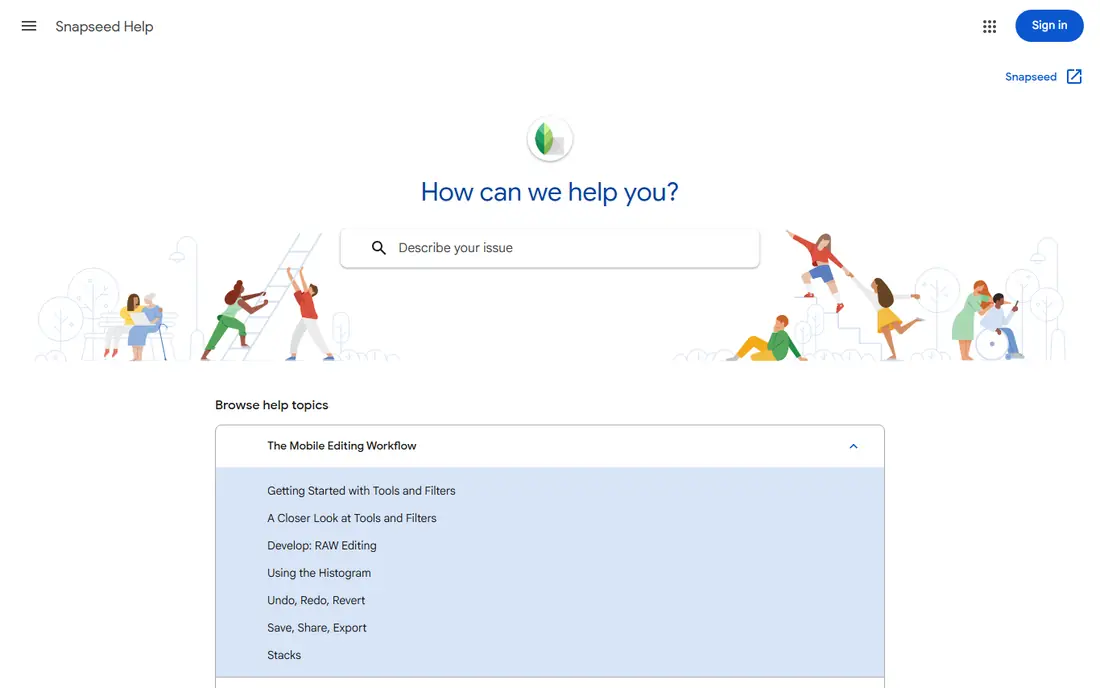
Snapseed remains the best free photo edit app for most people. It offers 29 tools, including selective editing, curves, healing, and perspective controls, with no ads, no subscription, and no in-app purchases. Edits are non-destructive through stacks, so you can revisit or remove a step later, which is rare in a free app.
The trade-offs are real but minor for many users. There is no cloud sync, no preset marketplace, and no video editing, and the interface looks dated next to newer apps. If you want powerful, free editing on your phone without a subscription, start here, and only pay for another app if you need RAW cloud sync or AI features Snapseed does not offer.
- Completely free with no ads
- 29 tools
- Selective editing and curves
- No cloud sync
- Interface feels dated
- No video editing
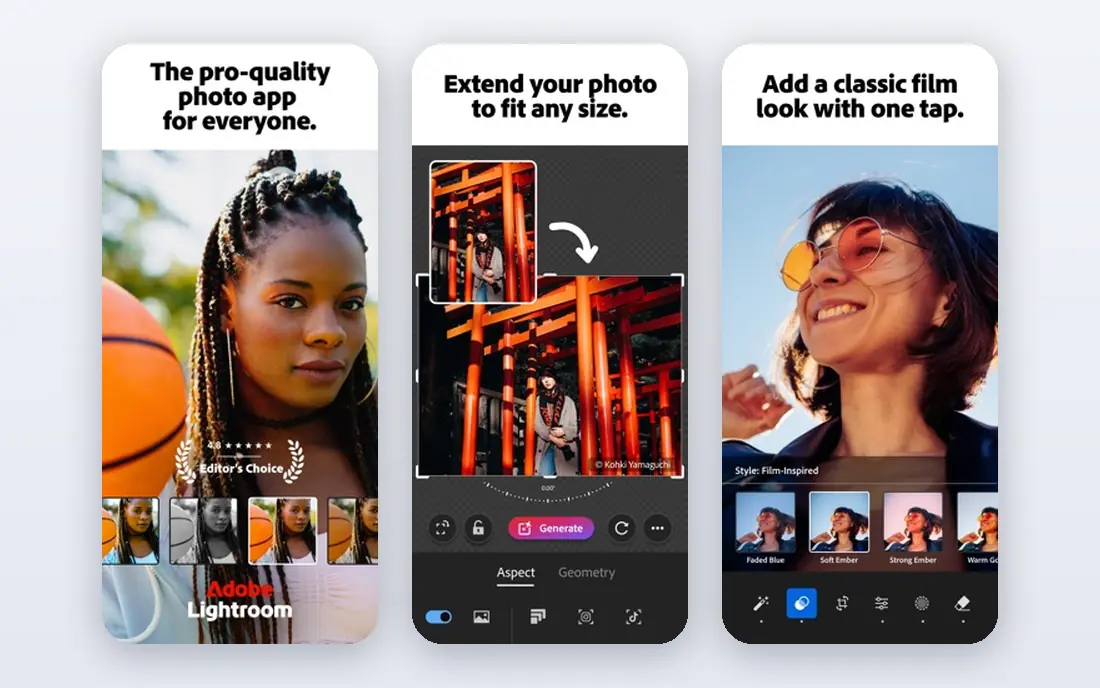
Adobe Lightroom Mobile is the best mobile photo editing app for photographers who take editing seriously. The free tier covers basic exposure, color, and crop tools, while Premium adds selective edits, healing, masking, and cloud sync for RAW files across phone, tablet, and desktop. Presets help you build a consistent look, and the built-in camera can shoot RAW on supported phones.
Premium is a subscription, and the full feature set takes time to learn, especially masking and color grading. Casual editors may find Snapseed enough, but photographers who shoot RAW and edit across devices will find Lightroom worth the cost. Check current Adobe pricing before subscribing, since plans and bundles change.
- Full RAW support
- Cloud sync
- Presets and masking tools
- Best features need a subscription
- Learning curve for beginners
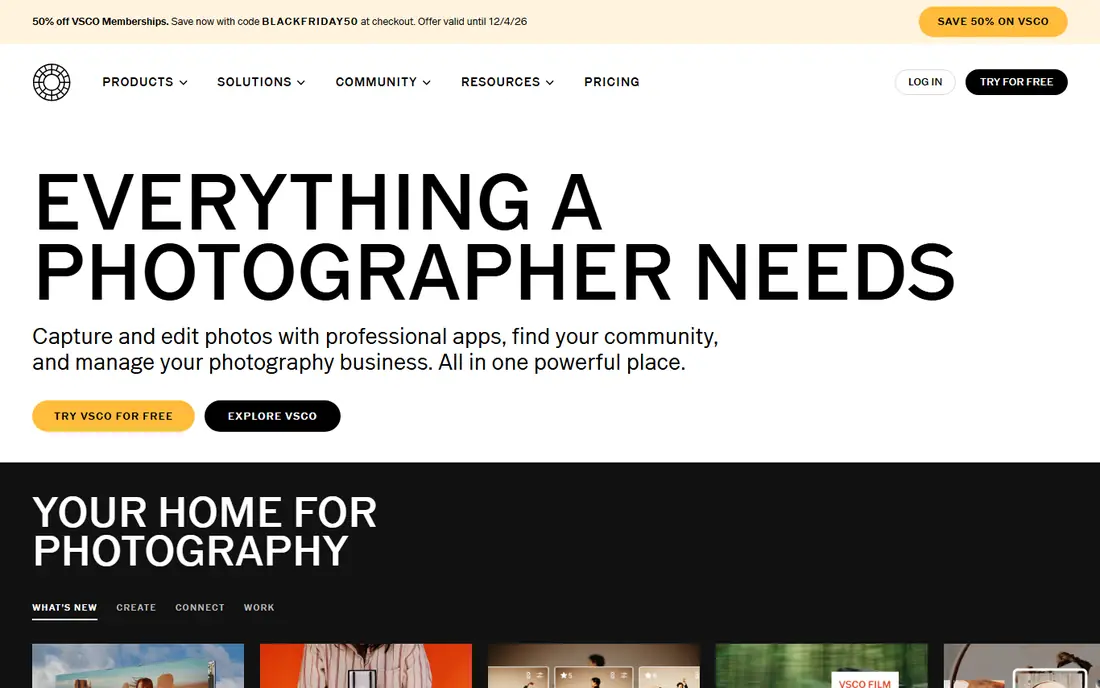
VSCO is built around a consistent aesthetic. Its film-inspired presets give photos a cohesive look with minimal effort, which is why many Instagram creators use it as their main editor. Editing tools cover exposure, contrast, color, and skin tone adjustments, and the app community offers inspiration without the noise of a full social network.
The free starter tools are limited, and the best presets sit behind a subscription, so test the free version before paying. VSCO is also less deep than Lightroom for RAW work or precise local adjustments. If your goal is a consistent feed look rather than technical perfection, VSCO is a strong, simple choice.
- Strong film-inspired presets
- Clean editing tools
- Community features
- Best presets need a subscription
- Editing depth is less than Lightroom
PicsArt is the most creative app in this list, with filters, effects, stickers, collages, and AI tools for background removal and image generation. It suits social media creators who want eye-catching posts quickly, rather than photographers who want subtle, precise edits. Templates and a large content library speed up content creation for small businesses and creators.
The free version covers basic editing, but many advanced tools, AI features, and premium content need a subscription, and the interface can feel busy with offers and templates. Export quality and feature access vary by plan, so check the in-app pricing before committing. For creative social content, PicsArt is fun and fast, but for clean photo editing, Snapseed or Lightroom are better.
- Wide creative effects
- Collages and stickers
- AI background tools
- Many features need a subscription
- Interface can feel busy
Canva is not a pure photo editor, but it belongs here because many mobile users edit photos as part of social posts, ads, and banners. You can adjust a photo, add text, shapes, and brand elements, and export in social sizes in minutes. The template library is huge, and team sharing makes it useful for small businesses.
For precise photo work, Canva is limited. It lacks the RAW controls, curves, and local adjustments of Lightroom or Snapseed, and many premium templates and assets need a Pro subscription. Use Canva after editing your photo in Snapseed or Lightroom if you need a polished post, rather than as your only editor for important photos.
- Huge template library
- Easy text and graphics
- Team sharing
- Photo editing depth is limited
- Best assets need a Pro plan
Adobe Photoshop Express is a lighter Adobe option for quick edits on the go. It covers crops, corrections, filters, and blemish fixes in a simple interface, and it shares easily to social apps. For users who want Adobe quality without Lightroom complexity, it is a low-friction starting point.
It is less powerful than Lightroom for RAW files, masking, and detailed color work, and some features sit behind a subscription. Think of Photoshop Express as a fast daily editor, not a professional workstation. If you find yourself wanting more control, move up to Lightroom Mobile rather than fighting the limits of Express.
- Simple Adobe editing
- Filters and corrections
- Easy sharing
- Less powerful than Lightroom
- Some features need a subscription
Afterlight suits users who want a clean, creative editor without a steep learning curve. Filters, textures, frames, and adjustment tools cover most everyday edits, and the interface stays focused on the photo rather than on templates and offers. It is a good middle ground between Snapseed power and VSCO presets.
RAW support and advanced local editing are more limited than Lightroom, so serious photographers may outgrow it. Pricing varies by platform and plan, so check the app store listing for current options before buying. For casual and creative editing with a tidy interface, Afterlight is a pleasant, underrated pick.
- Clean interface
- Good filters and textures
- One-time and subscription options in listings
- Less depth for RAW work
- Smaller community than VSCO
Pixlr is useful if you edit across phone, tablet, and computer and do not want to install heavy software everywhere. The web editor runs in a browser, while mobile apps cover quick edits, filters, and AI cutout tools. That flexibility makes it a good choice for bloggers and small business owners who edit in different places.
The free version includes ads and some limits, and paid plans remove those limits and add more AI tools. Pixlr is less deep than Lightroom or Snapseed for precise photo work, but it wins on convenience. If you need a no-install editor for quick jobs, Pixlr is worth bookmarking alongside your main phone editor.
- Works in browser and mobile apps
- AI cutout tools
- No install needed on web
- Free version includes ads and limits
- Less depth than desktop editors
How we picked these
We compared official app store listings, vendor pricing pages, and public reviews for mobile photo editors available today on iPhone and Android. We kept apps with full-resolution export, a clear free tier or trial, and a distinct strength, from free RAW-style editing to presets to social templates. Prices change often and vary by platform, so we listed free as the starting price where a free tier exists and advised checking the app store listing for subscription rates. We did not claim hands-on testing of every filter or preset, and we focused on published features and limits.
How to choose a mobile photo editing app
Start with your output, not with the longest feature list. A feed creator, a RAW photographer, and a small business owner need different tools.
Decide between free power and paid presets
If budget matters most, Snapseed gives you the most editing power for free. If a consistent look matters most, VSCO presets may be worth a subscription, even though the editing depth is lower. If RAW and cloud sync matter most, Lightroom Premium is the logical step up. Paying for two similar editors rarely helps, so pick one main editor and one social tool at most.
Check export quality and RAW support
Before building a workflow around an app, export a test photo at full resolution and check it on a larger screen. Some free apps compress exports or limit resolution, which matters for printing. If you shoot RAW, confirm that your app supports your phone RAW format and that edits stay non-destructive, so you can revisit them later.
Build a simple two-app workflow
Many good mobile workflows use two apps: one for photo correction, one for social design. For example, correct exposure and color in Snapseed or Lightroom, then add text and templates in Canva or PicsArt for posting. That split keeps photo quality high while still giving you fast social output, and it avoids paying for overlapping subscriptions.
Frequently asked questions
What is the best mobile photo editing app?
Snapseed is the best free mobile photo editing app, Adobe Lightroom Mobile is the best for serious RAW photographers, and VSCO is the best for film-inspired presets. PicsArt and Canva are better for social content and templates. The right pick depends on whether you prioritize free power, RAW control, presets, or social design.
What is the best free photo edit app?
Snapseed is our pick for the best free photo edit app, since it offers 29 tools with no ads and no subscription. Adobe Lightroom Mobile, VSCO, PicsArt, Canva, and Pixlr also offer free tiers, but their best features need subscriptions. For completely free, full editing on mobile, Snapseed is hard to beat.
Is Lightroom Mobile free?
Lightroom Mobile is free to download with basic editing tools, while Premium features such as selective edits, healing, masking, and full cloud sync need a subscription. Many photographers use the free tier for basic edits and upgrade only when they need RAW cloud workflows. Check current Adobe pricing in the app before subscribing.
Which photo editing app is best for Instagram?
VSCO is a strong choice for a consistent Instagram look, thanks to its film-inspired presets, while PicsArt and Canva are better for creative posts, collages, and stories with text. For photo quality first, edit in Snapseed or Lightroom, then use VSCO, PicsArt, or Canva for the final look and posting format.
Do mobile photo editors reduce photo quality?
Some free apps compress exports or limit resolution, while most paid and professional apps export at full resolution. Always check export settings before posting or printing, and keep an original copy of important photos. If you edit RAW files, use an app that supports non-destructive editing so your original stays intact.
Can I edit RAW photos on my phone?
Yes, with the right app and phone. Adobe Lightroom Mobile supports RAW editing and cloud sync, and Snapseed handles many image formats with strong adjustment tools. Check that your phone can shoot RAW and that your chosen app supports that format, since RAW support varies by device and app version.
Sources we checked (7)

Online Jobs is an independent blog about careers, online work, learning new skills and the tools that help people earn. More about us.
Keep reading
All posts
Best Tools to Unblur Photos for Free
We compared the best tool to unblur photos for free, covering face repair, web tools, desktop apps, free limits, watermarks, and what blur cannot fix.
Best Photo Editor App
Best photo editor app guide: we compare 8 photo editors on editing control, presets, free plans, and pricing so you can pick the right app for photos.
Best Photo Editing Software for Beginners
The best photo editing software for beginners in 2026, compared on price, ease of use, and free plans, so you can start editing without confusion from day one.