Best Marketing Tools for Small Businesses on a Budget in 2026: 8 Tools Compared

How we put this together: we compare official feature and pricing pages, app store listings, privacy policies and public user reviews. Prices change, so check the provider's site before you pay.
Key takeaways
- A small business can run email, social, design, and basic analytics for little or nothing by starting on free plans and paying only for the channel that works.
- Canva, Google Analytics, and HubSpot cover a lot of ground before a paid plan is needed, while Mailchimp, Brevo, and MailerLite keep email costs low.
- The cheapest plan is not always the cheapest stack, so watch contact limits, per-channel pricing, and per-seat pricing as your list grows.
- Pick one tool per job, use it for a full month, and only add another tool when a clear task is still undone.
Quick comparison
| Name | Who it suits | Starting price | Free option | |
|---|---|---|---|---|
 Canva | Fast design for social and print | $120 per year | Yes | Visit |
 Mailchimp | Familiar email marketing | $13 per month | Yes | Visit |
 Buffer | Simple social scheduling | $5 per channel per month | Yes | Visit |
 Brevo | Email plus SMS on send-based pricing | $9 per month | Yes | Visit |
 MailerLite | Clean email setup for beginners | $10 per month | Yes | Visit |
 HubSpot | Free CRM with marketing add-ons | Free | Yes | Visit |
 Systeme.io | All-in-one funnels and email | See website | Yes | Visit |
 Google Analytics | Free website analytics | Free | Yes | Visit |
The best marketing tools for small businesses on a budget
Small business marketing does not need a big software stack. It needs a clear offer, a way to reach people, and a way to see what worked. The tools below cover design, email, social, customer records, and analytics at prices a small team can defend.
Canva is the design tool most small teams reach for first, and that habit makes sense. A owner can make a social post, a flyer, and a simple presentation in one sitting without learning professional design software. The template library saves time, and the free plan is strong enough for many weekly posts.
The honest limit is sameness. Templates that everyone uses can make a business look like every other business, so swap in your own photos, colors, and wording where you can. Paid plans add brand controls and more assets, which matter once more than one person makes content.
- Large template library for social posts, flyers, and presentations
- Easy drag and drop editing
- Brand kit on paid plans
- Free plan limits some templates and brand controls
- Designs can look generic without custom photos and copy
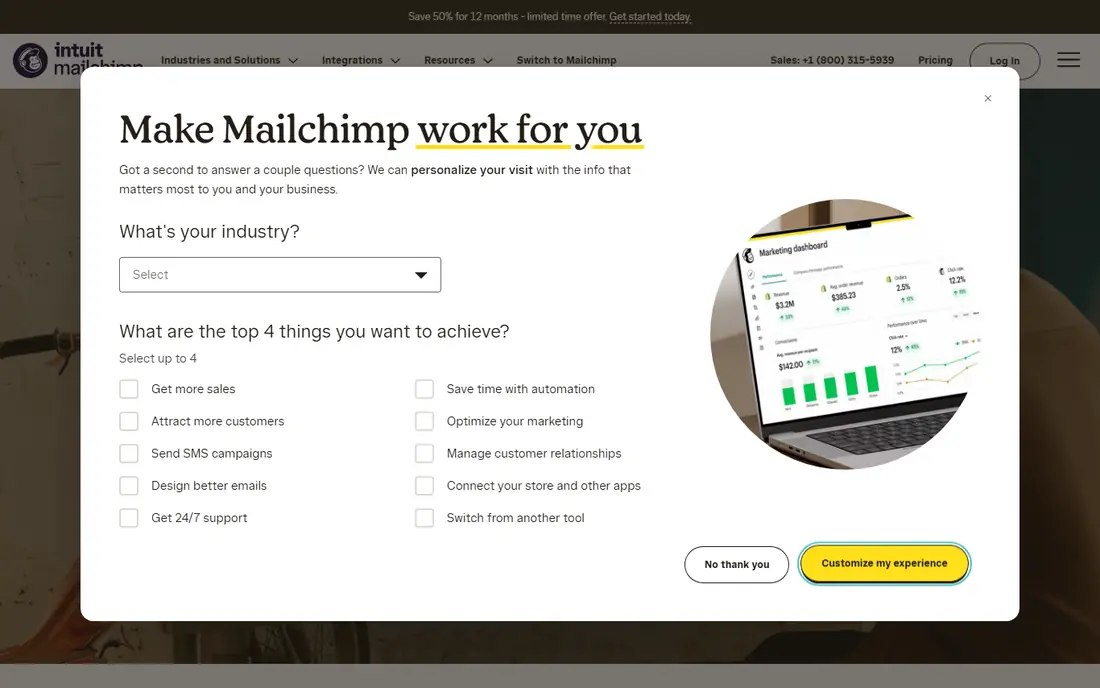
Mailchimp remains a safe first email tool because so many guides, integrations, and freelancers already know it. A small shop can build a signup form, send a welcome email, and run a simple campaign without a developer. The builder is forgiving, and the reporting shows opens and clicks in plain terms.
Cost is the watch point. The free tier suits a very small list, but a growing list moves into paid plans quickly, and the bill is tied to contacts rather than sends. If your list grows fast, compare Brevo and MailerLite before renewing, since their pricing models may fit your sending pattern better.
- Well known email builder and audience tools
- Many integrations with stores and websites
- Useful templates and automation
- Free plan covers few contacts
- Costs rise as the list grows
- Some features sit on higher plans
Buffer suits owners who want social posts planned in advance without a heavy platform. You can queue posts, see the week at a glance, and keep a steady presence even on busy days. The free plan covers a small set of channels, which is enough for many local businesses that focus on two or three networks.
The limit is depth. Buffer is not a full listening or reporting suite, and its per-channel price means a business on six networks pays more than the headline price suggests. Count your channels first, then judge the cost, and keep analytics work in Google Analytics or the networks themselves if you need more detail.
- Clean scheduling and calendar view
- Free plan for a few channels
- Easy for one person or a small team
- Analytics are lighter than larger suites
- Pricing is per channel, so many channels add up
Brevo is a strong pick for businesses with a large contact list but modest sending volume, since you pay for sends rather than contacts. That model can save real money for a shop that emails once or twice a month to a big list. The platform also adds SMS and simple customer records, which helps a small team keep contacts in one place.
The free plan limits how many emails you can send each day, so a time sensitive campaign may need a paid plan. Test the builder and the automation flow on a small list first, and check that your signup forms and store integration work the way you need them to.
- Pricing based on emails sent, not contacts
- Includes SMS and basic CRM tools
- Free plan for low volume sending
- Free plan caps daily sends
- Template and automation depth varies by plan
- Interface takes a short learning period
MailerLite earns its place for beginners who want email done well without clutter. The editor is calm, the automation builder reads clearly, and landing pages let a business collect emails before a full website rebuild. For a new newsletter or a seasonal campaign, that simplicity saves hours.
The free plan covers a small subscriber count, so a fast growing list will move to paid plans. MailerLite also reviews new accounts, which can delay a first send, so set up early and send a test campaign before a launch date. Once past setup, it is one of the easiest email tools to run week to week.
- Simple editor and automation builder
- Landing pages included
- Free plan for small lists
- Free plan limits subscribers
- Advanced reporting sits on higher plans
- Approval steps can slow first campaigns
HubSpot is best understood as a free customer record system first and a marketing suite second. A small business can store contacts, track deals, and send basic marketing from one account without paying, which beats a spreadsheet once leads grow. The integrations with websites, forms, and email also reduce manual copying.
The catch is the paid ladder. Marketing Hub plans and per-seat costs climb quickly, so a team should stay on the free tools until a specific paid feature earns its cost. Use HubSpot for contacts and pipeline discipline, and keep email or social work in cheaper tools until volume justifies a move.
- Free CRM for contacts, deals, and basic marketing
- Strong integrations
- Scales from one user to a team
- Paid marketing features get costly fast
- Setup can feel large for a very small team
- Some tools need training
Systeme.io suits a small business that sells a service, a course, or a digital product and wants one account for pages, email, and checkout. Buying those pieces separately can cost more and create more logins, so the all-in-one pitch has real appeal. The free plan lets a new business test a funnel before paying.
The trade-off is polish. Page design and email templates are functional rather than fancy, and a local shop that only needs email may find the funnel focus distracting. Pick Systeme.io when you actually need funnels and checkout together, not just because it bundles many features.
- Combines funnels, email, checkout, and courses in one account
- Free plan for starting out
- No transaction fee on its own checkout in some plans
- Design options are plainer than specialist tools
- Course and funnel features may exceed what a local shop needs
Google Analytics is the free baseline every small business website should have, even if another tool handles email or social. It shows where visitors come from, which pages they read, and which actions they take, which turns marketing guesses into testable choices. It also pairs with Search Console, so search traffic and site health sit in the same workflow.
The limit is interpretation. Raw reports can mislead a busy owner, so set up a few clear goals, such as form submissions or purchases, and check those first. Also review privacy settings and cookie notices with care, since analytics data carries responsibilities for visitor privacy.
- Free and widely used
- Shows traffic sources, top pages, and conversions
- Integrates with Google Ads and Search Console
- Setup and reports take learning time
- Privacy settings need care
- Data can feel noisy without clear goals
How we picked these
We compared official pricing pages, free plan limits, and feature pages for widely used marketing tools, and we kept tools with a genuinely usable free plan or a low entry price for a small business. We left out enterprise suites, tools with no public pricing, and tools that duplicate another pick without a clear budget advantage. Where pricing varied by billing period or contact count, we used the vendor starting figure and noted the limit in the write-up.
How to build a budget stack that lasts
Start with the free layer and prove one channel at a time. Put Google Analytics on your site, build one email list in Mailchimp, Brevo, or MailerLite, and schedule social posts in Buffer. Use Canva for the visuals across all of them, and keep customer notes in HubSpot once leads pass beyond a simple inbox.
Next, set a monthly software budget and a rule for upgrades. A useful rule is to pay for a feature only after the free version has blocked a real campaign twice, not just because a sales page looks tempting. Track cost per lead or per sale for each channel, and cut the tool that has not produced a result in two months.
Finally, watch the pricing triggers. Contact counts, channel counts, seat counts, and send limits are the four levers that raise a small business bill. Review them each quarter, remove dead contacts where the tool allows it, and drop channels that no longer bring customers.
Frequently asked questions
What is the cheapest way to start marketing a small business?
Start free with Google Analytics, Canva, HubSpot CRM, and a free email plan, then add one paid tool for the channel that brings the most leads. That stack costs nothing at first and grows only where results justify it.
Is Mailchimp or Brevo better for a small business on a budget?
Mailchimp suits teams that want a familiar tool with many integrations, while Brevo suits teams with a large list but low sending volume, since Brevo charges by sends. Compare your list size and send frequency before choosing, because that decides which bill is lower.
Do I need HubSpot if I already use an email tool?
Not always. HubSpot adds value when you need a shared customer record, deal tracking, and form data in one place. If you only send a newsletter to a small list, an email tool alone is enough.
How much should a small business spend on marketing tools?
There is no fixed figure, but many small teams start at zero to 50 dollars per month and add paid plans only as revenue grows. Set a cap, review it quarterly, and judge each tool by leads or sales, not by features.
Can free plans really handle a real business?
Yes, for a small list and a few channels, free plans handle real campaigns well. They fail when volume, team size, or reporting needs grow past their limits, and that growth is the right time to pay, not before.
Sources we checked (8)

Online Jobs is an independent blog about careers, online work, learning new skills and the tools that help people earn. More about us.
Keep reading
All posts
n8n Alternatives
n8n alternatives compared for 2026, with Zapier, Make, Activepieces, and more, covering visual builders, code steps, self-hosting, and pricing models.

ZoomInfo Alternatives
The best ZoomInfo alternatives in 2026, compared on price, free plans, data coverage, and which tool fits small teams or large sales teams best in detail.

Zoom Alternatives for Webinars
Compare Zoom alternatives for webinars in 2026, from browser-based rooms to enterprise events, with prices, attendee limits, features and honest trade-offs.