Best Marketing Planning Software in 2026: 8 Tools Compared


Content and social calendars · Starting price: $19 per user per month
How we put this together: we compare official feature and pricing pages, app store listings, privacy policies and public user reviews. Prices change, so check the provider's site before you pay.
Key takeaways
- CoSchedule is the best marketing planning tool for content-driven teams that live on a shared calendar.
- Asana, Monday.com, and Wrike cover campaign planning, approvals, and dashboards for most marketing teams.
- Airtable suits teams that plan in databases and want custom views for assets, budgets, and content.
- Planable is the best pick for social content approvals, especially for agencies with clients.
- Free plans help small teams start, but approvals, workload, and reporting often need paid tiers.
Quick comparison
| Name | Who it suits | Starting price | Free option | |
|---|---|---|---|---|
| CoSchedule | Content and social calendars | $19 per user per month | Yes | Visit |
 Asana | Campaign planning and approvals | $10.99 per user per month | Yes | Visit |
 Monday.com | Visual dashboards and boards | $9 per seat per month | Yes | Visit |
 Wrike | Creative workflows and proofing | $10 per user per month | Yes | Visit |
 Airtable | Content databases and budgets | $20 per user per month | Yes | Visit |
 Planable | Social content approvals | See website | Yes | Visit |
 ClickUp | All-in-one marketing workspace | $7 per user per month | Yes | Visit |
 Smartsheet | Spreadsheet-style campaign plans | $9 per user per month | Free trial | Visit |
The best marketing planning software
Marketing planning is more than a calendar. A good tool should connect strategy, campaigns, content, budgets, approvals, and results in one place, so teams stop tracking plans in separate spreadsheets and chat threads. We compared official pricing and feature pages, plus public reviews, for tools that help marketing teams plan campaigns and content, and we favored tools with clear calendar views, approval workflows, and reporting.
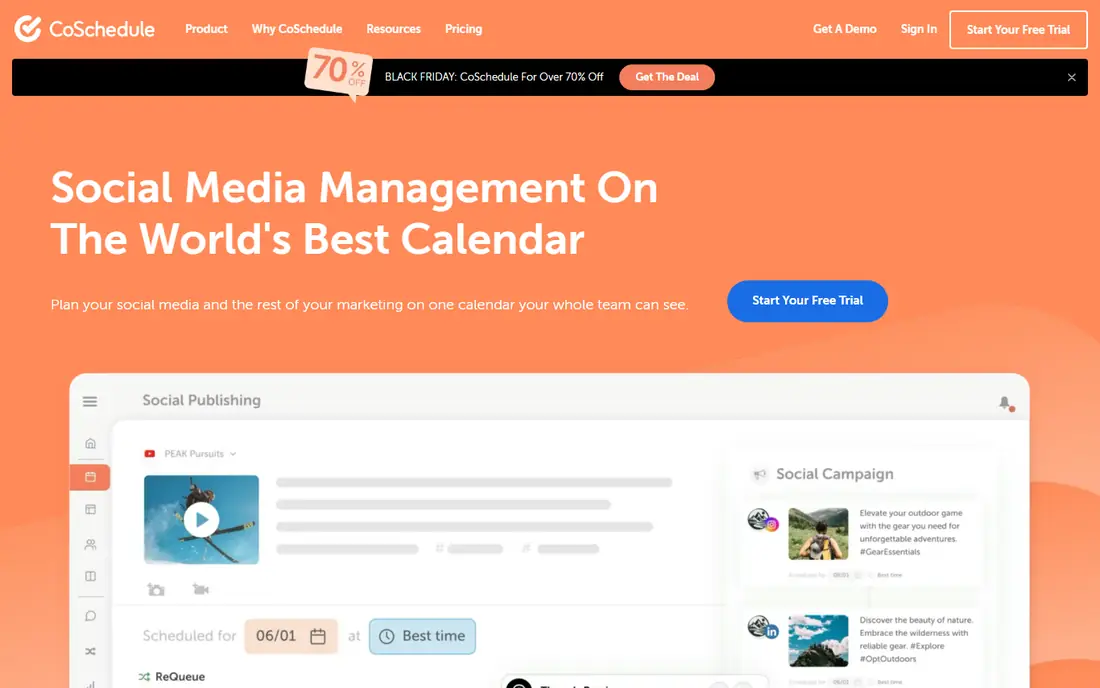
CoSchedule is built around the marketing calendar, which makes it a natural fit for content-driven teams. You can plan blog posts, social posts, emails, and campaigns on one calendar, assign owners, and see gaps before they become missed deadlines. Social scheduling and headline tools help small content teams publish consistently without juggling separate apps.
The limit is scope. CoSchedule is less strong than Wrike or Asana for complex cross-department portfolios, resource planning, or enterprise reporting. Paid plans are listed from $19 per user per month in recent vendor listings, with a free plan for basic calendar use. If content is your main output, CoSchedule is hard to beat, but if you manage large multi-team programs, pair it with a broader work tool.
- Unified content and social calendar
- Headline and social optimization
- WordPress integration
- Less strong for complex project portfolios
- Paid plans add up for large teams

Asana suits marketing teams that want campaign plans with clear ownership and deadlines. You can build a project per campaign, add tasks for creative, copy, and distribution, and use timeline views to spot clashes before launch. Approvals and forms help intake requests from sales or product teams without losing them in email.
The free plan covers only a small number of users, so most marketing teams will need paid seats. Starter is listed at $10.99 per user per month on annual billing, with portfolios and goals on higher tiers. If your team is small and mostly needs a shared calendar, CoSchedule or Trello-style boards may be cheaper, but Asana is stronger for structured campaign delivery.
- Clear campaign projects
- Timeline views
- Goals and portfolios on higher tiers
- Free plan covers very few users
- Advanced reporting needs higher tiers
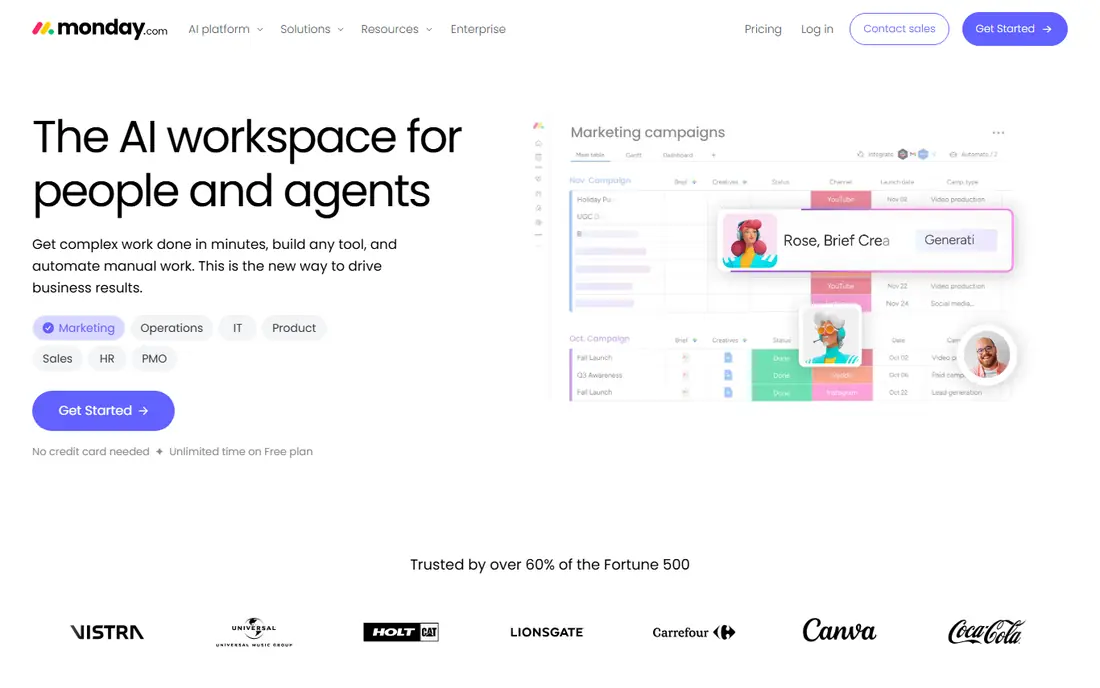
Monday.com is a good fit for marketing teams that like visual planning. Boards can track campaigns, budgets, content status, and channel performance, and dashboards turn that data into a view managers can read at a glance. Automations handle status changes, reminders, and notifications, which cuts down on manual chasing.
Pricing needs care, since paid plans start at $9 per seat per month on annual billing with a three-seat minimum, and the free plan covers up to two seats. Timeline and Gantt views sit on higher tiers, so confirm which plan includes the views your team needs. For visual teams that want flexibility without heavy setup, Monday.com is a strong choice.
- Flexible boards
- Visual dashboards
- Automations for routine campaign tasks
- Three-seat minimum on paid plans
- Timeline and Gantt views need higher tiers
Wrike suits marketing teams with complex approval chains and creative production. Custom workflows can route briefs through design, copy, legal, and brand review, and built-in proofing lets reviewers comment directly on files. Resource planning helps managers balance workloads across campaigns, which matters when several launches overlap.
Setup is the trade-off. Wrike rewards careful configuration, and teams that skip it may find the tool heavy at first. Team is listed at $10 per user per month on annual billing, with a free plan for basic tasks, and full multi-source calendar features need higher tiers. For enterprise marketing and creative operations, Wrike is one of the strongest options here.
- Custom workflows
- Built-in proofing
- Resource and workload planning
- Setup takes time
- Full calendar features need higher tiers
Airtable is best for marketing teams that think in data: content libraries, asset lists, influencer lists, budgets, and campaign trackers. You can build a base for each workflow, link records across bases, and switch between grid, calendar, kanban, and gallery views. That flexibility makes it popular for content operations and marketing asset management.
Without governance, bases can grow messy, with duplicate fields and unclear ownership. Teams should agree on naming, owners, and update routines early. Team pricing is listed at $20 per user per month on annual billing, with a free plan for basic use. If your planning is mostly lists and budgets, Airtable is excellent, but if you need strict project timelines, Asana or Wrike may fit better.
- Flexible databases
- Calendar, gallery, and kanban views
- Many integrations
- Can become complex without governance
- Paid plans are pricier than boards
Planable is designed for social content planning and approvals, which makes it ideal for agencies and social teams. You can draft posts, preview them as they will appear on each channel, and send them to clients for approval with comments in context. That approval flow removes the usual screenshot and email loop that slows social publishing.
It is not a full campaign portfolio tool. Budget planning, resource management, and cross-channel program reporting are outside its main focus, so larger marketing teams may pair it with Asana or Monday.com. Pricing is listed on the vendor site and varies by workspace, with a free plan for basic use. For social approval speed, Planable is a clear standout.
- Visual social calendar
- Clear client approvals
- Real-time collaboration
- Focused on social and content, not full campaign portfolios
- Pricing varies by workspace
ClickUp appeals to marketing teams that want one workspace for tasks, docs, goals, whiteboards, and dashboards. You can plan campaigns, track content, set goals, and report progress without buying separate tools. The free plan covers unlimited members with limited storage, which helps small teams start without a budget.
The breadth is also the drawback. ClickUp has many features, and teams that only need a calendar may find setup and navigation heavier than CoSchedule or Planable. Unlimited is listed at $7 per user per month on annual billing in recent vendor listings. If your team will use docs, goals, and dashboards together, ClickUp offers strong value, but keep the workspace structure simple.
- Tasks, docs, goals, and dashboards in one place
- Generous free plan
- Many views
- Setup can feel heavy
- Interface can feel busy for simple calendar work
Smartsheet suits marketing teams that already plan in spreadsheets and want structure without learning a new interface. Sheets can track campaigns, budgets, and content, with Gantt charts, card views, and dashboards on top. Automations handle approvals and reminders, which helps operations-heavy teams.
There is no permanent free plan, only a trial, so budget from the start. Pro pricing is listed at $9 per user per month on annual billing in recent listings, with higher tiers for advanced reporting. If your team loves spreadsheets but needs collaboration, permissions, and reporting, Smartsheet is a practical bridge, though visual teams may prefer Monday.com.
- Familiar spreadsheet interface
- Gantt and dashboard views
- Automations
- No permanent free plan
- Can feel less visual than Monday.com
How we picked these
We compared official pricing and feature pages, plus public reviews, for tools that help marketing teams plan campaigns, content, and budgets. We kept tools that are available today, offer a free plan or trial, and cover a distinct planning style, from content calendars to agency approvals to spreadsheet planning. Prices are annual billing rates where vendors publish them, and they change often, so check the vendor page before buying. We did not claim hands-on testing of every plan, and we focused on published features and limits.
How to choose marketing planning software
Start with the planning problem that costs you the most time today, whether that is missed content deadlines, slow approvals, or unclear budgets. The right tool should fix that problem first.
Map your campaign workflow
List the steps from brief to publish for a typical campaign, including who approves what and where assets live. If approvals are the bottleneck, prioritize Asana, Wrike, or Planable. If content volume is the bottleneck, prioritize CoSchedule. If budget and asset tracking is the bottleneck, prioritize Airtable or Smartsheet. A tool that does not match your bottleneck will feel like extra work.
Check who needs a paid seat
Free plans often cover only a few users, and paid pricing varies by seat minimums and tiers. Count full team members, plus freelancers and clients who need to comment or approve, and check whether they can participate for free. A tool with a higher per-seat price but free collaborators can be cheaper overall than a tool that charges for every viewer.
Trial on a real campaign
Run a trial on one live campaign, not a demo project, and measure whether deadlines, approvals, and reporting actually improve. Check calendar sharing, mobile access, and integrations with your email, social, and analytics tools. If the team still tracks the real plan in a spreadsheet after two weeks, the tool is not the right fit, however good its feature list looks.
Frequently asked questions
What is the best marketing planning software?
CoSchedule is our pick for content-driven teams, Asana and Monday.com for general campaign planning, Wrike for creative workflows, Airtable for database-style planning, and Planable for social approvals. The best choice depends on whether your main work is content, campaigns, creative production, or budget tracking.
What is the best marketing plan software for small teams?
CoSchedule free or ClickUp free are good starting points for small teams, since both cover calendars and tasks without an upfront cost. Asana free and Monday.com free cover only a few users, so they suit very small teams or trials. Start free, then upgrade when approvals, reporting, or workload views become necessary.
Which marketing planning tool is best for agencies?
Planable is best for social content approvals with clients, while Wrike and Asana suit agencies managing multi-client campaigns and creative approvals. Teamwork-style client views also matter for agencies, so test client permissions and reporting during a trial. The right agency tool should make client approval fast without exposing internal work.
Is CoSchedule better than Asana for marketing?
CoSchedule is better for content calendars and social planning, while Asana is better for structured campaign projects, timelines, and cross-team delivery. Many content teams use CoSchedule as their calendar and Asana as their project tracker, but most small teams should pick one to avoid double entry. Choose by whether content or campaign delivery is your main bottleneck.
Do marketing planning tools include social scheduling?
Some do, and some need an integration. CoSchedule and Planable include social scheduling and approvals, while Asana, Monday.com, and Wrike focus on planning and usually connect to social tools through integrations. If social publishing is core to your work, confirm scheduling, preview, and approval features in your trial.
How much does marketing planning software cost?
Entry paid plans in this list run from $7 to $20 per user per month on annual billing, with free plans for basic use and trials for tools like Smartsheet. Enterprise features such as advanced reporting, proofing, and resource planning usually need higher tiers. Always price for your full team, including collaborators, before comparing headline rates.
Sources we checked (8)

Online Jobs is an independent blog about careers, online work, learning new skills and the tools that help people earn. More about us.
Keep reading
All posts
ZoomInfo Alternatives
The best ZoomInfo alternatives in 2026, compared on price, free plans, data coverage, and which tool fits small teams or large sales teams best in detail.

Workday Alternatives
We compared the best workday alternatives for HR, payroll, and global hiring, from BambooHR and Gusto to Rippling, Deel, and HiBob for growing teams in 2026.

Which SaaS Tools Have the Best Customer Support
Which SaaS tools have the best customer support? Compare eight popular tools on help centres, live help, response options and overall support quality.