Best Legal Case Management Software in 2026: 8 Tools Compared

How we put this together: we compare official feature and pricing pages, app store listings, privacy policies and public user reviews. Prices change, so check the provider's site before you pay.
Key takeaways
- Clio is our pick for most firms, thanks to its broad feature set, large integration library, and mature mobile apps.
- MyCase suits solo and small firms that want a clean interface, a client portal, and straightforward billing.
- PracticePanther stands out for billing-led firms that want native e-signatures and two-way texting.
- Smokeball is the best fit for document-heavy practices that will use automatic time capture every day.
- Filevine suits litigation and personal injury firms that need deep workflow customization.
Quick comparison
| Name | Who it suits | Starting price | Free option | |
|---|---|---|---|---|
 Clio | Most firms | $49 per user per month | No | Visit |
 MyCase | Solo and small firms | $39 per user per month | No | Visit |
 PracticePanther | Billing and automation | $49 per user per month | No | Visit |
 Smokeball | Document-heavy practices | See website | No | Visit |
 Filevine | Litigation and personal injury | See website | No | Visit |
 CosmoLex | Built-in accounting | $49 per user per month | No | Visit |
 LEAP | Small firms on Microsoft tools | See website | No | Visit |
 Actionstep | Custom workflows | $49 per user per month | No | Visit |
The best legal case management software
Good legal case management software keeps matters, deadlines, documents, time, and billing in one place, so nothing falls through the cracks. We compared official feature pages, pricing, trust accounting support, and client portal tools for the platforms below.

Clio is the safest default for a general practice that wants one system to grow with. Matter management, time tracking, billing, document storage, and deadlines sit together, and the integration library covers accounting, e-signature, and court tools that many firms already use. The client portal and mobile apps also make it easier for clients to share documents and pay bills.
The main drawback is tiering. Entry pricing looks accessible, but workflow automation, custom fields, and advanced reporting require higher plans. Solo lawyers with simple needs may find a cheaper tool does the job. For a growing firm that wants depth and a large support community, Clio is still the strongest all-round choice.
- Broad matter, billing, and document tools
- Large integration library
- Strong mobile apps and client portal
- Best automation and reporting sit on higher plans
- Per-user cost rises quickly for larger teams
- Setup takes care for complex firms
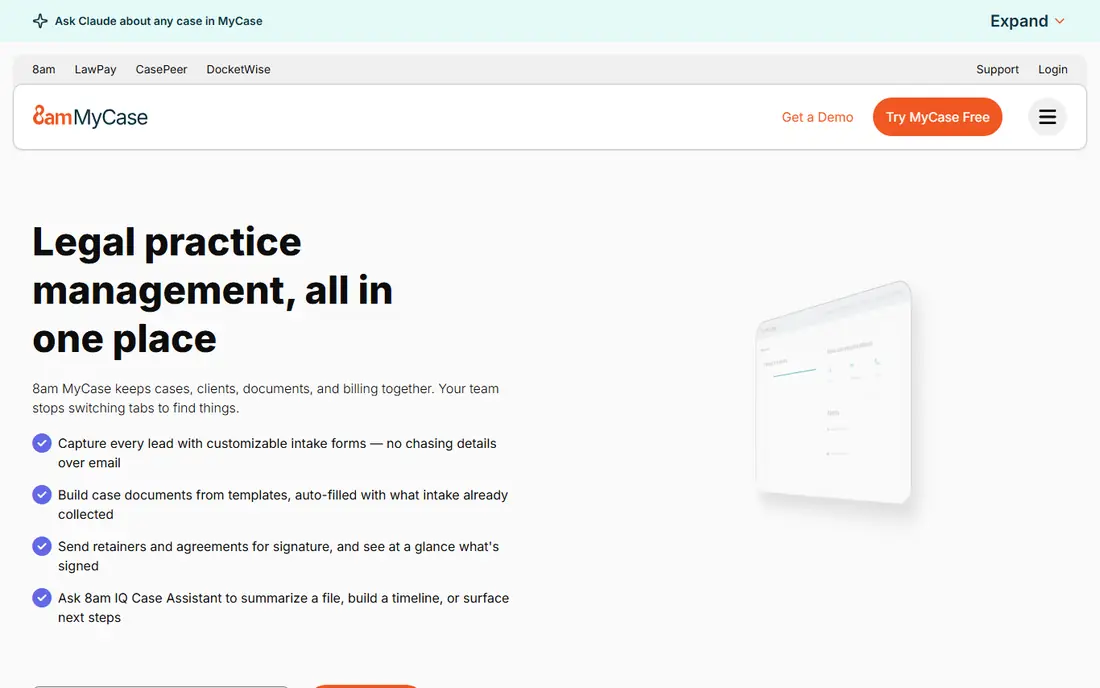
MyCase is built for firms that want to get started fast without a long implementation project. The interface is clear, the client portal handles messages, documents, and payments, and billing and trust accounting are built in rather than bolted on. That simplicity suits solo lawyers and small teams moving away from spreadsheets or paper files.
The trade-off is depth. Firms with complex workflows, heavy customization needs, or unusual reporting may hit limits sooner than they would with Clio or Filevine. For a small consumer-facing practice that values ease of use and client communication, MyCase is an excellent fit at a fair price.
- Clean, easy-to-learn interface
- Built-in client portal and messaging
- Native billing and trust accounting tools
- Customization is lighter than Clio or Filevine
- Advanced reporting sits on higher plans
- Fewer integrations than Clio
PracticePanther appeals to firms where billing and client communication drive the day. You can send invoices, collect payments, get documents signed, and text clients from inside a matter, without buying several add-on tools. Automation rules can move matters forward, remind staff of tasks, and cut manual follow-up.
Pricing climbs with the plan, and the features that make PracticePanther stand out are not all on the entry tier. Check which tier includes the texting, e-signature, and intake tools you actually need before you compare headline prices. For billing-intensive practices, the bundled communication tools can still save money overall.
- Native e-payments, e-signatures, and two-way texting
- Strong billing and automation tools
- Clean interface for daily work
- Higher plans get expensive
- Some users report billing and support frustrations
- Advanced intake tools sit on higher tiers
Smokeball is different because it captures time automatically from the work you already do in documents and emails, rather than asking lawyers to reconstruct their day. For real estate, estate planning, family, and other document-heavy practices, that capture alone can recover billable time that would otherwise go unrecorded. Document automation also speeds up standard forms and letters.
The price is quote-based, so you cannot compare it directly from a pricing page, and smaller firms with light document volume may not need its depth. Implementation also matters, since templates and workflows need setup to pay off. For a busy document practice, Smokeball can justify its cost quickly.
- Automatic time and activity capture
- Strong document automation with Microsoft Office
- Matter management built around documents
- Pricing requires a quote
- May be more than simple firms need
- Implementation takes time to get full value
Filevine is built for firms that run many similar cases at volume, such as personal injury, mass tort, and immigration practices. You can build workflows, deadlines, task chains, and reports around each case type, so staff follow the same steps on every matter. That structure helps larger teams keep quality consistent as caseload grows.
The cost is complexity. Filevine needs thoughtful setup, and pricing is quote-based, so budgeting takes a sales conversation. Firms with simple, varied work may find MyCase or Clio easier to run. For litigation teams that live by workflows and reports, Filevine is one of the strongest options available.
- Deep workflow customization for case types
- Strong reporting and task automation
- Suits high-volume litigation teams
- Pricing requires a quote
- Setup is more involved than simpler tools
- Trust accounting usually pairs with another tool
CosmoLex suits firms that want accounting and practice management in one subscription, rather than syncing two systems. Trust accounting, operating accounts, billing, and matter management sit together, which cuts reconciliation work and reduces the risk of trust errors. That single-system design is a real advantage for compliance-minded firms.
The interface feels more traditional than Clio or MyCase, and the integration library is smaller. If your firm already runs QuickBooks and wants to keep it, a tool with a deeper QuickBooks sync may fit better. If you want to replace separate accounting software, CosmoLex is a strong, focused choice.
- Full legal accounting including trust accounting built in
- Matter, billing, and documents in one system
- Good compliance focus
- Interface is functional rather than modern
- Integration range is narrower than Clio
- Higher tiers needed for some features
LEAP is a long-standing practice management tool that works closely with Microsoft Word, Outlook, and document workflows that many small firms already use. Matter management, time recording, billing, and document automation sit in one system, and the firm can keep working in familiar Office apps. That familiarity shortens training for teams that already live in Microsoft tools.
Pricing is not always published as a simple per-user figure, so you will need a quote for your firm size and region. The product also spans cloud and desktop elements, which can take a short adjustment period. For a small firm anchored in Microsoft 365, LEAP is a practical, well-supported option.
- Deep Microsoft 365 integration
- Matter, document, and billing tools in one place
- Strong support for small firms
- Pricing requires a quote in many regions
- Cloud and desktop mix can confuse new users
- Feature depth varies by practice area
Actionstep is the pick for firms that do not fit a standard template. You can shape matter types, workflows, documents, and accounting around how your firm actually works, rather than forcing work into preset stages. Built-in trust accounting and billing mean you do not need a separate accounting tool for core needs.
That flexibility is also the catch, since a highly custom system needs time to design and test. Firms that want to start in a day may prefer MyCase. Firms with varied work, from conveyancing to family law, that are willing to invest in setup will get more lasting value from Actionstep.
- Highly customizable workflows and matter types
- Built-in accounting and trust tools
- Good fit for varied practice areas
- Customization takes setup time
- Interface can feel dense at first
- Support and onboarding quality matters for complex builds
How we picked these
We compared official feature pages, pricing, trust accounting, client portal tools, and workflow depth, and we favoured platforms that are widely used by US law firms and still actively maintained. We included options for solo lawyers, small firms, and larger litigation teams, rather than only the biggest names. We did not claim hands-on testing, and prices vary by billing period and plan, so confirm the quote for your firm size before you decide.
What to check before you buy legal software
Start with trust accounting and billing, since those are the hardest to fix later. Confirm that the tool handles your state trust rules, supports the payment methods your clients use, and produces the reports your accountant needs. A tool that looks good for matters but weak on accounting will cost you time every month.
Next, test the daily workflow with real matters. Run a sample case from intake to invoice, including documents, deadlines, messages, and payments, and involve the staff who will use it every day. Check mobile access too, since lawyers often need matter details outside the office.
Finally, plan migration and training. Ask how your existing matters, contacts, documents, and billing history will move over, what that migration costs, and how long support stays available after launch. A short trial with your own data tells you more than a polished demo ever will.
Frequently asked questions
Which legal case management software is the best for lawyers?
Clio is our pick for most firms, since it covers matters, billing, documents, and integrations in one mature system. MyCase suits solo and small firms that want simplicity, while Filevine suits litigation teams that need custom workflows. The best tool depends on your practice area, firm size, and accounting needs.
What is the best case management software for small law firms?
MyCase and PracticePanther are strong starting points for small firms, thanks to clear interfaces, client portals, and published pricing. Clio also works well for small firms that expect to grow into its higher tiers. Pick the tool your staff will actually use daily, and confirm that billing and trust accounting fit your state rules.
How much does legal case management software cost?
Most tools in this list start around $39 to $49 per user per month on annual billing, while Smokeball, Filevine, and LEAP use quote-based pricing that varies by firm size. Add payment processing, intake tools, e-signatures, and migration costs to get the true total. For a five-person firm, expect roughly $2,500 to $3,000 per year at entry pricing, before add-ons.
Does legal case management software include trust accounting?
Many tools include trust accounting, including Clio, MyCase, PracticePanther, CosmoLex, and Actionstep, though depth varies. Filevine often pairs with a separate accounting tool, so check that detail if trust accounting matters to you. Always confirm that the tool meets your state bar rules and produces the reports you need.
Can I switch legal software later if I choose wrong?
Yes, most vendors offer migration help, but moving matters, documents, billing history, and trust balances takes planning. Clean your data before you move, run both systems briefly if you can, and schedule the switch during a quieter period. A trial with your own matters will reduce the chance of a costly switch later.
Sources we checked (8)

Online Jobs is an independent blog about careers, online work, learning new skills and the tools that help people earn. More about us.
Keep reading
All posts
ZoomInfo Alternatives
The best ZoomInfo alternatives in 2026, compared on price, free plans, data coverage, and which tool fits small teams or large sales teams best in detail.

Workday Alternatives
We compared the best workday alternatives for HR, payroll, and global hiring, from BambooHR and Gusto to Rippling, Deel, and HiBob for growing teams in 2026.

Which SaaS Tools Have the Best Customer Support
Which SaaS tools have the best customer support? Compare eight popular tools on help centres, live help, response options and overall support quality.