Best Learning Management Software in 2026: 9 Platforms Compared

How we put this together: we compare official feature and pricing pages, app store listings, privacy policies and public user reviews. Prices change, so check the provider's site before you pay.
Key takeaways
- Moodle is the low-cost open option for schools and teams with technical help in house.
- TalentLMS and LearnWorlds are the friendliest starting points for small teams and course sellers.
- Canvas and Docebo suit larger organizations that need depth, integrations, and admin control.
- Free plans are useful for testing, but course limits and user caps arrive quickly on most of them.
- Check reporting, certificates, and mobile access before price, since those decide whether training actually gets used.
Quick comparison
| Name | Who it suits | Starting price | Free option | |
|---|---|---|---|---|
 Moodle | schools and teams with technical support | Free | Yes | Visit |
 Canvas LMS | schools and universities | See website | No | Visit |
 TalentLMS | small team training | $119 per month | Yes | Visit |
 Docebo | large organization training | See website | No | Visit |
 LearnUpon | employee and customer training | See website | No | Visit |
 Absorb LMS | growing company training | See website | No | Visit |
 360Learning | collaborative team learning | See website | No | Visit |
 iSpring Learn | quick corporate training rollout | See website | No | Visit |
 LearnWorlds | selling online courses | $24 per month | No | Visit |
The best learning management software
A learning management system should make it easy to publish a course, track who finished it, and prove completion when it matters. The platforms below cover schools, employee training, and paid courses, and they differ mainly in audience and pricing model.
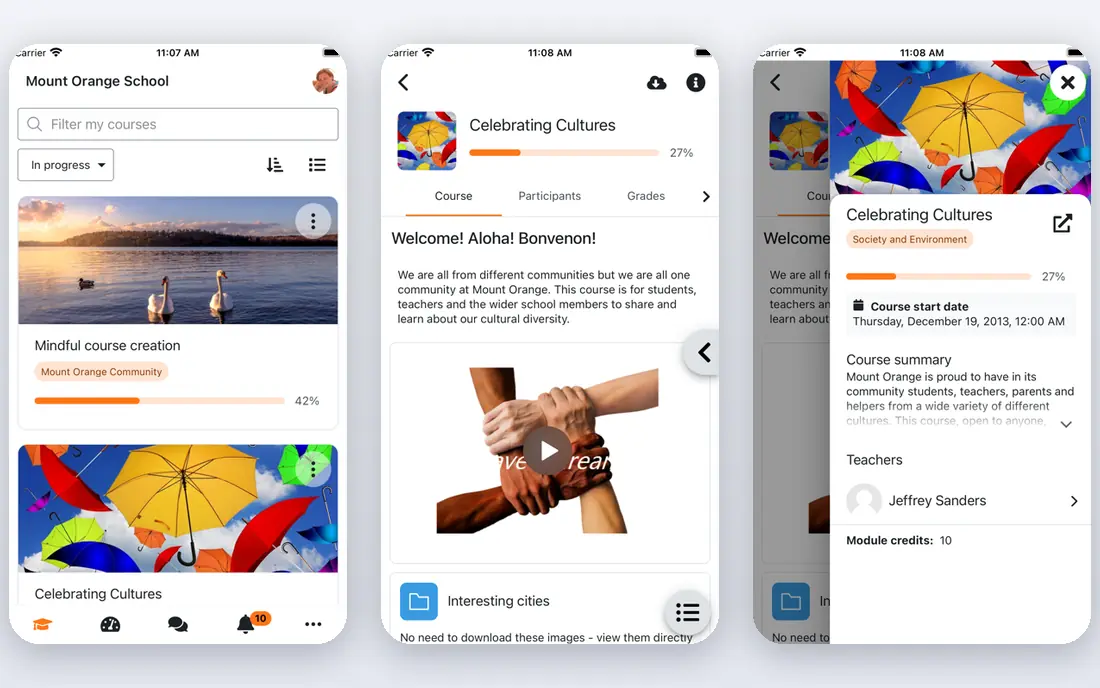
For schools, colleges, and nonprofits on a tight budget, Moodle stands out for cost control and flexibility for organizations that can host it. In practice, that means the product is strongest when your main need matches its focus, rather than when you need every feature on the market. It is a sensible shortlist entry, not a default pick for everyone, and the paragraphs below explain why.
The honest catch is that a team without technical help may find setup and upkeep demanding. That limit does not make it a poor product, but it does mean you should test the exact workflow you will use daily before paying. Check the plan limits, the free plan or trial terms, and the support options on the vendor site, since those details decide the real cost. If those checks pass, it is a solid choice for its stated audience, and a weak choice only when your needs sit outside that audience.
- Free open-source software
- Huge plugin and community ecosystem
- Full control over hosting and data
- Needs hosting and setup help
- Interface feels dated next to newer platforms
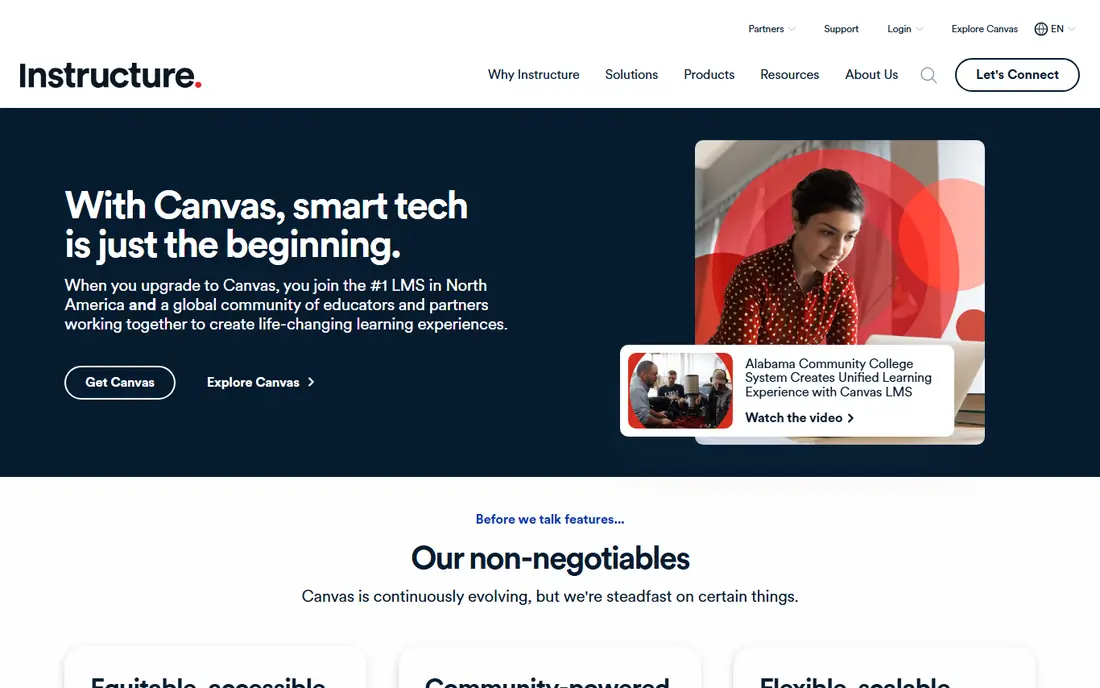
Canvas LMS is a natural fit for schools, colleges, and universities, thanks to a complete classroom system for education. In practice, that means the product is strongest when your main need matches its focus, rather than when you need every feature on the market. It is a sensible shortlist entry, not a default pick for everyone, and the paragraphs below explain why.
The honest catch is that small businesses may find it more platform than they need. That limit does not make it a poor product, but it does mean you should test the exact workflow you will use daily before paying. Check the plan limits, the free plan or trial terms, and the support options on the vendor site, since those details decide the real cost. If those checks pass, it is a solid choice for its stated audience, and a weak choice only when your needs sit outside that audience.
- Strong course, grading, and assignment tools
- Widely used in education
- Good integrations
- Pricing is by institution and not published
- Setup suits schools more than small businesses
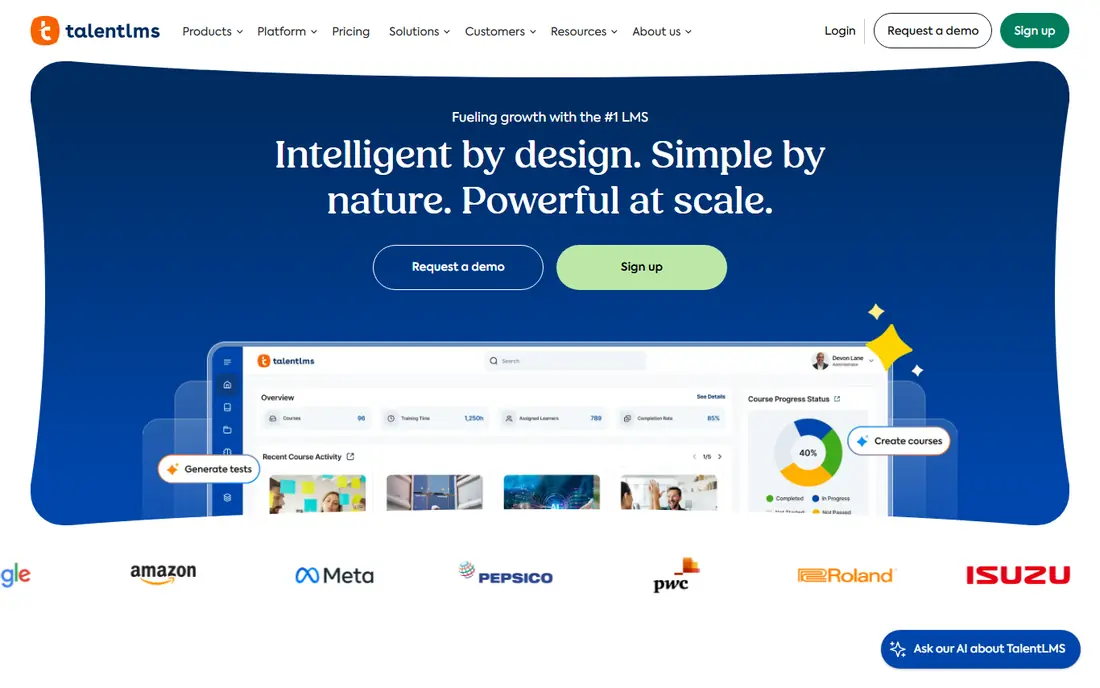
If you are in small and mid-size teams training staff, TalentLMS deserves a close look for fast setup for straightforward employee training. In practice, that means the product is strongest when your main need matches its focus, rather than when you need every feature on the market. It is a sensible shortlist entry, not a default pick for everyone, and the paragraphs below explain why.
The honest catch is that a company with hundreds of learners should model the band pricing first. That limit does not make it a poor product, but it does mean you should test the exact workflow you will use daily before paying. Check the plan limits, the free plan or trial terms, and the support options on the vendor site, since those details decide the real cost. If those checks pass, it is a solid choice for its stated audience, and a weak choice only when your needs sit outside that audience.
- Clear setup for small teams
- Free plan for up to 5 users and 10 courses
- Certificates and reports included
- Paid plans price by user bands, so costs rise as headcount grows
- Advanced customization sits on higher plans
Docebo earns its place here through scale and control for enterprise learning programs, which suits large companies and enterprises. In practice, that means the product is strongest when your main need matches its focus, rather than when you need every feature on the market. It is a sensible shortlist entry, not a default pick for everyone, and the paragraphs below explain why.
The honest catch is that small teams may find the sales and setup process heavy. That limit does not make it a poor product, but it does mean you should test the exact workflow you will use daily before paying. Check the plan limits, the free plan or trial terms, and the support options on the vendor site, since those details decide the real cost. If those checks pass, it is a solid choice for its stated audience, and a weak choice only when your needs sit outside that audience.
- Deep admin, reporting, and integration options
- Suits large learner populations
- Content and AI-assisted tools
- Pricing is by quote and implementation can take time
- Overkill for a tiny team
Among companies training staff, partners, or customers, LearnUpon is often the practical choice because of training different audiences from one system. In practice, that means the product is strongest when your main need matches its focus, rather than when you need every feature on the market. It is a sensible shortlist entry, not a default pick for everyone, and the paragraphs below explain why.
The honest catch is that buyers who want instant self-serve pricing will need a sales conversation. That limit does not make it a poor product, but it does mean you should test the exact workflow you will use daily before paying. Check the plan limits, the free plan or trial terms, and the support options on the vendor site, since those details decide the real cost. If those checks pass, it is a solid choice for its stated audience, and a weak choice only when your needs sit outside that audience.
- Clean learner experience
- Separate portals for staff, customers, and partners
- Solid reporting
- Pricing is by quote
- Smaller teams may want a published price to compare quickly
For mid-size and large companies weighing options, Absorb LMS offers reporting depth for managers who need proof of completion as its main draw. In practice, that means the product is strongest when your main need matches its focus, rather than when you need every feature on the market. It is a sensible shortlist entry, not a default pick for everyone, and the paragraphs below explain why.
The honest catch is that a very small team may not need this much admin power. That limit does not make it a poor product, but it does mean you should test the exact workflow you will use daily before paying. Check the plan limits, the free plan or trial terms, and the support options on the vendor site, since those details decide the real cost. If those checks pass, it is a solid choice for its stated audience, and a weak choice only when your needs sit outside that audience.
- Strong reporting and admin tools
- Mobile access for learners
- Ecommerce options for selling courses
- Pricing is by quote
- Interface depth takes some learning for new admins
360Learning suits companies that want staff to build courses together best, with turning internal experts into course authors doing most of the work. In practice, that means the product is strongest when your main need matches its focus, rather than when you need every feature on the market. It is a sensible shortlist entry, not a default pick for everyone, and the paragraphs below explain why.
The honest catch is that a top-down compliance program may not use its collaborative strengths. That limit does not make it a poor product, but it does mean you should test the exact workflow you will use daily before paying. Check the plan limits, the free plan or trial terms, and the support options on the vendor site, since those details decide the real cost. If those checks pass, it is a solid choice for its stated audience, and a weak choice only when your needs sit outside that audience.
- Focus on collaborative course creation by in-house experts
- Good for peer-led learning
- Modern interface
- Pricing is by quote
- Collaborative model suits some cultures better than others
iSpring Learn will appeal first to companies converting slide decks and documents into courses for getting existing training material online quickly. In practice, that means the product is strongest when your main need matches its focus, rather than when you need every feature on the market. It is a sensible shortlist entry, not a default pick for everyone, and the paragraphs below explain why.
The honest catch is that buyers who need deep custom learning paths should check plan limits. That limit does not make it a poor product, but it does mean you should test the exact workflow you will use daily before paying. Check the plan limits, the free plan or trial terms, and the support options on the vendor site, since those details decide the real cost. If those checks pass, it is a solid choice for its stated audience, and a weak choice only when your needs sit outside that audience.
- Fast course publishing, including PowerPoint-based courses
- Tracking and certificates
- Mobile app
- Pricing is by quote on its site
- Course authoring depth varies by plan
LearnWorlds is built around creators who sell courses and want a branded storefront, a good match for course creators and training businesses. In practice, that means the product is strongest when your main need matches its focus, rather than when you need every feature on the market. It is a sensible shortlist entry, not a default pick for everyone, and the paragraphs below explain why.
The honest catch is that internal HR training teams may prefer a pure LMS instead. That limit does not make it a poor product, but it does mean you should test the exact workflow you will use daily before paying. Check the plan limits, the free plan or trial terms, and the support options on the vendor site, since those details decide the real cost. If those checks pass, it is a solid choice for its stated audience, and a weak choice only when your needs sit outside that audience.
- Course selling tools, branded site, and interactive video
- Starter plan is published and affordable
- Transaction fees and feature limits vary by plan, so read the plan details
- Less suited to internal compliance tracking
How we picked these
We compared official feature pages, pricing pages, and app store listings for each product, and we kept only products that exist, work today, and truly fit the topic. Prices and free tiers come from vendor sites or app store listings where we could verify them, and we wrote See website where a price could not be verified cleanly. We did not claim hands-on testing we did not do, and we did not invent awards, user counts, ratings, or features.
That method favors products with clear pricing and clear limits over products with vague claims. Where two products looked similar, we kept the one with the clearer fit for a specific buyer, since a list of near-identical options helps no one choose.
How to choose a learning management system
Match the platform to the learner
Employee compliance training needs certificates, reminders, and completion reports. A school needs grading and class management. A course seller needs checkout and marketing tools. One platform rarely leads on all three.
Test with a real course
Build one full course, enroll a small group, and run the reports before you pay. That short test reveals more than a feature list, especially around mobile access and ease of use for learners.
Count total users, not just admins
Many platforms price by active learner bands, so a plan that looks cheap for 20 people can jump sharply at 100. Map your learner count for the next year before you commit.
Frequently asked questions
What is the best learning management software?
It depends on the job. Moodle fits schools with technical support, TalentLMS fits small team training, and LearnWorlds fits selling courses. Start from your learners, then shortlist two platforms and test them.
What is the top learning management software for employee training?
TalentLMS, Docebo, and LearnUpon are strong for employee training, because they cover course delivery, tracking, and reporting in one place. Larger firms may prefer Docebo or Absorb for deeper admin controls.
Is there free learning management system software?
Yes. Moodle is free open-source software you host yourself, and TalentLMS offers a free plan for up to 5 users and 10 courses. Free plans suit testing and very small groups, not large programs.
What is the difference between an LMS and a course platform?
An LMS focuses on delivering training and tracking completion, often inside an organization. A course platform adds selling tools such as checkout pages and marketing, which matters more for creators who sell courses.
Do these platforms work on phones?
Most do, through a mobile app or a mobile-friendly site. Check the learner experience on a phone during your trial, since many learners will complete courses away from a desk.
Sources we checked (9)

Online Jobs is an independent blog about careers, online work, learning new skills and the tools that help people earn. More about us.
Keep reading
All posts
Zoom Alternatives
Zoom alternatives compared for 2026: Google Meet, Microsoft Teams, Webex, Jitsi and more for free calls, large meetings and webinars for teams and classrooms.

Which Software Is Best for Data Entry
Compare the best data entry software for forms, OCR scanning, and spreadsheets, with free plans, pricing, and honest limits for each tool before you commit.

What Is the Best Free Tool to Rotate a PDF
What is the best free tool to rotate a PDF? We compare eight free rotation tools on per-page control, limits, privacy and saved output quality in detail.