Best Law Firm Practice Management Software in 2026: 8 Tools Compared

How we put this together: we compare official feature and pricing pages, app store listings, privacy policies and public user reviews. Prices change, so check the provider's site before you pay.
Key takeaways
- Clio is our pick for the broadest ecosystem, while MyCase suits solos and small firms that want a simpler all-in-one setup.
- PracticePanther leads on automation for many small firms, and CosmoLex is the pick to check first when built-in trust accounting matters most.
- Most tools in this list offer a free trial and no permanent free plan, so test billing, calendaring, and document handling on real matters.
- This article is general information, not legal advice, and firms should have a lawyer review trust, billing, and compliance settings for their jurisdiction.
Quick comparison
| Name | Who it suits | Starting price | Free option | |
|---|---|---|---|---|
 Clio | General practice firms of many sizes | See website | Free trial | Visit |
 MyCase | Solos and small firms | See website | Free trial | Visit |
 PracticePanther | Automation-focused small firms | $49 per month | Free trial | Visit |
 CosmoLex | Built-in trust accounting | $49 per month | Free trial | Visit |
 Smokeball | Document-heavy small firms | See website | Free trial | Visit |
 Rocket Matter | Billing-focused firms | See website | Free trial | Visit |
 Filevine | Litigation and high-volume cases | See website | Free trial | Visit |
 LEAP | Firms needing document automation | See website | Free trial | Visit |
The best law firm practice management software
We compared tools that manage matters, clients, calendars, documents, time, and billing in one system, rather than generic project tools. The right pick depends on practice area, firm size, and whether the firm holds client funds, because trust accounting and deadline handling are not optional extras for many firms.

Clio suits a firm that wants one system to grow with it. Matters, contacts, documents, calendars, time entries, and invoices can sit together, and integrations cover accounting, e-signature, and document tools that many firms already use. That breadth helps a general practice firm that handles several matter types without buying a separate tool for each one. The catch is tiering. Entry plans cover the core well, but workflow automation, advanced reporting, and some client intake features sit higher up. A firm should map the features it needs to a specific tier before it signs, and test the trial on a real matter type, not just a demo case.
- Broad integration library
- Matter, billing, and client tools in one system
- Strong mobile and reporting options
- Higher tiers are needed for the deepest automation
- Pricing varies by plan and add-ons
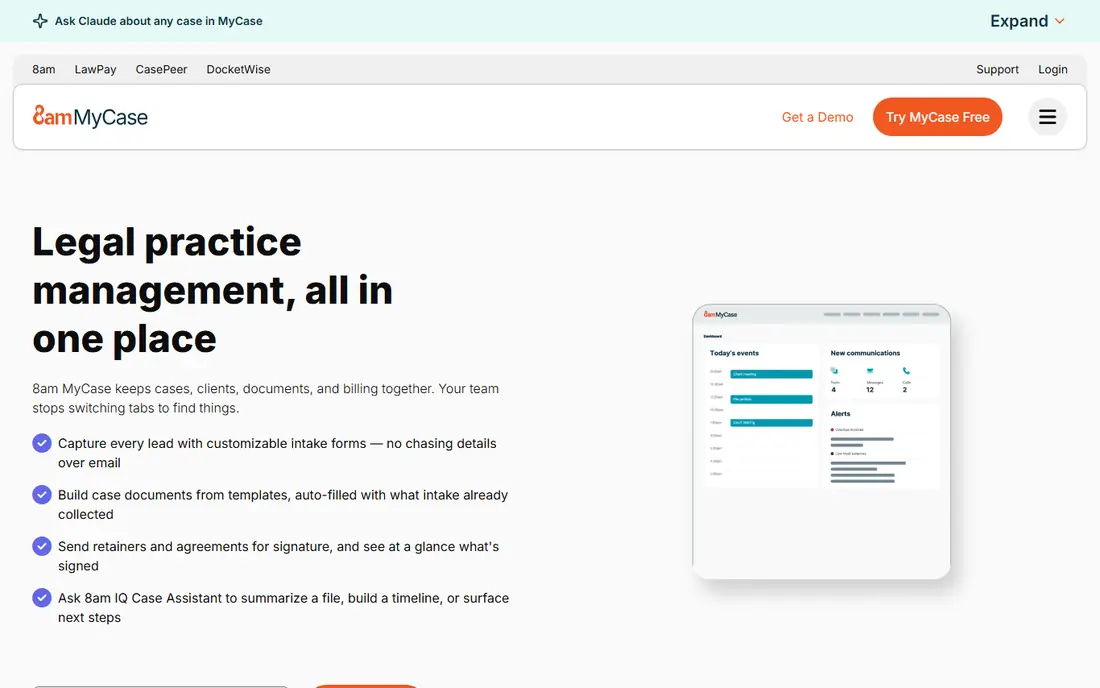
MyCase is a strong fit for solos and small firms that want clients to message, share documents, and pay without a chain of emails. The client portal keeps communication in one place, which reduces missed messages and gives clients a clear view of invoices and case updates. Billing and time tracking are also straightforward for a small team. The limit is depth for larger or highly specialized firms. Custom workflows and reporting are more limited than in enterprise-focused tools. For a small consumer-facing firm, that simplicity is a benefit, because staff can learn the system fast and keep cases moving.
- Clear client portal and communication tools
- Straightforward billing and payments
- Easy setup for small teams
- Customization is thinner than some enterprise tools
- Advanced workflows may need higher tiers
PracticePanther appeals to firms that want routine work to happen without manual chasing. Automated reminders, intake forms, and task rules can move a matter forward when a document arrives or a deadline changes. Two-way texting also helps firms that serve clients who prefer messages to email. Setup takes care. Automation only helps when the firm maps its real workflow first, including intake, conflicts, billing, and closing steps. A firm that invests that time early will get more from the tool than a firm that turns on every automation at once.
- Useful automation and workflow tools
- Two-way texting and e-signature options
- Clear matter and billing views
- Costs rise with higher tiers
- Some firms report a learning curve on setup
CosmoLex is the tool to check first when trust accounting is central. Because accounting sits inside the practice system, trust transactions, operating accounts, and matter balances stay linked, which reduces double entry and reconciliation errors. That integration matters for firms that hold client funds and must keep clear records. The design leans toward accounting rather than marketing or intake polish. A firm that wants a slick client portal first may prefer MyCase or Clio. For a firm that puts clean trust records first, CosmoLex gives a practical and focused advantage, subject to a lawyer review of local trust rules.
- Built-in accounting with trust ledger features
- Matter billing and payments in one system
- No separate accounting tool needed for many firms
- Interface feels more accounting-focused
- Document tools are less flashy than some rivals
Smokeball suits firms that produce many documents and lose billable time in the process. Automatic time capture can record work done in Word and Outlook, which helps a firm bill more accurately without manual time sheets. Document automation also speeds up repeat forms for real estate, family, and estate work. The price picture is less transparent, because many firms need a quote. A solo with a light caseload may find a simpler tool cheaper. For a document-heavy practice, the time saved on capture and automation can outweigh a higher monthly fee, but the firm should test it on its own document set.
- Automatic time capture from document and email work
- Strong document automation
- Good Microsoft Office fit
- Pricing is often quote-based
- May be more than a very small firm needs
Rocket Matter fits firms that live by the bill. Time, expenses, invoices, and payments are easy to follow, and matter views keep deadlines and tasks visible. That focus helps firms that need clean billing cycles and clear client statements each month. It is less of a broad platform than Clio, so a firm that wants a huge integration library should compare carefully. For a billing-led firm, the straightforward workflow is the appeal. Test invoice templates, trust handling, and payment options on a real matter before deciding.
- Clear billing and invoicing tools
- Matter and calendar management
- Useful for contingency and hourly work
- Fewer integrations than Clio in some areas
- Higher tiers needed for deeper features
Filevine suits personal injury, mass tort, and other high-volume litigation work. Custom workflows can track intake, medical records, demands, and settlement steps across many cases, and reporting helps managers see bottlenecks. That structure matters when a team handles hundreds of matters with similar stages. The trade is implementation effort. A firm needs to design its workflows and train staff, or the system will feel complex. Smaller general firms may do better with MyCase or PracticePanther. For a litigation team that needs scale and control, Filevine is worth a guided trial.
- Custom workflows for litigation and mass cases
- Strong task and document organization
- Useful reporting for high-volume teams
- Setup and customization take time
- Pricing is typically quote-based
LEAP combines matter management with document automation and accounting, which suits firms that draft many standard documents. Templates can pull matter and client data into forms, reducing copy errors and retyping. Billing and trust features sit in the same system for many firms. Full setup takes time, and a firm should check whether its practice-area templates match local forms and rules. A lawyer review is wise before relying on any template for filings. For a firm that values document speed and an integrated system, LEAP is a credible option to trial alongside Clio and MyCase.
- Document automation and matter templates
- Accounting and billing tools
- Practice-area content for common matter types
- Learning curve for full setup
- Pricing varies by firm size and needs
How we picked these
We compared official feature pages, pricing pages, and public reviews, with weight on matter management, calendaring, document handling, billing, trust accounting, client portals, and integrations. We checked free trials and pricing clarity, and where a price could not be confirmed on the vendor site, we wrote "See website" rather than guessing. We did not claim hands-on testing, and we did not rank firms by invented ratings. This article is general information, not legal advice, and AI-generated summaries in any tool should be checked by a lawyer where relevant.
Choosing practice software for your firm type
Start with practice area and firm size. A solo family lawyer needs a client portal and simple billing, while a litigation team needs workflows, document control, and reporting. A firm that holds client funds must put trust accounting, reconciliation, and audit trails first, and should confirm that the tool matches local rules. Next, test the daily workflow. Open a matter, add a deadline, draft a document, record time, send an invoice, and take a payment. Check calendar rules, conflict handling, and data export before you migrate old cases. Finally, ask about support hours, migration help, and security controls, because a practice system holds sensitive client data and must stay reliable under deadline pressure.
A short buying checklist
Confirm trust accounting depth, calendar and deadline rules, and document automation for your matter types. Check client portal features, payment processing fees, and integration with your accounting tool. Read the contract for data export, retention, and exit terms, and have a lawyer review compliance settings before the firm relies on the system for live matters.
Frequently asked questions
What is the best law practice management software?
Clio is our pick for the broadest general practice option, while MyCase suits solos and small firms that want simplicity. PracticePanther suits automation-focused firms, and CosmoLex suits firms that put trust accounting first. The best software for lawyers depends on practice area, firm size, and billing model.
What is the best software for lawyers in a small firm?
MyCase and PracticePanther are strong small-firm picks, with clear portals, billing, and matter tools. Clio is also worth testing when the firm expects growth or needs a larger integration library. Use a free trial on real matters, and compare how long common tasks take in each system.
What is the best cloud based legal practice management software?
All eight tools in this list are cloud based in their main form, which gives remote access and automatic updates. Clio, MyCase, and PracticePanther are the most common cloud picks for small and midsize firms. Check security controls, data location, backup terms, and mobile access before you choose, especially for sensitive client files.
Which practice management software is best for law firms with trust accounts?
CosmoLex is the first tool to check when built-in trust accounting matters, because accounting and matter billing stay linked. Clio, MyCase, and PracticePanther also include trust features, but depth varies by plan and jurisdiction. Have a lawyer review trust setup, reconciliation, and reporting for your local rules before you go live.
Does law firm software replace legal advice?
No. Practice software organizes matters, deadlines, and billing, but it does not give legal advice. Templates, AI summaries, and automated documents still need lawyer review where relevant, especially for filings, trust handling, and client advice. Firms should keep a human check on any output that affects a client case.
How much does law firm practice management software cost?
Entry prices in this list start around $49 per user per month where published, but many vendors use tiered or quote-based pricing. Total cost depends on users, tiers, add-ons, and payment processing fees. Ask for a full quote for your user count, and test the tier that includes the features you need, not just the entry tier.
Sources we checked (8)

Online Jobs is an independent blog about careers, online work, learning new skills and the tools that help people earn. More about us.
Keep reading
All posts
n8n Alternatives
n8n alternatives compared for 2026, with Zapier, Make, Activepieces, and more, covering visual builders, code steps, self-hosting, and pricing models.

ZoomInfo Alternatives
The best ZoomInfo alternatives in 2026, compared on price, free plans, data coverage, and which tool fits small teams or large sales teams best in detail.

Workday Alternatives
We compared the best workday alternatives for HR, payroll, and global hiring, from BambooHR and Gusto to Rippling, Deel, and HiBob for growing teams in 2026.