Best Knowledge Management Software in 2026: 8 Tools Compared

How we put this together: we compare official feature and pricing pages, app store listings, privacy policies and public user reviews. Prices change, so check the provider's site before you pay.
Key takeaways
- Notion suits flexible teams that want a wiki, docs and databases in one workspace.
- Confluence suits engineering and product teams already working in Atlassian tools.
- Guru suits support and sales teams that need verified answers inside Slack, email and browsers.
- Document360 and Helpjuice suit customer-facing help centres with structure and analytics.
- Start with where your team already works, because a knowledge tool only helps if people open it daily.
Quick comparison
| Name | Who it suits | Starting price | Free option | |
|---|---|---|---|---|
 Notion | Flexible team wikis | See website | Yes | Visit |
 Confluence | Atlassian teams | See website | Yes | Visit |
 Guru | Answers where you work | See website | No | Visit |
 Document360 | Customer help centres | See website | No | Visit |
 Slab | Lightweight team wikis | See website | No | Visit |
 SharePoint | Microsoft 365 teams | See website | No | Visit |
 Tettra | Simple Slack wikis | See website | No | Visit |
 Helpjuice | Custom help centres | See website | No | Visit |
The best knowledge management software
Knowledge management software gives a team one place to capture what it knows, keep it current, and find it again when it matters. Some tools are wikis for internal docs. Others are help centres for customers. Others surface answers inside the apps people already use. The best knowledge management tool for you depends on who reads the content and where they ask questions.

Notion is the most flexible tool in this list. A team can build a wiki, a project hub, meeting notes and a handbook in the same workspace, linking pages and databases together. That flexibility suits startups and small teams that want one tool for docs and planning, rather than a separate wiki and a separate project app.
The risk is drift. Without owners, review dates and a clear structure, a Notion workspace can fill with duplicate and outdated pages. Set a simple rule from the start: every key page has an owner and a review date, and old pages are archived rather than left to confuse new hires. Used with that discipline, Notion is a strong and affordable knowledge base.
- Flexible pages and databases
- Free plan for individuals
- Strong templates and publishing options
- Verification and ownership need manual process
- Can grow messy without governance
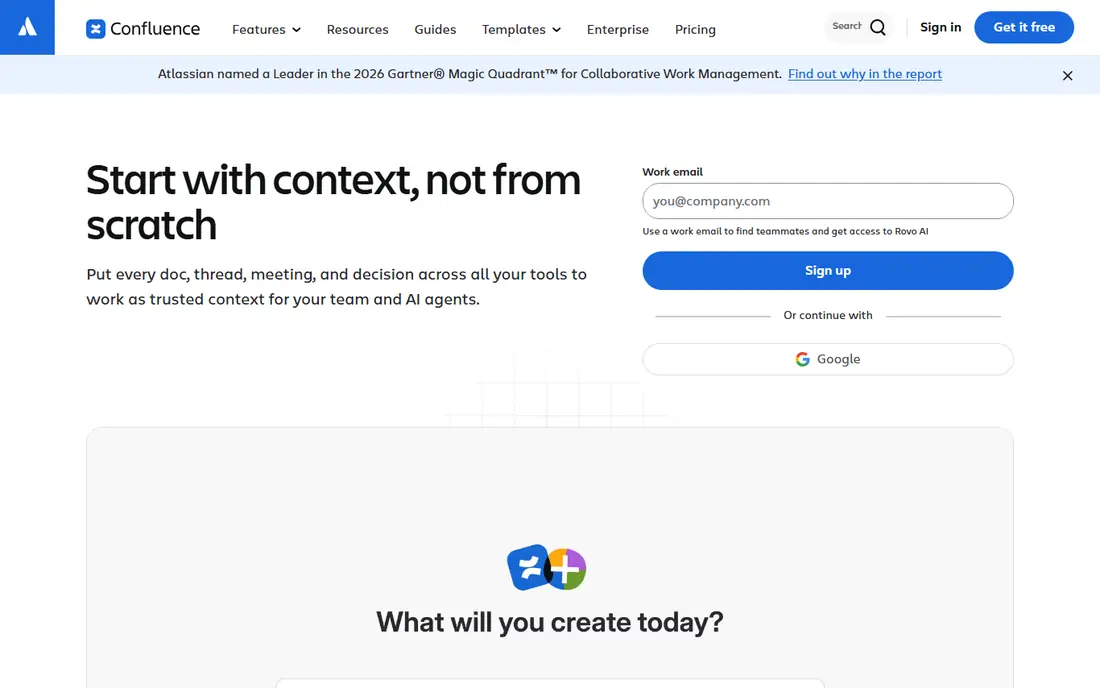
Confluence is the standard wiki for teams that already use Jira. Product specs, engineering docs and project pages can link directly to issues, so knowledge stays close to the work it describes. Spaces, templates and permissions give larger teams the structure they need to keep hundreds of pages organised.
For a small team outside Atlassian, Confluence can feel heavier than Notion or Slab. Its strength shows when documentation is part of delivery: release notes, technical specs and runbooks that engineers update as they ship. If your team lives in Jira, Confluence is the natural home for its knowledge. If it does not, test a lighter tool first.
- Deep Jira integration
- Structured spaces and templates
- Strong permissions and version history
- Interface feels heavy for small teams
- Best value inside the Atlassian set

Guru takes a different approach from a traditional wiki. Knowledge is stored as short, verified cards that surface inside Slack, email, a browser extension and other tools. A support agent can pull an approved answer without leaving a ticket, and a sales rep can check pricing or policy details during a call. Verification workflows remind owners to confirm that cards are still correct.
That model only works if someone owns the content. Unverified cards lose trust fast, so Guru suits teams willing to assign owners and review cycles. For support and sales teams, where speed and accuracy both matter, Guru is often the best knowledge management platform in practice, even if it is not the cheapest wiki on paper.
- Verified knowledge cards
- Browser extension and Slack integration
- AI search across cards
- Quote-based pricing for many teams
- Needs owners to keep cards verified
Document360 is built for documentation that customers read. It supports public help centres and private internal docs, with categories, version control, search analytics and feedback on articles. Software teams use it for product docs, API guides and onboarding material that must stay accurate across releases.
Compared with Notion or Confluence, Document360 is less of a daily workspace and more of a publishing system. That focus is its strength for customer docs, where structure, search and version history matter. If your main need is a help centre that scales with your product, Document360 deserves a shortlist spot. If your main need is internal notes, a wiki may fit better.
- Built for public and private docs
- Version control and analytics
- Strong categorisation
- Less suited as a general team workspace
- Pricing is often quoted
Slab aims to be the wiki that teams actually enjoy opening. Its editor is clean, search is fast, and topics give pages a simple structure without a complex setup. Teams that found Confluence heavy or Notion messy often settle on Slab as a middle path: structured enough to stay tidy, simple enough to adopt quickly.
Slab does not try to replace a project tool or a help centre platform. It is best for internal knowledge: handbooks, how-to guides, meeting notes and team processes. If your team needs advanced permissions, deep analytics or customer-facing docs, look at Confluence or Document360 instead. For a straightforward internal wiki, Slab is a calm and capable choice.
- Clean editor and fast search
- Simple organisation by topic
- Slack integration
- Fewer advanced features than Confluence
- Smaller template library
SharePoint is the natural knowledge platform for organisations already on Microsoft 365. Documents, intranet pages and team sites live inside the same security and compliance framework as Outlook, Teams and OneDrive. For regulated or large organisations, that integration and control matter more than a prettier editor.
SharePoint needs planning to work well. Without a clear site structure and ownership, it can become a maze of folders. Invest time in a simple information architecture, name sites clearly, and train owners to keep pages current. When that groundwork is done, SharePoint gives a large team a secure and familiar home for its knowledge.
- Included in many Microsoft 365 plans
- Strong permissions and compliance tools
- Deep Office integration
- Setup and structure need planning
- Search experience varies by configuration
Tettra is built for small teams that live in Slack. It lets people ask questions in Slack, turn answers into wiki pages, and find those pages without leaving chat. That workflow suits startups where knowledge is often shared in conversation and then lost. Tettra captures it in a place new hires can search.
The tool is deliberately simple, so it is not the pick for a large company with complex permissions or a public help centre. Its value is speed: a small team can set it up in a day and start building a useful wiki in a week. If your team is under about fifty people and Slack is your main hub, Tettra is worth testing.
- Simple wiki for Slack teams
- Question and answer workflow
- Easy onboarding for small teams
- Limited depth for large or complex docs
- Fewer integrations than larger platforms
Helpjuice focuses on customer-facing help centres that look and feel like part of your brand. It offers customisation, article analytics, and tools to see which articles help and which ones leave readers confused. Support teams can use that data to rewrite weak articles and close gaps in coverage.
Helpjuice is less suited as a general internal wiki, since its design centres on the customer experience. Pair it with an internal tool if your team also needs private docs. For a company whose support load depends on clear self-service help, Helpjuice gives the control and insight to keep a help centre useful over time.
- Customisable help centres
- Analytics on article use
- Good for customer support teams
- Focused on help centres rather than internal wikis
- Pricing varies by plan
How we picked these
We shortlisted tools that cover the three main uses of knowledge software: internal wikis, in-workflow answers, and customer help centres. We favoured established products with clear ownership, search and permission features, and we checked each official site for its current focus. Prices are often quoted for larger plans, so we list them as See website.
How to choose the best knowledge management software
Start with the reader. Internal teams need a wiki they will open daily, so pick the tool closest to where they already work: Confluence for Jira teams, SharePoint for Microsoft 365 teams, and Tettra or Slab for Slack-first small teams. Customer readers need a help centre, so Document360 or Helpjuice fit better. Support and sales teams need answers in the flow of work, which is where Guru stands out.
Next, plan ownership before you migrate content. Assign an owner and a review date to every key page, archive duplicates, and write a short style guide for titles and structure. A knowledge base with no owners goes stale within months, whatever tool you buy. Run a pilot with one team and twenty key articles, measure whether people find answers faster, and only then roll it out wider. The best platform for knowledge management is the one your team keeps current.
Frequently asked questions
What is the best knowledge management software?
Notion suits flexible small teams, Confluence suits Atlassian teams, and Guru suits support teams that need verified answers at work. The best knowledge management tool depends on whether readers are staff, customers, or both, and on which apps your team already uses.
What is the best knowledge management tool for a small team?
Slab and Tettra suit small teams that want a simple internal wiki, while Notion suits teams that also want databases and project pages. Start with a free or trial plan, build twenty key pages, and see which tool your team opens without prompting.
How is knowledge management software different from a wiki?
A wiki is one type of knowledge management software, focused on linked pages. Modern tools add search, AI answers, verification workflows, permissions and analytics. Confluence is a classic wiki, while Guru and Document360 add verification and publishing features on top of stored pages.
How do you keep a knowledge base current?
Assign an owner and a review date to each key page, track which articles are used and which are ignored, and archive outdated content. Tools with verification reminders, such as Guru, help, but the process matters more than the feature. Review the most-used pages every quarter.
What is the best platform for knowledge management for customers?
Document360 and Helpjuice are strong for customer help centres, with structure, search and analytics built for public docs. Choose based on how much custom branding you need and whether you also need private internal documentation in the same tool.
Sources we checked (8)

Online Jobs is an independent blog about careers, online work, learning new skills and the tools that help people earn. More about us.
Keep reading
All posts
ZoomInfo Alternatives
The best ZoomInfo alternatives in 2026, compared on price, free plans, data coverage, and which tool fits small teams or large sales teams best in detail.

Workday Alternatives
We compared the best workday alternatives for HR, payroll, and global hiring, from BambooHR and Gusto to Rippling, Deel, and HiBob for growing teams in 2026.

Which SaaS Tools Have the Best Customer Support
Which SaaS tools have the best customer support? Compare eight popular tools on help centres, live help, response options and overall support quality.