Best iPhone Cleaner App Free in 2026: 9 Apps Compared

How we put this together: we compare official feature and pricing pages, app store listings, privacy policies and public user reviews. Prices change, so check the provider's site before you pay.
Key takeaways
- Cleaner Kit and Smart Cleaner are the strongest all-round free cleaners for duplicate photos, large videos, and contacts.
- No iPhone cleaner can delete system junk the way an Android cleaner can, because iOS limits what apps can access.
- The biggest wins are usually duplicate photos, old screenshots, large videos, and duplicate contacts, not hidden cache files.
- Free tiers often limit how many items you can clean at once, with unlimited cleaning behind a subscription.
- Always review deletions before confirming, and back up photos to iCloud or another service first.
Quick comparison
| Name | Who it suits | Starting price | Free option | |
|---|---|---|---|---|
 Cleaner Kit | All-round photo and contact cleanup | Free | Yes | Visit |
 Smart Cleaner | Device care plus photo cleanup | Free | Yes | Visit |
 CleanMe | Swipe-based photo cleaning | Free | Yes | Visit |
 AI CleanKit | AI-guided photo and contact cleanup | Free | Yes | Visit |
 Clean Kit | Organising a crowded photo library | Free | Yes | Visit |
 Gemini Photos | Duplicate photo cleanup | Free | Yes | Visit |
 CleanMyPhone | Guided photo and storage cleanup | Free | Yes | Visit |
 Google Photos | Cloud backup then device cleanup | Free | Yes | Visit |
 Remo Duplicate Photos Remover | Finding duplicate photos only | Free | Yes | Visit |
The best iphone cleaner app free
An iPhone cleaner cannot work like a computer cleaner. Apple iOS does not let third-party apps delete system files, clear other apps caches, or speed up the processor. What these apps can do is help you review your own photos, videos, contacts, and calendar events, and delete or compress the items you no longer need. Judged on that job, the apps below are the most useful free options.
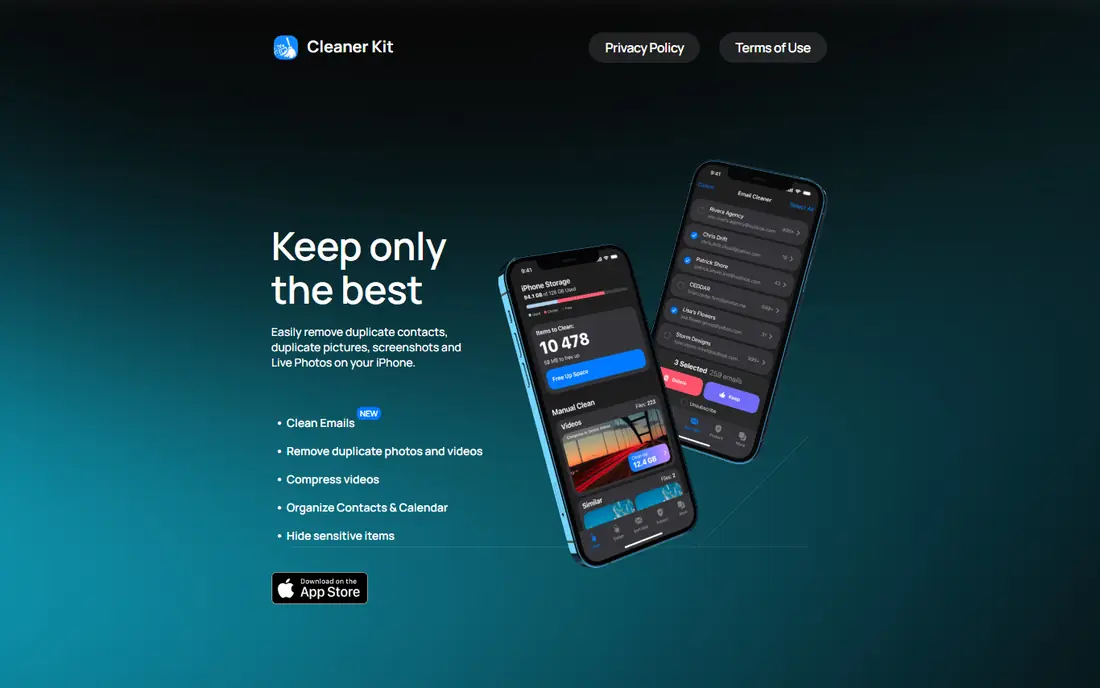
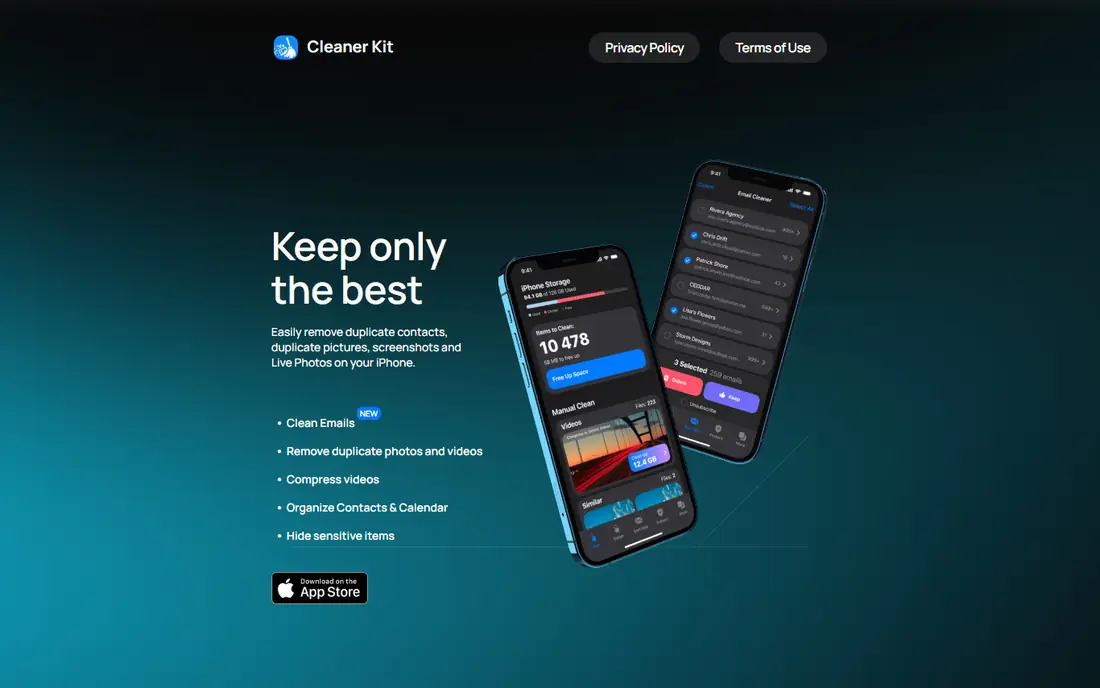
Cleaner Kit is our pick for most readers because it covers the main cleanup jobs in one app. It finds duplicate and similar photos, groups screenshots, sorts large videos for compression, and merges duplicate contacts. The App Store listing confirms it is free to download with in-app purchases, and the core cleanup flow is easy to follow.
The catch is limits. Free use covers basic cleanup, but unlimited access is subscription-based, with weekly or annual billing shown in the store listing. That is normal in this category, so judge Cleaner Kit on what the free tier lets you do in a first session, and only subscribe if you clean often enough to need unlimited use.
- Duplicate and similar photo detection
- Large video compression
- Duplicate contact merging and calendar cleanup
- Secret folder for private items
- Unlimited access needs a subscription
- Free use has limits
- Some features, such as a secret folder, need careful setup
Smart Cleaner pairs photo cleanup with device information, including storage status, battery information, and power-saving tips. That combination suits readers who want one app to check phone health as well as free up space. Its photo tools cover duplicates, screenshots, blurry photos, and large videos, with previews before deletion.
Be careful with the name, because several apps in the store use similar titles. Check the developer and the app icon in the App Store listing before downloading. Also treat battery and speed claims with care: no cleaner app can make iOS itself faster, though freeing storage can stop the storage-full warnings that slow you down.
- Photo and video cleanup plus device status and battery tips
- Duplicate and screenshot detection
- Security check features
- Name overlaps with several similar apps, so check the developer in the store
- Full features need a subscription
- Device tips do not speed up iOS
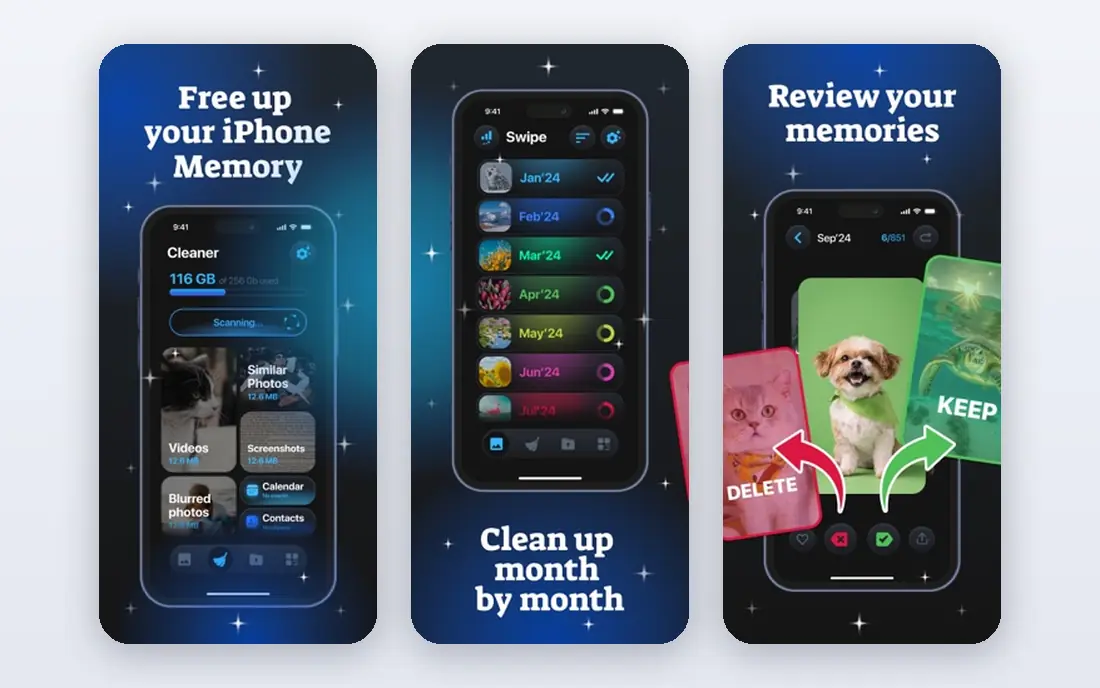
CleanMe suits readers with a large camera roll who want to work through it quickly. Its swipe flow lets you keep a photo with one gesture and delete it with another, which is faster than tapping through menus for hundreds of images. It also groups screenshots, finds similar photos, and helps merge duplicate contacts.
Speed is also its risk. Swiping through photos quickly makes it easy to delete an image you meant to keep, so work in short batches and use the review step before confirming. The app is free to download, with purchases for full access, so test the free tier on one album before paying.
- Swipe gestures to keep or delete photos fast
- Screenshot and similar photo grouping
- Contact and calendar cleanup
- Secret folder
- Free to download with in-app purchases for full access
- Swipe flow can lead to rushed deletions if you are not careful
- Some tools need a subscription
AI CleanKit takes a guided approach. It labels albums, suggests duplicates and large files, and walks you through contacts and calendar cleanup as well as photos. For readers who feel overwhelmed by a camera roll of thousands of images, that guidance helps you start with the biggest wins rather than scrolling endlessly.
AI labels are suggestions, not decisions. A photo labelled similar may still be a keeper, such as a burst sequence where one frame is sharper than the rest. Review each group before deleting, and back up first. The app is free to download with in-app purchases, so the free tier is best seen as a trial of the guided flow.
- AI labels and guided cleanup for photos and videos
- Duplicate, blurry, and large media detection
- Contact, calendar, and QR safety tools
- AI suggestions still need human review
- Full access needs in-app purchases
- Extra tools such as QR checks add clutter for some users
Clean Kit is less about bulk deletion and more about finding order in a crowded library. Its smart albums group photos by theme, and its duplicate review shows similar images side by side so you can keep the best version. That approach suits readers who want to organise memories, not just free up space.
If your main goal is maximum storage freed in minimum time, Cleaner Kit or Smart Cleaner may be faster. Clean Kit earns its place for readers who keep deleting the wrong copy of a photo, because its comparison view reduces that mistake. Check the exact App Store listing, because its name is close to other apps in this category.
- Smart albums by theme, such as pets and food
- Side-by-side duplicate comparison
- Large media compression with original kept if you choose
- Focus is organisation rather than deep cleaning
- Full features need purchases
- Similar name to other cleaner apps, so verify the store listing
Gemini Photos, from MacPaw, is the focused photo cleaner in this list. It finds duplicate and similar photos, suggests old screenshots and blurry images for review, and presents deletions clearly before you confirm. That focus suits readers whose storage problem is almost entirely the camera roll.
It does not merge contacts, clean calendars, or compress large videos in the same way as Cleaner Kit, so it works best as a photo specialist alongside a general cleaner, or on its own if photos are your only clutter. Review burst sequences carefully, because similar photos are not always duplicates, and back up before a large delete.
- Focused duplicate and similar photo detection
- Smart suggestions for old screenshots and blurry photos
- Clear review before deletion
- Photo-only focus, so contacts and videos need another tool
- Full access may need a subscription
- Best on a photo library, not a general cleaner
CleanMyPhone is MacPaw's iPhone cleaner, and it takes a guided approach to freeing space. It sorts clutter into categories, including duplicates, screenshots, and large files, so you can work through one category at a time rather than facing a single huge list. That structure helps readers who want a clear path through a full phone.
Free use is limited, as with most apps here, and full access needs a subscription, so test the free tier on duplicates first. Contact and calendar tools are thinner than in Cleaner Kit, so CleanMyPhone is best when photos and files are the main problem and you want a calm, guided cleanup.
- Guided cleanup for duplicates, screenshots, and large files
- Simple interface from MacPaw
- Clear categories for review
- Free use has limits, with full access paid
- Photo-focused, so contact cleanup is thinner
- Newer product than some rivals in this list
Google Photos earns a place here for a different reason: it solves storage by backing up first. Once photos and videos are backed up, it can remove device copies to free space, while keeping them available in the cloud. That workflow suits readers who want to keep memories but need room on the phone now.
The catch is storage quota. Google account storage is shared across services, so a large library may need a paid Google One plan once the free quota is used. Backup also needs a good connection and time to complete before you delete device copies. Used carefully, though, backup-then-free is the safest way to reclaim a large amount of space.
- Backs up photos and videos, then offers to free device space
- Search and organisation for a large library
- Available on iOS and Android
- Free storage is limited to your Google account quota
- Freeing space depends on backup completing first
- Not a contact or calendar cleaner
Remo Duplicate Photos Remover
Who it suits: Finding duplicate photos only
Remo Duplicate Photos Remover does one job and does it clearly: it finds duplicate and similar photos and lets you review them before deleting. That focus suits readers who already manage contacts and videos elsewhere, or who want a second check before deleting a large set of duplicates found by another app.
It will not compress videos, merge contacts, or clean calendars, so it is not a complete cleaner on its own. Used as a focused tool, though, its review step is reassuring, because duplicate detection is the area where a wrong deletion hurts most. Back up before any bulk delete, whichever app you use.
- Focused duplicate detection, including similar photos
- Clear before-and-after review
- Useful alongside a general cleaner
- Does one job only, so you still need another app for contacts or videos
- Free limits may apply
- Older interface than newer cleaners
How we picked these
We compared App Store listings, official app pages, and feature descriptions, and we checked that each app is still available for iPhone and fits the topic: cleaning photos, videos, contacts, or calendar clutter on iOS. We favoured apps with a real free download tier and clear review-before-delete steps. Where a vendor site could not be verified as the sole official homepage for a similarly named app, we used the developer site shown in the store listing and noted the need to verify the exact listing before downloading.
What actually frees space on an iPhone
Start in Settings, under General and iPhone Storage, to see what is really using space. Often the largest items are photos, videos, and a few apps, not hidden junk. Delete large videos you have backed up, remove old screenshots, and clear duplicate photos first, because those steps free gigabytes while cache cleaning frees little.
Next, check Messages and downloaded media, and offload apps you no longer use while keeping their data. Back up photos to iCloud Photos or another service before bulk deletion, and work in batches with a review step. If storage is still full after photo and video cleanup, the remaining options are deleting apps, moving files to a computer or cloud drive, or upgrading storage, because no cleaner app can create space from system files iOS does not let it touch.
Frequently asked questions
What is the best free iPhone cleaner app?
Cleaner Kit is our pick for most readers, because it covers photos, large videos, contacts, and calendar cleanup in one app. Smart Cleaner is a close second for readers who also want device status and battery tips. Both are free to download, with subscriptions for unlimited access.
Can an iPhone cleaner app really speed up my phone?
Not in the way computer cleaners claim. iOS does not let third-party apps clear system caches or speed up the processor. A cleaner can help by freeing storage, which stops storage-full warnings, and by organising photos and contacts. If your phone feels slow, check storage, battery health, and iOS updates first.
Is it safe to use an iPhone cleaner app?
Reputable cleaner apps from the App Store are generally safe, because they can only access photos, contacts, and calendars you grant permission for. Review every deletion before confirming, back up first, and avoid apps that ask for unrelated permissions or promise to clean system files, because iOS does not allow that.
What is the best phone cleaner app for duplicate photos?
Cleaner Kit, Smart Cleaner, and Remo Duplicate Photos Remover all handle duplicate photos well. Remo is the most focused, while Cleaner Kit pairs duplicate detection with video compression and contact cleanup. Always use the side-by-side review step before deleting similar photos, especially burst sequences.
Do free iPhone cleaner apps have limits?
Yes, most do. Free tiers usually limit how many items you can clean per session or which tools are available, with unlimited cleaning behind a weekly or annual subscription. Test the free tier on one album first, and only subscribe if you clean often enough to need unlimited use.
Sources we checked (7)

Online Jobs is an independent blog about careers, online work, learning new skills and the tools that help people earn. More about us.
Keep reading
All posts
Zoom Alternatives
Zoom alternatives compared for 2026: Google Meet, Microsoft Teams, Webex, Jitsi and more for free calls, large meetings and webinars for teams and classrooms.

Which Software Is Best for Data Entry
Compare the best data entry software for forms, OCR scanning, and spreadsheets, with free plans, pricing, and honest limits for each tool before you commit.

What's the Best App to Read PDFs
Find what's the best app to read PDFs in 2026, from Adobe Acrobat Reader and Foxit to PDF Expert and Xodo, with free options and honest limits for every device.