Best Inventory Management Software for Small Business in 2026: 8 Tools Compared

How we put this together: we compare official feature and pricing pages, app store listings, privacy policies and public user reviews. Prices change, so check the provider's site before you pay.
Key takeaways
- Zoho Inventory suits small teams that need orders, stock, and accounting links in one affordable system.
- Square suits shops that already take payments with Square and want stock tied to the till.
- Sortly suits teams that need visual, barcode-based stock counts without a complex setup.
- Katana and inFlow suit makers and wholesalers, with Katana stronger on production and inFlow stronger on simple order handling.
Quick comparison
| Name | Who it suits | Starting price | Free option | |
|---|---|---|---|---|
 Zoho Inventory | Orders and accounting links | Free | Yes | Visit |
 Square | Shops using Square payments | Free | Yes | Visit |
 Sortly | Visual stock tracking | See website | Free trial | Visit |
 inFlow Inventory | Simple order and stock handling | See website | Free trial | Visit |
 Katana | Makers and production | See website | Free trial | Visit |
 Odoo Inventory | Growing teams on Odoo | Free | Yes | Visit |
 Lightspeed Retail | Retail stores with a till | See website | No | Visit |
 Finale Inventory | Multichannel sellers | See website | Free trial | Visit |
The best inventory management software for small business
Good inventory software answers three questions at any moment: what do you have, where is it, and what needs reordering. The tools below cover shops, makers, wholesalers, and online sellers, and they differ in how much order, production, and accounting work they include. Start with your sales channels, then match the tool to that flow.
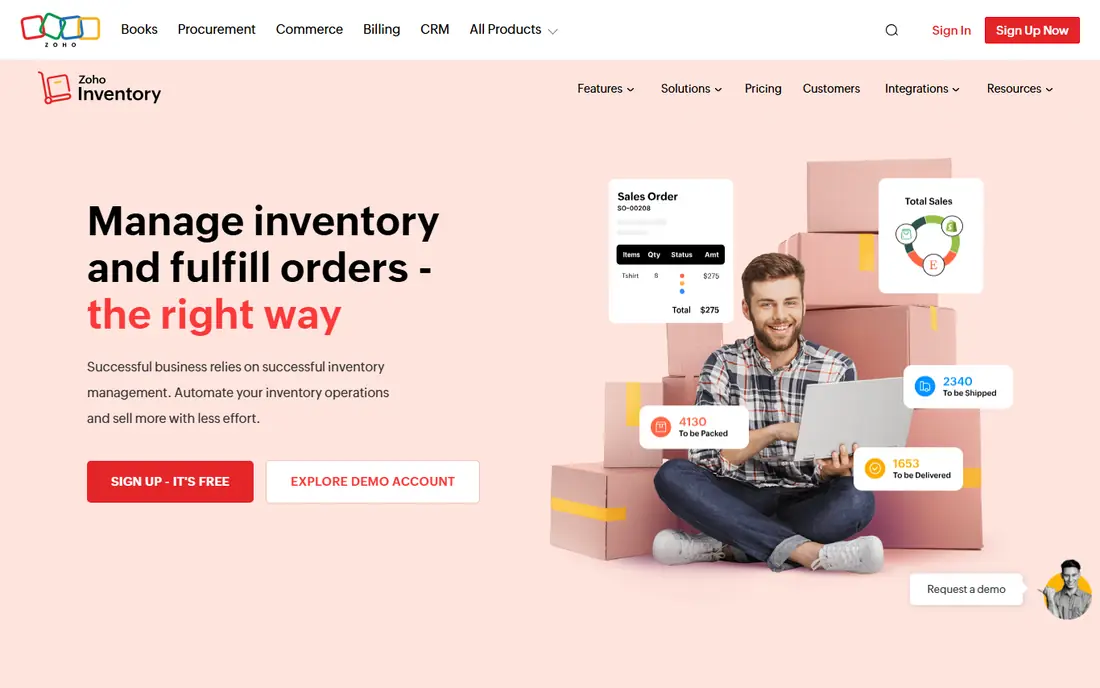
Zoho Inventory is our pick for small businesses that want a full order flow without enterprise cost. You can track stock, create sales and purchase orders, manage vendors, and link stock movements to invoices in Zoho Books. Barcode support, batch tracking, and multi-warehouse handling on paid plans help as a business grows from one location to several.
The free tier covers a limited number of orders per month, which is enough to test the system with real products. The main work is setup: product fields, tax settings, and warehouse rules need care at the start, or reports will mislead later. If you already use Zoho for accounting or CRM, the links alone make Zoho Inventory worth testing first.
- Sales and purchase orders in one place
- Links to Zoho Books and other Zoho apps
- Multi-warehouse support on paid plans
- Setup takes time if you use many Zoho apps
- Advanced features sit on higher tiers

Square suits shops, cafes, and market stalls that already use Square to take payments. When you sell an item at the till, stock drops at once, and low-stock alerts help you reorder before you run out. The free inventory features cover basic tracking, categories, and variations, which is enough for many small shops.
Larger catalogs or wholesale orders may need Square for Retail paid features or a separate inventory tool. Square also works best when most sales pass through Square, since stock from other channels needs manual entry or an integration. For a shop that lives at the till, that tight link between sale and stock is a real advantage.
- Stock tied directly to point of sale
- Easy setup for shops
- Online store and payment links included
- Less depth for manufacturing or complex wholesale
- Advanced inventory features need paid plans
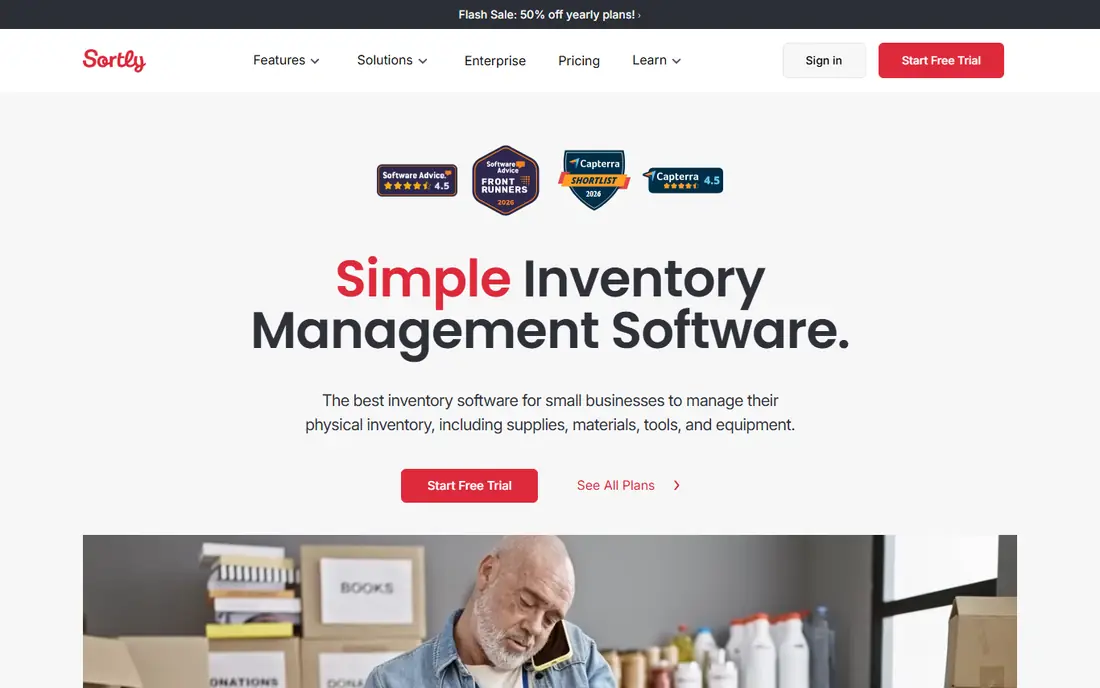
Sortly takes a visual approach to stock. Each item gets a photo, location, quantity, and custom fields, and staff can scan barcodes or QR codes on a phone to update counts. That design suits teams that need to find and count physical items quickly, from tools and equipment to retail stock and supplies.
Sortly is less of an order system than Zoho or inFlow. It tracks what you have and where it is, but purchase orders, invoicing, and accounting links are lighter. Use Sortly when stock visibility and counts are the main problem, and pair it with your existing accounting tool for orders and invoices. The mobile app is the core of the product, so test it in your actual storage space.
- Visual catalog with photos
- Barcode and QR scanning
- Simple mobile stock counts
- Less order and accounting depth than Zoho
- Pricing rises with users and items
inFlow Inventory suits small wholesalers and retailers that want a clear, desktop-friendly system for orders and stock. You can create quotes, sales orders, and purchase orders, track stock by location, and generate pick lists for warehouse staff. Barcode scanning speeds up receiving and counting, and reporting covers stock value, sales, and reorder needs.
The interface is more traditional than Sortly or Katana, which may put off teams that want a modern mobile-first design. Integrations are also narrower, so check links to your store, accounting tool, and shipping provider before you commit. If your main need is a reliable order and stock system without a large learning curve, inFlow is a solid, practical choice.
- Clear sales and purchase order flow
- Barcode support
- Works for wholesale and retail
- Interface feels dated next to newer tools
- Integrations are narrower than Zoho or Odoo
Katana is built for businesses that make things. It tracks raw materials, finished goods, and work in progress, and it links sales orders to production orders so you can see what to make and what materials you need. That production view is the feature that sets Katana apart from general inventory tools, which often treat finished stock as the only stock that matters.
Simple retailers will find Katana more complex and more costly than they need. Makers, food producers, and small manufacturers, by contrast, often find that Katana replaces spreadsheets for production planning. Check the integrations for your store and accounting tool, and test a real production run during the trial, since setup for bills of materials takes care to get right.
- Production planning and raw material tracking
- Links stock to manufacturing orders
- Shopify and accounting integrations
- Overkill for simple retail stock
- Pricing is higher than basic inventory tools
Odoo Inventory is part of the wider Odoo business suite, which covers sales, purchase, accounting, manufacturing, and more. The inventory app alone handles multi-warehouse stock, barcode operations, lot and serial tracking, and replenishment rules. Used with other Odoo apps, it gives a growing business a single system for orders, stock, and accounts.
The strength is also the work. Odoo rewards careful setup, and a business that only needs basic stock tracking may find it heavier than Square or Sortly. The free one-app option helps small teams start, with paid plans adding more apps and users. Choose Odoo when you expect to add sales, accounting, or manufacturing apps over time, not just when you need a stock list today.
- Strong warehouse and barcode features
- Links to sales, purchase, and accounting in Odoo
- One-app free option
- Full setup needs planning
- Support and hosting costs rise with scale
Lightspeed Retail suits stores with one or more physical locations that need till, inventory, and reporting in one system. Sales at the till update stock, staff can check stock across stores, and reports show best sellers, margins, and reorder needs. E-commerce links help stores that also sell online, keeping stock in sync across channels where integrations support it.
Pricing is quote based for many plans, so get a written quote for your store count and register count before you compare totals. Implementation also takes more time than a simple app, with product imports and staff training to plan. For a single small shop, Square may be simpler. For a growing retail chain, Lightspeed offers the depth and multi-store control that basic tools lack.
- Retail point of sale plus inventory
- Multi-store support
- Reporting for retail sales and margins
- Quote-based pricing for many plans
- Setup and training take time
Finale Inventory targets sellers who sell on several channels at once, such as a website, Amazon, and a physical store. It syncs stock across channels, manages purchase orders and warehouse locations, and links to QuickBooks for accounting. Barcode support and pick, pack, and ship workflows help small warehouse teams handle daily orders without spreadsheets.
Single-channel shops may find Finale more than they need, and channel setup takes care to avoid overselling. Test the exact channels you use during the trial, and check how stock updates flow when an order arrives on each channel. For multichannel sellers, that sync is the main reason to choose Finale over a simpler stock tracker.
- Multichannel order and stock sync
- Barcode warehouse features
- QuickBooks integration
- Less suited to single-channel shops
- Setup needs care for channel mappings
How we picked these
We reviewed official feature pages, pricing pages, and integration lists for each tool, and we kept only tools that are live and used by small businesses in October 2026. We weighted stock accuracy, order handling, barcode support, channel and accounting integrations, and ease of setup for small teams. We listed pricing as See website where plans are quote based or vary widely by users and locations, rather than repeating a figure that may not match your setup.
Free tiers and trials are useful, but check item limits, user limits, and order limits before you import a full catalog. A free tier that caps orders or items can look cheap and then force a paid plan in the first busy month. The vendor pages in Sources give current limits and pricing.
How to choose inventory software
Start with your sales flow. A shop with a till points to Square or Lightspeed, a maker points to Katana, a multichannel seller points to Finale or Zoho, and a team that mainly needs counts points to Sortly. Next, list your must-have links: store platform, accounting tool, shipping provider, and barcode hardware. A tool that lacks one core link will create manual work every day.
Then test with real data. Import a sample of products, including variations and barcodes, run a sale, a purchase order, and a stock count, and check the reports. Count the time each step takes and note where staff get stuck. Finally, check reorder rules, low-stock alerts, and stock valuation methods, since those affect cash flow and tax reporting. Choose the tool your team will use daily, not the one with the longest feature list.
Common setup mistakes to avoid
Importing products without consistent names, SKUs, or units causes duplicate stock and wrong reports. Skipping a full physical count before go-live leaves old errors in the new system. Forgetting to set reorder points means alerts arrive too late. Take a day to count, clean product data, and train staff on scanning and counts before you switch fully.
Frequently asked questions
What is the best inventory software for a very small business?
Square suits a small shop that uses Square payments, while Zoho Inventory suits a small business that needs orders and accounting links. Sortly suits a team that mainly needs visual stock counts. Start with the flow you use most, and test the free tier with real products before paying.
Do I need barcode scanning?
Not always, but it helps once you hold more than a few dozen products or count stock often. Scanning cuts counting errors and speeds up receiving and picking. Most tools here support barcode or QR scanning on mobile, so test it with your actual labels and storage layout.
Can inventory software handle multiple warehouses or stores?
Yes, on most paid plans. Zoho Inventory, Odoo, Lightspeed, and Finale all support multiple locations, with stock transfers and location-level reports. Free tiers often limit locations, so check the plan limit if you run more than one store or warehouse.
How does inventory software link to accounting?
Most tools sync stock value, sales, and purchase costs to accounting software, or export data for your accountant. Zoho Inventory links to Zoho Books, Finale links to QuickBooks, and Odoo includes accounting in its suite. Confirm the link covers your chart of accounts and tax settings before go-live.
What happens if I sell on Amazon and my own website?
Use a multichannel tool like Finale or Zoho Inventory that syncs stock across channels, so a sale on one channel reduces stock everywhere. Without sync, you risk overselling, cancelled orders, and poor reviews. Test the sync with real orders on each channel during the trial.
How long does setup take?
A simple shop can set up in days, while a maker or multichannel seller may need weeks for product data, bills of materials, and channel links. A full physical count, clean SKUs, and staff training are the steps that take most time. Plan go-live after a count, not during a busy sales period.
Sources we checked (8)

Online Jobs is an independent blog about careers, online work, learning new skills and the tools that help people earn. More about us.
Keep reading
All posts
ZoomInfo Alternatives
The best ZoomInfo alternatives in 2026, compared on price, free plans, data coverage, and which tool fits small teams or large sales teams best in detail.

Workday Alternatives
We compared the best workday alternatives for HR, payroll, and global hiring, from BambooHR and Gusto to Rippling, Deel, and HiBob for growing teams in 2026.

Which SaaS Tools Have the Best Customer Support
Which SaaS tools have the best customer support? Compare eight popular tools on help centres, live help, response options and overall support quality.