Best Incident Response Tools in 2026: 8 Tools Compared

How we put this together: we compare official feature and pricing pages, app store listings, privacy policies and public user reviews. Prices change, so check the provider's site before you pay.
Key takeaways
- PagerDuty remains the standard for on-call alerting at scale, while Slack-first tools like incident.io and Rootly suit teams that coordinate inside chat.
- Security-focused response needs a different tool from uptime response, so Splunk SOAR and Cortex XSOAR belong on a separate shortlist from on-call pagers.
- Jira Service Management is the sensible pick for teams already running on Atlassian, since it combines ticketing with on-call in one system.
- Check whether a tool charges per responder or per seat, because adding observers and stakeholders can change the bill fast.
Quick comparison
| Name | Who it suits | Starting price | Free option | |
|---|---|---|---|---|
 PagerDuty | On-call alerting at scale | See website | Yes | Visit |
 incident.io | Slack-first coordination | See website | Free trial | Visit |
 Rootly | Automated response workflows | See website | Free trial | Visit |
 Splunk SOAR | Security orchestration | See website | Free trial | Visit |
 Cortex XSOAR | Enterprise security automation | See website | No | Visit |
 Jira Service Management | Atlassian ITSM teams | Free | Yes | Visit |
 Datadog Incident Management | Datadog observability teams | See website | Free trial | Visit |
 xMatters | Enterprise alerting workflows | See website | Yes | Visit |
The best incident response tools
We compared tools on alerting, coordination, automation, and how they fit existing stacks. The eight below cover on-call paging, chat-based coordination, security orchestration, and full ITSM, so the right pick depends on whether your incidents are outages, security events, or both.

PagerDuty is the default answer when reliable paging is the main requirement. On-call schedules, escalation policies, and alert routing are mature, and the integration list covers most monitoring tools a team already runs. For a large engineering organization with many services and many responders, that breadth is hard to replace.
The trade-off is price and feel. Paid plans and add-ons add up, and incident coordination often still happens in a separate chat tool rather than inside PagerDuty itself. If your team already lives in Slack during incidents, pair PagerDuty with a coordination tool or consider a Slack-first option below.
- Mature on-call schedules and escalations
- Broad monitoring integrations
- AIOps tools for noise reduction on paid plans
- Costs rise with seats and add-ons
- Coordination features are less chat-native than newer rivals

incident.io is built for teams that already coordinate in Slack. Declaring an incident creates a channel, assigns roles, and tracks updates without forcing responders into a separate console. Automated timelines and postmortems then turn the incident record into a learning document with far less manual cleanup.
That Slack-first design is also its limit. Teams on Microsoft Teams or on email-based workflows will get less from it, and very small teams may find the workflow options more than they need. For a Slack-based engineering team, though, it is one of the fastest ways to make incidents calmer and better documented.
- Incidents run inside Slack with automatic channels and roles
- Automated postmortems
- Clear published pricing tiers
- Slack-centered design suits Slack teams best
- Smaller firms may not need its full workflow set
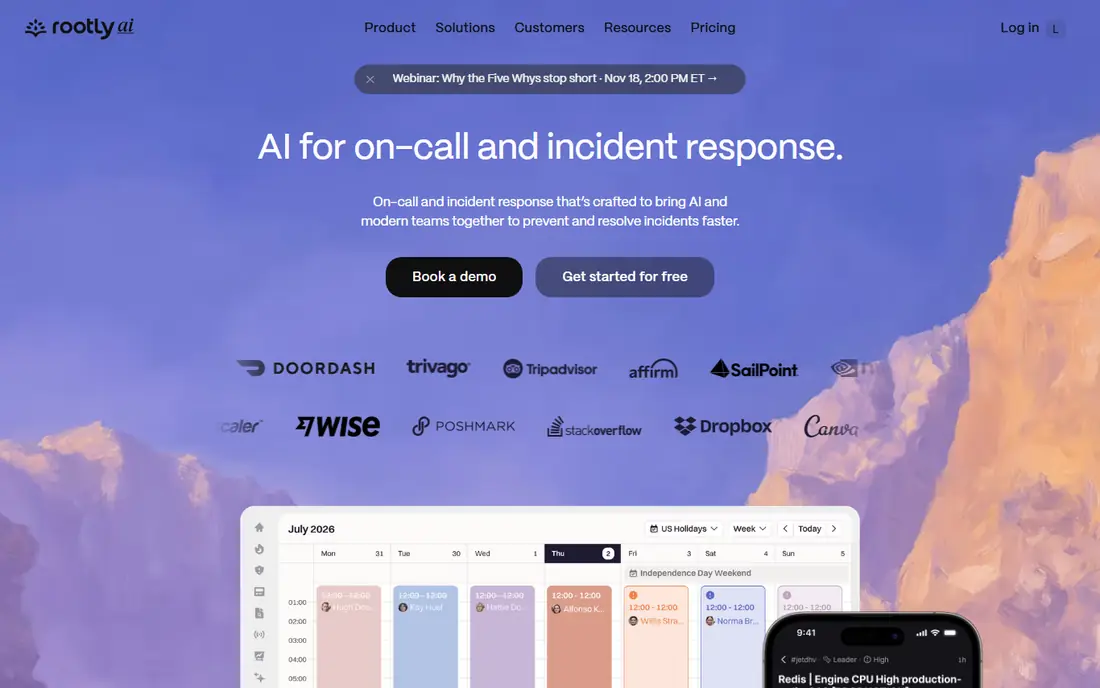
Rootly aims to cover the whole incident lifecycle in one platform, from paging through coordination to retrospectives and status pages. Automation handles repetitive steps like channel creation, role assignment, and stakeholder updates, which frees responders to focus on fixing the problem. Support for both Slack and Teams widens its fit beyond Slack-only shops.
Pricing is sales-led, so budget conversations take longer than with a tool that publishes per-seat rates. Smaller teams should also check whether they will use the full lifecycle or only the paging part, since paying for unused breadth is a common waste in this category.
- Automation across on-call, response, and retrospectives
- Works in Slack and Teams
- Status pages included
- Pricing is quoted
- Breadth can be more than a small team needs
Splunk SOAR is a security tool first, not a general pager. It automates investigation and response playbooks, pulling data from security tools and taking defined actions like isolating a host or enriching an alert. For a security operations team already using Splunk, that integration makes response faster and more consistent.
Teams outside the Splunk ecosystem will face more setup work and less immediate value. Playbooks also need care: a poorly designed automation can take the wrong action at the worst moment. Treat Splunk SOAR as a SOC investment with a proper design phase, not as a quick install.
- Playbook automation for security workflows
- Deep integration with Splunk data
- Strong fit for established SOC teams
- Best value inside a Splunk estate
- Setup and playbook design take real effort
Cortex XSOAR, from Palo Alto Networks, is the enterprise counterpart to Splunk SOAR. It orchestrates security response across many tools, manages cases, and automates repetitive triage steps so analysts spend time on judgment calls instead of copy work. Organizations already invested in Palo Alto Networks products will find the integration story compelling.
Complexity and cost are the honest limits. This is a platform for a dedicated security team, with implementation and playbook work to match. A small IT team that mainly needs uptime paging should not buy it, and should look at PagerDuty or Jira Service Management instead.
- Large automation and integration library
- Strong fit for Palo Alto Networks customers
- Case management included
- Enterprise pricing and complexity
- Overkill for teams without a dedicated SOC
Jira Service Management is the sensible pick for organizations already standardized on Atlassian. It brings incident tickets, service requests, on-call schedules, and change tracking into the same system as Jira Software, which reduces tool sprawl and keeps service history in one place. The free tier for up to three agents makes it easy to start.
The feel is more structured ITSM than fast chat coordination. Teams that want a Slack-native incident room may still add a coordination tool, and larger deployments need paid tiers for scale. Even so, for an Atlassian shop, it is usually the lowest-friction incident platform available.
- Free tier for small agent teams
- Combines ticketing, on-call, and asset tracking
- Familiar to Jira users
- Incident workflows feel more ITSM than chat-native
- Advanced features sit on paid tiers
Datadog Incident Management
Who it suits: Datadog observability teams
Datadog Incident Management makes sense when Datadog already watches your systems. Incidents can be declared from monitors, with metrics, logs, and traces close at hand, so responders do not have to jump between tools to understand what broke. Built-in timelines and postmortems keep the record tidy.
If you do not already use Datadog, there is little reason to adopt the whole platform for incident management alone. Pricing also lives inside Datadog's broader model, so get a clear quote for the incident features rather than assuming they are free with monitoring.
- Incidents tied directly to Datadog monitors and metrics
- Timeline and postmortem tools
- No new monitoring stack needed
- Value depends on Datadog adoption
- Pricing sits inside the wider Datadog platform
xMatters has long served enterprises that need alerting across phone, SMS, email, push, and chat, with workflows that match complex escalation rules. Regulated organizations and firms with strict audit needs often value that control, along with the ability to target responders by skill, location, or shift.
The setup reflects that enterprise focus. Smaller teams may find the configuration heavier than PagerDuty or incident.io, and the interface less modern than newer tools. Choose xMatters when your alerting rules are genuinely complex, not when you only need a simple on-call rotation.
- Flexible alerting across many channels
- Strong fit for regulated and complex enterprises
- Workflow automation included
- Interface and setup feel enterprise-heavy
- Smaller teams may prefer a simpler pager
How we picked these
We compared official product pages, published pricing, and public documentation, and we separated tools by their main job: paging, coordination, security orchestration, or ITSM. We excluded tools that are no longer actively positioned for incident work, and we noted where a tool's value depends on an existing platform, since that changes the real cost. We did not claim hands-on testing, and we treated vendor feature claims as claims to verify in a trial.
How to choose incident response software
Decide whether the incident is an outage or a security event
Outage response needs paging, coordination, and status updates. Security response needs investigation, containment, and automation. Buying one tool for both jobs usually means it does neither well, so shortlist separately for each need.
Count who pays, not just who responds
Some tools charge for every seat, including observers, while others charge only for responders. Map your real user list, including managers and stakeholders, before comparing prices.
Run a practice incident before you buy
Declare a test incident, page the rotation, and write the postmortem in each finalist. The tool that feels calmest at 2 a.m. is the right one, even if its feature list is shorter.
Frequently asked questions
What is the best incident management software for a small team?
For a small team, Jira Service Management with its free tier or PagerDuty with a small responder group are sensible starting points. Both cover paging and ticketing without an enterprise contract, and both scale if the team grows.
What is the best incident response platform for Slack teams?
incident.io and Rootly are the strongest Slack-first incident response platforms, since incidents, roles, and timelines live inside Slack. Rootly also supports Teams, which matters if your organization uses both chat tools.
What is the best software for incident response in a SOC?
Splunk SOAR and Cortex XSOAR are the leading security orchestration options, with playbook automation and case management for SOC workflows. Pick the one that matches your existing security stack, since integration depth drives most of the value.
What is the best platform for incident response at enterprise scale?
PagerDuty for paging, ServiceNow-style ITSM, or xMatters for complex alerting all serve large enterprises, but they solve different problems. Define whether you need paging scale, ITSM governance, or alerting flexibility before shortlisting.
What is the best tool for incident response if we already use Datadog?
Datadog Incident Management is the natural pick, because incidents link directly to the monitors and telemetry your team already uses. That link shortens triage and keeps the incident record close to the data that triggered it.
What is the best incident response software with a free plan?
Jira Service Management offers a free tier for small agent teams, and PagerDuty and xMatters also offer free tiers with limits. Check seat limits and feature limits on each free plan, since they differ more than the headline suggests.
Sources we checked (8)

Online Jobs is an independent blog about careers, online work, learning new skills and the tools that help people earn. More about us.
Keep reading
All posts
Best Robotics Companies
Compare the best robotics companies in 2026, from humanoids to factory robots, with focus areas, deployments, and honest limits for buyers and pilots.

Best Phone Company to Switch To
Compare the best phone company to switch to, from low-cost Visible and Mint Mobile to full-service T-Mobile, Verizon and AT&T, with prices and trade-offs.

Best Phone Company
Looking for the best phone company in 2026? We compared 9 US carriers on price, coverage, data and perks so you can pick the right plan for your line.