Best GPS App for Truckers in 2026: 8 Apps Compared


Parking, fuel, and routing in one app · Starting price: Free
How we put this together: we compare official feature and pricing pages, app store listings, privacy policies and public user reviews. Prices change, so check the provider's site before you pay.
Key takeaways
- Truck routing must account for height, weight, and road limits, which car apps like Google Maps do not do for trucks.
- Trucker Path suits drivers who want parking, fuel, and weigh station data alongside routing.
- Hammer suits drivers who want low-cost truck navigation with offline maps and multi-stop planning.
- Sygic Truck and CoPilot suit drivers who need offline maps for areas with weak signal.
- Always test an app on a known route before trusting it on an unfamiliar run, and confirm the truck profile matches your rig.
Quick comparison
| Name | Who it suits | Starting price | Free option | |
|---|---|---|---|---|
| Trucker Path | Parking, fuel, and routing in one app | Free | Yes | Visit |
 Hammer | Low-cost truck navigation | Free | Yes | Visit |
 TruckMap | Free truck routing | Free | Yes | Visit |
 Sygic Truck | Offline truck navigation | $9.99 per month | Free trial | Visit |
 CoPilot Truck | Fleet-style offline routing | $9.99 per month | Free trial | Visit |
 TomTom GO Expert | Clean offline truck navigation | $19.99 per month | No | Visit |
 Trucker Guide | Parking and traffic cameras | See website | Free trial | Visit |
 Highway Miles | Route planning without a subscription | Free | Yes | Visit |
The best GPS app for truckers
A truck GPS app does a different job from a car app. It must route around low bridges, weight limits, and truck restrictions, and it should help with the daily realities of trucking: parking, fuel prices, weigh stations, and multi-stop loads. The apps below cover those jobs at prices from free to monthly subscriptions, with a safety note that no app replaces checking signs, permits, and dispatch instructions.
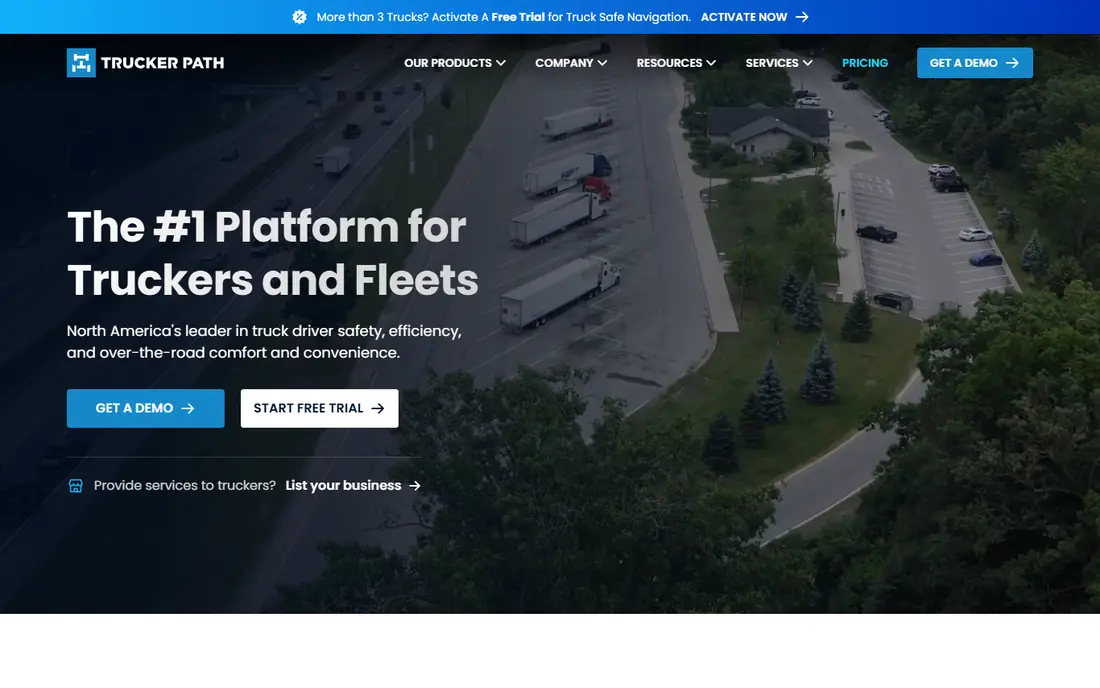
Trucker Path is the most complete daily companion in this list, not just a routing engine. Drivers use it to find truck parking, compare fuel prices, check truck stop amenities, and see weigh station status, then plan a trip around those stops. That combination matters on long hauls, where a good route with nowhere to park is only half a plan.
The free app covers much daily use, while Gold and Diamond memberships add unlimited stops, hours-of-service planning, and fuel optimization. Diamond costs more, so check whether you actually use those planning tools before upgrading. For drivers who want one app for routing plus road life, Trucker Path is the default starting point.
- Large community parking and fuel data
- Weigh station and truck stop details
- Trip planning tools
- Full membership tiers cost $14.99 to $29.99 per month
- Some advanced planning features sit behind paid tiers
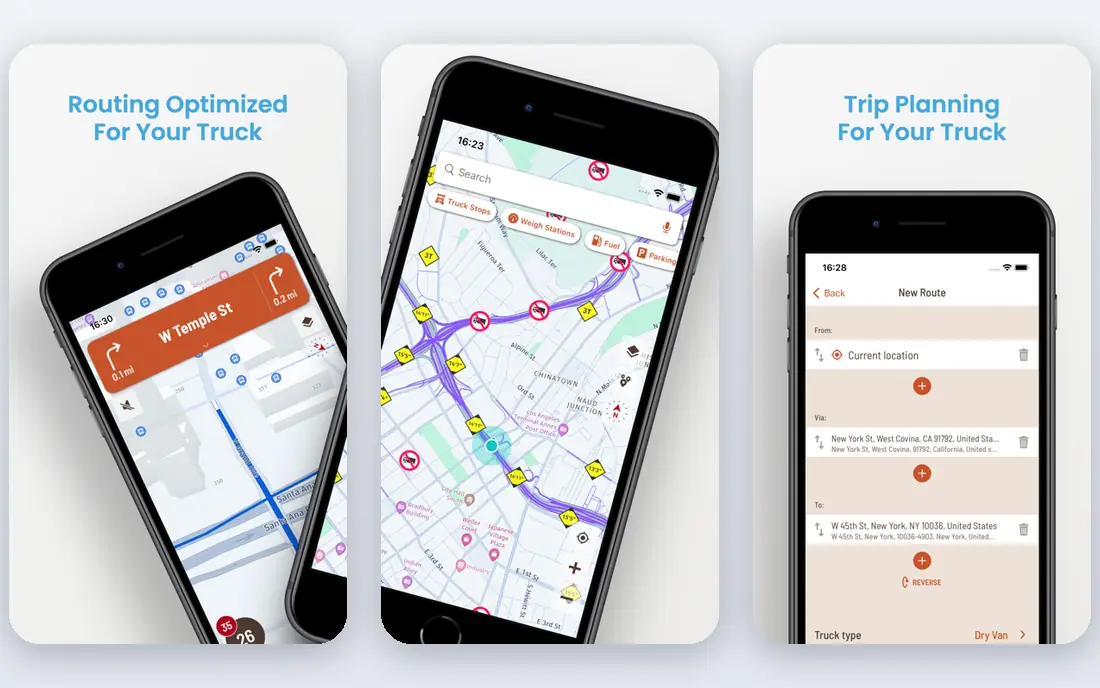
Hammer comes from the TruckersReport community and focuses on the core job: truck-safe routing that respects your vehicle dimensions. It supports multi-stop routes, offline maps for weak-signal areas, and practical details like fuel prices and weigh station hours. Drivers who want navigation without a large monthly fee have long favored it for that focus.
Pricing has changed over time, so check the current store listing before you assume it is fully free. Recent listings show monthly and yearly subscription options alongside a free download. Even with a paid tier, Hammer remains one of the lower-cost truck navigation options, and it is worth testing on your regular lanes before paying for a year.
- Truck routing with custom vehicle size
- Offline navigation
- Multi-stop planning and weigh station info
- Paid subscriptions now appear in store listings
- No hazmat routing in some versions
- Smaller point-of-interest base than larger rivals
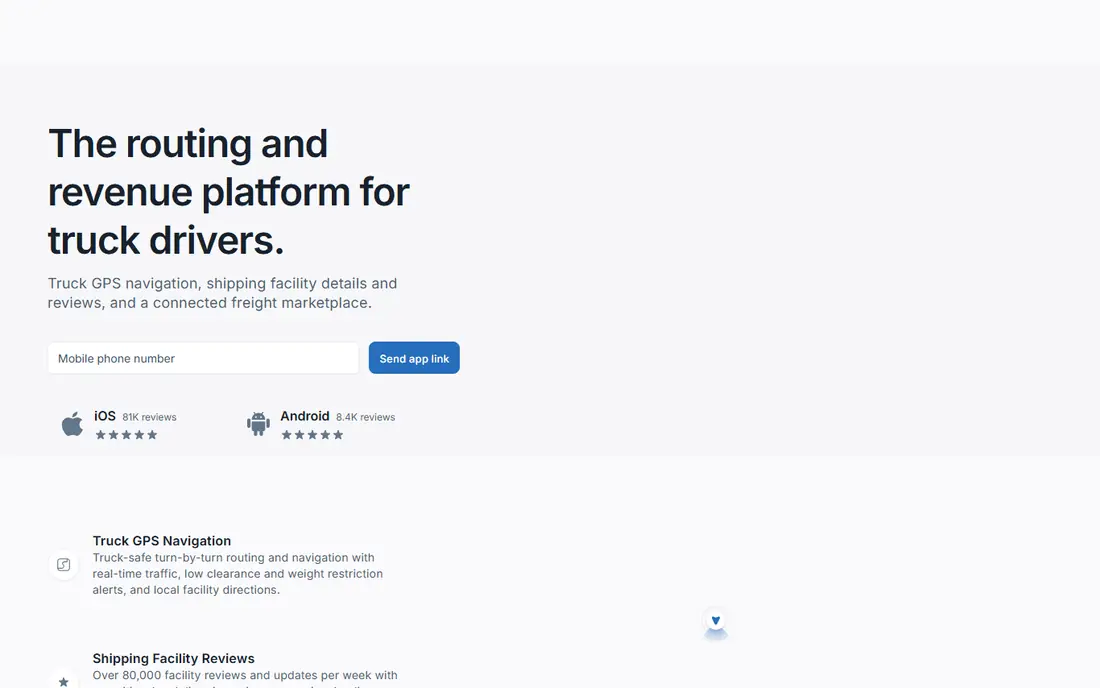
TruckMap is a solid free starting point for new drivers or anyone testing truck routing for the first time. It builds routes using height, weight, and hazmat inputs, and it includes a truck stop and fuel database with parking filters for amenities like showers and laundry. Weigh station status updates add practical value on the road.
The main limit is connectivity. TruckMap relies on an internet connection for routing and live data, so it is weaker in dead zones than offline-first apps like Sygic or CoPilot. Ads in the free version are a minor annoyance rather than a blocker. If you drive mostly in covered areas and want free truck routing, TruckMap covers the essentials well.
- Free truck-optimized routing
- Truck stop and fuel database
- Height, weight, and hazmat inputs
- Needs an internet connection for most features
- Fewer live traffic features than paid rivals
- Ads in the free version
Sygic Truck suits drivers who regularly lose signal. Its offline maps work without a data connection, and truck profiles let you enter dimensions, weight, and load type so routes avoid unsuitable roads. A 7-day Premium test drive lets you check map quality and routing on your own lanes before paying.
Pricing needs a close read, since monthly, yearly, and one-time packages differ, and CarPlay or Android Auto support can sit in a higher package. Confirm which package you are buying and what map update period it includes. For rural routes, mountain passes, and cross-border runs with patchy coverage, offline reliability alone can justify the cost.
- Offline 3D maps
- Lifetime-style license options
- Truck profiles with dimensions and load settings
- Premium pricing varies by package and region
- Traffic and some services need connectivity
- Setup takes care to get profiles right
CoPilot Truck has served fleets for years, and that history shows in its routing. It uses a commercial routing approach trusted by fleet operators, supports offline maps, and handles multi-stop trip planning well. Drivers who also drive cars or RVs can use one app across vehicle types, which is convenient for owner-operators with varied work.
The trade-offs are price and polish. Monthly and yearly store prices sit above budget apps, and the interface looks older than newer rivals. Some drivers also miss modern features like detailed parking prediction. If fleet-grade routing consistency and offline use matter more than a fresh interface, CoPilot remains a dependable choice.
- Offline maps
- Routing based on a long-used commercial algorithm
- Covers truck, car, and RV profiles
- Interface feels dated to some drivers
- No truck speed limit display in some versions
- Yearly cost is high for solo drivers
TomTom GO Expert targets drivers who want a clean, distraction-free navigation screen with offline maps. Truck profiles shape routes around vehicle size and limits, and the interface stays readable at a glance, which matters on busy interchanges. Paid use means no ad interruptions during navigation.
Cost is the main barrier. Monthly pricing sits above Hammer and TruckMap, and yearly pricing still exceeds budget options. Drivers who mainly need parking and fuel community data should pair it with a free companion app or pick Trucker Path instead. Drivers who prize offline clarity and are willing to pay for it will find TomTom a calm, reliable cab companion.
- Offline maps with a clean interface
- Truck profiles
- No ads in the paid app
- Monthly price is high for solo drivers
- Fewer community parking features than Trucker Path
- Check trial terms in your store
Trucker Guide blends navigation with roadside intelligence in a way that suits drivers who plan stops carefully. Traffic cameras, parking availability signals, fuel prices, and weigh station details sit alongside routing, so you can judge a stop before you commit to an exit. Coverage focuses on US and Canada runs, which matches most domestic long-haul work.
The navigation subscription costs around $15 per month after a trial in recent listings, so confirm the current price in the store before subscribing. Offline navigation support has varied across versions, so test it on a low-signal stretch if that matters to your lanes. For drivers who value camera and parking insight, Trucker Guide adds context that pure routing apps lack.
- Parking data plus traffic cameras
- Fuel prices and weigh station info
- US and Canada coverage focus
- Navigation subscription is paid after trial
- Offline support varies by version
- Smaller user base than Trucker Path
Highway Miles is a newer option worth watching for drivers who plan routes carefully but do not want a navigation subscription. The free version includes truck profiles, unlimited stops, and route-control tools, with an optional ad-free monthly plan for drivers who want a cleaner screen. That free planning depth stands out in a market where multi-stop tools often sit behind paywalls.
As a newer app, its community data and point-of-interest coverage are still growing, so it may not match Trucker Path for parking depth on every lane. Treat it as a planning companion first, test its routes against a second app, and decide whether its free tools cover your daily needs. For budget-conscious drivers, it is a strong free starting point.
- Free with ads
- Truck profiles and unlimited stops
- Route control tools without a required navigation subscription
- Optional ad-free plan costs $5.99 per month
- Newer app with a smaller community than Trucker Path
- Feature set still growing
How we picked these
We compared official app store listings, vendor homepages, and current truck GPS comparisons for apps that offer truck-specific routing with vehicle dimensions, not just car navigation. We checked that each vendor homepage loads and matches the product named, and we favored apps with free downloads, trials, or low entry prices so readers can test before paying. Where store prices differ by region or package, we stated the model and advised checking the live listing, rather than presenting one store figure as universal.
How to set up a truck GPS app safely
Enter your truck profile with care before your first paid run. Measure height including roof equipment, confirm loaded weight and axle counts, and set hazmat class only if you haul it. A single wrong digit can send you toward a low bridge or a restricted road, so double-check the profile against your cab card and trailer paperwork.
Test on a route you already know
Run the app alongside your current method on a familiar lane and compare turns, restrictions, and arrival estimates. Note any road the app routes you onto that your experience says is wrong, and report it in the app if that option exists. A test run costs an hour and can prevent a costly detour or violation later.
Keep a backup for dead zones
Download offline maps before remote stretches, carry a current truck atlas or state restriction guide as backup, and keep your phone charged with a cab mount that does not block your view. No app replaces road signs, and a second source matters most exactly when signal drops and the road gets unfamiliar.
Frequently asked questions
What is the best free trucker GPS app?
TruckMap and Highway Miles are strong free options, and Hammer offers a free download with paid tiers. Trucker Path also covers much daily use free, with paid memberships for advanced planning. Test free routing on your lanes before paying for any app.
What is the best GPS app for truck drivers overall?
Trucker Path suits most drivers because it combines routing with parking, fuel, and weigh station data. Drivers who need offline maps should look at Sygic Truck or CoPilot, while budget drivers should start with Hammer or TruckMap.
Can I use Google Maps for truck navigation?
No, not as a truck router. Google Maps has no truck vehicle profile for height and weight limits in the way truck apps do, so it can route a truck onto unsuitable roads. Use it for general traffic only, and use a truck app for the route itself.
Do truck GPS apps work offline?
Some do. Sygic Truck, CoPilot Truck, Hammer, and TomTom GO Expert support offline maps, though live traffic still needs a connection. TruckMap relies more on connectivity, so download maps or carry a backup for remote areas.
How much does a truck GPS app cost?
Many are free to download, with paid plans from around $5 to $30 per month depending on features. Sygic and CoPilot use monthly or one-time packages, while Trucker Path memberships run $14.99 to $29.99 per month. Always confirm the current store price before subscribing.
What truck details do I need to enter?
Enter height, length, width, weight, axle count, trailer type, and hazmat class if relevant. Check the profile after any trailer swap or load change, since a profile for an empty trailer will not match a loaded one.
Sources we checked (8)

Online Jobs is an independent blog about careers, online work, learning new skills and the tools that help people earn. More about us.
Keep reading
All posts
n8n Alternatives
n8n alternatives compared for 2026, with Zapier, Make, Activepieces, and more, covering visual builders, code steps, self-hosting, and pricing models.

ZoomInfo Alternatives
The best ZoomInfo alternatives in 2026, compared on price, free plans, data coverage, and which tool fits small teams or large sales teams best in detail.

Zoom Alternatives for Webinars
Compare Zoom alternatives for webinars in 2026, from browser-based rooms to enterprise events, with prices, attendee limits, features and honest trade-offs.