Best Goal Tracking Apps in 2026: 8 Apps Compared

How we put this together: we compare official feature and pricing pages, app store listings, privacy policies and public user reviews. Prices change, so check the provider's site before you pay.
Key takeaways
- Strides suits Apple users who want measurable targets with charts, while Habitica suits people who stay motivated through game-style rewards.
- Todoist and TickTick work well when goals live alongside daily tasks, so progress does not sit in a separate tool you forget to open.
- Notion and ClickUp suit people who want goals inside a wider workspace, with documents, projects and check-ins in one place.
- Goals on Track is the most focused choice for structured goal plans, and Way of Life is the simplest choice for a fast daily check-in.
- Pick the app you will open every day, then set one main goal and a small weekly action before adding more targets.
Quick comparison
| Name | Who it suits | Starting price | Free option | |
|---|---|---|---|---|
 Strides | Measurable Apple goals | See website | Yes | Visit |
 Habitica | Game-style motivation | See website | Yes | Visit |
 Todoist | Goals alongside tasks | See website | Yes | Visit |
 TickTick | Tasks plus habits | See website | Yes | Visit |
 ClickUp | Goals inside projects | See website | Yes | Visit |
 Notion | Flexible goal workspaces | See website | Yes | Visit |
 Goals on Track | Structured goal plans | See website | Yes | Visit |
 Way of Life | Simple daily check-ins | See website | Yes | Visit |
The best goal tracking apps
A good goal app does more than store a wish list. It breaks a target into steps, shows progress at a glance, and reminds you to act on the days when motivation drops. The apps below cover different styles, from strict measurement to playful rewards, so the right pick depends on how you like to work.
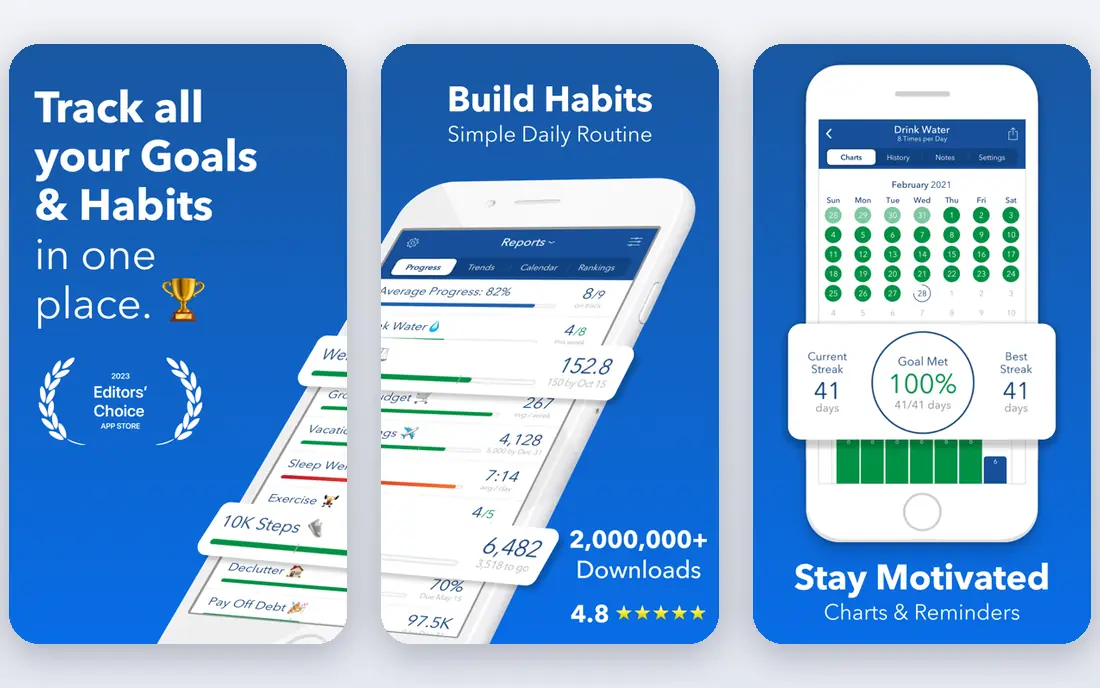
Strides is built around numbers. You set a target, choose how often to work on it, and watch a chart show whether you are on pace. That structure suits goals like reading a set number of pages, saving a set amount, or training a set number of times each week. The app also supports habits and projects, so a daily action and a longer target can sit side by side.
The trade-off is platform. Strides is made for Apple devices, so Android and Windows users need another option from this list. Within the Apple world, though, it feels focused and calm. Reminders, streaks and averages give you feedback without a long setup process. If your goal can be counted, Strides turns that count into a picture you can read in seconds.
- Clear charts for targets and averages
- Habit and project tracking in one app
- Strong Apple device support
- Apple only
- Advanced features need a paid plan
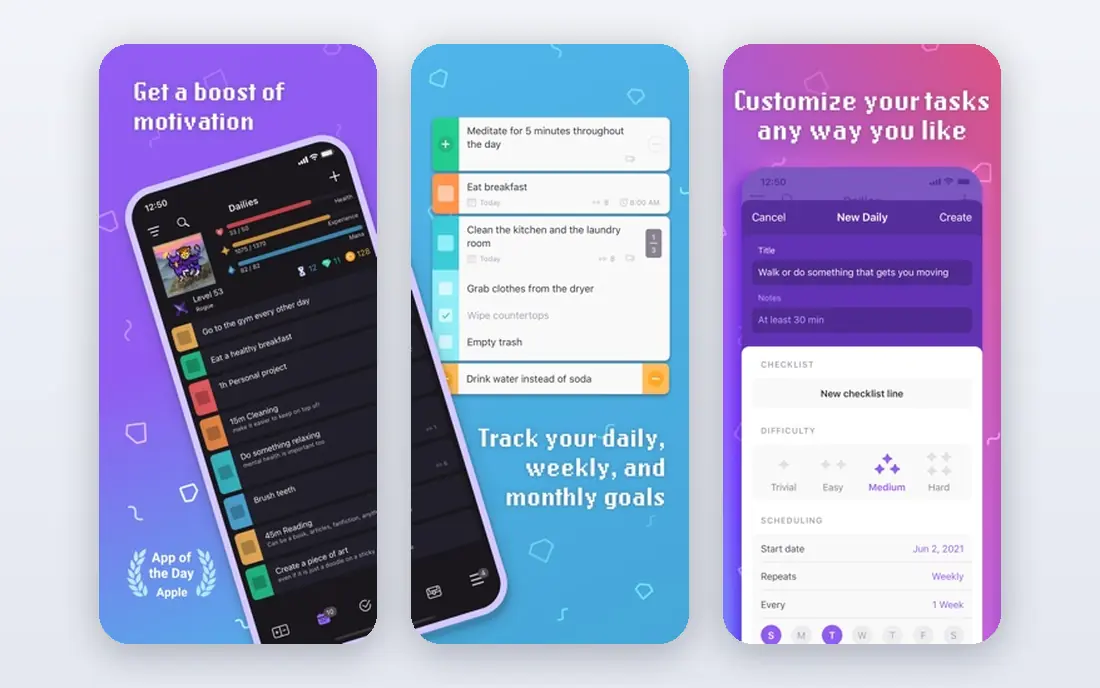
Habitica treats your to-do list as a character in a role-playing game. Completing a habit earns experience and gold, missing a daily task costs health, and quests add a shared reason to keep going. For people who have tried plain trackers and drifted away, that layer of play can be the difference between a week of effort and a lasting routine.
The game is not for everyone. Some users will find the rewards, pets and party features fun, while others will find them noisy. The core tools underneath are still solid: dailies for repeated actions, habits for flexible tracking, and to-dos for one-off steps. Try the free version first and see whether the game pulls you back each day or pulls your attention away from the work itself.
- Turns habits and tasks into a role-playing game
- Free core app
- Party and quest features for group accountability
- Game layer can distract some users
- Interface feels busy at first
Todoist is a task manager first, and that is exactly why it works as a goal tracker for many people. A goal becomes a project, milestones become sections or tasks, and daily steps become recurring tasks. Because you already open Todoist to plan the day, the goal stays visible instead of hiding in a separate app.
What Todoist lacks is detailed goal measurement. There are no built-in target charts of the kind Strides offers, and progress is mostly a matter of checking tasks off. Karma, its productivity score, gives a light sense of momentum over time. If your goals are project-shaped, such as finishing a course or launching a small business, Todoist keeps the steps organised. If your goals are number-shaped, pair it with a tracker or use its task counts as a rough guide.
- Fast task entry on every major platform
- Projects and recurring tasks
- Simple progress view through Karma
- No dedicated goal charts
- Deeper goal planning needs manual setup
TickTick combines several tools that goal setters often juggle separately. Tasks hold the steps, a habit tracker holds the daily actions, a calendar holds the deadlines, and a timer can hold a focused work session. That combination makes it a strong choice for a best app for goals search when you want one home for the whole routine.
The habit section is where goal progress becomes visible day by day. You can track streaks, set reminders, and review a simple record of what you did. It does not offer the deep charts of a dedicated measurement app, but for most personal goals that level of detail is enough. TickTick suits people who want a tidy daily plan with goals woven in, rather than a separate system to maintain.
- Tasks, habits, calendar and timer in one app
- Available on most platforms
- Clean daily view
- Goal reporting is lighter than dedicated trackers
- Some features sit behind the paid plan
ClickUp is the best goal setting software option here for teams and for people whose goals connect to real projects. Its Goals feature lets you group targets, add measurable targets to each goal, and link tasks so progress updates as work is completed. That link between a target and the work behind it is what many simpler apps miss.
The cost of that power is complexity. ClickUp can manage documents, time tracking, dashboards and automations, and a solo user may only need a small part of it. Start with one goal folder, a handful of targets, and a short list of tasks. Used that way, it gives a clear answer to a useful question: how much of this goal is actually done, and what is the next step?
- Dedicated Goals feature with targets and folders
- Strong for teams
- Many views including lists and boards
- Broad feature set can feel heavy for one person
- Setup takes time
Notion is the best personal goal setting app for people who like to design their own system. Pages can hold a goal statement, a database can hold milestones, and linked views can show progress by week or by area of life. Templates from the community can speed up the start, and the free personal plan covers a lot of ground.
That freedom is also the drawback. Notion does not hand you a finished goal tracker. You decide what counts as progress, how often to review, and which views matter. People who enjoy building a workspace will find that satisfying. People who want to open an app and start tracking in two minutes may prefer Strides or Habitica. Notion shines when a goal needs notes, research and reflection alongside the numbers.
- Free personal plan
- Flexible pages, databases and templates
- Good for journals and reviews
- You build the system yourself
- No ready-made goal charts out of the box
Goals on Track is the most traditional goal planner in this list, and that is a strength. It walks you through writing a goal, breaking it into subgoals, adding tasks, and attaching habits. Progress reports then show how each part is moving. For a best goal setting app search where structure matters more than style, this focus is welcome.
The app is less polished than the big names, and it does not try to be a full workspace or a game. Its value is in the method: a clear goal, a written plan, and a regular review. If you have a large goal such as changing careers or training for an event, that method helps you see the next step instead of only the distant finish line. Use the free tier to test whether the structure fits before paying.
- Built around SMART goal structure
- Subgoals, tasks and habit tracking
- Progress reports
- Smaller community and fewer integrations
- Web-first feel on mobile
Way of Life is the simplest tracker here, and sometimes simple wins. Each habit or action gets a yes or no each day, and a colour-coded chart shows trends over weeks and months. There is almost nothing to configure, which makes it easy to keep using after the first burst of enthusiasm fades.
That simplicity has limits. Way of Life does not break a big goal into subgoals or manage project tasks, so it works best as a companion to a plan made elsewhere. Use it for the daily actions that support a goal: writing, training, reading, or calling one contact a day. Over time, the trend line tells a plain story about consistency, and consistency is often what a goal really needs.
- Very fast yes or no check-in
- Colour-coded trends
- Minimal setup
- Limited project planning
- No deep goal breakdown tools
How we picked these
We shortlisted apps that are still available on major platforms, offer a free way to start, and support either measurable targets, habit tracking, or project-based goals. We favoured tools with a clear angle rather than near-identical copies, and we checked each official site for its current positioning and free plan. Prices change often, so we list starting prices as See website where a plan page did not give a stable figure at the time of writing.
How to choose the best goal tracking app
Start with the shape of your goal. A counted goal, such as saving money or running a distance, needs charts and averages, so Strides or Goals on Track fit well. A behaviour goal, such as writing daily or meditating, needs a fast check-in, so Way of Life or Habitica may suit you better. A project goal, such as completing a qualification, needs tasks and milestones, so Todoist, TickTick or ClickUp make more sense.
Next, think about where you will actually open the app. An Apple-only tool is no help on an Android phone, and a desktop workspace is no help if you plan on the move. Check the free plan before paying, and run one real goal through it for two weeks. Look at reminders, streaks, and how easy it is to record progress on a busy day. The best free goal tracking apps are the ones that survive a bad week, not just a good one. If the app feels like a chore, switch early. A simpler tool used daily beats a powerful tool opened once a month.
Frequently asked questions
What is the best goal tracking app?
There is no single winner, because goals differ. Strides is a strong pick for counted targets on Apple devices, Habitica suits people who need playful motivation, and Todoist suits people who want goals inside their task list. Shortlist two, test each with one real goal, and keep the one you open most often.
What is the best free goal tracking app?
Habitica, Todoist, TickTick, Notion and Way of Life all offer free plans that cover core tracking. Habitica is free for its main game and task features, while Notion gives a flexible free personal workspace. Free plans usually limit advanced charts or team features, so check what is included before you commit to a system.
What is the best goal setting app for personal goals?
For personal goals, a simple and consistent tool beats a complex one. Way of Life suits daily actions, Goals on Track suits a written plan with subgoals, and Notion suits people who want goals, notes and reviews together. Pick based on whether your goal is a habit, a project, or a number to reach.
Can a goal tracking app help with long-term goals?
Yes, if it supports milestones and reviews. Break a long-term goal into smaller targets with dates, record progress weekly, and review what helped or blocked you. Apps with charts, such as Strides, or project views, such as ClickUp, make that review easier than a plain list.
Do I need a separate habit tracker and goal tracker?
Not always. Many of the best goals apps combine both, with habits feeding into a larger target. TickTick and Habitica do this in one place. A separate habit tracker only helps if your main app makes daily check-ins slow or awkward.
Sources we checked (8)

Online Jobs is an independent blog about careers, online work, learning new skills and the tools that help people earn. More about us.
Keep reading
All posts
Zoom Alternatives
Zoom alternatives compared for 2026: Google Meet, Microsoft Teams, Webex, Jitsi and more for free calls, large meetings and webinars for teams and classrooms.

What Is the Best Free Tool to Rotate a PDF
What is the best free tool to rotate a PDF? We compare eight free rotation tools on per-page control, limits, privacy and saved output quality in detail.

What Is the Best AI Dubbing Tool
We compared the best AI dubbing tools in 2026, from ElevenLabs and HeyGen to Rask AI, Dubverse and Veed, for videos and creators in many languages worldwide.