Best Generative AI Tools for Business in 2026: 9 Tools Compared


Everyday business writing, ideas, and analysis · Starting price: Free
How we put this together: we compare official feature and pricing pages, app store listings, privacy policies and public user reviews. Prices change, so check the provider's site before you pay.
Key takeaways
- ChatGPT and Claude are the best general starting points for most small businesses, with free tiers and $20 per month Pro plans.
- Google Gemini suits teams already using Google Workspace, Gmail, and Docs every day.
- Microsoft 365 Copilot suits companies standardized on Microsoft 365, Word, Excel, and Outlook.
- Jasper and Writer suit marketing and content teams that need brand voice controls and team workflows.
- Notion AI, Perplexity, and Grammarly suit specific jobs: notes, research with sources, and writing polish, rather than replacing a main assistant.
Quick comparison
| Name | Who it suits | Starting price | Free option | |
|---|---|---|---|---|
| ChatGPT | Everyday business writing, ideas, and analysis | Free | Yes | Visit |
 Claude | Long documents, writing, and careful analysis | Free | Yes | Visit |
 Google Gemini | Google Workspace teams | Free | Yes | Visit |
 Microsoft 365 Copilot | Microsoft 365 teams | See website | Yes | Visit |
 Jasper | Marketing copy at team scale | See website | No | Visit |
 Writer | Brand-safe enterprise content | See website | No | Visit |
 Notion AI | Notes, docs, and team knowledge | See website | No | Visit |
 Perplexity | Research with cited sources | Free | Yes | Visit |
 Grammarly | Writing polish and clarity for teams | Free | Yes | Visit |
The best generative ai tools for business
Generative AI tools for business now cover chat, writing, research, coding help, image creation, and workflow automation. The best tool for a small business is rarely the most powerful model in isolation. It is the tool your team will actually open every day, that fits the apps you already use, and that handles your data in a way you can explain to customers and staff. The tools below cover those practical choices.
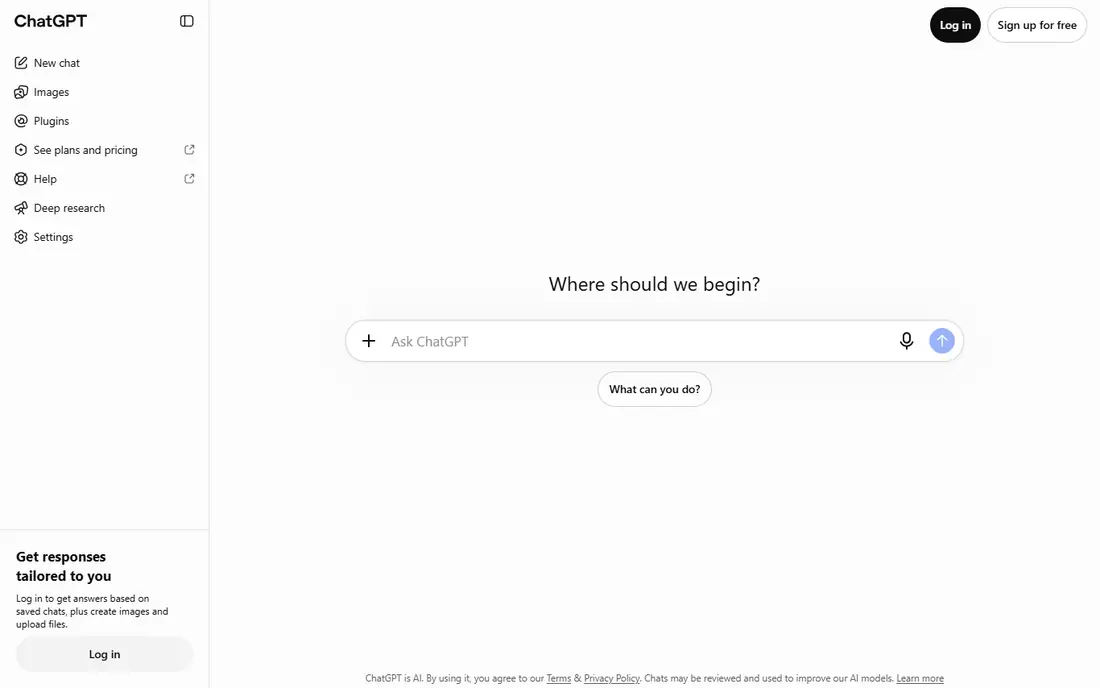
ChatGPT is the most versatile starting point for a small business. It can draft emails, summarize documents, brainstorm product ideas, explain a contract in plain language, and help with basic code or spreadsheet formulas. The free tier covers casual use, while Plus at $20 per month gives higher limits and access to newer models. Business and Enterprise plans add admin controls, data protections, and team management for larger companies.
The limit is accuracy and privacy. ChatGPT can produce confident-sounding errors, so every factual claim, price, or legal statement needs checking against a trusted source before it reaches a customer. Do not paste sensitive customer data, passwords, or unpublished business details into a free consumer account. For routine business work, ChatGPT is a strong first tool, but it does not replace human review.
- Versatile for writing, brainstorming, analysis, and coding help
- Large ecosystem of custom GPTs
- Plus plan at $20 per month
- Free tier has usage limits
- Outputs need fact-checking
- Business data controls sit on higher plans

Claude, from Anthropic, is a strong choice for businesses that work with long documents, contracts, reports, and careful writing. It handles large uploads well, summarizes dense material in plain language, and produces writing that often needs less editing than other chatbots. The free tier covers light use, while Pro costs $20 per month, or $17 per month billed annually in public reports, with higher limits.
The trade-off is breadth. Claude is less focused on image generation and consumer plugins than ChatGPT or Gemini, so teams that need images, voice, or deep app integrations may prefer a different main tool. For a business that lives in documents, proposals, and customer communication, Claude's writing quality and document handling make it a serious alternative to ChatGPT as a daily assistant.
- Strong long-document handling
- Clear, natural writing style
- Pro plan at $20 per month
- Free tier has message limits
- Fewer built-in image tools than some rivals
- Team features sit on higher plans
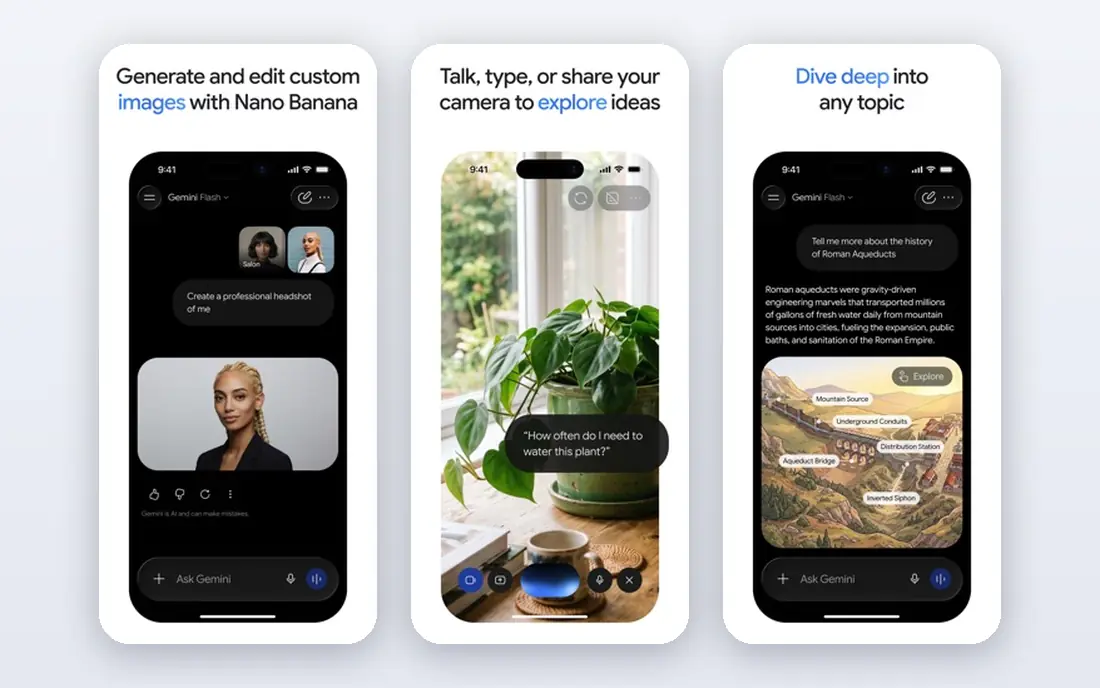
Gemini is Google's AI assistant, built to work inside Gmail, Docs, Sheets, Drive, and Meet for Workspace users. It can summarize emails, draft documents, analyze spreadsheets, and help with research, all without leaving the Google apps many small businesses already use. A free tier covers basic use, while Google AI Pro at $19.99 per month in public reports adds higher limits, more storage, and video tools.
The limit is ecosystem fit. If your team lives in Microsoft 365, Gemini will feel like an extra tool rather than a natural extension of daily work. Gemini outputs also need the same fact-checking as any AI assistant, especially for prices, dates, and legal claims. For a Google-first team, Gemini is the most natural main assistant. For others, it works best as a second tool for research and Docs work.
- Deep Google Workspace integration
- Google AI Pro at $19.99 per month in public reports
- Strong research and multimodal help
- Best value requires Google ecosystem use
- Enterprise controls vary by Workspace plan
- Outputs still need fact-checking
Microsoft 365 Copilot brings AI help into Word, Excel, PowerPoint, Outlook, and Teams, using your organization's documents and emails under Microsoft's permission controls. It can draft a proposal from a brief, summarize a long email thread, analyze a spreadsheet, and prepare meeting notes. A free Copilot Chat tier covers basic chat, while full Microsoft 365 Copilot is an add-on to a qualifying Microsoft 365 subscription, with public reports describing $30 per user per month on annual terms for enterprise plans.
The drawback is cost and setup. A small business must already pay for Microsoft 365, then add Copilot on top, which makes it more expensive than a standalone $20 chatbot. Admins also need to check data permissions, retention, and which documents Copilot can access. For a company already standardized on Microsoft 365, Copilot can save real time in daily Office work. For a team that rarely uses Office, a standalone assistant is better value.
- Works inside Word, Excel, Outlook, and Teams
- Uses your business documents with permission controls
- Enterprise security options
- Full Copilot requires a qualifying Microsoft 365 subscription plus an add-on cost
- Pricing varies by plan
- Setup needs admin planning
Jasper is built for marketing teams that produce a lot of copy in a consistent brand voice. It offers templates for blog posts, ads, social captions, and emails, plus brand voice settings that help different writers produce similar tone and style. Public reports describe Creator pricing around $49 per month for one user, with Teams plans higher, though current pricing should be checked on its site.
The limit is that Jasper does not replace strategy or fact-checking. It can draft fast, but a human still needs to check claims, prices, and legal statements before publication. For a solo founder who writes occasionally, ChatGPT or Claude will be cheaper and more flexible. For a marketing team producing regular content under brand rules, Jasper's templates and voice controls can save editing time.
- Brand voice controls
- Marketing templates for ads, blogs, and email
- Team collaboration and approval workflows
- No free plan in public reports
- Pricing is higher than a general chatbot
- Still needs human editing for accuracy
Writer is an enterprise AI platform focused on brand-safe content for larger companies, especially in regulated industries. It lets teams set style guides, approved terminology, and compliance rules, so generated content follows company standards more closely than a general chatbot. That control matters for health, finance, legal, and other fields where wording errors carry real risk.
The trade-off is cost and complexity. Writer pricing is quoted for enterprise use, and setup requires input from brand, legal, and compliance teams. A small business with one writer will not need that level of control, and a general assistant plus a human editor will be faster and cheaper. For a larger company producing customer-facing content at scale under strict rules, Writer is worth evaluating.
- Enterprise brand and compliance controls
- Style guides and terminology rules
- Content generation for regulated teams
- Enterprise pricing quoted
- Overkill for a solo creator
- Setup needs brand and compliance input
Notion AI adds generative help inside Notion, where many small teams already keep docs, wikis, project plans, and meeting notes. It can summarize a long page, turn meeting notes into action items, draft a document from a brief, and help find information across a workspace. That in-place help saves the copy-and-paste work of using a separate chatbot for every doc task.
The limit is that Notion AI is only valuable if your team already uses Notion daily. It is not a replacement for a general assistant for email, research, or coding help. Pricing also depends on your Notion plan and AI add-on terms, so check the current total before adding it for a whole team. For a Notion-first team, it is a useful upgrade. For others, skip it and use a standalone tool.
- AI inside your existing Notion docs and wikis
- Summaries, action items, and drafting without switching apps
- Good for team knowledge
- Requires a Notion subscription plus AI add-on in many cases
- Less suited as a general chatbot
- Value depends on Notion use
Perplexity is a research assistant that answers questions with citations, so you can check where each claim came from. That makes it useful for market research, competitor checks, supplier research, and staying current on industry news. The free tier covers basic searches, while Pro at $20 per month in public reports gives more Pro searches and model choice.
The drawback is that citations do not guarantee accuracy. Sources can be outdated, misread, or taken out of context, so important business decisions still need direct checking of primary sources. Perplexity also produces shorter, research-style answers rather than polished long-form copy. Use it as a research starting point alongside ChatGPT or Claude, not as your only writing tool.
- Answers with sources you can check
- Good for market and competitor research
- Pro plan at $20 per month in public reports
- Free tier limits Pro searches
- Still needs source verification
- Less suited to long-form creative writing
Grammarly is a writing assistant that checks grammar, clarity, tone, and conciseness across email, documents, and browsers. It helps a small business produce cleaner customer emails, proposals, and website copy without hiring an editor for every message. A free tier covers basic checks, while paid plans add advanced clarity, tone, and team style guide features.
The limit is scope. Grammarly polishes writing, it does not generate research, analyze data, or draft a full strategy from scratch. It works best paired with a main assistant like ChatGPT or Claude: generate a draft with one, polish it with Grammarly, and have a human review the final version. For a team that writes to customers every day, that pairing improves quality without adding much cost.
- Grammar, clarity, and tone checks across apps
- Team style guides on paid plans
- Works in email, docs, and browsers
- Not a general AI assistant
- Free tier is limited
- AI writing features sit on higher plans
How we picked these
We compared tools that small and mid-sized businesses actually use for generative AI work, covering general assistants, workspace assistants, marketing tools, research tools, and writing polish. We looked at official pricing pages and public pricing reports, and we used See website where pricing is quoted, bundled, or varies by plan. We did not invent model capabilities, user counts, or accuracy claims, and we noted where a tool requires an existing subscription to deliver full value.
How to choose generative AI tools for a small business
Start with one main assistant, not five subscriptions. Pick ChatGPT, Claude, or Gemini based on the apps your team already uses, and give it a month of real work: emails, summaries, drafts, and research. Measure time saved and errors caught, not just how impressive the demos look. A tool nobody opens is a wasted subscription, however powerful it is.
Next, add specialist tools only for clear gaps. Add Perplexity if research with sources is a daily job, Jasper or Writer if marketing volume and brand control justify it, Notion AI if your team lives in Notion, and Grammarly if customer writing quality is a constant issue. For each addition, assign one owner, set data rules, and train the team on what not to paste into AI tools, including customer personal data, passwords, and unpublished financial details.
Finally, keep a human in charge of anything public or financial. AI drafts are a starting point, not a final product. Check facts, prices, dates, and legal claims against trusted sources, and keep a record of where key business content came from. A clear policy on AI use, plus regular review of outputs, protects customers and keeps your business credible as AI tools change.
Frequently asked questions
What are the best generative ai tools for business?
ChatGPT and Claude are the best general picks for most small businesses, with Gemini best for Google teams and Microsoft 365 Copilot best for Microsoft teams. Jasper and Writer suit marketing and enterprise content teams, while Perplexity suits research and Grammarly suits writing polish. Start with one main assistant, then add specialists only where they solve a clear daily problem.
What are the best ai tools for small business owners?
For a small business owner on a budget, ChatGPT free or Plus at $20 per month, Claude Pro at $20 per month, and Gemini free or Pro cover most daily writing, research, and analysis. Add Grammarly free for writing polish and Perplexity free for research with sources. Avoid paying for many overlapping subscriptions before you know which tool your team actually uses every day.
What are the best enterprise generative ai tools?
Microsoft 365 Copilot and Writer suit larger companies that need admin controls, permission handling, and brand or compliance rules. ChatGPT Business and Enterprise, Claude Team and Enterprise, and Gemini for Workspace also offer admin and data controls for larger teams. Enterprise choice depends on your existing apps, security requirements, and how much control you need over data and outputs.
What is the best ai software for small business growth?
No single tool drives growth by itself. A main assistant helps with marketing drafts, customer emails, and research, while specialist tools help with content, notes, and writing quality. Growth still comes from a good product, clear pricing, and customer service. Use AI to save time on routine writing so you can spend more time on customers, product, and sales.
Is it safe to put business data into AI tools?
It depends on the plan and the data. Consumer free tiers often have different data handling than business and enterprise plans, so check the vendor's data policy before pasting customer personal data, financial details, or trade secrets. As a rule, do not paste passwords, full customer databases, or unpublished legal documents into a consumer AI account. Use business plans with admin controls for sensitive work, and train staff on those rules.
How much do generative AI tools cost for a business?
Most general assistants cost $20 per month per user for Pro plans, with free tiers for light use. Workspace assistants like Microsoft 365 Copilot cost more because they add to an existing subscription. Marketing and enterprise tools vary widely and are often quoted. Start with free tiers, then pay only for the seats and tools your team uses daily.
Sources we checked (9)

Online Jobs is an independent blog about careers, online work, learning new skills and the tools that help people earn. More about us.
Keep reading
All posts
n8n Alternatives
n8n alternatives compared for 2026, with Zapier, Make, Activepieces, and more, covering visual builders, code steps, self-hosting, and pricing models.

ZoomInfo Alternatives
The best ZoomInfo alternatives in 2026, compared on price, free plans, data coverage, and which tool fits small teams or large sales teams best in detail.

Zoom Alternatives for Webinars
Compare Zoom alternatives for webinars in 2026, from browser-based rooms to enterprise events, with prices, attendee limits, features and honest trade-offs.