Best Gas Price App in 2026: 8 Products Compared

How we put this together: we compare official feature and pricing pages, app store listings, privacy policies and public user reviews. Prices change, so check the provider's site before you pay.
Key takeaways
- GasBuddy is the strongest choice for station-by-station price hunting, thanks to its large community of price reporters.
- Waze and Google Maps suit drivers who want prices inside navigation, rather than in a separate app.
- Upside and similar cashback apps can lower the net cost of a fill-up, but savings depend on participating stations and offers.
- Diesel drivers should check fuel-grade filters, because not every app shows diesel prices clearly by station.
- Prices change often, so check an app on the day of travel and compare two sources before a long detour.
Quick comparison
| Name | Who it suits | Starting price | Free option | |
|---|---|---|---|---|
 GasBuddy | Raw price hunting | Free | Yes | Visit |
 Waze | Prices inside navigation | Free | Yes | Visit |
 Google Maps | Quick price checks | Free | Yes | Visit |
 Upside | Cashback on fuel | Free | Yes | Visit |
 Gas Guru | Closest cheap stations | Free | Yes | Visit |
 AAA Mobile | Trusted price checks and trip help | Free | Yes | Visit |
 iExit | Interstate stops and fuel | Free | Yes | Visit |
 Shell App | Shell stations and rewards | Free | Yes | Visit |
The best gas price app
We compared apps on price coverage, fuel-grade filters, navigation links, cashback and ease of use. All of the apps below are free to download, though some offer optional paid extras or linked payment cards. The right pick depends on whether you want the lowest pump price, the best route or cash back after paying.
GasBuddy remains the default app for drivers who want to compare stations before filling up. Users report prices, and the app shows nearby stations sorted by price, fuel grade and distance. A trip cost calculator helps drivers estimate fuel cost for a planned journey, and fuel insights show average prices by area, which helps spot a station charging well above the local norm.
The main limit is data freshness. In busy urban areas, prices update often, while in rural areas a listed price may lag the pump price. Drivers should also review location sharing settings, because GasBuddy shares location data with partners for advertising unless settings are changed. For pure price hunting, though, GasBuddy still offers the widest station coverage in the United States.
- Large community price reports
- Search by location, ZIP code or city
- Trip cost calculator and fuel insights
- Price accuracy varies by area
- Location data settings need checking
- Paid extras add cost for heavy users
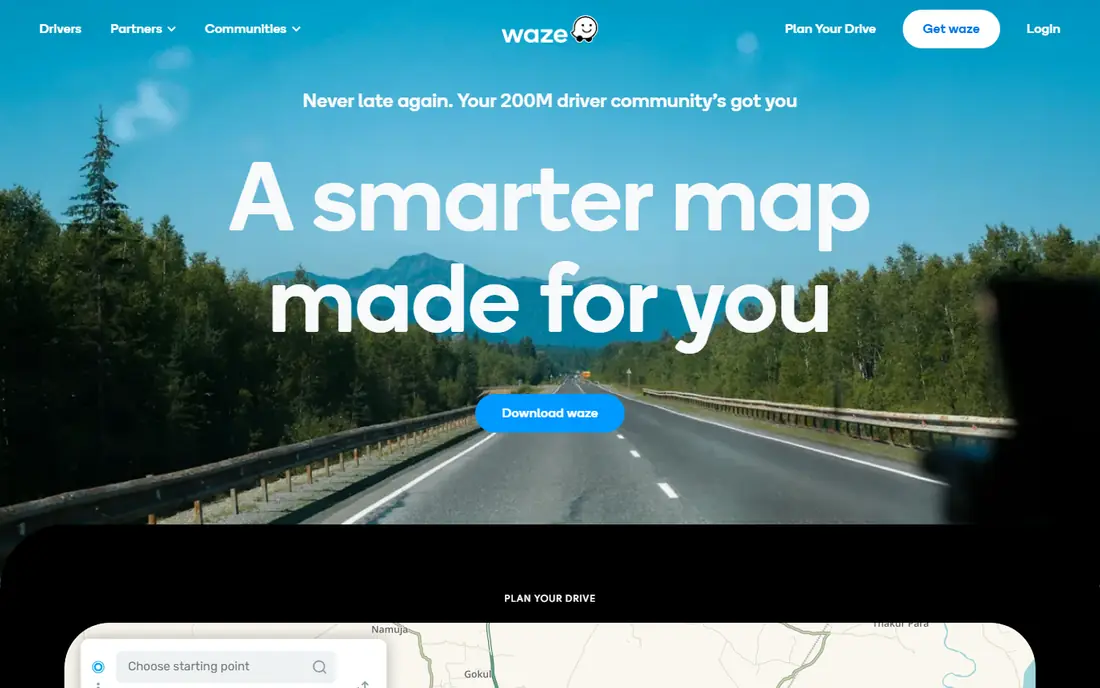
Waze suits drivers who do not want to switch apps while driving. Gas station prices appear along the current route, with the cheapest options highlighted, and drivers can sort by price, distance or brand. That route view helps judge whether a detour is worth it: a station a short distance off route that saves a few cents per gallon may beat a cheaper station far away.
Waze is a navigation app first, so it does not offer cashback or a dedicated fuel rewards card. Its prices also depend on user reports, so accuracy varies by area and time of day. For drivers who already use Waze for traffic, the built-in price view is a practical bonus that needs no extra app.
- Gas prices shown along a route
- Sort by price, distance or brand
- Live traffic and hazard alerts in the same app
- Prices are user-reported and can lag
- Sponsored stations can appear near the top of results
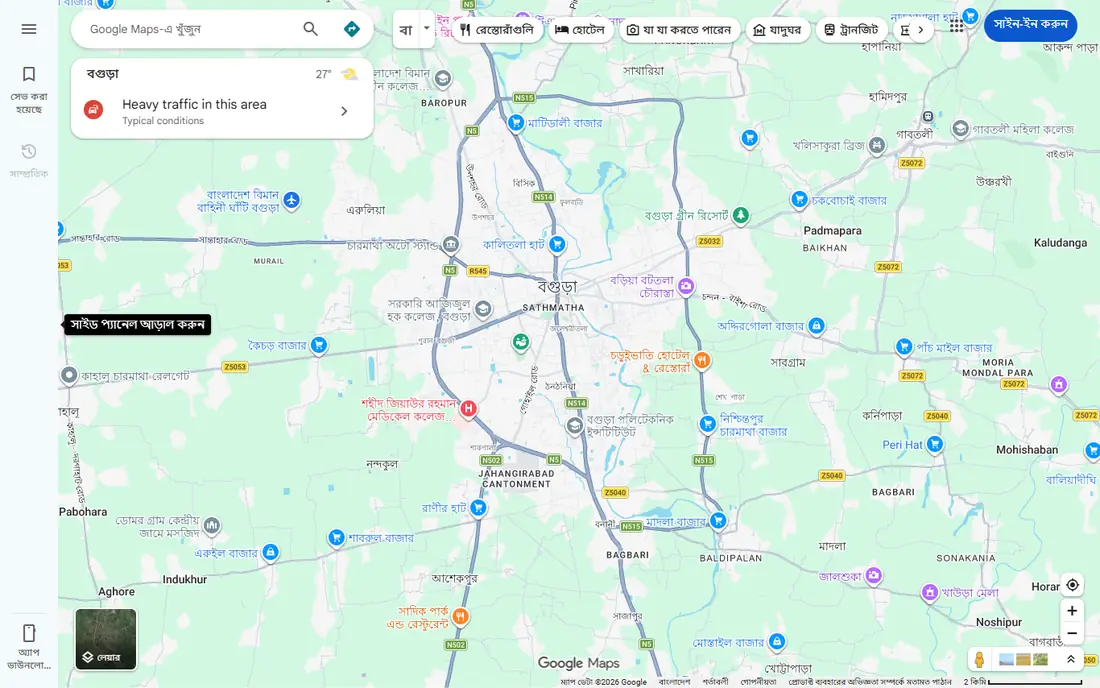
Google Maps is the easiest option for a quick check, because most drivers already have it installed. Searching for gas stations shows prices where available, plus distance, hours and directions. That makes it useful for a fast decision on a familiar route, or for finding a station near a destination.
The drawback is freshness and depth. Prices in Google Maps can be older than those in GasBuddy or Waze, and the app does not focus on fuel-grade filters or rewards. For a one-off check, that is fine. For drivers who compare prices daily, a dedicated fuel app will usually give fresher data.
- Built into a map most drivers already use
- Search for stations by brand or area
- Directions and station details in one place
- Prices may be less fresh than dedicated fuel apps
- No cashback or fuel rewards
Upside takes a different approach: instead of only showing the cheapest pump price, it offers cash back at participating stations. Drivers claim an offer in the app, pay as normal, then check in to confirm the purchase. Rewards can be cashed out through bank transfer, PayPal or gift cards, depending on the options shown in the app.
The catch is that the cheapest pump price and the best cashback offer may not be at the same station. Drivers should compare the net cost after cashback, not just the headline offer. Upside also works best where many stations take part, so coverage varies by area. Used alongside GasBuddy or Waze, it can lower total fuel cost over time.
- Cashback offers at participating stations
- Rewards can be paid via bank, PayPal or gift cards
- Works alongside price apps
- Savings depend on station participation
- Offers vary by area and time
- Cashback is not a pump discount
Gas Guru focuses on a simple job: show the cheapest nearby stations, with a colour-coded view that makes low prices easy to spot. Drivers can filter by distance, fuel grade and station amenities, which helps diesel drivers and drivers who need a car wash, shop or restroom. The interface is light and fast, with no need for a rewards account.
The main limit is scale. Gas Guru has a smaller reporting community than GasBuddy, so price data can be thinner in some areas. For drivers in towns and cities with good coverage, it is a clean alternative. For rural trips, checking a second app is wise before relying on one listing.
- Colour-coded price view
- Filters by distance, fuel grade and amenities
- Simple station search
- Smaller community than GasBuddy
- Coverage varies outside larger towns
AAA Mobile offers gas price checks for members and non-members, alongside trip planning and member services. Drivers can look up average prices and nearby stations, then plan a route with stops. For AAA members, the same app also links to roadside assistance and member discounts, which makes it a useful all-in-one travel companion.
AAA is not a dedicated fuel app, so it lacks the deep price community of GasBuddy and the cashback focus of Upside. Its strength is trust and trip context: average price data helps drivers judge whether a station price is fair, and trip tools help plan fuel stops on longer journeys. For AAA members, it is worth keeping alongside a price-hunting app.
- Daily average price data
- Trip planning tools
- Roadside help for members in the same app
- Fuel features are thinner than dedicated apps
- Some benefits need AAA membership
iExit is built for highway travel in the United States. It lists what is available at each upcoming interstate exit, including gas stations and prices where available, plus food, lodging and rest areas. That exit-by-exit view helps drivers plan a fuel stop before the tank gets low, rather than searching at the last minute.
The limit is scope. iExit is not a local price-hunting app for city driving, and it does not offer cashback. For road trips on interstates, though, it fills a gap that city-focused apps miss. Drivers can pair it with GasBuddy for price detail and use iExit to pick the most practical exit.
- Shows fuel, food and lodging by interstate exit
- Useful on long highway trips
- Simple exit-by-exit view
- United States interstates only
- Less useful for local city driving
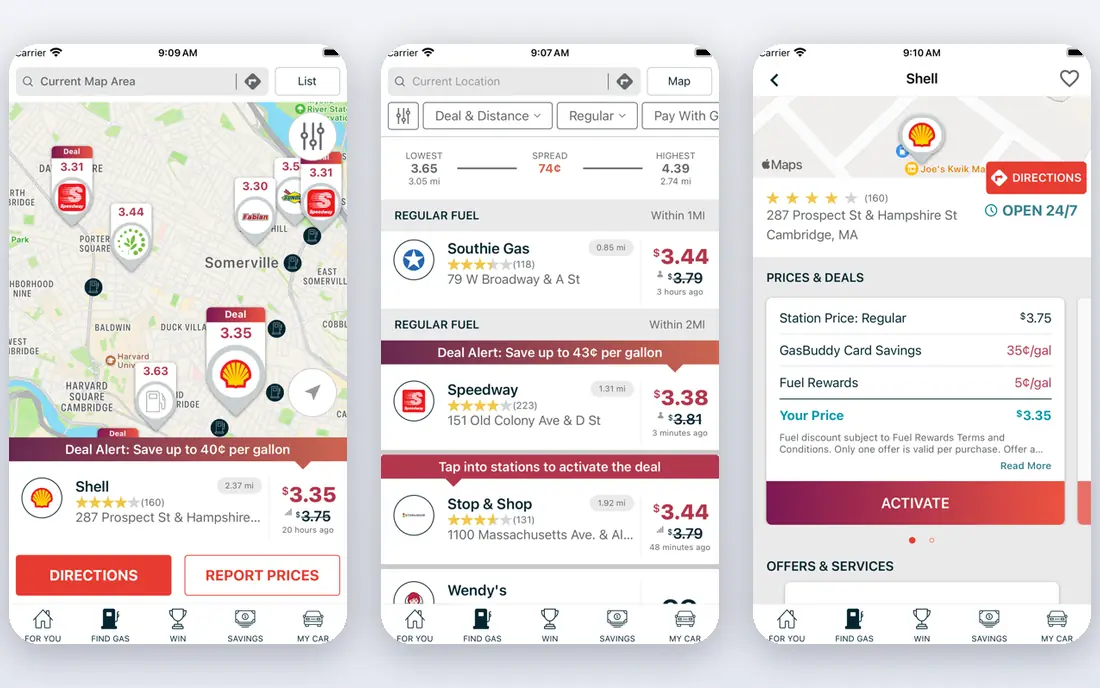
The Shell app suits drivers who mainly use Shell stations. It finds nearby Shell sites, shows fuel options and links to the Fuel Rewards programme, where eligible purchases can earn savings on fuel. At participating stations, drivers can also pay from the app, which can speed up a stop.
The obvious limit is brand coverage. Drivers who want the cheapest station regardless of brand will need a broader app such as GasBuddy. For loyal Shell customers, though, the app combines station finding, rewards and payment in one place, and it is free to download and use.
- Station finder with fuel prices at Shell sites
- Fuel Rewards links
- Mobile payment at participating stations
- Only covers Shell stations
- Savings depend on rewards programme terms
How we picked these
We reviewed official app listings, vendor feature pages and public reviews to confirm each app is still available and still covers fuel prices or fuel savings in 2026. We favoured apps with broad station coverage, clear fuel-grade filters or a distinct benefit such as cashback, navigation or interstate planning. We left out apps that only serve one small region or that had no current price or station data in their listings.
Choosing a fuel app that saves real money
Start with your driving pattern. Daily commuters benefit most from a price-hunting app such as GasBuddy, while road-trip drivers benefit from Waze for route prices and iExit for exit planning. Cashback fans should add Upside and compare net cost, not just pump price. Using two apps together often beats relying on one source, especially where prices change fast.
Check diesel and fuel grades before you go
Not every station listing shows diesel, premium or ethanol blends clearly, so filter by fuel grade before setting off. Diesel prices can vary more by station than regular petrol, and a station that is cheap for regular fuel may not be cheap for diesel. A quick grade check avoids a wasted detour.
Use price data with care on the road
Never check prices while driving. Set a route and fuel stops before leaving, or let a passenger check the app. Prices listed in any app can lag real pump prices, so treat a listed price as a guide and confirm at the station if the saving is small.
Frequently asked questions
What is the best app to find cheap gas?
GasBuddy is the strongest overall choice for finding cheap gas, because it focuses on station prices and has a large reporting community. Waze and Google Maps are good alternatives when you want prices inside navigation. For the lowest net cost, compare a price app with a cashback app such as Upside.
What is the best fuel app for diesel prices?
GasBuddy and Gas Guru both allow fuel-grade filters that include diesel, which helps diesel drivers compare like with like. Waze also shows fuel prices by station, though diesel coverage can vary by area. Check the diesel filter before travelling, and compare two apps on rural routes.
Are gas price apps free?
Most gas price apps are free to download and use, including GasBuddy, Waze, Google Maps, Gas Guru and iExit. Some offer optional paid extras, linked payment cards or rewards programmes that may carry fees or terms. Core price search in the apps listed here does not require payment.
How accurate are gas price apps?
Accuracy depends on how often prices are reported in an area. Busy urban areas tend to have fresher data, while rural areas can lag by hours. User-reported prices can also differ from pump prices after a price change. Checking two apps and confirming at the station gives the safest result.
What is the best app for diesel fuel prices on a road trip?
For road trips, pair GasBuddy for diesel price detail with Waze for route prices and iExit for interstate exit planning. That mix covers price, route and practical stops. On long trips, also plan fuel stops before remote stretches where stations are sparse.
Sources we checked (8)

Online Jobs is an independent blog about careers, online work, learning new skills and the tools that help people earn. More about us.
Keep reading
All posts
Life360 Alternatives
Compare Life360 alternatives for family location sharing, place alerts, crash detection and privacy controls, with free and paid options for families.

Best Photography Apps
Compare the best photography apps for editing, RAW capture, film presets and social sharing, with free and paid options for iPhone and Android in 2026.
Best Grocery List App
Best grocery list app compared on sharing, recipes, cost totals, and price, so your household stops buying duplicates and forgetting milk. Updated for 2026.