Best Gantt Chart Software in 2026: 9 Tools Compared

How we put this together: we compare official feature and pricing pages, app store listings, privacy policies and public user reviews. Prices change, so check the provider's site before you pay.
Key takeaways
- GanttPRO and TeamGantt are the purest Gantt-first picks, while Asana, monday.com, and ClickUp pair timelines with wider project work.
- Smartsheet suits teams that already think in spreadsheets, and Microsoft Planner suits teams already inside Microsoft 365.
- Free plans help solo users and small teams, but Gantt views, baselines, and critical path often sit on paid plans.
- Price per user can mislead, so check seat minimums and flat-rate plans before you compare headline prices.
Quick comparison
| Name | Who it suits | Starting price | Free option | |
|---|---|---|---|---|
 TeamGantt | Simple Gantt-first planning | $59 per month | Yes | Visit |
 GanttPRO | Low-cost pure Gantt charts | $7 per user per month | Free trial | Visit |
 Asana | Task teams adding timelines | $10.99 per user per month | Yes | Visit |
 monday.com | Visual planning and execution | $12 per seat per month | Yes | Visit |
 ClickUp | All-in-one work platform | $7 per user per month | Yes | Visit |
 Smartsheet | Spreadsheet-style planning | $9 per member per month | Free trial | Visit |
 Wrike | Mid-size team workflows | $10 per user per month | Yes | Visit |
 Microsoft Planner | Microsoft 365 teams | $10 per user per month | Yes | Visit |
 Instagantt | Gantt charts for Asana users | $12 per month | Yes | Visit |
The best gantt chart software
We compared official pricing pages and feature pages for tools that offer a real Gantt view, not just a list with dates. Our test was simple: can you set dependencies, move a bar, see a critical path or baseline where offered, and share the timeline with a team.
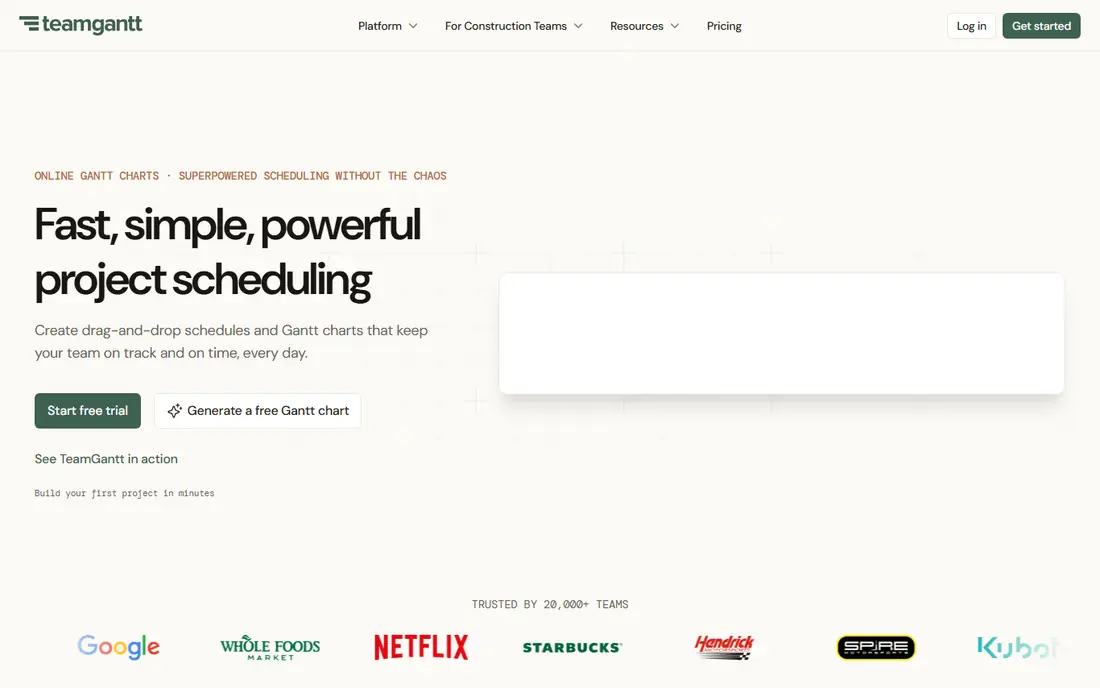
TeamGantt keeps the focus where it belongs, on the timeline itself. You can drag bars, link tasks, set milestones, and see who is doing what without digging through a maze of views. That clarity suits small to mid-size teams that want a plan everyone can read at a glance.
The free plan covers one user, one project, and a limited task count, which is enough to test the core view. Paid plans are priced per account rather than per user, which can help teams with many viewers. The catch is that baselines and some advanced dependency tools sit on higher plans, so check the plan table before you commit.
- Clean Gantt view
- Flat monthly pricing
- Easy drag-and-drop scheduling
- Flat price can feel high for one user
- Advanced features need higher plans
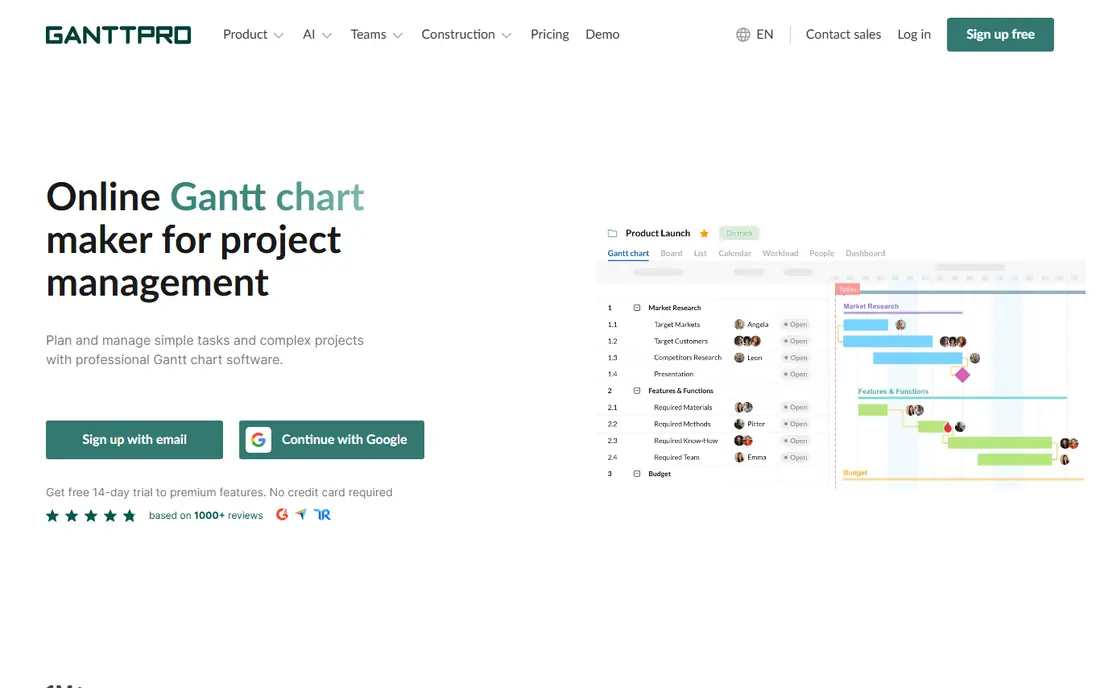
GanttPRO is the pick when the chart itself is the job. It offers dependencies, milestones, baselines, critical path, and a workload view that shows when a person is overloaded. The interface stays close to a classic project chart, which helps teams moving from spreadsheets or desktop tools.
There is no permanent free plan, though a trial lets you test the full view. Compared with ClickUp or Asana, GanttPRO has less depth in docs, chat, and general task apps. If you mainly need a strong, affordable timeline, that trade is worth making.
- Strong Gantt features at a low price
- Resource workload view
- Baselines and critical path
- No permanent free plan
- Fewer general project tools than all-in-one rivals

Asana works well for teams that live in tasks and want a timeline as a second view. You can plan work in lists and boards, then switch to a timeline to see dates, overlaps, and dependencies. That mix suits marketing, operations, and product teams that need both detail and a big picture.
The free Personal plan is useful for small teams, but the timeline view sits on paid plans. Per-user pricing also adds up as a team grows, so budget for the full team rather than a few managers. Asana is our pick when task clarity matters as much as the chart.
- Clear task management
- Timeline view on paid plans
- Strong integrations
- Gantt-style timeline needs a paid plan
- Costs rise with team size
monday.com turns a project plan into a colorful board that is easy to scan in a meeting. Timelines, calendars, and workload views sit alongside task boards, so a team can plan and do the work in one place. Templates for launches, campaigns, and construction help new teams start fast.
The free plan covers a small team and a few boards, but the Gantt view needs a paid Standard plan, and paid plans have a seat minimum. That makes monday.com better for teams of three or more than for a solo planner. If visual planning and custom workflows matter, it is a strong choice.
- Highly visual boards
- Gantt view on Standard and above
- Many templates
- Three-seat minimum on paid plans
- Free plan has no Gantt view
ClickUp tries to replace several tools at once, with tasks, docs, goals, chat, and time tracking in one account. Its Gantt view links tasks, shows dependencies, and works alongside lists, boards, and calendars. For teams that want one home for work, that breadth is hard to beat at this price.
The free plan is generous for members and storage, but Gantt use is limited, and the full view needs a paid plan. New users can also feel lost in the many settings at first. Start with one project and one view, then add features only when the team asks for them.
- Generous free plan
- Many views including Gantt
- Docs, goals, and time tracking
- Gantt use is limited on the free plan
- Setup can feel busy at first
Smartsheet suits teams that already plan in spreadsheets and want more control without learning a new system. Rows, columns, and formulas feel familiar, while the Gantt view turns dates into a timeline with dependencies and milestones. Reporting and dashboards help managers track several projects at once.
There is no permanent free plan, and a trial is the way to test it. The grid layout can also feel heavy for a team that only needs a simple timeline. For spreadsheet-minded teams with complex plans, Smartsheet is a natural step up.
- Familiar grid layout
- Gantt view from Pro
- Baselines and critical path
- No permanent free plan
- Interface can feel dense for simple projects
Wrike pairs Gantt charts with approvals, request forms, and reporting, which suits mid-size teams with formal workflows. You can build a timeline, assign work, track progress, and report on workload without leaving the platform. That depth helps operations and agency teams that juggle many clients.
The free plan is useful for basic task work, but the Gantt view needs a paid Team plan. Setup also takes more time than TeamGantt or GanttPRO, so plan a short pilot before rolling it out widely. For teams that need process control alongside timelines, Wrike earns its place.
- Gantt charts plus workflow depth
- Reporting and approvals
- Scalable for larger teams
- Free plan lacks Gantt view
- Learning curve is steeper than simpler tools
Microsoft Planner is the sensible pick for teams already paying for Microsoft 365. Basic boards come with many Microsoft 365 plans, a timeline starts with Plan 1, and baselines and critical path arrive with Plan 3. That path keeps plans close to Teams, Outlook, and Office files.
The catch is plan complexity. What you get depends on your Microsoft 365 setup, and the full scheduling depth costs more. Teams outside Microsoft 365 will find simpler, cheaper Gantt tools elsewhere. Inside that system, Planner avoids another login and another bill.
- Works inside Microsoft 365
- Timeline from Plan 1
- Deep scheduling from Plan 3
- Best features need higher plans
- Setup varies by Microsoft 365 subscription
Instagantt is a focused add-on for teams that already use Asana and want a stronger chart. It syncs with Asana tasks and adds a clear Gantt view, workload view, and progress tracking without forcing a move to a new system. That narrow focus is its strength, because it does one job well.
As a standalone tool it makes less sense, since its value comes from the Asana link. Pricing is per user for individuals and flat for small teams, so check the current page for your team size. If Asana is your home and the timeline feels thin, Instagantt is a low-friction upgrade.
- Built to pair with Asana
- Clean Gantt and workload views
- Simple pricing
- Most useful with Asana
- Less useful as a standalone project platform
How we picked these
We compared official pricing and feature pages for tools with a true Gantt view, dependencies, and team sharing in 2026. We kept tools that are actively sold and supported, and we noted where Gantt views, baselines, or critical path need a paid plan. We did not rank on marketing claims alone, and we favored tools with a free plan or trial so readers can test the chart before paying.
How to choose the right Gantt tool
Start with how your team already works. If the team plans in spreadsheets, Smartsheet will feel familiar. If the team lives in Asana, Instagantt or Asana paid plans make sense. If the chart is the whole job, GanttPRO or TeamGantt will feel cleaner than a broad platform.
Next, count the real cost. Check seat minimums, flat-rate plans, and which plan includes the Gantt view. A low per-user price with a three-seat minimum can cost more than a flat plan for a small team. Also test dependencies and baselines in a trial, because a pretty timeline without those tools will fail on a real project with shifting dates.
Set up a chart that stays useful
Keep the chart at the right level of detail. Too many small tasks make it unreadable, while too few hide the work that drives the date. Use milestones for decisions and deliveries, link only the dependencies that truly block work, and review the chart weekly. A Gantt chart that no one updates will mislead more than no chart at all.
Frequently asked questions
What is the best gantt chart software?
GanttPRO is a strong low-cost pure Gantt pick, TeamGantt suits simple team planning, and Asana or monday.com suit teams that want timelines plus task work. The best choice depends on team size, budget, and the tools you already use.
Is there a best free gantt chart software option?
ClickUp, Asana, monday.com, TeamGantt, and Wrike offer free plans, but Gantt views are often limited or paid. TeamGantt free covers one small project, while ClickUp free gives a taste of Gantt use. For a full free Gantt view, test each free tier with a real project before you decide.
What is the best gantt chart app for a small team?
TeamGantt and GanttPRO both suit small teams, with TeamGantt offering flat pricing and GanttPRO offering a low per-user price. ClickUp is worth testing if you also want docs and time tracking in the same tool.
Do I need baselines and critical path?
Baselines help when you need to show how a plan changed, and critical path helps when a deadline is tight and you need to know which tasks drive the date. Simple projects can skip both, but larger projects with many dependencies benefit from them. Check which plan includes them before you buy.
Can I use a Gantt chart tool alone?
Yes, most tools here work for solo planners, though some paid plans have seat minimums. TeamGantt free, ClickUp free, and GanttPRO paid plans all work for one person, but check the pricing page for minimums before you sign up.
How is a Gantt chart different from a timeline?
A timeline shows dates in order, while a Gantt chart adds bars for duration, links for dependencies, and often milestones, resources, and progress. That extra structure is what makes a Gantt chart useful for managing a project rather than just showing it.
Sources we checked (9)

Online Jobs is an independent blog about careers, online work, learning new skills and the tools that help people earn. More about us.
Keep reading
All posts
Zoom Alternatives
Zoom alternatives compared for 2026: Google Meet, Microsoft Teams, Webex, Jitsi and more for free calls, large meetings and webinars for teams and classrooms.

What Is the Best Free Tool to Rotate a PDF
What is the best free tool to rotate a PDF? We compare eight free rotation tools on per-page control, limits, privacy and saved output quality in detail.

What Is the Best AI Dubbing Tool
We compared the best AI dubbing tools in 2026, from ElevenLabs and HeyGen to Rask AI, Dubverse and Veed, for videos and creators in many languages worldwide.