Best Game Development Software in 2026: 8 Tools Compared

How we put this together: we compare official feature and pricing pages, app store listings, privacy policies and public user reviews. Prices change, so check the provider's site before you pay.
Key takeaways
- Unity suits mobile and cross-platform teams, with a free Personal tier under a revenue and funding cap.
- Unreal Engine suits high-fidelity 3D work, with free use until a title passes $1 million in lifetime gross revenue.
- Godot is fully free and open source, and it suits 2D games and teams that want no royalties or seat fees.
- GameMaker and Construct 3 suit 2D and no-code builders who want a faster path to a finished game.
- Engine choice should follow target platforms, team coding skill, and budget model, not popularity alone.
Quick comparison
| Name | Who it suits | Starting price | Free option | |
|---|---|---|---|---|
 Unity | Mobile and cross-platform games | Free | Yes | Visit |
 Unreal Engine | High-fidelity 3D games | Free | Yes | Visit |
 Godot | Free open source 2D and 3D | Free | Yes | Visit |
 GameMaker | Commercial 2D games | Free | Yes | Visit |
 Construct 3 | No-code browser-based 2D | Free | Yes | Visit |
 GDevelop | Beginner event-based games | Free | Yes | Visit |
 Defold | Lightweight mobile 2D | Free | Yes | Visit |
 Roblox Studio | Social games with a built-in audience | Free | Yes | Visit |
The best game development software
Game development software ranges from full 3D engines to browser tools that need no code at all. The right pick depends on what you want to build, which devices it must run on, and how much coding your team wants to do. The eight tools below cover that full range, with honest notes on cost and limits.

Unity is our pick for most people building a commercial game for phones, PC, and consoles. It uses C# scripting, supports 2D and 3D, and exports to more platforms than most teams will ever need. The asset store, tutorials, and hiring pool are also the largest in this list, which shortens hiring and problem solving.
Pricing is where Unity needs a clear-eyed read. Personal is free while revenue and funding stay under the published cap, but Pro is a per-seat annual subscription once you pass it. A funded startup that has not shipped yet can still owe Pro fees, so check the current terms before you plan a budget around the free tier. For teams that fit the Personal cap, though, Unity gives professional tooling at no license cost.
- Widest platform reach
- Large asset store
- Strong mobile tooling and documentation
- Pro seats cost over $2,000 per seat per year once you pass the free cap
- Large projects need care to stay performant
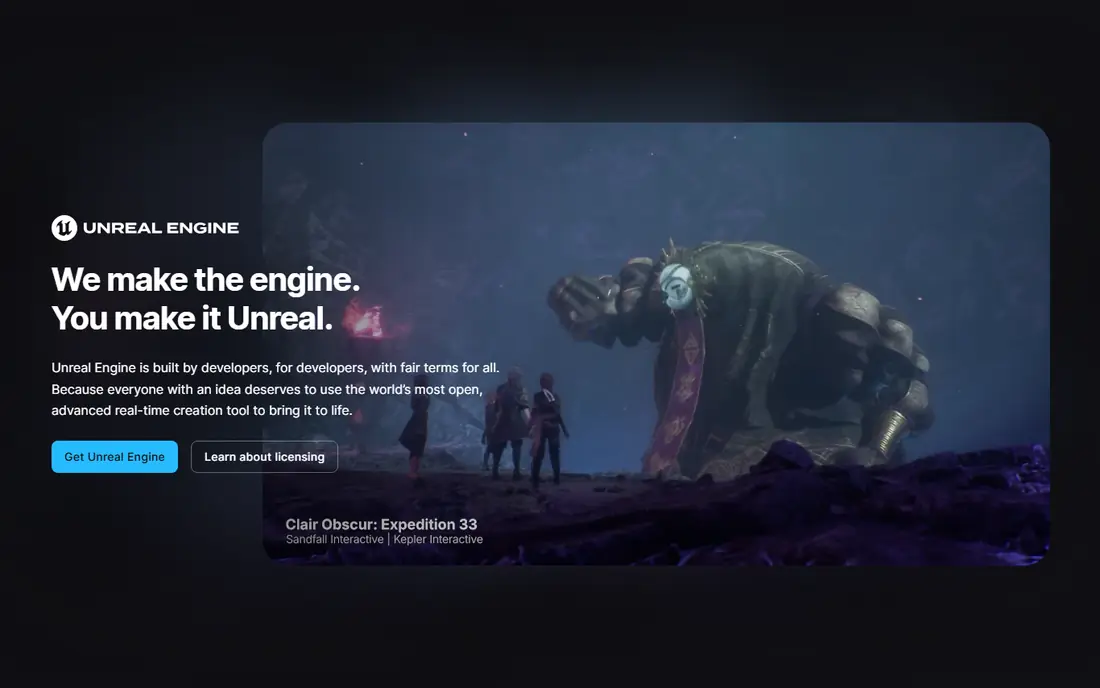
Unreal Engine is the pick when visuals carry the game. Its rendering tools produce the detailed lighting, geometry, and environments seen in major PC and console titles, and Blueprint visual scripting lets designers build gameplay without writing C++ for every system. Full source access also helps larger studios customize the engine deeply.
The cost model is royalty-based rather than subscription-based for games. The engine is free to download and use, and a royalty applies to lifetime gross revenue above $1 million per title, with different terms for non-game work. That suits hit-driven projects, since a game that earns little costs little in engine fees. Small teams should still budget for stronger hardware and longer learning time.
- Industry-leading visuals with Nanite and Lumen
- Blueprint visual scripting
- Full source access
- Steep learning curve
- Heavy hardware needs
- 5 percent royalty applies above the revenue threshold
Godot is the best free path into game development, full stop. It costs nothing, charges no royalty, and covers 2D and 3D with GDScript, C#, and C++ options. The editor is light, projects open fast, and the dedicated 2D workflow is a genuine strength rather than an afterthought. Indie teams and solo developers get professional tools without a licensing clock.
Console publishing is the main practical limit. Platform rules mean Godot cannot ship console builds directly in the same way Unity and Unreal can, so console ports usually go through a porting partner. High-end 3D visuals also lag Unreal. If your plan is PC, mobile, and web, especially in 2D, those limits rarely matter, and Godot is hard to beat.
- Completely free with no royalties
- Small download and fast editor
- Dedicated 2D pipeline
- Console shipping needs a third-party partner
- 3D tooling trails Unreal
- Smaller hiring pool
GameMaker has built a long list of successful 2D games, and its focus shows. Rooms, sprites, tiles, and events map closely to how 2D games actually work, so a small team can move from prototype to finished game without fighting a general 3D engine. GML is easy to learn, and visual scripting covers early work before code is needed.
Pricing is refreshingly simple for commercial 2D work. The engine is free for non-commercial projects, and a one-time Professional license covers selling games on PC, mobile, and web. Console export sits in a separate Enterprise tier, so budget for that if a console port is part of the plan. For 2D-only teams, GameMaker remains one of the fastest routes to a shipped game.
- Purpose-built for 2D
- Accessible GML language and visual scripting
- One-time Professional license
- Weak for 3D work
- Console export needs the higher Enterprise tier
- Smaller asset ecosystem than Unity
Construct 3 suits beginners, teachers, and teams that want to build 2D games without writing code. It runs in a browser, uses event sheets where conditions trigger actions, and exports to web, desktop, and mobile. A prototype that would take days in a code-heavy engine can often be playable in an afternoon.
The free tier is limited in events and exports, so serious projects need a paid Personal plan, priced as a subscription. That recurring cost adds up over years, unlike GameMaker one-time pricing. Construct 3 also stays firmly in 2D, so teams that later want full 3D will need to switch engines. As a learning and prototyping tool, though, it is one of the friendliest options here.
- Runs in the browser with event sheets
- No code required
- Fast prototyping for 2D games
- Subscription pricing
- Limited free tier events
- 3D support is limited
GDevelop is a strong free starting point for first-time developers. Like Construct, it uses events instead of code, but the core engine is free and open source, with paid tiers covering cloud builds and extra services rather than the editor itself. Beginners can publish web games quickly and move to mobile and desktop exports as they learn.
Depth is the trade-off. Large, systems-heavy games and high-end 3D work will strain GDevelop sooner than Unity or Godot. Community size and ready-made assets are also smaller, so finding answers takes more digging. For a first game, a school project, or a simple commercial 2D title, GDevelop gives a complete path at no license cost.
- Full engine free with event logic
- Browser and desktop editors
- Web, mobile, and desktop exports
- Paid cloud tiers for extra builds and services
- Less suited to large complex 3D projects
- Smaller community than Unity
Defold appeals to mobile developers who care about build size and performance. It is free, open source, and produces small, fast games that run well on modest phones. The editor is focused, hot reload speeds up testing, and the Lua scripting language is compact enough for small teams to learn quickly.
The smaller community is the honest drawback. Tutorials, ready-made plugins, and hiring candidates are fewer than for Unity or Godot, so teams solve more problems alone. Defold also stays in its 2D lane, with limited 3D ambitions. For a lightweight mobile 2D game where size and speed matter, it is a smart and underused pick.
- Free and open source
- Very small build sizes
- Fast iteration for mobile 2D games
- Lua scripting required for most work
- Smaller community and asset store
- Limited 3D tooling
Roblox Studio is different from every other tool here because it includes the audience. Games built in Studio run inside Roblox, where multiplayer, accounts, and discovery already exist. A solo developer can publish a multiplayer game without building servers, payments, or a player base from zero, and Luau scripting is approachable for beginners.
That advantage comes with platform control. Your game only exists inside Roblox, revenue flows through its currency and payout system, and platform rules govern content and monetization. Developers seeking a standalone PC or console title should pick a different engine. Developers who want fast multiplayer play with real players should take Roblox Studio seriously as a first platform.
- Free editor
- Built-in multiplayer and audience
- Luau scripting with AI assistance
- Games only run inside Roblox
- Revenue share applies
- Platform rules control distribution
How we picked these
We compared official pricing pages, engine documentation, and platform support for tools that are actively maintained and available in 2026. We checked that each vendor homepage loads and matches the product named. We favored tools covering distinct needs, including mobile, high-end 3D, free open source, no-code, and social platforms, rather than listing eight near-identical engines. Where pricing depends on revenue or seats, we stated the model plainly instead of quoting a single flat price.
How to choose game development software
Start with the game, not the engine. Write down the genre, art style, target devices, team size, and coding comfort level before you compare feature lists. A 2D pixel platformer, a photorealistic 3D shooter, and a browser puzzle game point to different tools, and picking the most popular engine for all three wastes time.
Test with a small vertical slice
Build one playable level with core movement, one enemy or puzzle, and one export to your target device before committing. That slice reveals real pain points: export friction, performance on modest hardware, and how long simple changes take. A week spent on a slice saves months on the wrong engine.
Budget the full cost, not just the download
Free downloads hide different costs. Unity charges per seat above its cap, Unreal charges a royalty above its threshold, Construct charges a subscription, and Roblox takes a revenue share. Model your expected revenue, team size, and project length against each model, and pick the one that stays affordable if the game succeeds, not only if it stays small.
Frequently asked questions
What is the best software for game development for beginners?
GDevelop and Construct 3 are the friendliest no-code starting points, while Godot is the best free coding engine for beginners who want to learn scripting. Pick no-code tools for a first finished game, and Godot or GameMaker when you want to grow into code.
What is the best game development tool for mobile games?
Unity leads for commercial mobile games because of platform reach and mobile tooling. Godot and Defold also suit mobile 2D work, and Defold produces notably small builds. Test export and performance on a real mid-range phone before deciding.
Is Unity or Unreal better for 3D games?
Unreal leads for high-fidelity 3D visuals, while Unity suits a wider range of 3D styles and mobile targets. Teams chasing photorealistic PC and console visuals usually pick Unreal, while teams shipping across mobile and PC often pick Unity.
Can I make games for free?
Yes. Godot, Defold, GDevelop, and Roblox Studio are free, and Unity, Unreal, GameMaker, and Construct 3 all have free tiers. Paid costs usually appear when you sell commercially, need console export, or want extra cloud services.
Do I need to know how to code to make a game?
No, not for a first game. Construct 3, GDevelop, and Roblox Studio support visual or event-based building, and Unreal Blueprints cover much gameplay logic visually. Learning some code still helps for larger projects, but it is not a barrier to starting.
What is the best app for game development on a low-end PC?
Godot and GDevelop run well on modest hardware, and Defold is also light. Unreal needs stronger hardware for comfortable editing, so low-spec teams should start with Godot, Defold, or a browser tool like Construct 3.
Sources we checked (8)

Online Jobs is an independent blog about careers, online work, learning new skills and the tools that help people earn. More about us.
Keep reading
All posts
n8n Alternatives
n8n alternatives compared for 2026, with Zapier, Make, Activepieces, and more, covering visual builders, code steps, self-hosting, and pricing models.

ZoomInfo Alternatives
The best ZoomInfo alternatives in 2026, compared on price, free plans, data coverage, and which tool fits small teams or large sales teams best in detail.

Zoom Alternatives for Webinars
Compare Zoom alternatives for webinars in 2026, from browser-based rooms to enterprise events, with prices, attendee limits, features and honest trade-offs.