Best Free Background Animation Software in 2026: 9 Tools Compared

How we put this together: we compare official feature and pricing pages, app store listings, privacy policies and public user reviews. Prices change, so check the provider's site before you pay.
Key takeaways
- Blender is the most capable free option, but its learning curve is steep for simple background loops.
- For simple 2D loops, Pencil2D and Wick Editor get you to a finished clip faster than a full studio tool.
- Vector tweening in Synfig Studio saves frame-by-frame work, especially for smooth background motion.
- Check export formats early, because a tool that cannot export your needed video format will slow you down.
Quick comparison
| Name | Who it suits | Starting price | Free option | |
|---|---|---|---|---|
 Blender | 3D and 2D backgrounds in one suite | Free | Yes | Visit |
 OpenToonz | studio-grade 2D animation free | Free | Yes | Visit |
 Synfig Studio | vector tweening for smooth motion | Free | Yes | Visit |
 Krita | hand-drawn animation and painting | Free | Yes | Visit |
 Pencil2D | simple frame-by-frame animation | Free | Yes | Visit |
 Wick Editor | interactive 2D animation in a browser | Free | Yes | Visit |
 TupiTube | simple 2D animation for classrooms | Free | Yes | Visit |
 Glaxnimate | vector motion graphics free | Free | Yes | Visit |
 Enve | vector and raster animation free | Free | Yes | Visit |
The best free background animation software
We compared free tools that can create animated backgrounds, looping scenes, and motion visuals. This guide covers 2D frame work, vector tweening, and 3D scenes, so you can pick a tool that matches your skill level and your project.
For teams, Blender offers a clear starting point. Blender provides 3D animation, 2D Grease Pencil drawing, compositing, and rendering. It is designed for teams who need 3D and 2D backgrounds in one suite, and it can be arranged around your existing routines rather than forcing one fixed process. What stands out is a full studio toolset at no cost. That strength is most useful when you want camera moves and depth in a background. It also helps keep records in one place, so follow-up work is easier to trace than it would be in separate files and messages. The honest catch is simple loops take longer to learn. Before you commit, check system needs, download size, and export formats on the vendor site and confirm it covers your main use case. A short trial or demo, where one is offered, is the simplest way to test that fit before you move a full workflow across.
- Full 3D and 2D Grease Pencil tools
- Compositing and rendering
- No cost and no watermark
- Steep learning curve
- Interface can feel large for simple loops
If studio-grade 2D animation free matters most, OpenToonz deserves a close look. OpenToonz provides studio-grade 2D animation with vector, raster, and effects tools. It is designed for buyers who need studio-grade 2D animation free, and it can be arranged around your existing routines rather than forcing one fixed process. What stands out is a traditional 2D pipeline at no cost. That strength is most useful when you want a structured 2D scene workflow. It also helps keep records in one place, so follow-up work is easier to trace than it would be in separate files and messages. The honest catch is beginners may need tutorials to get started. Before you commit, check download options, platform support, and documentation on the vendor site and confirm it covers your main use case. A short trial or demo, where one is offered, is the simplest way to test that fit before you move a full workflow across.
- Professional 2D pipeline
- Vector and raster support
- Effects for scenes
- Interface can feel dated
- Setup takes time for beginners
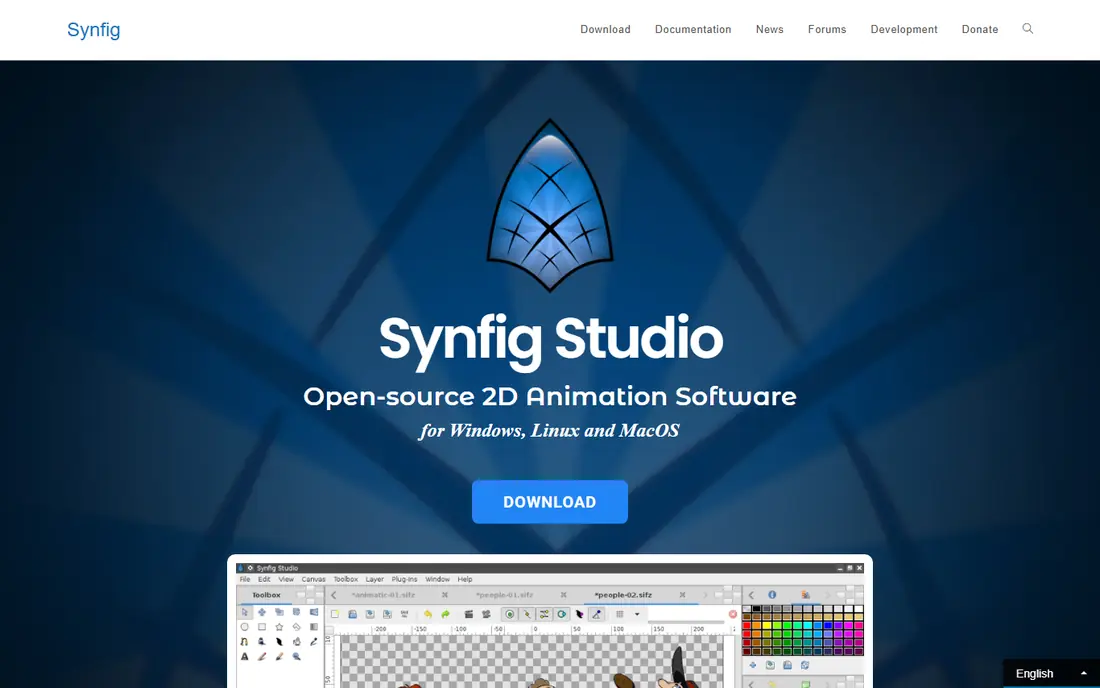
Synfig Studio suits teams who want a defined way to handle vector tweening for smooth motion. Synfig Studio provides vector animation with tweening and bone rigging. It is designed for teams who need vector tweening for smooth motion, and it can be arranged around your existing routines rather than forcing one fixed process. What stands out is smooth motion without drawing every frame. That strength is most useful when backgrounds need smooth, repeatable motion. It also helps keep records in one place, so follow-up work is easier to trace than it would be in separate files and messages. The honest catch is the workflow takes time to learn. Before you commit, check platform support, export formats, and tutorials on the vendor site and confirm it covers your main use case. A short trial or demo, where one is offered, is the simplest way to test that fit before you move a full workflow across.
- Vector tweening
- Bone rigging
- Smooth motion without frame-by-frame work
- Interface can feel technical
- Rendering can take time
Teams that need hand-drawn animation and painting often shortlist Krita early. Krita provides hand-drawn frame-by-frame animation inside a painting app. It is designed for buyers who need hand-drawn animation and painting, and it can be arranged around your existing routines rather than forcing one fixed process. What stands out is drawing and animating in one place. That strength is most useful when you already draw digitally. It also helps keep records in one place, so follow-up work is easier to trace than it would be in separate files and messages. The honest catch is larger studio pipelines may need another tool. Before you commit, check platform support, animation limits, and export formats on the vendor site and confirm it covers your main use case. A short trial or demo, where one is offered, is the simplest way to test that fit before you move a full workflow across.
- Frame-by-frame animation
- Painting brushes
- Onion skinning
- Animation tools are part of a painting app, not a full studio pipeline
When simple frame-by-frame animation is the main job, Pencil2D keeps the focus narrow. Pencil2D provides simple frame-by-frame 2D animation with raster and vector drawing. It is designed for teams who need simple frame-by-frame animation, and it can be arranged around your existing routines rather than forcing one fixed process. What stands out is the simplest start for hand-drawn loops. That strength is most useful when you are new to animation. It also helps keep records in one place, so follow-up work is easier to trace than it would be in separate files and messages. The honest catch is complex scenes may outgrow it. Before you commit, check platform support, file formats, and export options on the vendor site and confirm it covers your main use case. A short trial or demo, where one is offered, is the simplest way to test that fit before you move a full workflow across.
- Lightweight and simple
- Raster and vector drawing
- Easy timeline
- Limited effects and compositing
- Best for short simple clips
A practical pick for buyers, Wick Editor covers the basics well. Wick Editor provides browser-based 2D animation with interactive project support. It is designed for buyers who need interactive 2D animation in a browser, and it can be arranged around your existing routines rather than forcing one fixed process. What stands out is animating without installing desktop software. That strength is most useful when you want a quick browser start. It also helps keep records in one place, so follow-up work is easier to trace than it would be in separate files and messages. The honest catch is larger projects may need a desktop tool. Before you commit, check browser support, export formats, and project limits on the vendor site and confirm it covers your main use case. A short trial or demo, where one is offered, is the simplest way to test that fit before you move a full workflow across.
- Browser-based 2D animation
- Interactive projects
- No install for web use
- Less depth than desktop studio tools
- Web performance varies
TupiTube is a good match for teams with a defined workflow. TupiTube provides simple 2D animation for classrooms and beginners. It is designed for teams who need simple 2D animation for classrooms, and it can be arranged around your existing routines rather than forcing one fixed process. What stands out is an approachable start for younger creators. That strength is most useful when you need a gentle first animation tool. It also helps keep records in one place, so follow-up work is easier to trace than it would be in separate files and messages. The honest catch is advanced effects are limited. Before you commit, check platform support, download options, and export formats on the vendor site and confirm it covers your main use case. A short trial or demo, where one is offered, is the simplest way to test that fit before you move a full workflow across.
- Simple 2D tools
- Approachable for younger users
- Cross-platform options
- Limited advanced features
- Best for short simple projects
For buyers who value clarity and control, Glaxnimate is worth comparing. Glaxnimate provides vector motion graphics and animated shapes. It is designed for buyers who need vector motion graphics free, and it can be arranged around your existing routines rather than forcing one fixed process. What stands out is vector shapes and motion graphics. That strength is most useful when backgrounds use shapes and text motion. It also helps keep records in one place, so follow-up work is easier to trace than it would be in separate files and messages. The honest catch is complex character work may need another tool. Before you commit, check platform support, export formats, and documentation on the vendor site and confirm it covers your main use case. A short trial or demo, where one is offered, is the simplest way to test that fit before you move a full workflow across.
- Vector animation
- Motion graphics focus
- Simple timeline
- Smaller community than larger tools
- Feature depth varies
If you are moving from spreadsheets or manual work, Enve gives teams a structured step up. Enve provides vector and raster animation with sound and video file support. It is designed for teams who need vector and raster animation free, and it can be arranged around your existing routines rather than forcing one fixed process. What stands out is mixing vector, raster, and sound in one project. That strength is most useful when you want an open-source all-round 2D tool. It also helps keep records in one place, so follow-up work is easier to trace than it would be in separate files and messages. The honest catch is support and tutorials may be thinner. Before you commit, check download options, platform support, and release status on the vendor site and confirm it covers your main use case. A short trial or demo, where one is offered, is the simplest way to test that fit before you move a full workflow across.
- Vector and raster animation
- Sound and video support
- Open-source
- Smaller project with changing releases
- Learning resources are limited
How we picked these
We compared official feature pages, pricing pages, app store listings, privacy policies, and public reviews for each option. We focused on features that affect daily use, including setup, core workflows, limits, and support, rather than marketing claims alone. We did not claim hands-on testing, and we used vendor pages as the source for prices and plan details. Where a vendor did not publish a clear price, we wrote See website rather than guessing a figure. Readers should confirm current terms on the vendor site before they buy, because plans change.
How to pick a free animation tool for backgrounds
Start with the kind of background you need, not with the longest feature list. A looping gradient or particle scene needs a different tool than a hand-drawn 2D scene with moving clouds and light. Match the tool to the motion, then check export and learning time.
Choose 2D, vector, or 3D motion
Hand-drawn scenes suit frame-by-frame tools, while smooth vector motion suits tweening tools. 3D scenes suit Blender when you want camera moves and depth. Pick one style for your first project, rather than trying to learn all three at once.
Test a short loop first
Build a five-second loop before you commit to a tool. Check timing, easing, and how easy it is to change colours and speed. A tool that makes small edits painful will slow every later project, even if its first result looks good.
Check export and performance
Check video export formats, resolution, and frame rate before you start a long project. Also check how the tool performs on your computer, because 3D and particle work can be demanding. A lighter tool may be the better choice for simple backgrounds.
Frequently asked questions
What is background animation software?
It is software for creating moving visuals behind text, video, or a presentation. That can include looping gradients, particle motion, scrolling scenes, or hand-drawn 2D movement. Free tools cover all of these, with different strengths for 2D, vector, and 3D work.
Can free animation software make professional backgrounds?
Yes, for many uses, especially with Blender, OpenToonz, and Synfig Studio. Output quality depends more on timing, colour, and composition than on price. Paid tools may offer more templates, but free tools can produce clean loops with practice.
Which free tool is easiest for beginners?
Pencil2D and Wick Editor are among the easiest starts for simple 2D work. Krita is also approachable if you already draw digitally. Start with a short loop, then move to a larger tool only when you need its extra control.
Do I need 3D software for animated backgrounds?
No, unless you want camera moves, depth, or 3D objects in the scene. Most looping backgrounds work well in 2D or vector tools. Use 3D only when the scene itself needs depth or realistic lighting.
What format should I export a background in?
Video formats such as MP4 are common for presentations and video projects, while web projects may use video or animated image formats. Check your target platform before you export. Export a short test clip first to confirm quality and file size.
Sources we checked (9)

Online Jobs is an independent blog about careers, online work, learning new skills and the tools that help people earn. More about us.
Keep reading
All posts
Top Rated Poster Maker Software
Top rated poster maker software compared for 2026: Canva, Adobe Express, VistaCreate, PosterMyWall and more for events, sales and classrooms for US users.
Best Tools for Print Design
Compare the best tools for print design, from professional layout and vector software to browser tools, free editors, team publishing platforms and press prep.
Best Tools for Motion Design
Compare the best tools for motion design in 2026. We review 8 apps for 2D animation, 3D motion, interactive graphics, pricing and free plans. Start here.