Best Free AI Image Generator Apps in 2026: 8 Apps Compared


Most free images per day · Starting price: Free
How we put this together: we compare official feature and pricing pages, app store listings, privacy policies and public user reviews. Prices change, so check the provider's site before you pay.
Key takeaways
- Microsoft Image Creator offers the most free volume for everyday images, with fast creations each day and slower creations after that.
- Google Gemini is the best overall free choice for most people, thanks to image creation and photo editing inside a free Google account.
- Ideogram wins for images that need readable text, such as posters, logos, and social graphics.
- Adobe Firefly suits commercial work, since its models are trained with commercial safety in mind.
- Free tiers differ on public versus private images and commercial rights, so check the license before using an image for a product or client.
Quick comparison
| Name | Who it suits | Starting price | Free option | |
|---|---|---|---|---|
| Microsoft Image Creator | Most free images per day | Free | Yes | Visit |
 Google Gemini | Overall free creation and editing | Free | Yes | Visit |
 Adobe Firefly | Commercial-safe design work | Free | Yes | Visit |
 Leonardo AI | Game art and character design | Free | Yes | Visit |
 Ideogram | Readable text in images | Free | Yes | Visit |
 ChatGPT | Prompt-accurate images | Free | Yes | Visit |
 Canva AI | Quick marketing visuals | Free | Yes | Visit |
 Perchance | No-signup unlimited generation | Free | Yes | Visit |
The best free AI image generator apps
Free AI image generators all turn a written prompt into a picture, but free means something different on every platform. Some reset a daily allowance, others hand out weekly credits, and a few make free images public. The apps below all offer a real free tier that works today, and each has a different strength worth matching to your use.
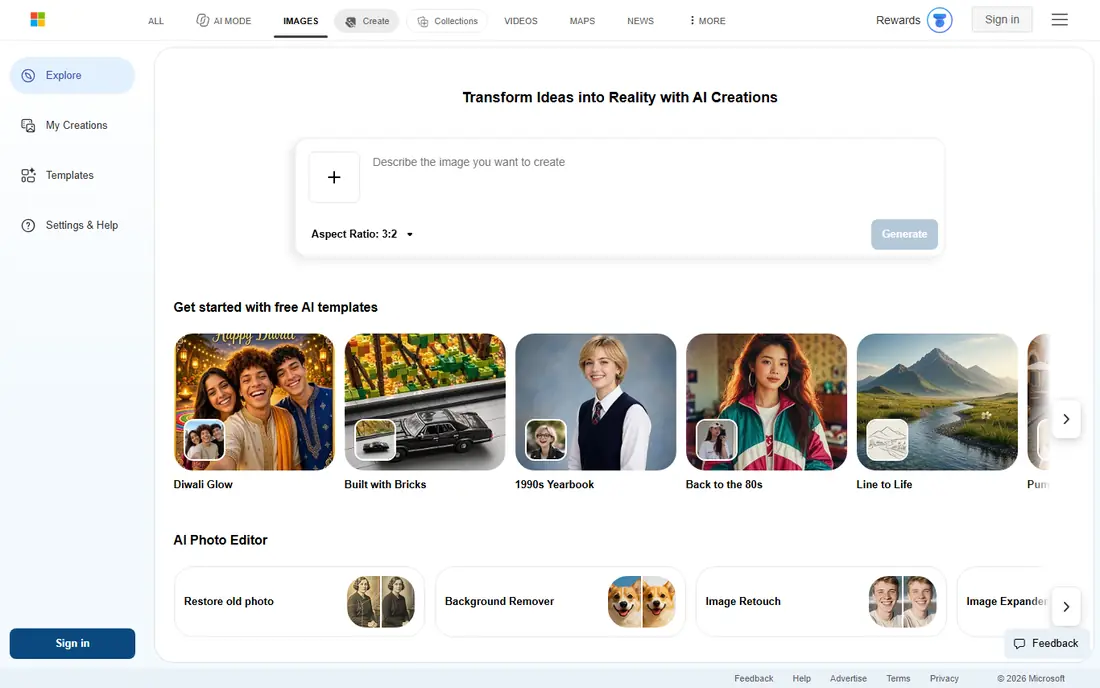
Microsoft Image Creator, formerly Bing Image Creator, is the highest-volume free option for most people. It is free with a personal Microsoft account, with 15 fast creations a day in current listings and slower standard-speed creation after that, so you can keep generating even after the fast allowance ends. Commercial use is allowed under Microsoft standard terms, with the usual limits on impersonation and trademarked characters.
The catch is choice. You get Microsoft models and nothing else, so you cannot switch to a different engine for a different style. Work and school accounts also cannot use it in current listings. For everyday illustration, social graphics, and quick concepts at no cost, Image Creator is our pick for volume.
- Free with a Microsoft account
- Fast creations each day
- Commercial use under standard terms
- Only Microsoft models
- Slower generation after fast credits run out
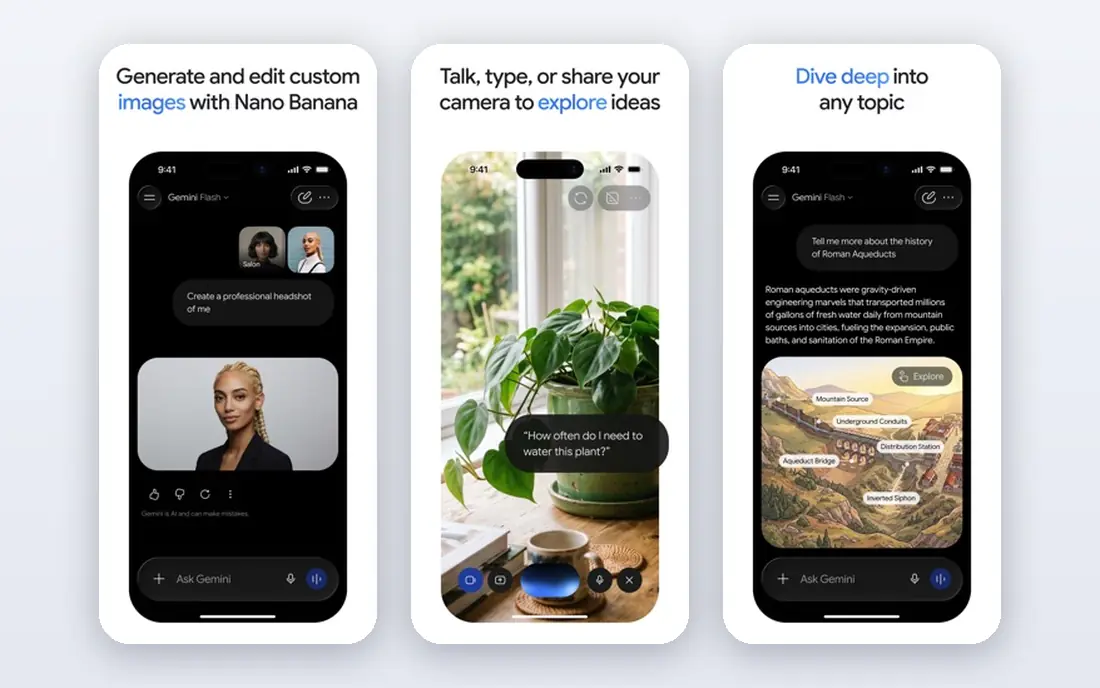
Google Gemini is the best overall free image generator for most people because it handles both new images and edits to existing photos inside a free Google account. Its Nano Banana models understand detailed prompts well, follow instructions on scene elements, and edit photos by description, which covers far more than a simple text-to-image tool. Images are private to your account, not public by default.
The limit is transparency. Google does not publish a fixed free request number, and free users will hit limits that paid Google AI plans raise. That makes Gemini hard to plan around for heavy daily use, even though it is generous for casual use. For a free, general-purpose image tool, Gemini is the easiest recommendation.
- Image creation and photo editing in one free app
- Strong prompt understanding
- Private images
- Free request limits are not published
- Paid plans raise limits
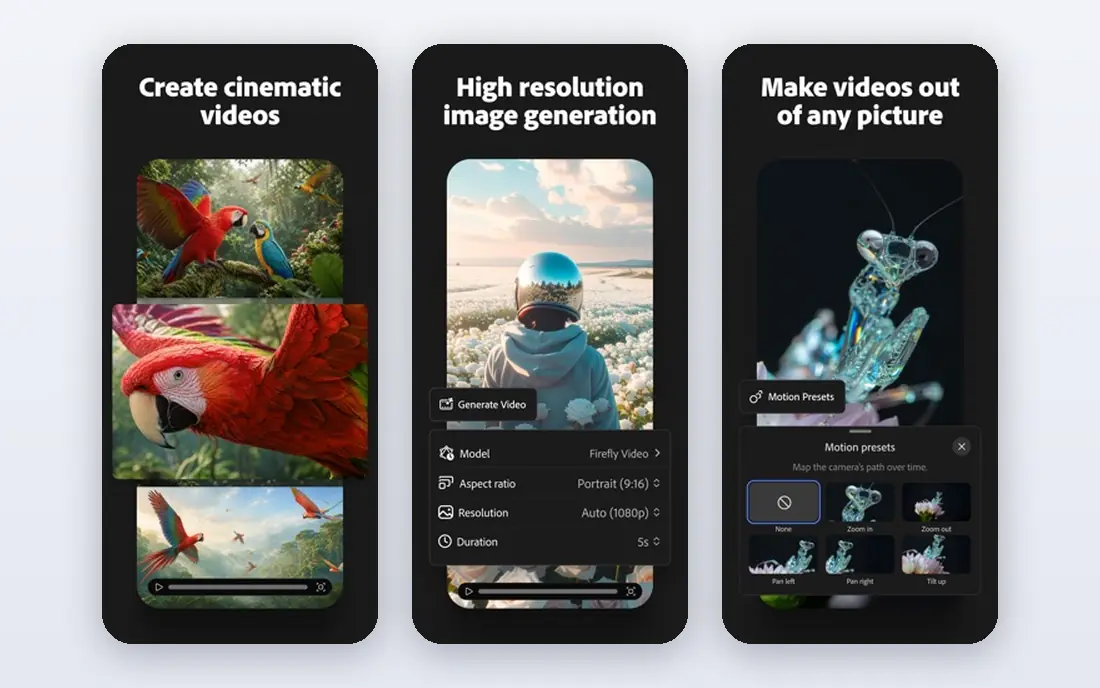
Adobe Firefly is built for commercial work, with models trained in a way Adobe presents as commercially safe, which matters for client work, product listings, and marketing. The free plan offers daily generations with an Adobe account, and Firefly integrates with Photoshop, Express, and other Adobe tools for finishing work. Text rendering and design styles are strong for posters and social graphics.
The catch is that the free daily count is not published, so heavy users will need a paid plan sooner than the listing suggests. Firefly also suits design work more than photorealistic art. For a creator who needs images they can safely use commercially, Firefly is the most reassuring free starting point.
- Commercially safe training approach
- Strong design and text tools
- Integrates with Adobe apps
- Free daily generation count is not published
- Paid plans needed for heavy use
Leonardo AI is a favorite for game art, character design, and stylized illustration, with a free plan that offers 150 tokens a day in current listings. That daily allowance covers a useful number of generations for learning, concept work, and personal projects, and the platform offers many community styles and models to explore. Paid plans add private mode and higher limits.
The honest catch is licensing and privacy on the free plan. Free images are public, and the free plan does not grant commercial rights on most outputs in current summaries, so client work needs a paid plan. For personal art, game concepts, and style exploration, Leonardo is a strong free choice, but check the license before selling anything made on it.
- Daily free tokens
- Strong character and game asset styles
- Community models and styles
- Free images are public
- Free plan does not grant full commercial rights in many cases
Ideogram is the tool to try when an image must contain readable words, such as a poster, a logo concept, a book cover, or a social graphic with a headline. Its free tier offers 30 credits a week in current listings, which is modest but enough for a few careful generations, and current summaries say the free tier permits commercial use. That combination is rare among free tools.
The limits are volume and privacy. Thirty credits a week will not support daily content production, and free images are public, so private concepts need a paid plan. For text-heavy designs where other free tools garble words, Ideogram is worth the weekly limit.
- Best free text rendering
- Weekly free credits
- Commercial use on free tier in current summaries
- Weekly credit limit is small
- Free images are public
ChatGPT offers image generation on its free plan using the same model family as paid plans, which makes it strong at following a detailed brief and rendering text accurately. That prompt accuracy matters for designs with many elements, specific layouts, or exact wording, where a looser model invents details. Images are private to your account.
The catch is volume. Free users hit image limits quickly, with current reports describing a small number of requests before a daily lockout, and paid plans raise those limits sharply. ChatGPT is best as a free tool for a few careful images, not as a daily production engine. For accuracy on a small number of images, it is excellent.
- Strong prompt following and text accuracy
- Same model family as paid plans
- Private images
- Free image limits are tight
- Free users hit a daily cap quickly
Canva AI suits creators who need a finished marketing visual, not just a raw image. You can generate an image, drop it into a social template, add text and branding, and export in the right size, all in one app. The free plan includes a limited number of AI uses, which covers occasional posts, while Canva Pro raises limits and adds brand tools.
The limit is the free allowance and image depth. Canva AI is not the best choice for fine art or photorealism, and heavy users will exhaust free uses quickly. For a small business that needs a social post today, Canva AI is the fastest path from prompt to finished graphic.
- AI images inside a full design app
- Templates for social and marketing
- Easy finishing and export
- Free AI uses are limited
- Image quality is good but not best-in-class
Perchance is the answer for anyone who wants to generate images without signing up, paying, or hitting a daily cap. It offers unlimited generation with no account required and no visible watermark in current listings, which makes it ideal for thumbnails, blog headers, and casual creative work. The interface is simple and fast.
The trade-off is quality and control. Output quality sits below flagship tools such as Gemini, ChatGPT, and Firefly, and style controls are thinner. Perchance will not replace a paid tool for client work, but as a free, no-friction generator for everyday images, it is genuinely useful.
- No account required
- Unlimited generation
- No visible watermark in current listings
- Quality is below flagship tools
- Fewer style controls
- Community-run service
How we picked these
We compared official feature pages, pricing pages, help pages, and app store listings, and we kept only tools with a real free tier that works today. Midjourney was excluded because it has no free tier for its main models. Prices and free limits shown come from vendor pages or current pricing summaries checked in October 2026, and where a limit is not published we say so rather than inventing a number.
How to get good results for free
Write prompts with specifics, since vague prompts produce vague images. Name the subject, the setting, the lighting, the style, and any text that must appear, and keep text short for tools that struggle with words. Generate a few variations, pick the best, and edit in a second tool if needed, rather than expecting one perfect image from one prompt.
Check the license before commercial use. Leonardo free images and Ideogram free images differ on privacy and commercial rights, and a tool that is free for personal use may not be free for a product listing or client project. When in doubt, use Firefly, Image Creator, or Gemini for commercial work, and read the current terms on the vendor site.
A note on safety and honesty
AI images should not be presented as real photographs, especially for products, news, or people. Disclose AI use where a platform requires it, such as marketplace listings, and avoid generating images that impersonate real people or copy trademarked characters. Most tools block those requests, and respecting those limits keeps your account in good standing.
Frequently asked questions
What is the best free AI image generator app?
Google Gemini is the best overall free choice for most people, thanks to creation and editing in one free app. Microsoft Image Creator offers the most free volume, Ideogram wins for text, and Adobe Firefly suits commercial work.
What are the best free AI image generator tools?
Microsoft Image Creator, Google Gemini, Adobe Firefly, Leonardo AI, Ideogram, ChatGPT, Canva AI, and Perchance all offer real free tiers. The best tool depends on whether you need volume, text accuracy, commercial safety, or no-signup access.
Is there a free AI image generator with no signup?
Yes. Perchance offers unlimited generation with no account required and no visible watermark in current listings. Quality is below flagship tools, but it is the easiest free option for casual images.
Can I use free AI images commercially?
It depends on the tool. Microsoft Image Creator and Ideogram free tiers permit commercial use in current summaries, while Leonardo free images generally do not carry full commercial rights. Always check the current terms for the tool you used.
Is Midjourney free?
No. Midjourney removed its free trial in 2023 and has not reinstated it for its main models, so it does not appear in this free list. The closest free equivalents are Image Creator, Leonardo, and Ideogram.
Sources we checked (8)

Online Jobs is an independent blog about careers, online work, learning new skills and the tools that help people earn. More about us.
Keep reading
All posts
Zoom Alternatives
Zoom alternatives compared for 2026: Google Meet, Microsoft Teams, Webex, Jitsi and more for free calls, large meetings and webinars for teams and classrooms.

What Is the Best Free Tool to Rotate a PDF
What is the best free tool to rotate a PDF? We compare eight free rotation tools on per-page control, limits, privacy and saved output quality in detail.

What Is the Best AI Dubbing Tool
We compared the best AI dubbing tools in 2026, from ElevenLabs and HeyGen to Rask AI, Dubverse and Veed, for videos and creators in many languages worldwide.