Best Free Family Calendar Apps in 2026: 9 Apps Compared

How we put this together: we compare official feature and pricing pages, app store listings, privacy policies and public user reviews. Prices change, so check the provider's site before you pay.
Key takeaways
- Google Calendar is the best free family calendar for most households, with shared calendars and reminders that just work.
- Apple Calendar suits families on iPhones, iPads, and Macs, with Family Sharing built in.
- Cozi and FamCal add family-specific features like lists, chores, and meal planning alongside calendars.
- TimeTree suits families who want a shared calendar with chat, while FamilyWall adds location and messaging.
- The best app follows your phones: mixed-device families need cross-platform apps, while single-platform families can use built-in calendars.
Quick comparison
| Name | Who it suits | Starting price | Free option | |
|---|---|---|---|---|
 Google Calendar | Most households | Free | Yes | Visit |
 Apple Calendar | Apple families | Free | Yes | Visit |
 Cozi | Family lists and calendar | Free | Yes | Visit |
 FamCal | Shared family calendar | Free | Yes | Visit |
 TimeTree | Calendar plus chat | Free | Yes | Visit |
 OurHome | Chores and calendar | Free | Yes | Visit |
 FamilyWall | All-in-one family hub | Free | Yes | Visit |
 Outlook Calendar | Microsoft households | Free | Yes | Visit |
 Any.do | Tasks plus calendar | Free | Yes | Visit |
The best free family calendar apps
A family calendar keeps school runs, practices, appointments, and work schedules in one shared place, so nobody double-books. The options below are all free to start, with paid upgrades optional. We compared official feature pages and pricing pages to sort them by platform, family features, and ease of use.
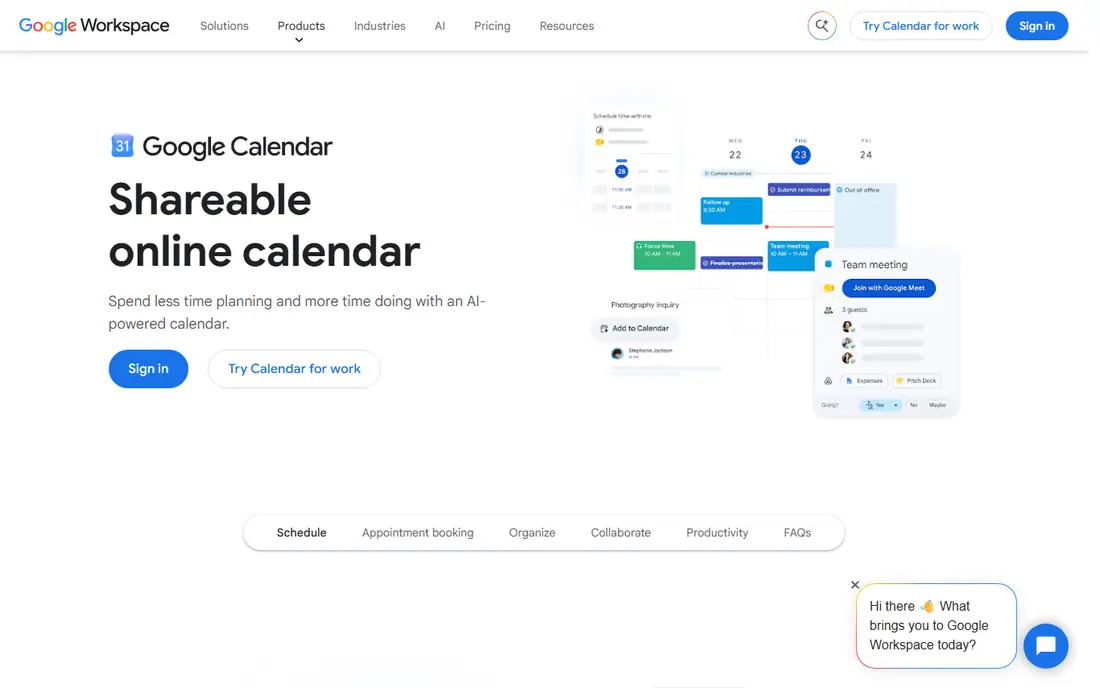
Google Calendar is the best free family calendar for most households. Each family member gets a calendar, shared calendars show everyone's events in color, and reminders keep appointments from slipping. It works on Android, iPhone, and any browser, so mixed-device families stay in sync without buying anything.
Family-specific features like chores and lists are missing, so households that want those need a second app. For pure shared scheduling that just works, Google Calendar is the simplest, most reliable free choice.
- Free and cross-platform
- Shared calendars and reminders
- Works on any phone or computer
- No built-in chores or lists
- Family features are basic
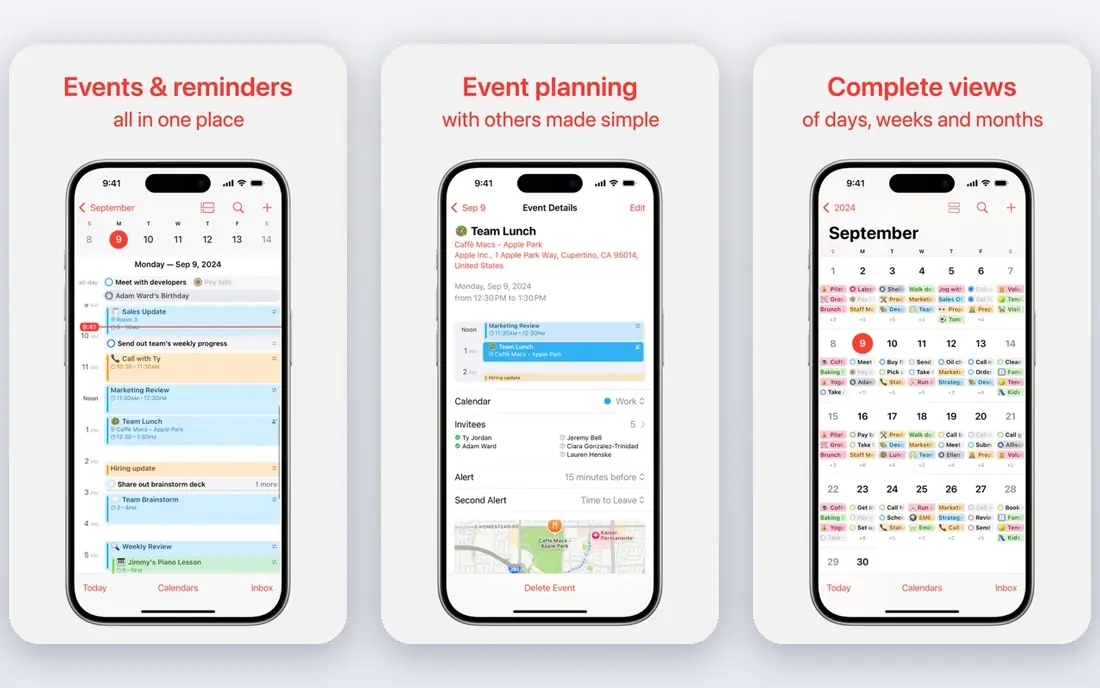
Apple Calendar suits families on iPhones, iPads, and Macs. Family Sharing creates a shared family calendar automatically, Siri adds events by voice, and widgets keep the day visible on home screens. It syncs through iCloud and costs nothing beyond Apple devices.
It works poorly on Android and Windows, so mixed-device families struggle. For an all-Apple household, Apple Calendar's built-in sharing is the easiest free option.
- Free on Apple devices
- Family Sharing calendar built in
- Siri and widget support
- Weaker on Android and Windows
- Family features are basic
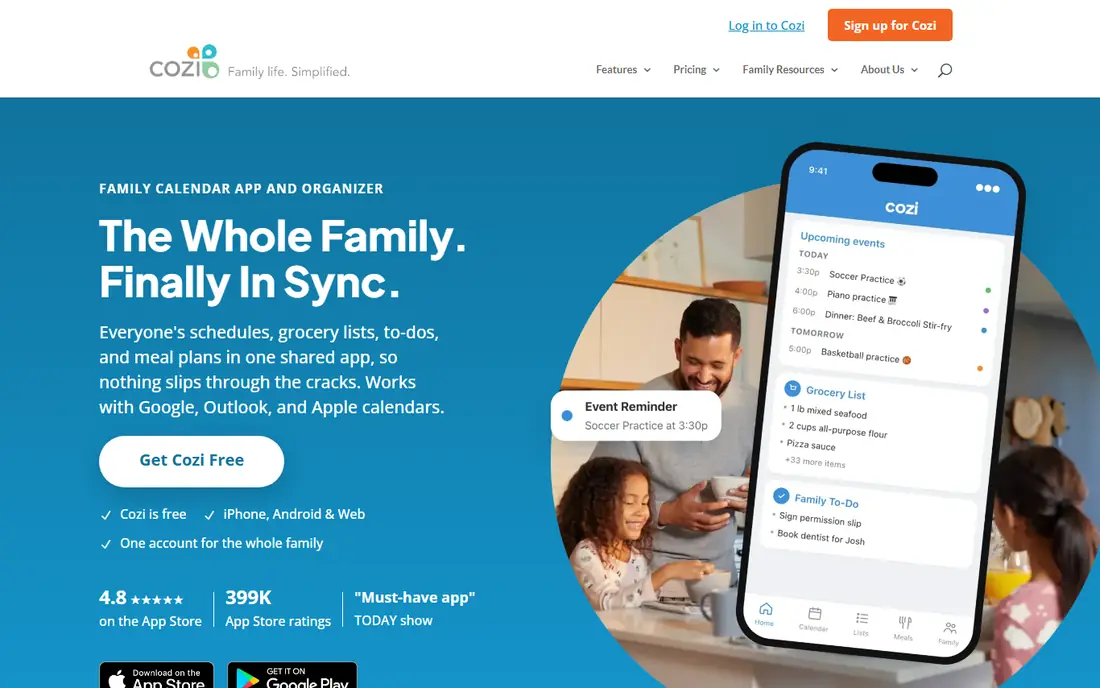
Cozi is built for families, combining a shared color-coded calendar with shopping lists, to-do lists, recipes, and a meal planner. Each member gets a color, and the weekly agenda view shows the whole household at a glance. A free tier covers core features, with a paid Gold tier removing ads and adding features, priced on Cozi's site.
Ads appear on the free tier, and the design feels dated next to Google or Apple. For a family that wants calendar plus lists and meal planning in one free app, Cozi is the most complete family organizer here.
- Shared calendar plus lists, recipes, and chores
- Color-coded family members
- Cross-platform
- Ads on the free tier
- Design feels dated
FamCal offers a shared family calendar with tasks, notes, and reminders, organized by family groups that keep events, chores, and lists together. It works across Android and iPhone, with a free tier covering core features and a subscription for extras, priced on FamCal's site.
The user base is smaller than Cozi's, and some features need the subscription. For a family that wants a dedicated shared calendar with tasks, FamCal is a clean, focused option.
- Shared calendar with tasks and notes
- Family groups
- Cross-platform
- Smaller user base
- Some features need a subscription
TimeTree combines a shared calendar with chat inside each event, so discussions about a school trip or practice stay attached to the event itself rather than scattered across messages. It works across Android, iPhone, and browsers, with a free tier and a premium tier priced on TimeTree's site.
Chores and lists are missing, so it suits scheduling first. For a family that coordinates through chat and wants those talks tied to events, TimeTree's approach is genuinely useful.
- Shared calendars with in-event chat
- Keeps conversations with events
- Cross-platform
- No chores or lists
- Calendar is the main feature
OurHome combines a shared calendar with chores and rewards, letting parents assign tasks, award points, and track progress, which motivates kids better than a plain calendar. Grocery lists and reminders round out the family toolkit. The app is free, with no subscription needed for core features.
The calendar itself is simpler than Google Calendar's, and the overall feature set is smaller. For a family whose main coordination problem is chores rather than appointments, OurHome's rewards system is a strong draw.
- Chores, rewards, and shared calendar
- Motivates kids with points
- Free
- Calendar is simpler than Google's
- Smaller feature set overall
FamilyWall is an all-in-one family hub, combining a shared calendar with location sharing, messaging, lists, and a family timeline. Its private family circle keeps everything inside the household, and it works across Android and iPhone. A free tier covers core features, with a subscription for extras, priced on FamilyWall's site.
Some features need the subscription, and location sharing raises privacy questions families should discuss. For a household that wants calendar, messaging, and location in one private app, FamilyWall is the most complete hub here.
- Calendar, location, messaging, and lists in one app
- Private family circle
- Cross-platform
- Some features need a subscription
- Location features raise privacy questions
Outlook Calendar, free with a Microsoft account, offers shared calendars, reminders, and scheduling alongside Outlook mail. It suits households already using Microsoft accounts, Windows PCs, or Teams, with calendar sharing that works across devices and browsers.
Family-specific features are basic, and the interface is busier than Google Calendar's. For a Microsoft household that wants a free shared calendar inside its existing accounts, Outlook Calendar is the natural choice.
- Free with a Microsoft account
- Shared calendars
- Works with Outlook mail and Teams
- Family features are basic
- Interface is busier than Google's
Any.do combines tasks, lists, and a calendar in one app, with shared lists that families use for chores, shopping, and homework. Reminders and a daily planner view keep the household on track, and a free tier covers core features, with a subscription for extras, priced on Any.do's site.
The calendar is secondary to tasks, so appointment-heavy families may prefer Google Calendar. For a family whose coordination runs on task lists with dates attached, Any.do's task-first design fits well.
- Tasks, lists, and calendar in one app
- Shared lists for families
- Reminders
- Calendar is secondary to tasks
- Some features need a subscription
How we picked these
We compared official feature pages and pricing pages for family calendar apps that offer a real free tier today. We favored apps with shared calendars that work across devices, and we included built-in, family-specific, and task-based options rather than only one style. Prices are the standard published rates from each vendor's own site, and where paid tiers exist we say so rather than guessing.
What to check before you choose
Start with your phones. All-Apple families suit Apple Calendar, all-Google families suit Google Calendar, and mixed-device families need cross-platform apps like Cozi, TimeTree, or FamilyWall. Platform fit matters more than feature lists, since an app half the family cannot use fails fast.
Check sharing and permissions
Confirm that every family member can add, edit, and view events, and that kids' calendars can be limited where needed. Test sharing with a real family group before committing, since setup friction kills adoption. Color-coding by person helps everyone read the week at a glance.
Decide how much family data to share
Apps like FamilyWall add location sharing, which some families love and others avoid. Discuss location, messaging, and data privacy as a household before enabling those features, especially for children. A calendar alone shares less than an all-in-one hub.
Keep one source of truth
A family calendar only works if everyone uses it. Agree that events go in the shared calendar, not in separate messages or paper notes, and review the week together, for example on Sunday evenings. One calendar, used by everyone, beats three perfect apps used by nobody.
Frequently asked questions
What is the best free family calendar app?
Google Calendar is our pick for most households, with free shared calendars that work on any device. Apple Calendar suits all-Apple families, while Cozi suits families that want lists and meal planning alongside the calendar. The best app follows your phones and household needs.
What is the best family calendar app for iPhone?
Apple Calendar is the best free option for iPhone families, with Family Sharing built in and Siri support. Google Calendar is the best cross-platform alternative, working on iPhone and Android alike. Cozi and TimeTree also work well on iPhone for family-specific features.
Is Cozi free?
Yes, Cozi offers a free tier covering its shared calendar, lists, recipes, and meal planner, with ads. A paid Gold tier removes ads and adds features, priced on Cozi's site. Most families manage well on the free tier.
Can Google Calendar be used as a family calendar?
Yes, Google Calendar works well as a family calendar through shared calendars, with each member's events in a different color and reminders for appointments. Create one shared family calendar plus individual calendars, and share them with every family member's Google account.
What is the best shared calendar app for families?
Google Calendar leads for simplicity and cross-platform reach, Cozi leads for family-specific features like lists and meal planning, and TimeTree leads for calendar plus chat. FamilyWall suits households that want location and messaging in the same app.
How do I get my family to actually use a shared calendar?
Agree on one app, set up sharing together, and make adding events a household rule rather than one person's job. Review the week together regularly, and use color-coding so everyone can read it at a glance. Start simple and add features only once the habit sticks.
Sources we checked (9)

Online Jobs is an independent blog about careers, online work, learning new skills and the tools that help people earn. More about us.
Keep reading
All posts
Zoom Alternatives
Zoom alternatives compared for 2026: Google Meet, Microsoft Teams, Webex, Jitsi and more for free calls, large meetings and webinars for teams and classrooms.

Which Software Is Best for Data Entry
Compare the best data entry software for forms, OCR scanning, and spreadsheets, with free plans, pricing, and honest limits for each tool before you commit.

What's the Best App to Read PDFs
Find what's the best app to read PDFs in 2026, from Adobe Acrobat Reader and Foxit to PDF Expert and Xodo, with free options and honest limits for every device.