Best Family Calendar App in 2026: 8 Products Compared

How we put this together: we compare official feature and pricing pages, app store listings, privacy policies and public user reviews. Prices change, so check the provider's site before you pay.
Key takeaways
- Cozi is the most complete free starting point for a busy household, with a shared calendar, lists, and recipes in one account.
- Google Calendar and Apple Calendar cost nothing extra if your family already uses those accounts, and they work well for simple shared schedules.
- TimeTree suits couples and small groups who want a separate calendar for each part of life, with comments on each event.
- FamilyWall packs the most extra tools into one app, including messaging, location, and a meal planner on Premium.
- Start free, test with one real week of school and activity dates, and only pay once the free version shows a clear limit you hit.
Quick comparison
| Name | Who it suits | Starting price | Free option | |
|---|---|---|---|---|
 Cozi Cozi | Calendar plus lists and meals | Free | Yes | Visit |
 TimeTree TimeTree | Separate calendars per group | Free | Yes | Visit |
 Google Calendar Google Calendar | Free sharing across devices | Free | Yes | Visit |
 Apple Calendar Apple Calendar | Apple households | Free | Yes | Visit |
 FamCal FamCal | Shared notes and trip costs | Free | Yes | Visit |
 FamilyWall FamilyWall | All in one family hub | Free | Yes | Visit |
 OurHome OurHome | Chores and points for kids | Free | Yes | Visit |
 Picniic Picniic | One dashboard for family life | Free | Yes | Visit |
The best family calendar apps
We picked apps that let a family share a calendar in October 2026, with a free plan or a free built in option, and that work on phones most families already own.
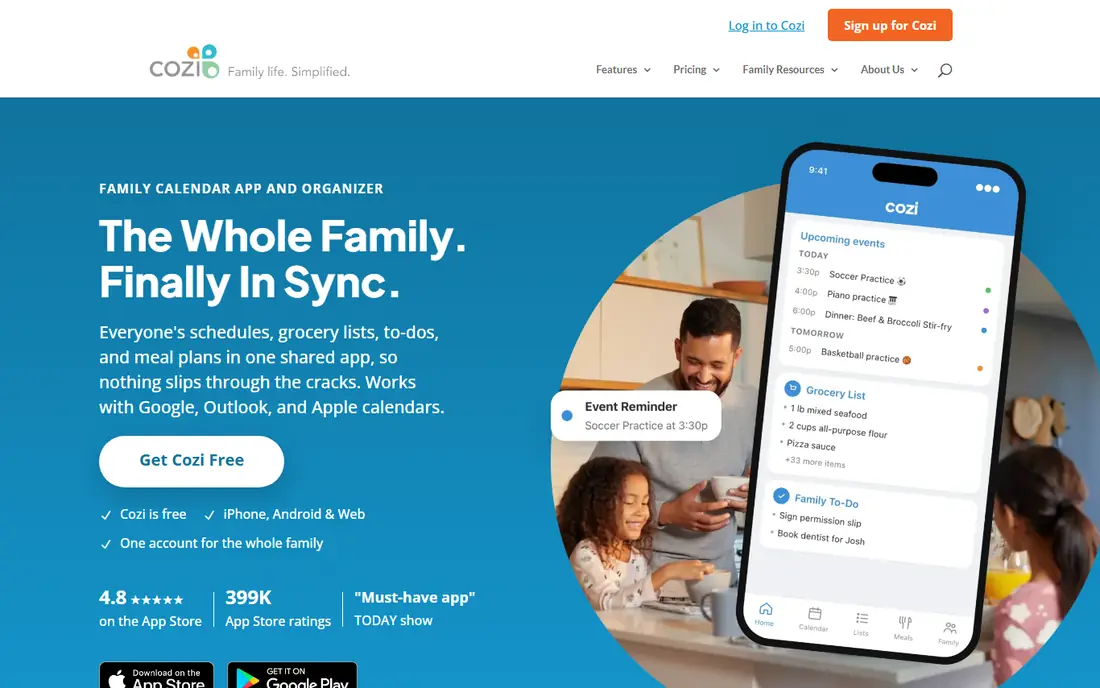
Cozi is our pick for most families because it covers the daily routine in one place. The homepage states that Cozi is free, works on iPhone, Android, and the web, and uses one account for the whole family. Color coded events show who needs to be where, while shopping lists, to-do lists, and a recipe box sit next to the calendar.
The free version has a real limit to know before you rely on it. Current reviews report that the free calendar view covers only 30 days, with ads, and that full access needs Cozi Gold at $39 per year, as shown on the vendor homepage. Gold adds month view on mobile, calendar search, change notifications, and a birthday tracker, while Max at $79 per year adds AI event import and meal tools. If you plan months ahead, budget for Gold from the start.
- One account for the whole family
- Shared lists and recipe box
- Web, iPhone, and Android access
- Free calendar view is limited to 30 days in current reports
- Google sync is one way only
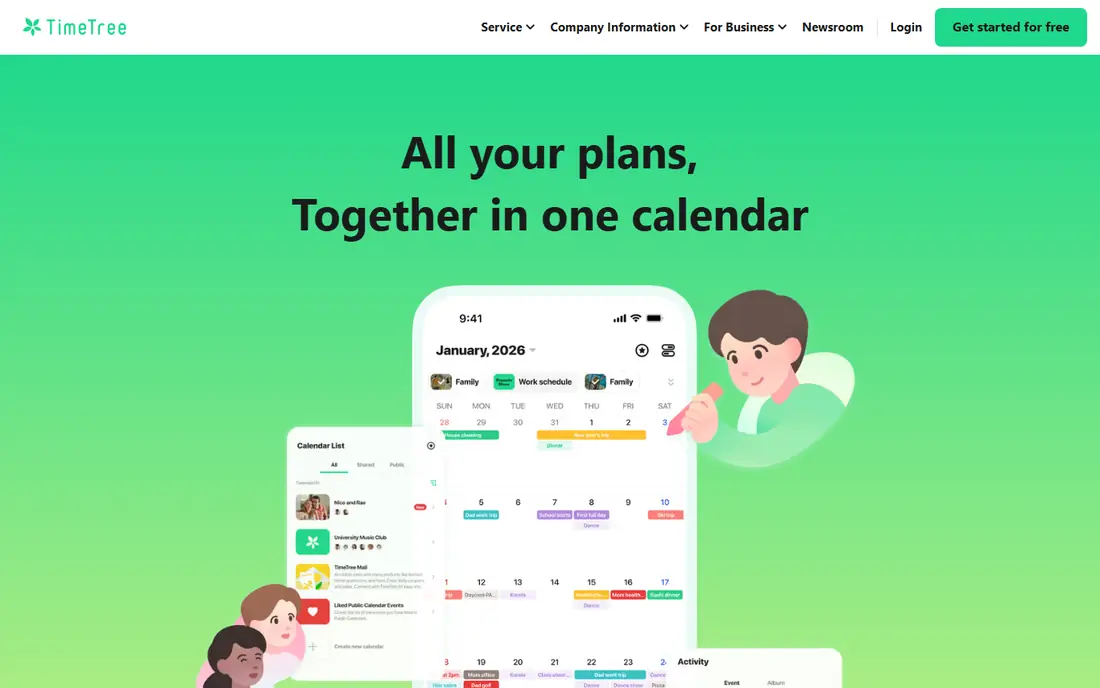
TimeTree takes a different approach from Cozi. Instead of one family calendar, you can create separate calendars for family, school, sports, and friends, and invite only the right people to each one. Comments on each event keep discussion next to the date, which cuts down on separate group chats about pickup times and locations.
That focus is both the strength and the limit. TimeTree does not try to be a meal planner or a chore system, so families who want those tools will need a second app. Premium is listed at $4.49 per month or $44.99 per year on app store pages, and it mainly removes ads and adds customization and file options. For a couple or a small family who want a clean shared calendar first, TimeTree is hard to beat.
- Multiple shared calendars
- Comments and memos on events
- Clean mobile design
- No built in shopping or meal planner
- Premium adds mainly ads removal and extras
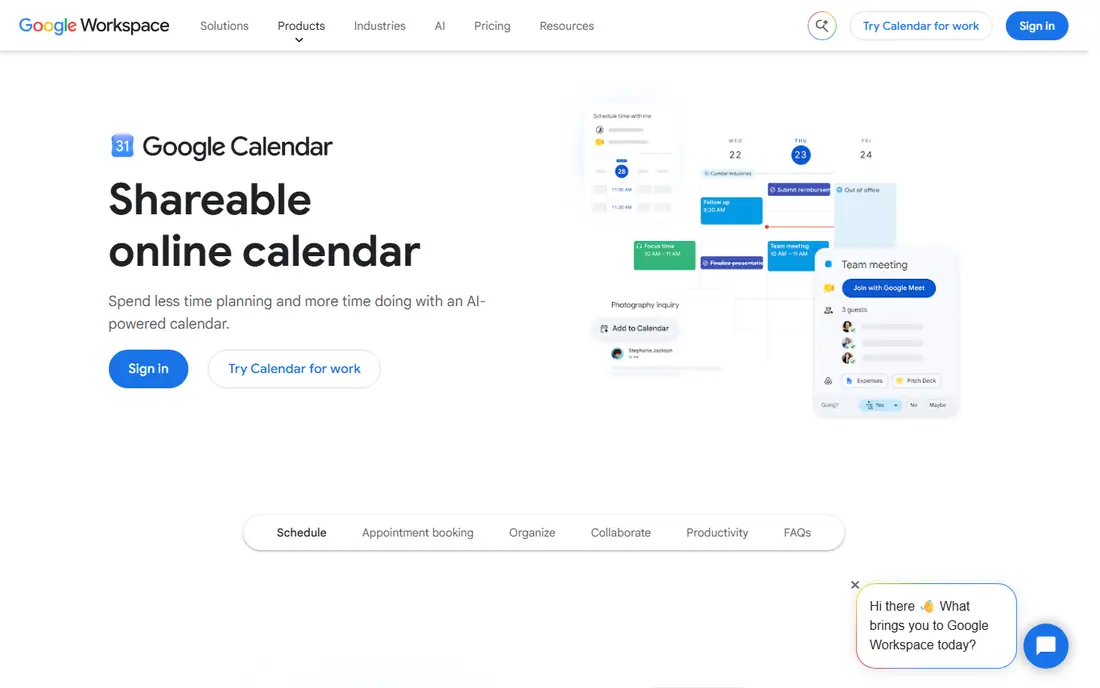
Google Calendar is the option to try before you pay for anything. One person can create a family calendar, share it by email, and set permissions for viewing or editing. Events can have their own colors, reminders, and locations, and the calendar syncs across phones and computers without extra setup.
The weakness is that Google Calendar is a calendar, not a family organizer. There is no built in shared shopping list, chore assignment, or meal plan, though Google Keep and Tasks can fill part of that gap. Permissions also need care, because a shared calendar can expose more than you intend if you share a personal calendar by mistake. For a mixed iPhone and Android household on a zero budget, Google Calendar is the most practical free choice.
- Free with a Google account
- Works on iPhone, Android, and web
- Strong Gmail and Meet links
- No built in family lists or chores
- Each member needs a Google account
Apple Calendar fits households that already live on Apple devices. Family Sharing can create a shared family calendar that everyone in the group can edit, and you can also share any iCloud calendar with view or edit access. Apple support pages describe how to add people, change edit access, and turn off shared calendar change notices.
The limit shows up in mixed device homes. Android relatives can view a shared calendar in some setups, but editing is far smoother on Apple devices. Apple Calendar also lacks shared shopping lists, chores, and meal planning, so it works best as a clean schedule layer, not a full household hub. If everyone in your home uses an iPhone, start here and add a lists app only if you need it.
- Built into iPhone, iPad, and Mac
- Family Sharing creates a shared calendar
- No extra app needed
- Weak for Android family members
- No built in lists or chores
FamCal aims for a warm, family shaped calendar rather than a plain schedule grid. The app combines calendars, events, tasks, notes, contacts, and birthday reminders, with shared grocery lists and recipes. Trip expense tracking, with charts and PDF or CSV export, is a useful extra for family travel that most rivals do not offer.
The setup is unusual, because the whole group shares one account and logs in with a personal email and a shared password. That makes setup simple, but it means less separation between adult and child access than an app with individual profiles. Premium is listed at $39.99 per year on some store pages, with a weekly option also shown, so check the current listing in your store before you subscribe. FamCal suits families who want notes and trip costs next to the calendar, and who are comfortable with a shared login.
- Calendar, tasks, notes, and contacts in one app
- Shared recipes
- Trip expense tracking
- Premium pricing varies by store listing
- Shared account login can feel less private
FamilyWall packs more into one app than any other pick on this list. The free tier covers a shared calendar, shopping and to-do lists, family messaging, a photo gallery, and a recipe box, with 100 MB of shared storage and ads. Premium, listed at $4.99 per month or $44.99 per year on the vendor store page, adds Google and Outlook sync, real time location, a meal planner, a budget tracker, documents, and more storage.
That breadth can feel busy if you only want a calendar. Location sharing also needs a family discussion, because not every teen or relative wants live location on. Set clear rules for who can see location, and when, before you turn that feature on. If you want one app to replace several, and you will use messaging and meal planning as well as the calendar, FamilyWall gives the most for the price.
- Calendar, messaging, location, lists, and meal planner
- Google and Outlook sync on Premium
- 30 day trial noted
- Free tier has ads and limited storage
- Full feature set can feel busy at first
OurHome is the best free choice when chores are the main problem, not just scheduling. Parents can assign recurring chores, set point values, and let kids trade points for rewards the family defines, such as screen time or a movie night. A shared calendar and grocery list sit alongside the chore system, so the app covers the basics of a household week.
The calendar itself is simpler than Cozi or TimeTree, with fewer views and less polish. Older kids may also outgrow the points system, since it is geared toward younger children. OurHome works best for families with kids roughly in primary school, where a visible chore list and a reward store can turn routine tasks into a game. For teens, pair it with a stronger calendar, or move to a full organizer such as Cozi or FamilyWall.
- Free chores and rewards system
- Shared calendar and grocery list
- Simple for younger kids
- Calendar is basic compared with Cozi or TimeTree
- Design feels dated to some users
Picniic tries to be a single dashboard for the whole household. The app offers a shared calendar with a color per family member, to-do and shopping lists, a meal planner with recipes, a family locator, and an info locker for key household details. That range appeals to families who do not want to run three separate apps for calendar, meals, and lists.
The trade off is uneven quality across modules. Reviews and comparisons note that some parts feel less finished than the best single purpose tools, and Premium pricing has varied over time, so the current store listing is the safest source. Picniic suits a family that values one login and one dashboard above having the best calendar or the best meal planner alone. Try the free version for two weeks with real school and activity dates before you pay.
- Calendar, lists, locator, meal planning, and info locker in one app
- Web and mobile access
- Some modules feel less polished than rivals
- Premium pricing varies, so check the store listing
How we picked these
We started with apps that offer a shared calendar for families, with a free plan or a free built in option, and that were still active in October 2026. We checked vendor homepages for pricing and core features, and we used app store listings to confirm Premium prices where a vendor pricing page was not clear. We favored apps that work on both iPhone and Android, except for Apple Calendar, which we kept because it is the built in choice for Apple households.
We also weighed what each app adds beyond the calendar. Lists, meals, chores, messaging, and location all matter to families, but they matter in different amounts to different homes. A strong calendar with weak extras scored well for small families, while a broad hub scored well for larger households that want one app. We left out hardware wall calendars, because this list covers apps you can use on phones you already own.
How to set up a family calendar that sticks
Pick one owner for the first month
A shared calendar fails when everyone assumes someone else will add events. Pick one adult to own setup for the first month, add school dates, activity schedules, and appointments, and invite the rest of the family. After a month, hand off routine adds to the people who own each activity, such as the parent who manages soccer or music lessons. One owner at the start prevents duplicate events and gaps.
Use colors and separate calendars with care
Color per person helps in a quick glance, but too many colors can turn a week view into noise. Use one color per person for family events, and keep work events on a separate calendar that only the owner sees. For TimeTree users, separate calendars for school, sports, and family can help, but limit the total to three or four, or people will stop checking them. The goal is a view a grandparent can read in ten seconds.
Agree on rules before you add location or chores
Location sharing, chore points, and edit access all need a short family talk first. Decide who can edit events, who can delete them, and if kids can see adult appointments. For location, agree on hours and places, such as school and home, rather than all day tracking. For chores, agree on rewards before points start, so kids do not earn points for a reward that was never approved.
Test with a real week before you pay
Do not pay on day one. Run the free version through a real week with practices, appointments, and a grocery run, and note what you missed. Did month view matter, did ads get in the way, did sync fail on one phone, or did a grandparent struggle to join. Pay only for the limit you actually hit, such as Cozi Gold for month view or FamilyWall Premium for calendar sync. A paid plan that fixes a real problem is worth it, while a paid plan for features you never open is not.
Frequently asked questions
What is the best family calendar app for families?
Cozi is the best starting point for most families, because it combines a shared calendar with lists and meal planning in one free account. Google Calendar is best if you want a free, simple shared schedule across iPhone and Android. Apple Calendar is best for households that use only Apple devices, while FamilyWall is best if you want messaging and location in the same app.
Is there a free family calendar app?
Yes. Cozi, TimeTree, FamCal, FamilyWall, OurHome, and Picniic all offer free plans, and Google Calendar and Apple Calendar are free with their accounts. Free plans often include ads or limits, such as Cozi's 30 day free calendar view in current reports, so check what the free version covers before you rely on it for long term planning.
Can a family calendar work on both iPhone and Android?
Yes, if you pick a cross platform app. Cozi, TimeTree, Google Calendar, FamCal, FamilyWall, OurHome, and Picniic all work on iPhone and Android, with web access for several of them. Apple Calendar works best within Apple devices, and Android users may only be able to view, not edit, in some setups. Test sharing on both phone types during your first week.
How do I share a calendar with grandparents?
Invite grandparents by email through the app, and pick view only access if you do not want them to edit events. Cozi uses one family account, while Google and Apple calendars let you set view or edit access per person. Keep the setup simple for grandparents, with one calendar and clear colors, and send a short note with the steps to join, rather than a long manual.
Do family calendar apps track location?
Some do, and some do not. FamilyWall offers real time location on Premium, and Picniic offers a family locator, while Cozi, TimeTree, Google Calendar, and Apple Calendar focus on schedules without live location. If location matters to you, check the privacy settings and agree on rules as a family before you enable it, especially for teens.
Should I pay for a family calendar app?
Pay only when the free version blocks a task you do often. Cozi Gold at $39 per year is worth it if you plan beyond 30 days and want search and month view. FamilyWall Premium at $4.99 per month or $44.99 per year is worth it if you use sync, location, and meal planning. If a simple shared schedule is enough, Google Calendar or Apple Calendar may cover your needs at no extra cost.
Sources we checked (9)
- https://appxy.com
- https://www.cozi.com
- https://apps.apple.com/us/app/timetree-shared-calendar/id952578473
- https://support.apple.com/guide/iphone/share-icloud-calendars-iph7613c4fb/ios
- https://play.google.com/store/apps/details?id=com.appxy.famcal&hl=en_US
- https://play.google.com/store/apps/details?id=com.familywall
- https://ourhomeapp.com
- https://picniic.com
- https://calendar.google.com

Online Jobs is an independent blog about careers, online work, learning new skills and the tools that help people earn. More about us.
Keep reading
All posts
Zoom Alternatives
Zoom alternatives compared for 2026: Google Meet, Microsoft Teams, Webex, Jitsi and more for free calls, large meetings and webinars for teams and classrooms.

What Is the Best Free Tool to Rotate a PDF
What is the best free tool to rotate a PDF? We compare eight free rotation tools on per-page control, limits, privacy and saved output quality in detail.

What Is the Best AI Dubbing Tool
We compared the best AI dubbing tools in 2026, from ElevenLabs and HeyGen to Rask AI, Dubverse and Veed, for videos and creators in many languages worldwide.