Best ERP Software for Small Business in 2026: 9 Tools Compared


Growing companies that need a full cloud ERP suite · Starting price: See website
How we put this together: we compare official feature and pricing pages, app store listings, privacy policies and public user reviews. Prices change, so check the provider's site before you pay.
Key takeaways
- Odoo and ERPNext suit small businesses that want flexible, modular ERP at a lower starting cost.
- Oracle NetSuite suits growing companies that need a full cloud suite and plan to scale.
- SAP Business One and Microsoft Dynamics 365 Business Central suit companies with established Microsoft or SAP workflows.
- Katana and MRPeasy are strong picks for small manufacturers that need production and inventory control.
- Start with accounting, inventory, and orders, then add modules only when the business actually needs them.
Quick comparison
| Name | Who it suits | Starting price | Free option | |
|---|---|---|---|---|
| Oracle NetSuite | Growing companies that need a full cloud ERP suite | See website | No | Visit |
 Odoo | Small businesses that want modular, flexible ERP | See website | Yes | Visit |
 SAP Business One | Small and midsize firms that want SAP structure | See website | No | Visit |
 Sage Intacct | Finance-led small businesses and growing firms | See website | No | Visit |
 Acumatica | Growing firms that want flexible cloud ERP pricing | See website | No | Visit |
 Microsoft Dynamics 365 Business Central | Businesses already using Microsoft 365 and Teams | See website | No | Visit |
 ERPNext | Small teams that want open-source ERP control | See website | Yes | Visit |
 Katana | Small manufacturers, makers, and craft businesses | See website | No | Visit |
 MRPeasy | Small manufacturers that need production scheduling | See website | No | Visit |
The best ERP software for small business
ERP software brings accounting, inventory, orders, purchasing, and often manufacturing into one system. For a small business, that shared data reduces double entry, stock errors, and month-end surprises. The best ERP systems for small companies balance depth with simplicity, since a tool that needs a large IT team defeats the purpose. We compared core modules, ease of setup, manufacturing support, integrations, and price.
Oracle NetSuite
Who it suits: Growing companies that need a full cloud ERP suite
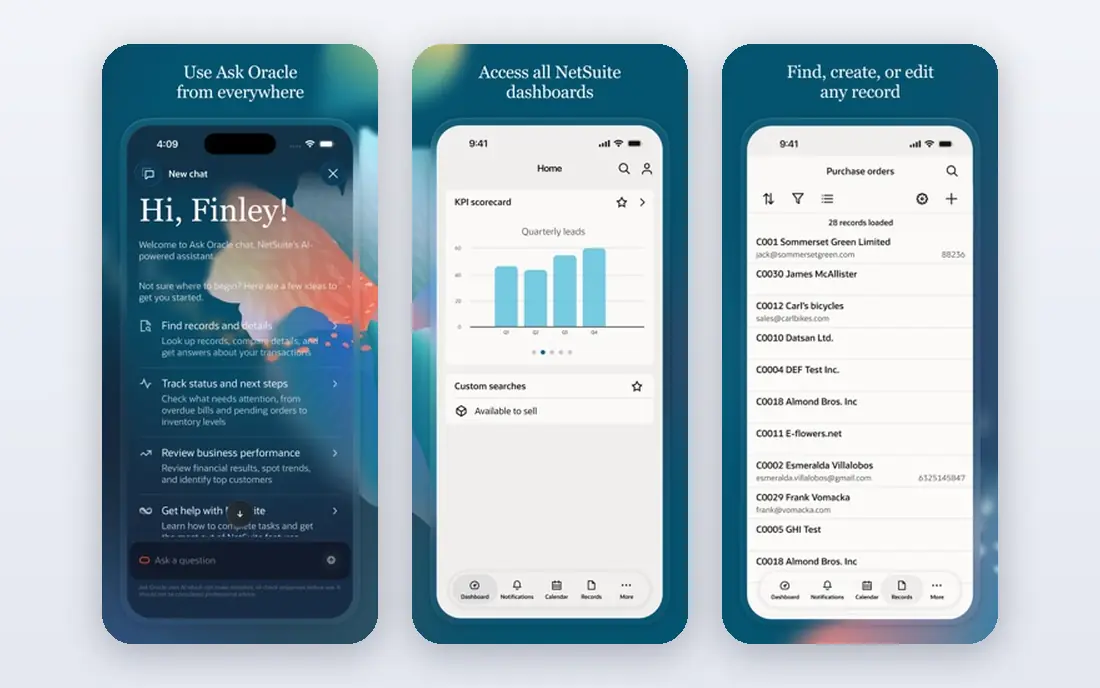
NetSuite is the best-known cloud ERP for growing businesses. It combines accounting, inventory, order management, and customer records in one system, so leaders see sales, stock, and cash in the same dashboard. That shared view helps companies that have outgrown separate accounting and spreadsheet tools.
Cost and setup are the main barriers. NetSuite suits companies with steady revenue and a clear growth plan, not a two-person startup testing its first product. For a business that expects to scale and wants one system to grow with it, NetSuite remains a top ERP software for small business that is planning to become midsize.
- Full financials, inventory, and CRM in one cloud suite, strong reporting, scales with growth
- Higher cost, implementation takes planning, complexity for very small teams
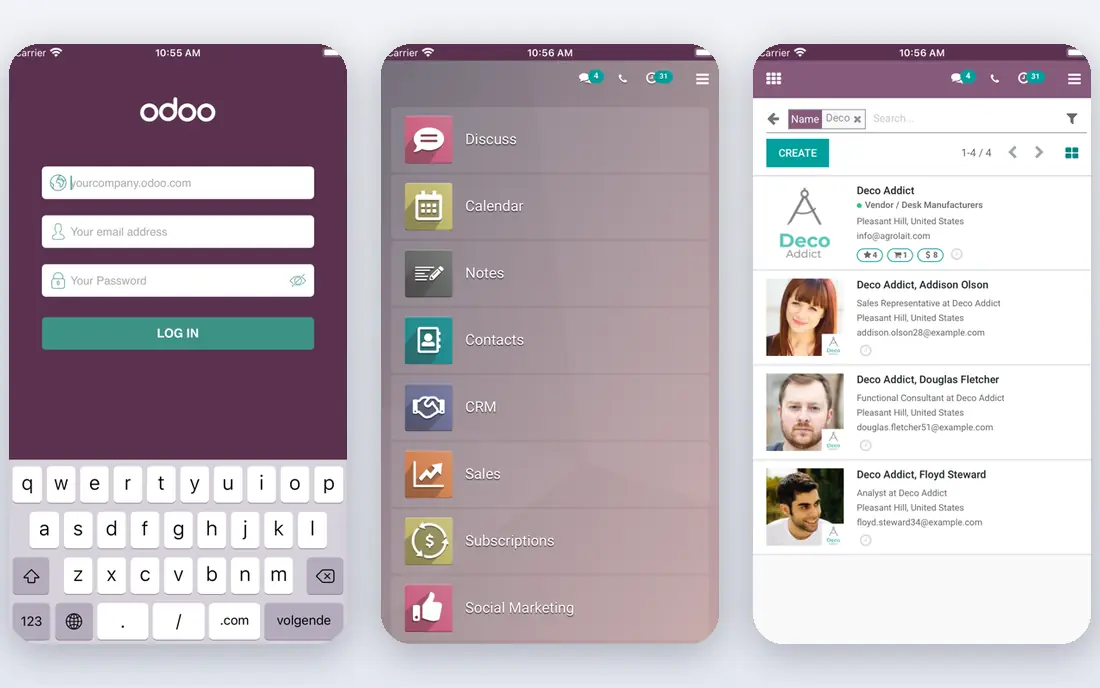
Odoo lets a small business start with a few modules, such as sales, inventory, and accounting, and add manufacturing, HR, or e-commerce later. That modular path keeps early costs down and avoids paying for features the business does not yet use. The interface is modern, and the app range is broad for a tool at this price.
Module quality varies, and a poorly planned setup can create messy data. Small teams should start with core modules and add one at a time. For flexibility and value, Odoo is one of the strongest ERP software for small businesses options on this list.
- Modular apps, free community options, good inventory and sales tools, affordable starting plans
- Modules vary in polish, implementation needs care, support depends on plan and partner
SAP Business One
Who it suits: Small and midsize firms that want SAP structure
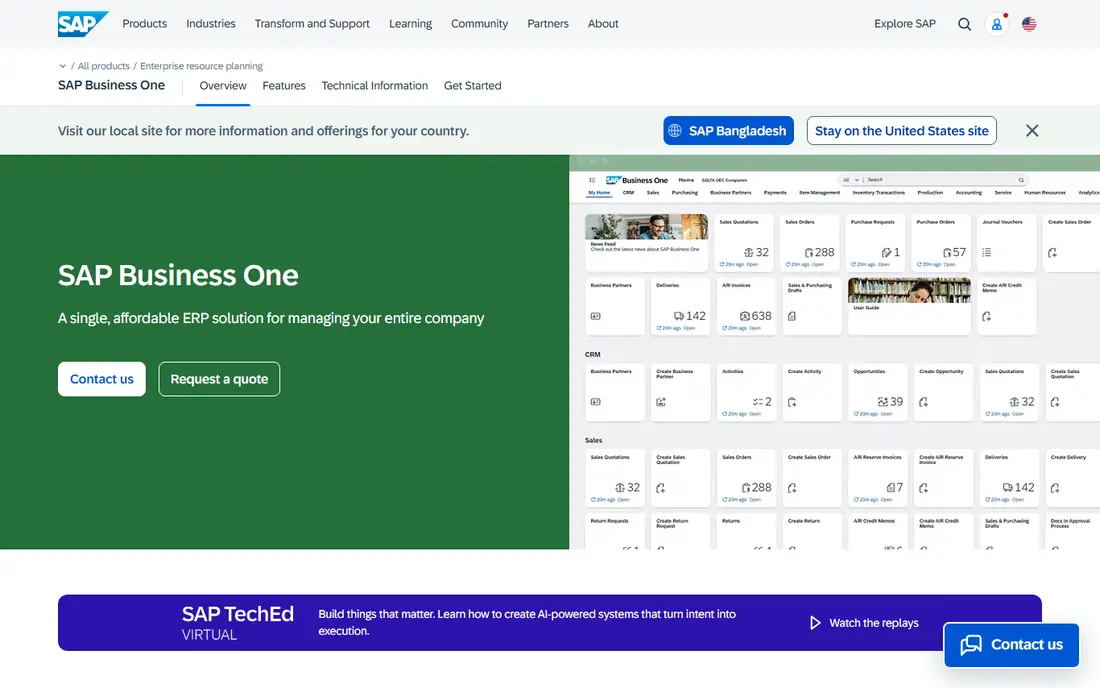
SAP Business One brings SAP structure to smaller companies. It covers accounting, sales, purchasing, inventory, and production in one system, with reporting that suits managers and accountants. A large partner network helps with implementation, training, and local support in many countries.
Implementation usually needs partner help, and the interface feels more formal than Odoo or Katana. Very small teams may find it heavy. For an established small company that values SAP processes and plans to grow within that ecosystem, Business One is a solid and trusted choice.
- Strong financials and inventory, good reporting, SAP ecosystem, partner network
- Higher cost, implementation needs a partner, interface feels formal
Sage Intacct focuses first on finance, and it shows. Accounting, reporting, and multi-entity consolidation are strong, which suits service firms, nonprofits, and growing companies with complex books. Automation for approvals, billing, and close tasks saves finance teams real time each month.
Manufacturing depth is lighter than Katana or MRPeasy, so makers should check production features carefully. Pricing is quote-based, so small teams should confirm costs early. For a finance-led business that needs clean books and clear reports, Sage Intacct is a strong ERP pick.
- Strong accounting and reporting, multi-entity support, good automation, cloud-based
- Less manufacturing depth than some rivals, quote-based pricing, implementation planning needed
Acumatica prices by resources used rather than per user in many cases, which can help companies with many occasional users. It covers financials, distribution, manufacturing, and project accounting in a modern cloud interface. Mobile access helps warehouse and field teams work without a desk.
Pricing still needs a quote, and implementation quality depends on the partner. Small teams should scope the project carefully and start with core modules. For a growing firm that wants cloud ERP without strict per-user costs, Acumatica is a flexible and capable choice.
- Flexible resource-based pricing, strong distribution and manufacturing, good mobile access, modern interface
- Quote-based pricing, implementation needs planning, partner quality varies
Microsoft Dynamics 365 Business Central
Who it suits: Businesses already using Microsoft 365 and Teams
Business Central fits naturally into a Microsoft-centered business. It integrates with Microsoft 365, Teams, and Power BI, and its interface feels familiar to Outlook and Excel users. Financials, sales, purchasing, and inventory cover the core needs of many small businesses, with extensions for manufacturing and warehousing.
Licensing tiers and extensions need careful reading, since advanced features sit on higher plans or add-ons. Implementation also benefits from partner help. For a company that already lives in Microsoft tools, Business Central offers a smooth and logical ERP path.
- Strong Microsoft integration, good financials and inventory, familiar interface, cloud and on-premise options
- Licensing can confuse, implementation needs planning, advanced manufacturing needs extensions
ERPNext is a free open-source ERP with modules for accounting, inventory, manufacturing, HR, and projects. Small teams can self-host it at low cost or use a hosted plan for support and updates. The breadth is impressive for an open-source tool, and the community adds apps and fixes over time.
Setup needs technical skill, especially for self-hosting, backups, and updates. The interface is functional rather than glossy, and support quality depends on the plan chosen. For a technical small team that wants control and low license costs, ERPNext is a strong best ERP software for SME option.
- Free open-source core, broad modules, self-hosting option, active community
- Setup needs technical skill, support depends on plan, interface is functional rather than polished
Katana is built for small manufacturers who need to see raw materials, production, and finished stock in one view. It tracks orders from sales through production to delivery, with real-time inventory that updates as work progresses. Integrations with accounting and e-commerce tools cover the gaps outside production.
Accounting depth is lighter than NetSuite or Business Central, so many users pair Katana with a separate accounting tool. Non-manufacturing firms gain less from its production focus. For makers, workshops, and small factories, Katana is one of the best manufacturing software for small business picks available.
- Clear production planning, real-time inventory, easy order handling, good integrations
- Accounting is lighter than full ERP, price rises with users, less suited to non-manufacturing firms
MRPeasy focuses on manufacturing resource planning for small factories. It schedules production, tracks materials and labor, manages purchasing, and updates inventory as jobs complete. Setup is more direct than a large ERP, which helps small teams start without a long project.
The interface prioritizes function over polish, and accounting usually runs through an integration rather than inside MRPeasy. Service businesses will find it too production-focused. For a small manufacturer that needs clear production control at a fair price, MRPeasy is a practical and focused choice.
- Production planning and scheduling, inventory and purchasing, straightforward setup, good value for makers
- Interface is functional, accounting integrations needed, less suited to service firms
How we picked these
We focused on ERP tools that cover at least accounting, inventory, and order handling in one system, with options for manufacturing, purchasing, or CRM. We compared module breadth, setup effort, manufacturing support, integrations, and price clarity. Standalone accounting tools and standalone inventory apps did not qualify, since ERP means shared data across functions.
We also weighed small-business fit. A tool can be powerful and still be wrong for a small team if it needs a large implementation project. That is why this list mixes modular tools, open-source tools, and full suites, so a business can pick the depth it can actually run.
Buying guide: how to choose ERP software for a small business
Start by mapping your current pain points. List where double entry happens, where stock counts go wrong, and where month-end reporting takes too long. Those pain points define your must-have modules. A manufacturer needs production and inventory first, while a service firm needs finance and project tracking first.
Next, run a pilot with real data. Import a month of sales, purchases, and stock, then test ordering, invoicing, and reporting. Note how long staff need to learn the tool and where workarounds appear. A pilot with real data reveals gaps that a sales demo hides.
Finally, compare total cost over two years, not just the first month. Add implementation, training, integrations, and support. A low license price can hide high setup costs, while a higher license price can include support that saves staff time. Choose the tool your team will actually use daily, since an unused ERP helps no one.
Frequently asked questions
What is the best ERP software for small business overall?
Odoo is the best all-round pick for many small businesses because it is modular and affordable. NetSuite suits growing firms that need a full suite, while Katana and MRPeasy suit small manufacturers. Your industry and growth plans narrow the choice.
What is the best free ERP software for small business?
ERPNext and Odoo Community offer free open-source starting points. Both still need hosting, setup, and maintenance, so free means no license fee rather than zero total cost. Small technical teams gain most from free ERP options.
What is the best ERP software for small manufacturing businesses?
Katana and MRPeasy are strong small-manufacturer picks for production and inventory control. SAP Business One and Acumatica suit larger small manufacturers that need deeper ERP features alongside production.
How much does ERP software for small business cost?
Costs vary widely, from free open-source cores plus hosting to quote-based suites that run hundreds per month. Always ask for implementation, training, and support costs, since those often exceed the first-year license fee.
Can a small business run ERP without an IT team?
Yes, if you pick a cloud tool with good support and start with core modules. Odoo, Katana, MRPeasy, and Business Central all suit small teams without a dedicated IT department, especially with partner help during setup.
How long does ERP implementation take for a small business?
A focused small-business rollout can take weeks for core modules, while a full rollout with manufacturing and integrations can take months. Starting small, testing with real data, and adding modules in phases keeps the project manageable.
Sources we checked (9)
- https://www.netsuite.com
- https://www.odoo.com
- https://www.sap.com/products/erp/business-one.html
- https://www.sage.com/en-us/products/sage-intacct
- https://www.acumatica.com
- https://www.microsoft.com/en-us/dynamics-365/products/business-central
- https://erpnext.com
- https://katanamrp.com
- https://www.mrpeasy.com

Online Jobs is an independent blog about careers, online work, learning new skills and the tools that help people earn. More about us.
Keep reading
All posts
DocuSign Alternatives
We compared the best DocuSign alternatives on price, free plans, templates, audit trails and ease of use, including free DocuSign alternatives for small teams.
Best Spend Management Software
Looking for the best spend management software? We compared 8 platforms on cards, approvals, travel and price to help your finance team pick the right one.
Best SaaS Ecommerce Platforms
Best SaaS ecommerce platforms compared: Shopify, BigCommerce, Wix and more for small stores and growing brands, with prices, pros and cons to compare.