Best Enterprise File Sharing Platforms in 2026: 9 Platforms Compared


Regulated firms that need compliance controls · Starting price: $15 per user per month
How we put this together: we compare official feature and pricing pages, app store listings, privacy policies and public user reviews. Prices change, so check the provider's site before you pay.
Key takeaways
- Box and Egnyte lead for regulated firms that need strict permissions, audit logs, and compliance controls, while Google Drive and OneDrive lead for firms already inside Google or Microsoft suites.
- Dropbox Business remains a strong pick for cross-platform sync, and ShareFile stands out for client-facing work in professional services.
- Tresorit and Sync.com offer end-to-end encryption for teams that put privacy first, with Tresorit aimed at larger firms and Sync.com at smaller budgets.
- Most enterprise plans are priced per user per month, so count external collaborators carefully, since guests and partners can change the bill.
- Our pick for most large firms is Box for governance, with OneDrive or Google Drive as the practical pick for firms already committed to one suite.
Quick comparison
| Name | Who it suits | Starting price | Free option | |
|---|---|---|---|---|
| Box | Regulated firms that need compliance controls | $15 per user per month | No | Visit |
 Microsoft OneDrive and SharePoint | Companies already on Microsoft 365 | See website | No | Visit |
 Google Drive with Workspace | Teams already on Google Workspace | See website | No | Visit |
 Dropbox Business | Cross-platform sync and simple sharing | $15 per user per month | Free trial | Visit |
 ShareFile | Professional services and client portals | $16.50 per user per month | Free trial | Visit |
 Egnyte | Hybrid cloud and on-premises content control | See website | No | Visit |
 Tresorit | Maximum privacy with end-to-end encryption | See website | Free trial | Visit |
 Sync.com | Privacy on a smaller budget | See website | No | Visit |
 Kiteworks | Governance and managed file transfer | See website | No | Visit |
The best enterprise file sharing platforms
Enterprise file sharing is not about storage size alone. Permissions, audit trails, external sharing controls, and compliance certifications decide most purchases. We compared official feature and pricing pages to see which platforms fit which kind of firm.

Box is the governance-first choice in this list. It offers detailed permissions, version history, retention rules, and audit logs, plus certifications that matter in health care, finance, and government work. Teams can build approval workflows, collect signatures, and share files with partners without losing track of who saw what.
The trade-off is price structure. Entry business plans are affordable, but the controls that large regulated firms need often sit in Business Plus or Enterprise tiers. Box also works best when IT owns sharing policy centrally, since its strength is control rather than casual collaboration. For a firm that must prove compliance, that control is worth the cost.
- Broad compliance certifications
- Granular permissions and audit logs
- Strong workflow and e-signature options
- Advanced controls sit in higher tiers
- Per-user pricing adds up with many external users
Microsoft OneDrive and SharePoint
Who it suits: Companies already on Microsoft 365
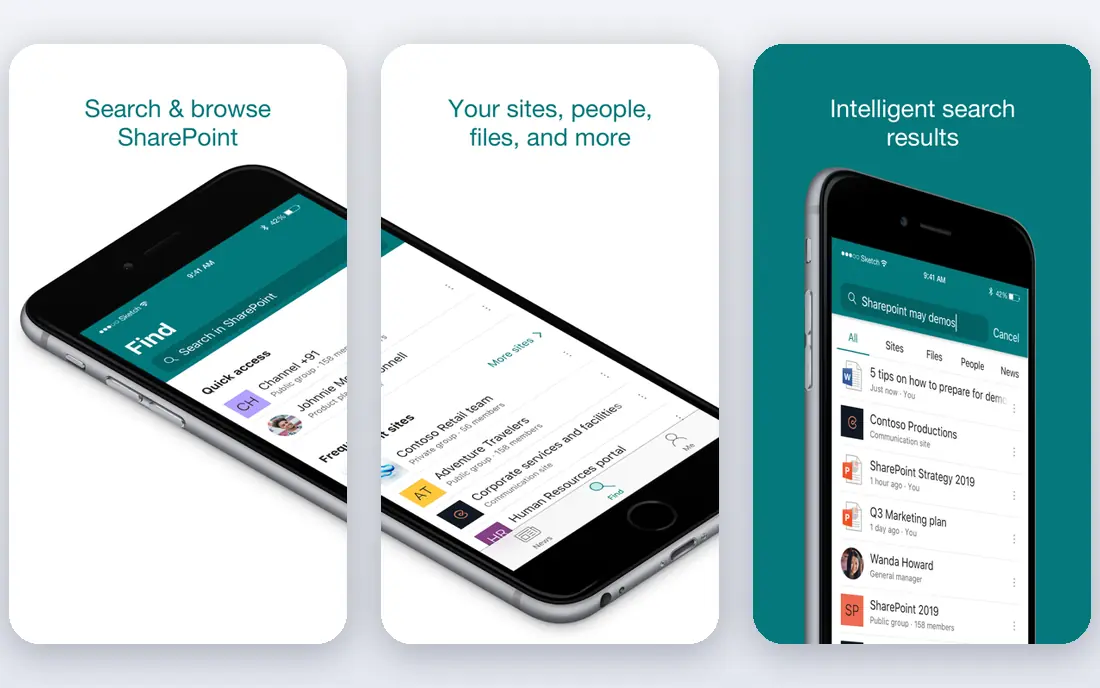
OneDrive and SharePoint are the natural pick for Microsoft 365 firms, because file sharing arrives inside a suite most staff already use. Word, Excel, and PowerPoint documents can be edited together in real time, access follows Entra ID groups, and IT can apply data loss prevention and retention rules across the tenant. There is no separate login to teach and no separate sync client to manage for most users.
The catch is administration. SharePoint site design, external sharing rules, and permission inheritance need planning, and a rushed rollout can leave files shared more widely than intended. Firms that invest a little time in governance, though, get a file platform, an intranet, and office apps in one subscription, which is hard for a standalone tool to beat on value.
- Native Office co-authoring
- Entra ID access controls
- SharePoint sites for team content
- Admin setup takes care
- Sharing settings can confuse new admins
Google Drive with Workspace
Who it suits: Teams already on Google Workspace
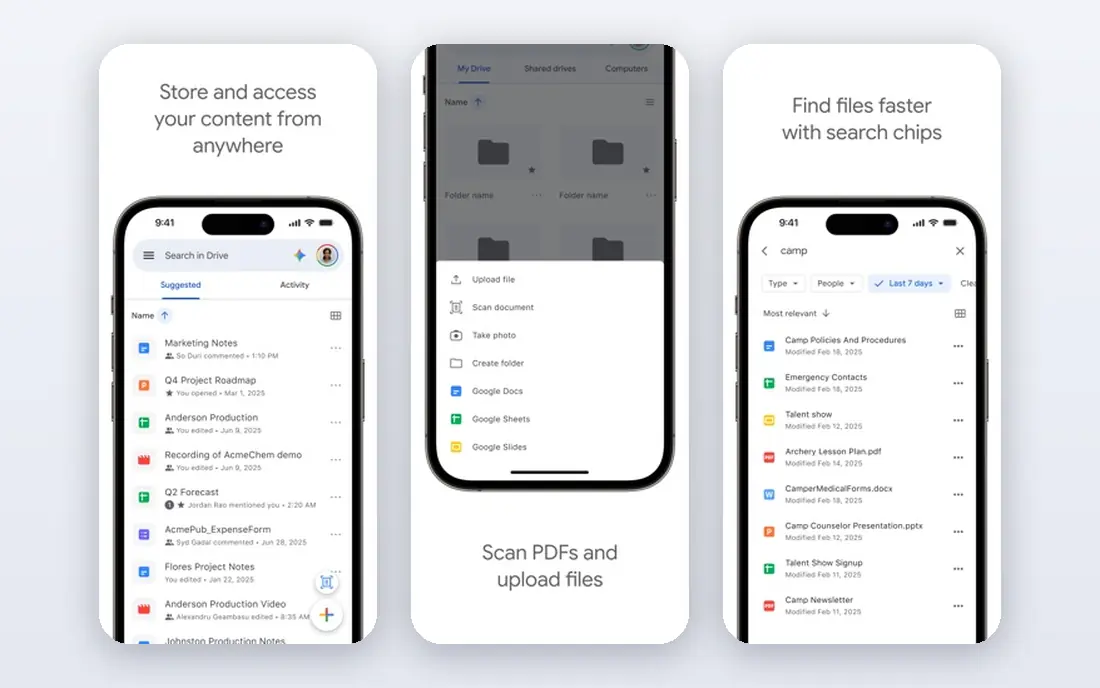
Google Drive inside Workspace is the collaboration-first option. Docs, Sheets, and Slides editing is smooth, sharing a file is a one-click job, and search finds content across a whole Drive quickly. Teams that live in Gmail and Calendar will find Drive fits their daily work with little training.
Google has added shared drives, data loss prevention, and Vault retention for business plans, but firms with strict governance needs should compare its controls with Box or Egnyte before committing. External sharing also needs clear policy, since a single link setting can widen access fast. For cloud-native teams that value speed and collaboration, Drive is a strong and affordable core platform.
- Excellent real-time collaboration
- Simple sharing for internal teams
- Strong search across Drive
- Admin controls are less granular than Box in some areas
- External sharing needs policy care
Dropbox Business wins on sync. Files stay current across Windows, Mac, mobile, and the web, Smart Sync keeps large folders from filling a hard drive, and sharing a folder with a partner takes seconds. Creative and distributed teams that move large media files often prefer Dropbox for that reason alone.
Dropbox also offers document signing, backup, and transfer tools, but it is not a full office suite, so teams that need deep document co-authoring may still need Google or Microsoft apps alongside it. Standard plans are published per user per month, with Advanced and Enterprise tiers for larger firms. If sync reliability matters more than built-in office editing, Dropbox earns its place.
- Reliable sync across devices and systems
- Simple sharing
- Good large-file handling
- Collaboration features lag Google and Microsoft suites
- Enterprise plan is quote-based
ShareFile, from Progress, is built for firms that collect and share documents with clients. Accountants, lawyers, and financial advisers can create branded client portals, request missing documents with checklists, and gather signatures without emailing sensitive files back and forth. That client-facing workflow is its main edge over general file tools.
Pricing is published per user per month on annual billing for Advanced and higher plans, with a small minimum seat count on some tiers. ShareFile is less of a daily internal collaboration hub than Drive or SharePoint, so firms that need both may pair it with an office suite. For client document work, though, few tools match its purpose-built flow.
- Client portals and document request lists
- E-signatures
- Workflows for accounting and legal firms
- Three-user minimum on some plans
- Less suited to pure internal collaboration
Egnyte suits firms that cannot move everything to the cloud at once. It connects existing on-premises file servers to cloud sharing, applies one set of permissions and governance rules across both, and adds ransomware detection and content classification. Construction, engineering, and media firms with large local files often fall into this group.
Egnyte publishes business pricing per user per month, with higher tiers for larger firms and advanced governance. The platform rewards IT planning, since hybrid setup and permission design take effort up front. Firms that are fully cloud-native may find Box or Drive simpler, but firms with a foot in both worlds will value Egnyte's bridge.
- Bridges on-premises storage and cloud
- Content governance and ransomware detection
- Strong permissions
- Pricing rises steeply across tiers
- Setup needs IT involvement
Tresorit is the privacy-first pick. Files are encrypted end to end, so even Tresorit cannot read stored content, and secure rooms give external partners controlled access with audit trails. Law firms, health care teams, and firms handling sensitive deal documents often choose Tresorit for that assurance.
The trade-off is collaboration depth. Real-time office editing is not Tresorit's strength, so teams that co-author documents all day may pair it with another tool or accept a simpler workflow. Pricing is published per user per month for business plans, with a trial to test sharing and rooms. When privacy outranks co-authoring, Tresorit is a clear leader.
- End-to-end encryption
- Swiss hosting options
- Secure rooms for external sharing
- Collaboration is narrower than Drive or SharePoint
- Pricing is higher than basic file tools
Sync.com offers end-to-end encryption at a lower price point than Tresorit, with team plans that suit small and mid-size firms. Files sync across devices, sharing links can carry passwords and expiry dates, and Canadian data residency appeals to firms with data location rules. For a small firm that wants privacy without enterprise pricing, Sync.com is a practical pick.
Sync.com does not match Box or Egnyte on workflow automation, governance depth, or large-enterprise integrations. Teams that need advanced retention, e-discovery, or complex approval flows should look higher up this list. Teams that mainly need secure storage and sharing, though, will find Sync.com covers the basics well.
- End-to-end encryption
- Canadian data residency
- Simple team plans
- Fewer enterprise workflow features than Box or Egnyte
- Smaller third-party ecosystem
Kiteworks targets firms that must control sensitive content moving inside and outside the company. It combines secure file sharing, managed file transfer, and secure email in one governed platform, with audit logs that show where files went. Government, defense, and regulated firms with strict data movement rules are its core audience.
Pricing is by quote, since cost depends on deployment and licensed features, so budgeting requires a sales discussion. Smaller firms will find Kiteworks more platform than they need, and its setup rewards IT planning. For large firms where a single uncontrolled file transfer is a real risk, Kiteworks offers a level of control that general file tools do not.
- Private data network approach
- Managed file transfer plus secure sharing
- Strong compliance posture
- Quote-only pricing
- Deployment and scope need a sales conversation
How we picked these
We compared official feature pages, pricing pages, and security documentation for each platform, and we favored tools that are widely used by enterprises, support granular permissions and audit logs, and offer business or enterprise plans in the United States. We mixed suite platforms with standalone governance tools and privacy-first options, so readers can match a platform to their compliance needs and existing software. Where a vendor does not publish a price, we wrote See website rather than guessing a figure.
How to choose an enterprise file sharing platform
Start with your existing suite, because it often decides the shortlist. Microsoft 365 firms should test OneDrive and SharePoint first, and Google Workspace firms should test Drive first, since both are already paid for and already familiar. Only move to a standalone platform when governance, client portals, hybrid storage, or privacy needs go beyond what the suite offers.
Next, run a sharing test with real files and real outsiders. Share a folder with a partner, revoke access, check the audit log, and try to apply a retention rule, then see which platform makes each step clear. Count how many external users will need access, since per-user pricing can turn a cheap plan into a large bill. A short pilot with IT, legal, and one business team will surface the gaps that matter before a company-wide rollout.
Frequently asked questions
What is the best enterprise file sharing platform?
Box is our pick for most large firms that need strong governance and compliance controls. Microsoft 365 firms should pick OneDrive and SharePoint, and Google Workspace firms should pick Google Drive, since both suites bundle sharing with office tools. Privacy-first firms should shortlist Tresorit and Sync.com.
What is the best file sharing platform for enterprises with strict compliance needs?
Box, Egnyte, and Kiteworks are the strongest options for strict compliance needs, thanks to granular permissions, audit logs, and governance controls. Tresorit adds end-to-end encryption for firms that handle highly sensitive content. Ask each vendor for its current certifications for your industry before you sign.
Is Dropbox Business good for enterprises?
Yes, Dropbox Business is a good enterprise option when reliable sync and simple sharing matter most. It handles large files and cross-platform teams well, and its Advanced plan adds admin controls and larger storage. Firms that need deep office co-authoring may still pair it with Google or Microsoft tools.
How much does enterprise file sharing cost?
Most platforms charge per user per month, with entry business plans often starting around $15 per user per month and enterprise tiers priced higher or by quote. The total bill depends on user count, storage, and which governance features sit in higher tiers. Always count external collaborators and check for minimum seat counts.
Can enterprises self-host a file sharing platform?
Yes, though none of the main picks on this list are pure self-hosted tools. Egnyte bridges on-premises storage with cloud sharing, and open-source options exist for firms that want full self-hosting. Self-hosting shifts security and maintenance to your IT team, so weigh that cost against a managed platform.
Sources we checked (9)

Online Jobs is an independent blog about careers, online work, learning new skills and the tools that help people earn. More about us.
Keep reading
All posts
n8n Alternatives
n8n alternatives compared for 2026, with Zapier, Make, Activepieces, and more, covering visual builders, code steps, self-hosting, and pricing models.

ZoomInfo Alternatives
The best ZoomInfo alternatives in 2026, compared on price, free plans, data coverage, and which tool fits small teams or large sales teams best in detail.

Zoom Alternatives for Webinars
Compare Zoom alternatives for webinars in 2026, from browser-based rooms to enterprise events, with prices, attendee limits, features and honest trade-offs.