Best Enterprise AI Agent Platforms in 2026: 8 Platforms Compared


CRM-native sales and service agents · Starting price: See website
How we put this together: we compare official feature and pricing pages, app store listings, privacy policies and public user reviews. Prices change, so check the provider's site before you pay.
Key takeaways
- The best enterprise AI agent platform usually follows your system of record: Salesforce shops lean to Agentforce, Microsoft shops to Copilot Studio, and ServiceNow shops to ServiceNow agents.
- Governance, audit logs, permissions, and human approval matter more than demo flair, since agents act on real systems and real data.
- Most enterprise pricing is consumption-based or quote-based, so a pilot at realistic volume tells you more than a unit price.
- Developer-led platforms such as Bedrock Agents and Vertex AI Agent Builder suit teams that want model choice and infrastructure control.
- Start with one bounded use case, such as IT support or order status, before giving agents write access across the business.
Quick comparison
| Name | Who it suits | Starting price | Free option | |
|---|---|---|---|---|
| Salesforce Agentforce | CRM-native sales and service agents | See website | No | Visit |
 Microsoft Copilot Studio | Microsoft 365 and Teams organisations | See website | Free trial | Visit |
 ServiceNow AI Agents | IT, HR, and customer workflows | See website | No | Visit |
 IBM watsonx Orchestrate | Regulated industries | See website | No | Visit |
 Google Vertex AI Agent Builder | Google Cloud and developer teams | See website | No | Visit |
 AWS Bedrock Agents | AWS-first engineering teams | See website | No | Visit |
 UiPath Agentic Automation | Process-heavy firms with existing bots | See website | Free trial | Visit |
 Automation Anywhere | Large-scale process automation | See website | No | Visit |
The best enterprise AI agent platforms
An enterprise AI agent does more than answer questions. It reads tickets, checks records, drafts replies, updates systems, and hands work to a person when confidence is low. That power makes platform choice a governance decision first and a feature decision second. The eight platforms below all operate at enterprise scale, but they start from very different homes.
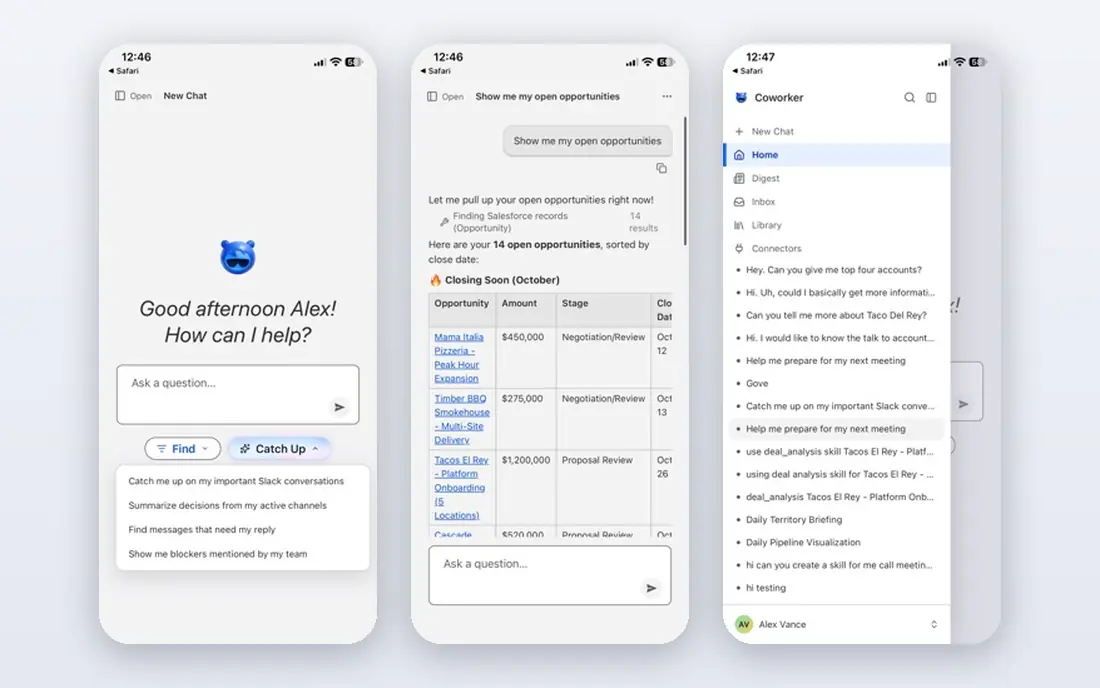
Agentforce builds agents on top of the customer data and workflows a Salesforce business already runs. A service agent can read a case, check order history, and draft a reply in the same system where agents already work, rather than through a separate tool that needs constant syncing. Prebuilt agents for service, sales, and commerce give teams a starting point that is closer to production than a blank builder.
The limit is fit. A firm that does not run Salesforce pays for integration work that a Salesforce customer gets for free, and consumption pricing means heavy use costs more than a flat licence would. Pilot with a capped volume, watch the credit burn for a full month, and agree escalation rules before agents touch refunds, discounts, or account changes.
- Deep Salesforce data and workflow grounding
- Prebuilt service and sales agents
- Strong partner ecosystem
- Best value only inside Salesforce
- Consumption pricing can surprise finance teams
Microsoft Copilot Studio
Who it suits: Microsoft 365 and Teams organisations
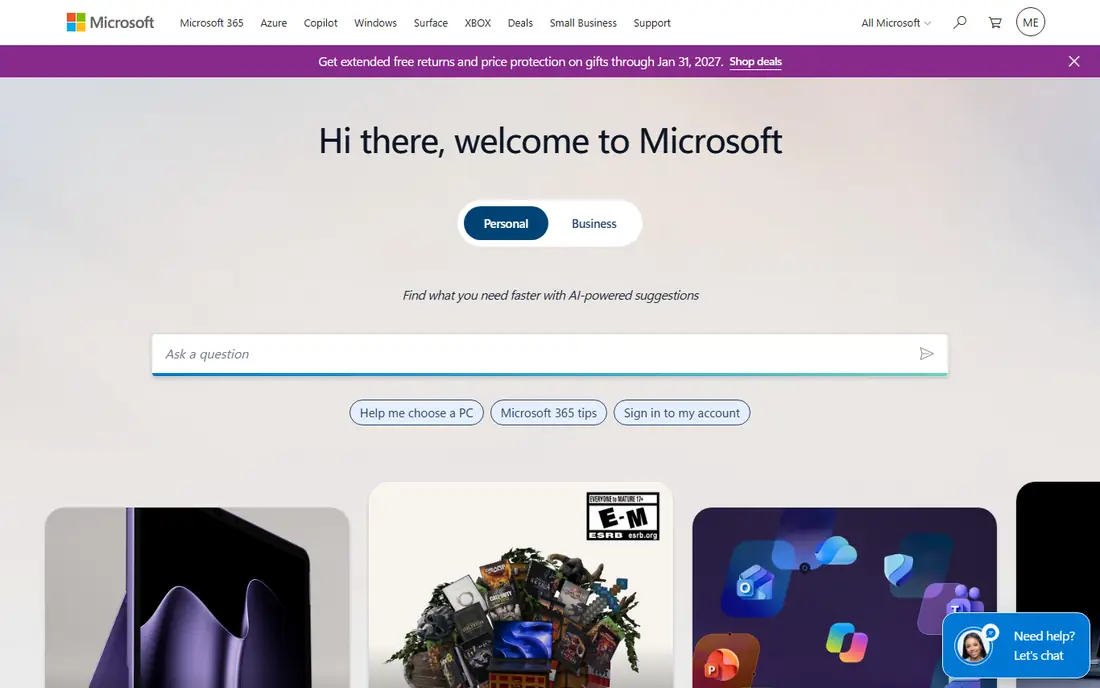
Copilot Studio lets business teams build agents in Teams, SharePoint, and other Microsoft 365 surfaces without a full engineering project. A low-code builder, a large connector set, and Entra-based identity controls make it the natural pick for firms already standardised on Microsoft. Agents can pull from documents, lists, and business apps while respecting the permissions of the user who asks.
Pricing runs on credits, so an agent that serves thousands of staff can burn through an allowance faster than a licence quote suggests. Test with real query volumes, set spending alerts, and keep a human in the loop for actions that change records. For Microsoft shops, though, the speed from idea to a governed pilot is hard to match elsewhere.
- Low-code builder inside Microsoft 365
- Entra identity and governance
- Huge connector library
- Consumption credits need careful budgeting
- Deepest value needs Microsoft 365 and Azure
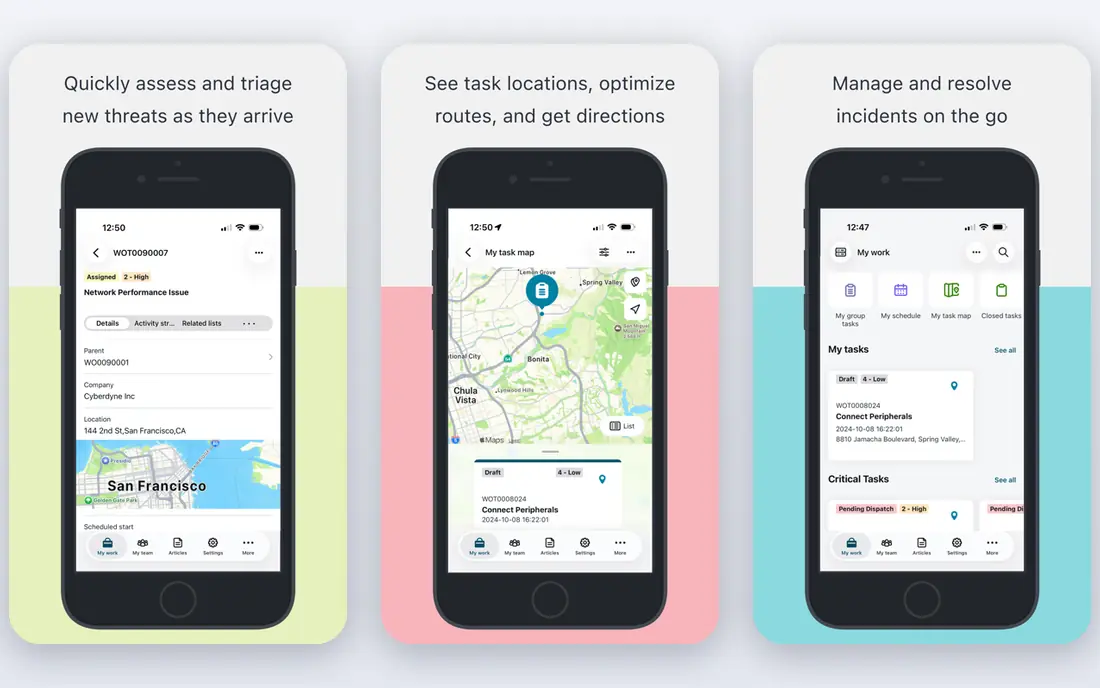
ServiceNow agents live where work already flows: incidents, requests, HR cases, and customer cases. That grounding matters, because an agent that can read a configuration item, a past incident, and an approval chain gives better answers than one guessing from documents alone. Workflow controls, approvals, and audit trails fit firms where IT and HR processes must be provable.
The trade-off is time and cost. ServiceNow is an enterprise platform with enterprise implementation, and pricing is quote-based, so budget talks come before any pilot number you can publish. Firms already on the Now Platform get the fastest return. Firms buying ServiceNow just for agents should compare a lighter tool first.
- Native ITSM, HR, and case grounding
- Strong workflow and approval controls
- Enterprise audit trails
- Quote-only pricing
- Implementation takes longer than a point tool
Watsonx Orchestrate targets firms where audit, data residency, and model governance are not optional extras. It ships prebuilt agents for common business functions, so a team does not start from a blank canvas, and it supports multiple models rather than locking a firm to one provider. For banks, insurers, healthcare firms, and government-adjacent work, that compliance depth is the point.
Deployment is heavier than a low-code SaaS builder, and total cost includes services and integration work that a headline licence never shows. A regulated firm that can fund that programme gets a platform its risk team can defend. A smaller firm that just wants a support chatbot will find it more platform than it needs.
- Strong governance and compliance story
- Prebuilt agents for HR, procurement, and sales
- Multi-model choice
- Longer deployment cycles
- Quote-only pricing with services costs
Google Vertex AI Agent Builder
Who it suits: Google Cloud and developer teams
Vertex AI Agent Builder suits teams that already build on Google Cloud. Agents can ground answers in enterprise search across documents and apps, use Gemini models, and plug into Google Cloud services for data, security, and observability. Developer control over prompts, tools, and retrieval is a real advantage for teams with a clear architecture in mind.
That control is also the cost. Business users will not self-serve an agent here the way they might in Copilot Studio, and governance, evaluation, and guardrails fall to the building team. For a Google-native engineering organisation, that trade is fair. For a non-technical department, a suite vendor will move faster.
- Gemini models plus multi-model options
- Strong search grounding across Google Workspace
- Pay-as-you-go on Google Cloud
- Developer-led, so business teams need engineering help
- Governance must be built into the design
Bedrock Agents gives AWS teams a way to build agents on infrastructure they already trust, with a choice of foundation models and AWS-native controls for networking, identity, and logging. That model freedom matters when a firm wants to test models against its own data rather than accept one vendor model. Usage billing also fits spiky workloads better than per-seat licences.
The catch is effort. Bedrock is a building block, not a finished agent product, so teams need engineers for orchestration, evaluation, and operations. Firms without that capacity will move slower here than on a suite platform. For AWS-first engineering teams, though, Bedrock is often the most defensible long-term base.
- Wide model choice including Anthropic, Meta, and Mistral
- AWS security and VPC controls
- Usage-based billing
- Engineering-heavy
- No business-user builder comparable to suite vendors
UiPath Agentic Automation
Who it suits: Process-heavy firms with existing bots
UiPath starts from a different place than the suite vendors: the robots already running back-office work. Its agentic platform lets agents reason about a task, call a robot for the system steps, and hand back to a person when needed. That matters for firms with legacy apps that lack clean APIs, since a robot can drive the screen where an API call cannot reach.
The platform rewards firms that already run UiPath. A new buyer faces a learning curve and a pricing mix of licences, platform units, and agent calls that needs a careful quote. For process-heavy operations with an existing bot estate, UiPath turns that estate into an agent foundation instead of replacing it.
- Agents orchestrate existing robots
- Desktop and app automation depth
- On-premise options
- Complexity for firms without an automation team
- Pricing mixes licences and consumption
Automation Anywhere pairs a mature automation platform with AI agents that handle documents, decisions, and multi-step workflows. Large firms use it for finance, procurement, and operations processes where volume, accuracy, and audit matter more than conversational flair. Its governance and control features suit central automation teams running many processes at once.
Smaller firms will find the platform heavy and the pricing opaque, since entry costs come through sales. It also needs a team to design, test, and maintain processes, which is a staffing commitment, not just a software purchase. For a large enterprise standardising automation, that depth is the reason to choose it.
- Enterprise process automation at scale
- AI agents for document and workflow tasks
- Strong governance controls
- Quote-only pricing
- Implementation needs a dedicated automation team
How we picked these
We searched vendor documentation, pricing pages, and independent buyer guides, then filtered for platforms that still operate at enterprise scale in October 2026 and offer governance features such as permissions, audit logs, and human approval. We compared system-of-record fit, model choice, deployment model, and pricing structure, and we favoured platforms with published enterprise customers and clear documentation over newer tools with thin public records. Where pricing was quote-based or consumption-based without a stable public entry figure, we wrote See website rather than inventing a number. We did not claim hands-on testing of enterprise deployments.
How to run a safe enterprise agent pilot
Pick one process with clear success measures, such as first-contact resolution for password resets or faster triage of supplier invoices. Give the agent read access first, log every action, and review a sample of outputs each week with the process owner. Only after accuracy and escalation behaviour hold up should you grant write access, and even then keep high-risk actions behind approval.
Questions to ask every vendor
Ask whether customer data trains shared models, where data is stored, and what audit trail an agent action leaves. Ask how permissions are enforced when an agent acts for a user, and how you roll back a bad batch of actions. Ask for a pricing model at three volume levels, not one, since consumption costs scale with success. The vendor that answers plainly on these points is usually the safer long-term partner.
Build evaluation into the programme
An agent that is right nine times in ten still fails one time in ten, so measure accuracy, escalation rate, and user satisfaction from day one. Keep a test set of real cases, rerun it after every model or prompt change, and track cost per resolved case alongside quality. A pilot that only reports volume will hide the failures that matter most.
Frequently asked questions
Which AI agent platform is best for enterprises?
It depends on your existing systems. Salesforce Agentforce fits Salesforce-native teams, Microsoft Copilot Studio fits Microsoft 365 shops, ServiceNow fits IT and HR workflow firms, and Bedrock or Vertex fit engineering-led teams. Start from the system of record, not from a generic ranking.
How much do enterprise AI agent platforms cost?
Most enterprise platforms do not publish a simple entry price. Some charge consumption credits, some charge per seat plus usage, and some are quote-only. Run a pilot at realistic volume and model three volume levels before signing, since unit prices rarely predict total cost.
Do enterprise AI agent platforms train models on our data?
Major vendors generally state that customer prompts and data are not used to train shared models without explicit agreement, but that promise usually sits in the contract, not on a marketing page. Confirm the wording in your enterprise agreement and data processing terms before deployment.
What governance should we require before agents go live?
Require identity-based permissions, audit logs for every agent action, human approval for high-risk actions, and a clear rollback path. Also require data residency and retention controls that match your industry rules. If a platform cannot show these in a demo, do not put it on production systems.
Can small teams use enterprise AI agent platforms?
Yes, but the cost and effort may not fit. Suite vendors offer trials and lower tiers for small pilots, while developer platforms suit technical teams. A small team should start with one bounded use case and a capped budget, then scale only when accuracy and cost per case are proven.
What is the difference between an AI agent and a chatbot?
A chatbot mainly answers questions in a conversation. An agent plans steps, uses tools, reads and updates systems, and completes tasks with limited human input. That extra power is why agents need stronger permissions, logging, and approval controls than a simple chatbot.
Sources we checked (8)

Online Jobs is an independent blog about careers, online work, learning new skills and the tools that help people earn. More about us.
Keep reading
All posts
n8n Alternatives
n8n alternatives compared for 2026, with Zapier, Make, Activepieces, and more, covering visual builders, code steps, self-hosting, and pricing models.

ZoomInfo Alternatives
The best ZoomInfo alternatives in 2026, compared on price, free plans, data coverage, and which tool fits small teams or large sales teams best in detail.

Workday Alternatives
We compared the best workday alternatives for HR, payroll, and global hiring, from BambooHR and Gusto to Rippling, Deel, and HiBob for growing teams in 2026.