Best Employee Monitoring Software in 2026: 8 Tools Compared

Productivity analytics without extreme surveillance · Starting price: $10 per user per month
How we put this together: we compare official feature and pricing pages, app store listings, privacy policies and public user reviews. Prices change, so check the provider's site before you pay.
Key takeaways
- ActivTrak suits teams that want productivity trends without the most intrusive screen surveillance.
- Hubstaff and Time Doctor are strongest when time tracking needs to connect to payroll and invoicing.
- Teramind is the security-first choice, but it needs careful policy work and a higher budget.
- DeskTime and Monitask offer simpler, more transparent tracking for small remote teams.
- Every tool in this list should be used only with clear employee notice, consent where required, and a written policy.
Quick comparison
| Name | Who it suits | Starting price | Free option | |
|---|---|---|---|---|
| ActivTrak | Productivity analytics without extreme surveillance | $10 per user per month | Yes | Visit |
 Hubstaff Hubstaff | Remote teams that need time, GPS and payments | $4.99 per user per month | Free trial | Visit |
 Teramind Teramind | Security, compliance and insider risk | $14 per seat per month | Free trial | Visit |
 Time Doctor Time Doctor | Detailed time records with payroll | $6.67 per user per month | Free trial | Visit |
 Insightful Insightful | Workforce analytics for mid-size remote teams | $8 per seat per month | Free trial | Visit |
 DeskTime DeskTime | Simple automatic time tracking | $6.42 per user per month | Free trial | Visit |
 Controlio Controlio | Video-based evidence of screen activity | See website | Free trial | Visit |
 Monitask Monitask | Transparent tracking for small remote teams | $6.49 per user per month | Free trial | Visit |
The best employee monitoring software
A note before the list: employee monitoring carries legal and trust risks. Rules vary by state and country, and secret monitoring is unlawful in many places. Use these tools only for lawful, transparent workplace use, with employee notice and consent where required, a written policy that explains what is collected, and limits that match a real business need. If you cannot explain the monitoring to your team in plain terms, do not deploy it.
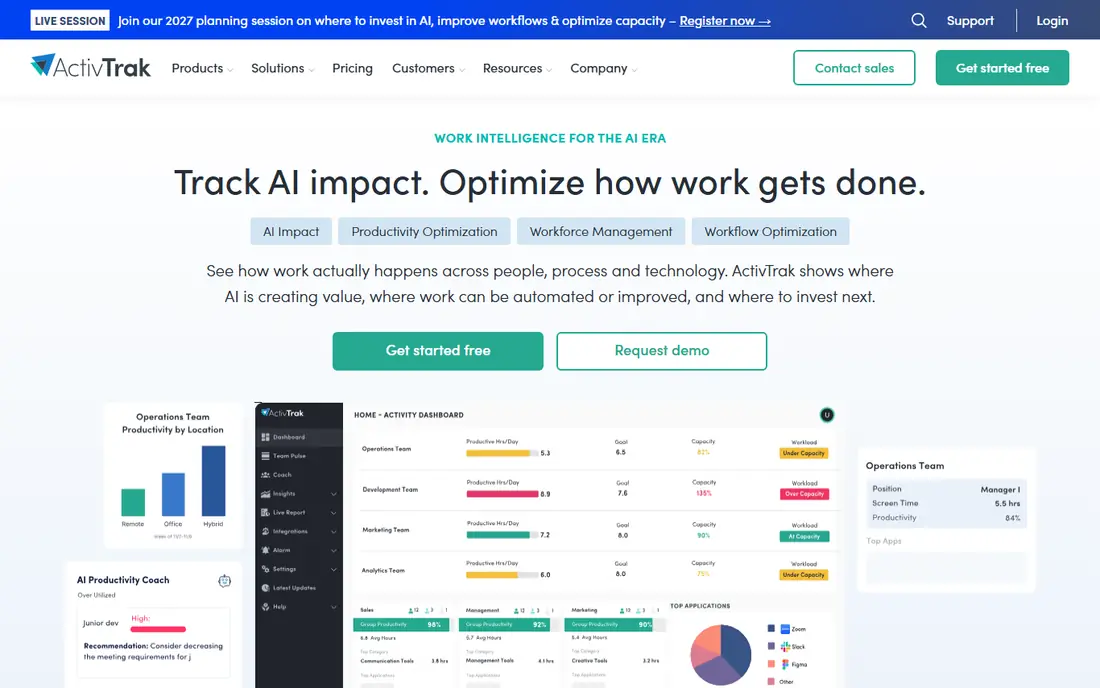
ActivTrak focuses on patterns rather than watching one person all day. Managers can see which apps and sites teams use, where time goes, and where workload looks uneven. That team-level view helps with coaching, staffing and spotting burnout, without turning every workday into a surveillance record.
It is not a payroll tool, so teams that need timesheets and payments will still need another system. Screenshot and detailed activity settings also need a clear policy, since turning everything on by default can damage trust. Used with notice and sensible limits, ActivTrak gives useful insight with less intrusion than security-first tools.
- Team-level productivity trends
- Free plan for up to 3 users
- Coaching and workload views
- Deeper features need higher plans
- No payroll built in
- Screenshot options need policy care
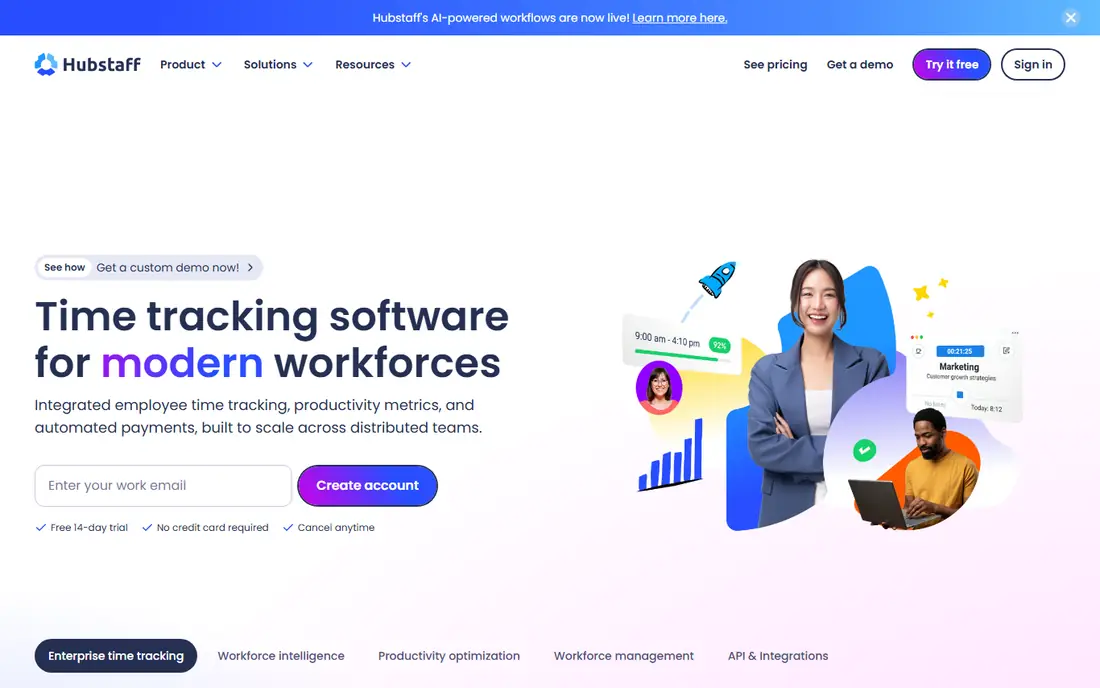
Hubstaff is built for distributed teams, agencies and field workers. Staff track time with a timer or automatic tracking, managers see activity levels and screenshots where enabled, and GPS helps for mobile teams. Built-in invoicing and payroll links make it practical for contractors and hourly staff.
The screenshot and activity features are the part that needs care. Tell staff what is captured, when, and how long it is kept, and turn off features you do not need. For teams that already track time for billing, Hubstaff combines tracking and payment in a way that pure analytics tools do not.
- Time tracking with screenshots
- GPS for field teams
- Invoicing and payroll links
- Screenshot features need consent and clear rules
- Reporting depth varies by plan
- Per-seat costs add up
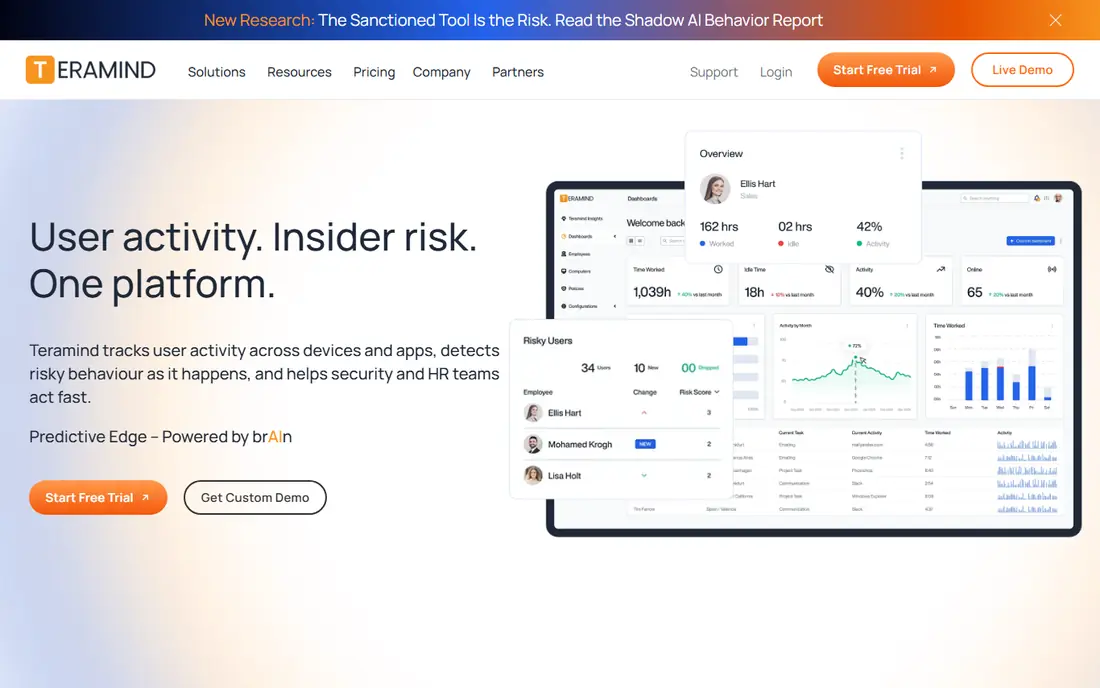
Teramind is the strongest choice for regulated work, finance, healthcare and outsourcing teams that need to prove controls around sensitive data. It can record screens, flag risky behaviour, block data transfers and produce audit trails. For insider risk and compliance, that depth is the point.
It is also the tool most likely to harm trust if used badly. A minimum seat count and higher price add cost, and deep recording needs a legal review, a written policy and staff notice in most workplaces. Choose Teramind for a documented security need, not for general productivity curiosity, and keep access to recordings tightly limited.
- Behaviour rules and alerts
- Screen recording
- Data loss prevention controls
- Higher price and minimum seats
- Most intrusive option here
- Needs legal review before rollout
Time Doctor suits remote and hybrid teams that need proof of work for clients or payroll. It records time, breaks and activity, shows a daily timeline, and connects to payroll and billing tools. Managers can see idle time and distraction patterns, while staff can review their own records.
That detail cuts both ways. If every feature is switched on without explanation, staff may feel watched rather than supported. Use the lightest settings that meet your payroll or client need, share the policy in writing, and give staff access to their own data. For structured remote teams, it is a reliable and well-known option.
- Clear timesheets and timelines
- Screenshot options
- Payroll and client billing links
- Can feel watchful if all features are on
- No free plan
- Setup takes time for larger teams
Insightful, formerly Workpuls, focuses on how work time is spent across a team. It tracks apps and websites, attendance and productivity trends, and offers views that managers can share with staff. That transparency helps when the goal is workload balance and coaching rather than discipline.
It does not replace a payroll system, and teams that need invoicing will need another tool. As with other analytics tools, the settings you choose matter more than the brand. Keep data at team level where possible, limit individual tracking to a clear purpose, and review retention settings before rollout.
- App and website analytics
- Attendance and workload views
- Employee-facing transparency options
- No free plan
- Payroll features are limited
- Deeper monitoring needs policy care
DeskTime is the simplest tool in this list to start with. It tracks time automatically, sorts apps and sites into productive or unproductive categories, and shows a clean daily summary. Teams that hate timers often adopt it faster than manual time trackers, and managers get a quick view without a long setup project.
It is not a security or compliance platform, and it does not handle payroll on its own. For a small team that mainly wants to know where the day goes and to improve focus, that simplicity is a benefit. For a regulated team, Teramind or a similar security tool will fit better.
- Automatic tracking with no timer to press
- Simple productivity reports
- Calendar links
- Less depth for security teams
- No payroll built in
- Screenshot features vary by plan
Controlio is aimed at teams that want a visual record of screen activity, including live viewing and recorded sessions. That evidence can help with investigations, training and disputes about work done, but it also makes this one of the most sensitive tools in the list.
Do not deploy it without a documented reason, staff notice and tight access rules. Recordings should be limited in scope, kept only as long as needed, and viewed only by named people. For most ordinary productivity needs, ActivTrak or DeskTime will give enough insight with far less intrusion. Controlio fits narrow cases where a visual record is genuinely required.
- Continuous screen recording options
- Live view
- Detailed activity logs
- Highly intrusive if misused
- Pricing needs checking
- Needs strict access controls
Monitask suits small remote teams and freelancers who want tracking that staff can see and understand. It records time, activity and screenshots where enabled, and presents the data in simple reports that managers and staff can both review. That openness helps trust when tracking is tied to hourly billing.
It lacks the security depth of Teramind and the analytics depth of ActivTrak, and payroll features are basic. For a small team that needs honest, visible time records without enterprise complexity, Monitask is a practical and affordable choice, provided the team agrees the rules in advance.
- Clear time and screenshot tracking
- Simple reports
- Consent-focused positioning
- Smaller feature set than enterprise tools
- No payroll depth
- Limited integrations
How we picked these
We compared official pricing pages, feature pages and privacy documentation for employee monitoring tools, with a focus on what each tool actually records and how employers can limit it. We favoured tools that are still sold, that publish pricing or a clear trial, and that cover different needs, from analytics to payroll to security. We did not claim hands-on testing, and we excluded tools that promote secret monitoring, since that use is unlawful in many places and harms trust.
What to check before you deploy
Write the policy before you buy the software. State what is collected, why, who can see it, how long it is kept, and how staff can ask questions or challenge a record. Check local law and any works council or union rules that apply, and get legal advice if you handle sensitive data or work across borders. A tool that is lawful in one place may need different settings elsewhere.
Choose the lightest tool that meets the need
Match the tool to a real problem. If the need is billing, pick a time tracker. If the need is workload balance, pick analytics at team level. If the need is data protection, pick a security tool with audit controls. Turning on every feature by default is the fastest way to lose trust and create legal risk, even when the tool itself is lawful.
Test transparency with your own team
Run a pilot with a small group, share sample reports, and ask what feels fair. Give staff access to their own data, set a review date, and turn off anything the pilot shows you do not need. Monitoring that staff understand and can challenge will give you better data than monitoring they resent, because they are less likely to work around it.
Frequently asked questions
What is the best employee monitoring software for small business?
Hubstaff, DeskTime and Monitask all suit small teams, with different strengths. Hubstaff links time to payroll, DeskTime is simplest to run, and Monitask offers clear, visible tracking for remote staff.
Is employee monitoring software legal?
It depends on where you operate and how you use it. Many places require notice, a lawful purpose and proportionate collection, and secret monitoring is unlawful in many jurisdictions. Check local law and get advice before rollout.
What is the best computer tracking software for remote teams?
Time Doctor and Hubstaff are strong for remote time records, while ActivTrak and Insightful suit teams that want productivity trends. Pick based on whether you need payroll records, analytics or both.
Can employees see what is being tracked?
That depends on the tool and your settings. Several tools in this list offer employee-facing views, but you should still give staff a written policy that lists what is collected, even when the tool can show it.
Is there a best employee monitoring software free option?
ActivTrak offers a free plan for up to 3 users, which suits a very small team or a trial. Most other tools offer a free trial rather than a lasting free plan, so check the trial length before you start a pilot.
Sources we checked (8)

Online Jobs is an independent blog about careers, online work, learning new skills and the tools that help people earn. More about us.
Keep reading
All posts
Workday Alternatives
We compared the best workday alternatives for HR, payroll, and global hiring, from BambooHR and Gusto to Rippling, Deel, and HiBob for growing teams in 2026.

Which SaaS Tools Have the Best Customer Support
Which SaaS tools have the best customer support? Compare eight popular tools on help centres, live help, response options and overall support quality.

Top AI Helpdesk Software
Searching for top AI helpdesk software in 2026? We compared 8 AI helpdesks on automation, pricing, channels and ease of setup for small and growing teams.