Best Email Services for Business in 2026: 8 Services Compared


Most small businesses · Starting price: $7 per month
How we put this together: we compare official feature and pricing pages, app store listings, privacy policies and public user reviews. Prices change, so check the provider's site before you pay.
Key takeaways
- Google Workspace is our pick for most small businesses, thanks to Gmail, Drive, Docs and Meet in one plan.
- Microsoft 365 is the best pick if your team lives in Outlook, Word, Excel and Teams.
- Zoho Mail is the best low cost pick, starting at $1 per user per month, with a free plan for very small teams in select regions.
- Fastmail and Proton Mail are the best picks if you want email first, with a focus on privacy and a clean inbox.
- Price per user per month, not just the headline price, because storage, seats and renewal terms change the yearly total.
Quick comparison
| Name | Who it suits | Starting price | Free option | |
|---|---|---|---|---|
| Google Workspace | Most small businesses | $7 per month | No | Visit |
 Microsoft 365 | Outlook and Office teams | $7 per month | No | Visit |
 Zoho Mail | Low cost email | $1 per month | Yes | Visit |
 Fastmail | Email first teams | $5 per month | No | Visit |
 Proton Mail | Privacy focused teams | See website | No | Visit |
 Titan | Small business email plus tools | See website | No | Visit |
 IONOS | Simple hosted email | See website | No | Visit |
 Hostinger Mail | Bundled hosting email | See website | No | Visit |
The best email service for business
A business email service should give you an address on your own domain, reliable delivery, spam protection and admin controls for adding or removing users. The services below differ on suite tools, storage and price, so pick by the apps your team already uses every day.
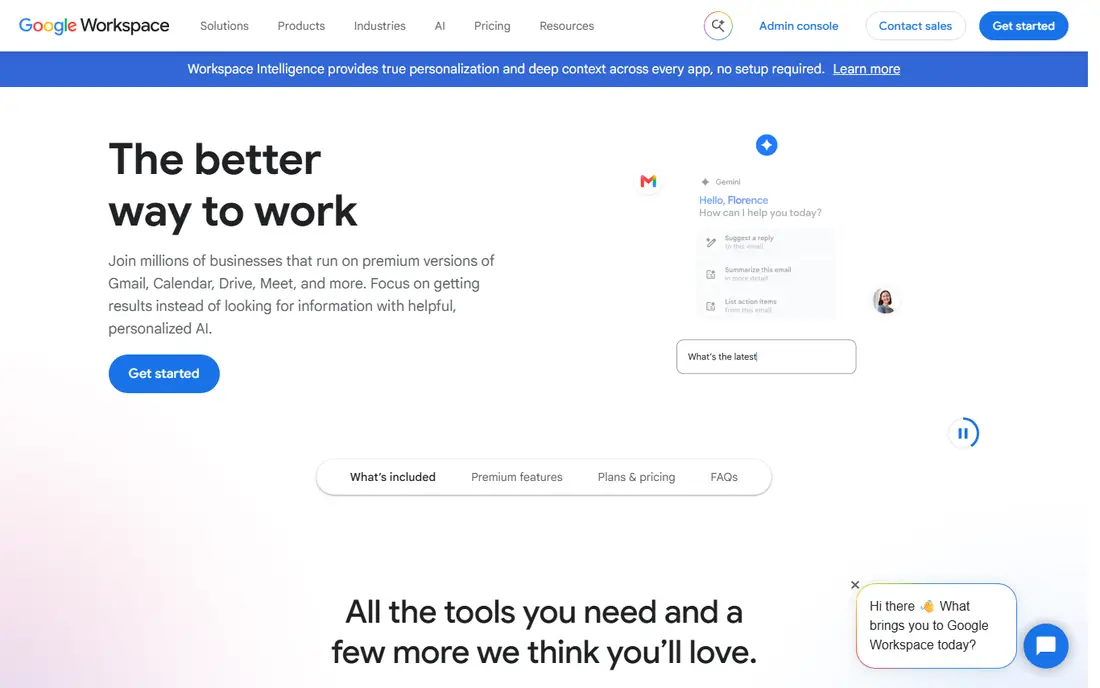
Google Workspace is our pick for most small businesses because it bundles the tools a small team actually uses. Business Starter is listed at $7 per user per month with an annual commitment, with 30 GB of pooled storage per user, Gmail on your own domain, Drive, Docs and Meet. Most staff already know Gmail on their phones, so training time is low, and sharing a Doc or starting a Meet call takes no extra setup. A 14-day trial lets you test the admin setup before you pay.
The catch is storage and tier creep. Heavy file users can hit the 30 GB pooled limit, and moving to Business Standard or Plus raises the per user price. Check how much Drive storage your team really uses before you choose a tier, and set a retention rule for large attachments. For a browser first team that lives in Docs and Meet, Workspace is still the simplest all round pick.
- Gmail on your domain
- Drive, Docs and Meet included
- Easy admin and mobile apps
- Storage is 30 GB pooled per user on Starter
- Higher tiers cost more per user

Microsoft 365 is the best pick if your team works in Outlook, Word and Excel every day. Business Basic is listed at $7 per user per month with an annual commitment, with a 100 GB mailbox and 1 TB of OneDrive per user, plus web versions of Office apps and Teams. That storage is generous compared with Google Starter, and it suits teams that send large Excel files or keep long email histories. If clients send Office files all day, Outlook plus Office is the natural fit.
The trade-off is admin complexity. The Microsoft admin centre offers strong compliance and device controls, but it takes longer to learn than Google's admin console. Desktop versions of Word, Excel and PowerPoint sit on higher tiers, so check which tier your team needs before you budget. For an Office centric workplace, that extra admin effort is worth it. For a Gmail centric team, Google will feel simpler.
- Outlook on your domain
- 100 GB mailbox plus 1 TB OneDrive on Basic
- Teams included
- Admin centre has a steeper learning curve
- Desktop apps need higher tiers
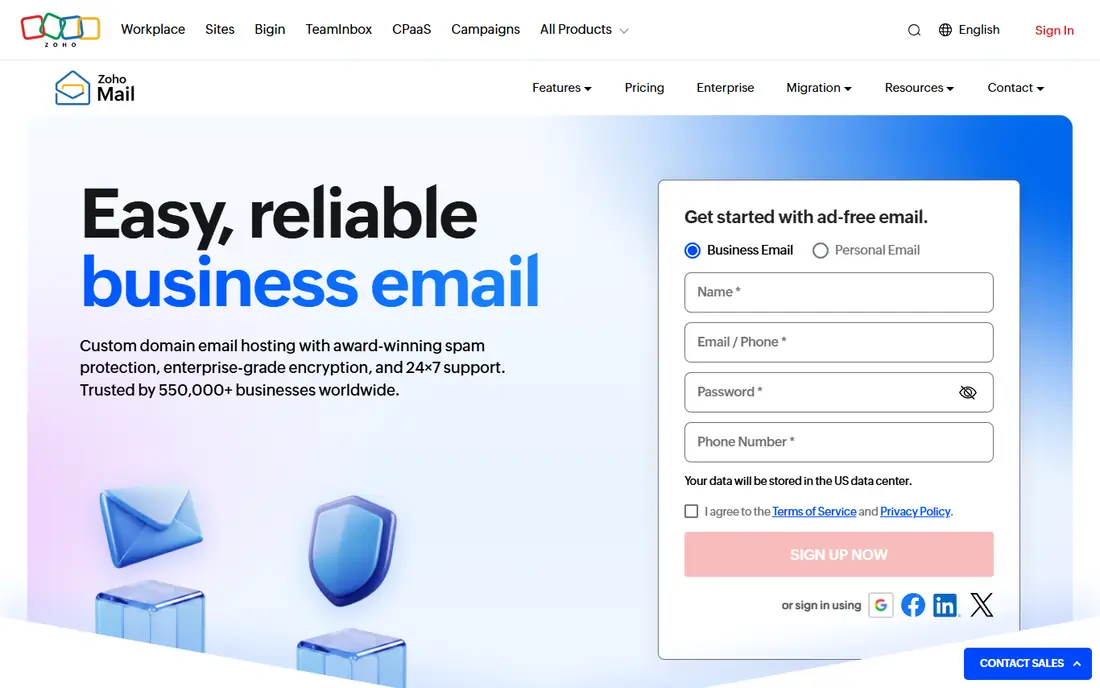
Zoho Mail is the best low cost pick in this list, and the saving is large for a small team. Mail Lite is listed at $1 per user per month when billed annually, with 5 GB per mailbox, while higher Mail and Workplace plans add storage and apps. A 10 person team pays $120 per year on Lite, compared with $840 per year on Google or Microsoft Starter at $7 per user. A free plan for up to 5 users is offered in select regions, which can cover a very small team at no cost.
The catch is scope. Zoho Mail is email first, and its collaboration tools are not as deep as Google Docs or Microsoft Teams on the low tiers. If your team mainly needs reliable email on its own domain, that is fine. If you need shared docs, video calls and large storage in the same plan, a suite plan from Google or Microsoft may fit better. Start with Lite, test webmail and mobile apps, and upgrade only if you hit storage or feature limits.
- Lowest credible entry price
- Clean webmail
- Works with other Zoho apps
- Fewer native collaboration tools than Google or Microsoft
- Storage is lower on Lite
Fastmail suits a team that wants email done well, without a full office suite attached. It is listed at about $5 per user per month when billed annually, with a trial of up to 30 days in some listings, and it offers a clean, ad free inbox, fast search, calendars and contacts. Masked email addresses help you give a unique address to each service, which makes spam and breach tracking easier. For a team that hates upsells and clutter, that focus is a strength.
The trade-off is that you will still need separate tools for docs, spreadsheets and video calls. That is fine if you already use those tools elsewhere, but it means Fastmail is not a one plan replacement for Workspace or Microsoft 365. Check the checkout total, because Fastmail's displayed price can vary by term. For an email focused team that values privacy and speed, Fastmail is a strong pick.
- Clean, ad free inbox
- Strong privacy stance
- Fast search and masked email
- No full office suite
- Price varies by term, so check checkout total
Proton Mail is the best pick for a business where encryption is a client or compliance requirement. It offers end to end encryption and zero access storage, which means Proton cannot read your mailbox contents in the same way a standard provider can. Business plans are listed from about $6.99 per user per month when billed annually in recent comparisons, with storage and domain support for a team. For legal, health or security focused work, that privacy model can be a deciding factor.
The catch is integration. Proton's encryption model means some third party integrations and desktop clients need extra steps, such as the Bridge app for some desktop mail clients. That is workable, but it adds setup time compared with Gmail or Outlook. Check the current business pricing page, because Proton plans and storage vary by tier. If privacy is a must, Proton is worth that extra setup. If it is not, a suite plan will be simpler.
- End to end encryption
- Zero access storage
- Swiss based privacy stance
- Some integrations are thinner
- Desktop clients may need the Bridge app
Titan suits a small business that wants email plus a few practical business tools in one place, without a full suite price. It offers custom domain email, calendars and contacts, plus tools that help a small team manage follow ups and scheduling. Setup is simple, and it is often sold through domain and hosting partners, which can make it easy to add when you buy a domain. For a shop, clinic or trades business with a handful of staff, that simplicity helps.
The trade-off is ecosystem size. Titan does not match Google or Microsoft for docs, spreadsheets, video calls and third party integrations. Pricing also varies by partner and region, so check the Titan pricing page or your hosting partner before you budget. If you want email plus light business tools at a small team price, Titan is worth a trial. If you need a full suite, pick Workspace or Microsoft 365 instead.
- Business email plus practical tools
- Simple setup for small teams
- Domain email
- Smaller ecosystem than Google or Microsoft
- Pricing varies by partner and region
IONOS is a good pick for a business that already hosts a website or domain with IONOS and wants simple email alongside it. It offers hosted email on your domain, with mailbox plans, spam protection and webmail, without the complexity of a full suite. That pairing can keep billing in one place and setup in one dashboard, which helps a very small team. For a business that mainly needs a professional address and reliable delivery, IONOS covers the basics.
The limits are collaboration depth. IONOS email does not offer the same docs, video and team tools as Google or Microsoft, and storage and features vary by plan. Check the current IONOS email pricing page, because plans and renewal terms change. If your team needs shared docs and video calls, a suite plan will fit better. If you need simple, affordable domain email with your hosting, IONOS is a practical choice.
- Simple hosted email
- Works with IONOS domains and hosting
- Clear mailbox plans
- Limited collaboration tools
- Not a full productivity suite
Hostinger Mail suits a new business that is already buying Hostinger hosting for a first website. Mailboxes can be bundled with hosting plans, with an introductory price cited at $0.39 per mailbox per month for a 48 month term in recent comparisons, renewing at $1.59 per mailbox per month. That bundle can be the cheapest way to get a professional address alongside a website, especially for a one person business.
The catch is term and renewal. The low price needs a long upfront term, and the renewal price is higher, so read the term before you commit. Hostinger Mail is also email only, not a full suite, so you will still need separate docs and video tools. If you already host with Hostinger and need simple email, the bundle is good value. If you need a suite or a standalone email service, Zoho, Fastmail or Workspace will fit better.
- Low entry price when bundled with hosting
- Simple mailbox setup
- Good for a first website
- Introductory price needs a long term
- Renewal price is higher
- Not a suite replacement
How we picked these
We compared official pricing pages, plan contents and admin tools, and we weighted domain email, storage, security, mobile apps and suite value. We looked for services that offer spam and phishing protection, admin controls, migration tools and clear per user pricing. We did not claim hands-on testing for every service, and prices change by region and term, so check the vendor pricing page and the checkout total before you pay. A low headline price can hide a long term or a storage limit.
How to choose and move without losing mail
Start with the apps your team uses daily. If staff live in Gmail, pick Workspace. If they live in Outlook and Office, pick Microsoft 365. If they only need email, pick the cheapest reliable email service that meets your storage and privacy needs. Count users honestly, including part time staff and shared inboxes, because per user pricing adds up fast. Check storage per user, not just total storage, and check whether aliases and shared mailboxes cost extra.
Plan migration and DNS carefully
Moving email needs care with DNS, because a wrong MX record can lose mail. Set up the new service, create all mailboxes and aliases, then migrate old mail before you switch MX records. Keep the old service live for a week after the switch, and test sending and receiving from outside your domain. Tell staff the switch date, and check mobile setup for each person. A slow, tested move beats a fast move that loses messages.
Check security, backup and exit terms
Turn on two step verification for all users, set a strong spam and phishing policy, and check whether the service offers archiving or backup for deleted mail. Ask how you export mail if you leave, and whether data can be moved to another provider. For regulated work, check compliance and data location terms before you commit. A service that locks your mail in is a bigger risk than a service that costs a little more per user.
Frequently asked questions
What is the best email service for business?
Google Workspace is our pick for most small businesses, and Microsoft 365 is the best pick for Office teams. Zoho Mail is the best low cost pick, while Fastmail and Proton Mail suit email first and privacy focused teams. The best service depends on the apps your team already uses, not just the lowest price.
What is the best business email service for a small team?
For a team of up to 5, Zoho Mail's free plan in select regions or its $1 Lite plan can be enough for email only. For a team that needs docs and video calls, Google Workspace Business Starter at $7 per user per month is a better all round pick. Count total users and storage before you choose, because both affect the yearly bill.
Which business email service is the best for Outlook users?
Microsoft 365 Business Basic is the best pick for Outlook users, because it offers Outlook on your domain, a 100 GB mailbox and 1 TB of OneDrive per user. Web versions of Office apps and Teams are included on Basic, while desktop apps need a higher tier. If your team already uses Outlook, the learning curve is low.
How much does business email cost per user?
Recent 2026 comparisons list Zoho Mail Lite at $1 per user per month, Fastmail at about $5, and Google Workspace and Microsoft 365 Starter and Basic at $7 per user per month, all with annual billing. Prices vary by region, term and tier, so check the vendor pricing page. Add domain cost, which is often $10 to $25 per year, to your total.
Can I keep my domain when I change email providers?
Yes, in most cases. Your domain stays with your registrar, and you point its MX records to the new email provider. Set up mailboxes first, migrate old mail, then switch MX records and test. Keep the old service live for a short period after the switch, in case some mail still routes to the old provider.
Is free business email safe for a real business?
A free plan can work for a very small team, but check storage, support, ads and data terms before you rely on it. Free plans may limit users, storage or support, and they may not offer the same backup or compliance tools as paid plans. For a business that depends on email daily, a paid plan with support and backup is usually worth the cost.
Sources we checked (8)

Online Jobs is an independent blog about careers, online work, learning new skills and the tools that help people earn. More about us.
Keep reading
All posts
n8n Alternatives
n8n alternatives compared for 2026, with Zapier, Make, Activepieces, and more, covering visual builders, code steps, self-hosting, and pricing models.

ZoomInfo Alternatives
The best ZoomInfo alternatives in 2026, compared on price, free plans, data coverage, and which tool fits small teams or large sales teams best in detail.

Workday Alternatives
We compared the best workday alternatives for HR, payroll, and global hiring, from BambooHR and Gusto to Rippling, Deel, and HiBob for growing teams in 2026.