Best Email Service in 2026: 9 Services Compared

How we put this together: we compare official feature and pricing pages, app store listings, privacy policies and public user reviews. Prices change, so check the provider's site before you pay.
Key takeaways
- Gmail is our pick for most people because it is free, works everywhere, and pairs with the widest range of apps and services.
- Proton Mail is the strongest choice if privacy comes first, with encryption that keeps even Proton from reading your mail.
- Fastmail is the best paid upgrade for people who want a fast, ad-free inbox with a custom domain and no advertising business behind it.
- Outlook and iCloud Mail are the natural defaults if you already live in Microsoft or Apple products, and both are free to start.
- For a business address on your own domain at the lowest price, Zoho Mail undercuts the big suites, while Hey suits people who want a calmer inbox more than a cheaper one.
Quick comparison
| Name | Who it suits | Starting price | Free option | |
|---|---|---|---|---|
 Gmail Gmail | Most people, and anyone deep in Google services | Free | Yes | Visit |
 Outlook Outlook | Microsoft users and people who want mail plus calendar in one place | Free | Yes | Visit |
 iCloud Mail iCloud Mail | iPhone, iPad, and Mac owners | Free | Yes | Visit |
 Yahoo Mail Yahoo Mail | People who want a simple free inbox with lots of storage | Free | Yes | Visit |
 Proton Mail Proton Mail | People who want the strongest mainstream privacy | $3.99 per month (Mail Plus, billed annually) | Yes | Visit |
 Tuta Tuta | Encrypted email at the lowest paid price | 3 euros per month (Revolutionary, billed annually) | Yes | Visit |
 Fastmail Fastmail | People who will pay for a fast, private, ad-free inbox | $5 per month (Individual, billed annually) | Free trial | Visit |
 Zoho Mail Zoho Mail | Small businesses that want cheap custom-domain email | $1 per user per month (Mail Lite, billed annually) | Yes | Visit |
 Hey Hey | People overwhelmed by their inbox who want a fresh system | $99 per year | Free trial | Visit |
The best email services in 2026
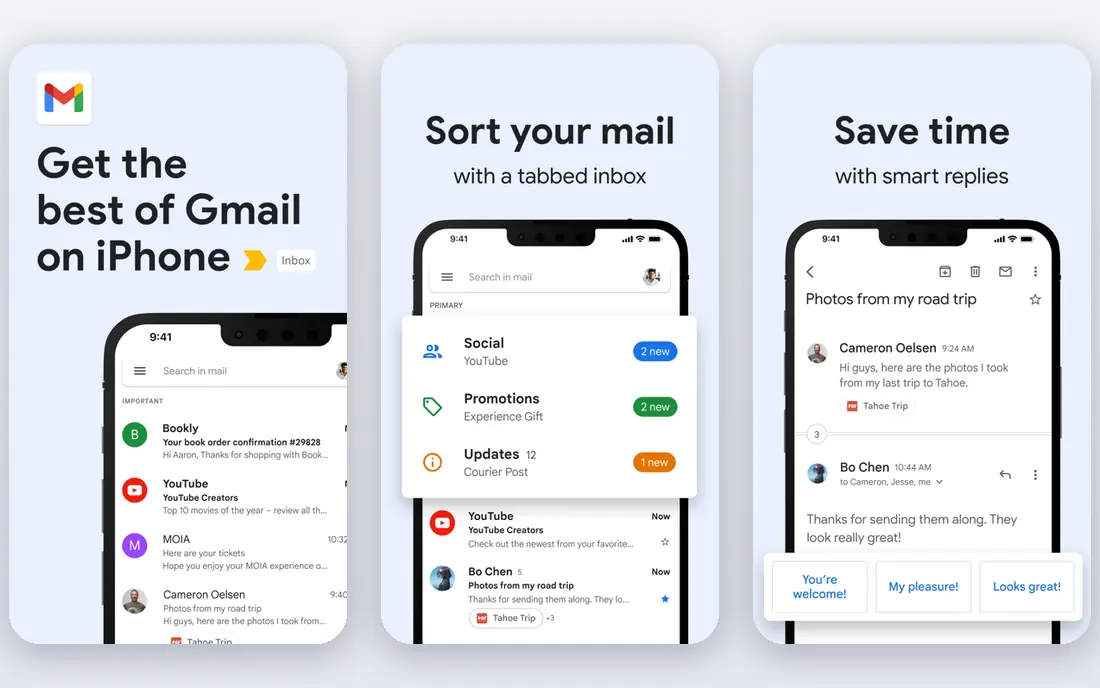
Gmail remains the default email service for a reason. It is free with a Google Account, its search is the best in this list, and it connects to more apps, sign-in buttons, and services than any rival. Spam filtering is strong, the mobile apps are polished, and 15 GB of storage shared across Gmail, Drive, and Photos covers most personal use for years.
The cost is privacy, not money. Google scans mail for spam and security, and the free service is funded by advertising elsewhere in Google's business. If that trade bothers you, Proton Mail or Tuta below are better fits.
- Free with generous storage, excellent search, works with almost everything
- Ads and data collection in the free service, privacy trade-offs
Outlook
Who it suits: Microsoft users and people who want mail plus calendar in one place
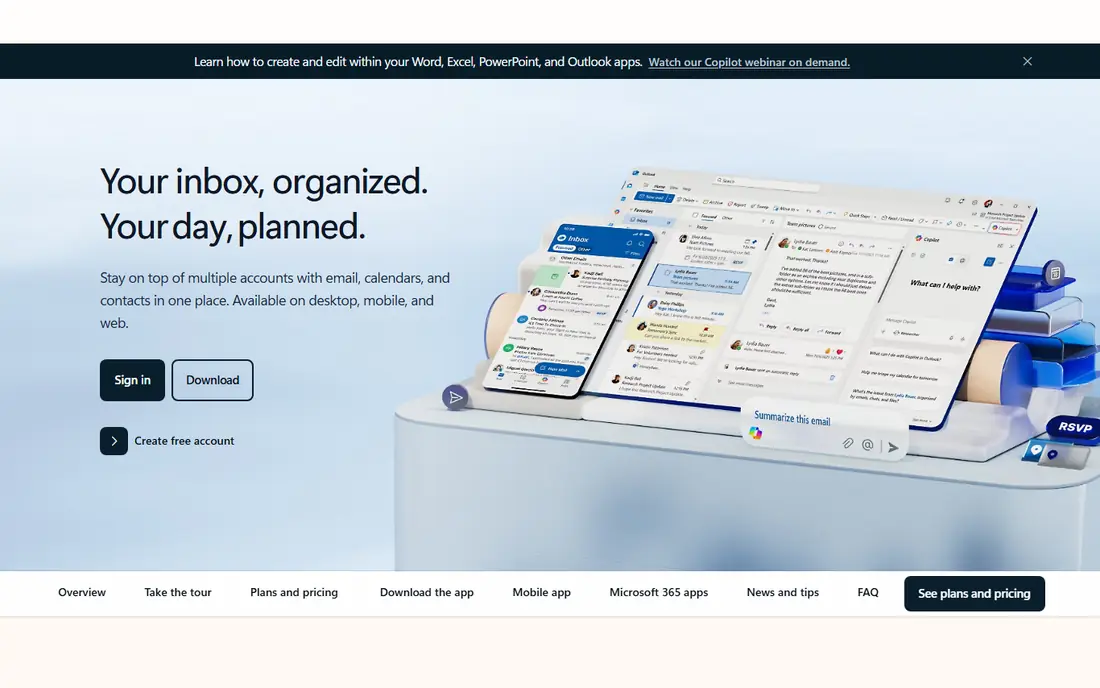
Outlook.com is Microsoft's free webmail, and it is the natural home for anyone who uses Windows, Office, or OneDrive. Mail, calendar, contacts, and tasks sit in one app, and the Outlook desktop and mobile apps can also pull in Gmail, Yahoo, and iCloud accounts, so you can manage several addresses from one inbox. Spam filtering and security are solid, and the interface is familiar to office workers.
The free version shows ads and caps some features, and the fullest experience comes with a Microsoft 365 subscription, which adds more storage and the desktop Office apps. If you do not, the free version is still a capable everyday inbox, just a busier one than Gmail.
- Free webmail, strong calendar and Office integration, works with many account types
- Interface can feel busy, best features sit inside paid Microsoft 365 plans
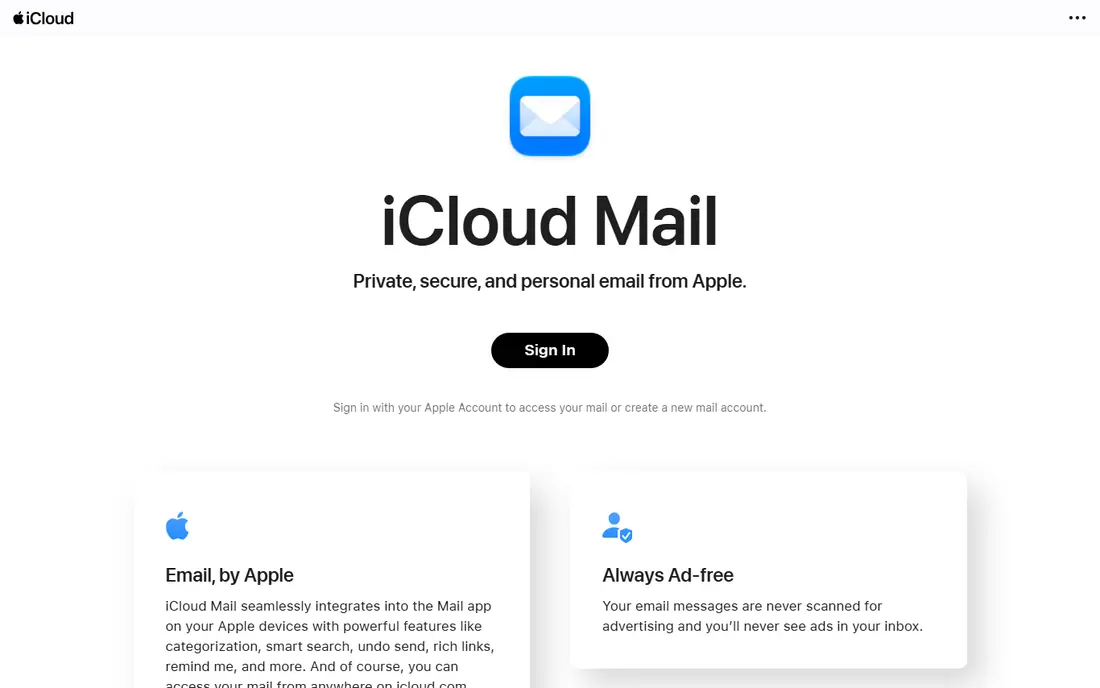
iCloud Mail comes with every Apple Account, and on Apple devices it simply disappears into the background. Mail is ad-free, messages are never scanned for advertising, and Mail Privacy Protection hides your IP address from senders. The Mail app on iPhone, iPad, and Mac is clean and fast, and it works well with Apple Calendar and Contacts.
The limits are storage and platform. The free 5 GB is shared across mail, photos, and backups, so heavy users will need iCloud+ for more room. Paid iCloud+ also adds Hide My Email, which creates random forwarding addresses, and custom domain support for home and business. If you live on Apple devices, iCloud Mail is the quiet, private default. If you switch platforms often, Gmail or Fastmail travel better.
- Ad-free, deep Apple device integration, Hide My Email and custom domains on iCloud+
- 5 GB of shared free storage is small, best on Apple devices
Yahoo Mail is easy to overlook, but it remains a capable free service with one of the largest free storage allowances around. The interface is straightforward, the mobile apps are good, and disposable addresses let you create one-off addresses for sign-ups without exposing your main inbox. For a second address, a family inbox, or a simple personal account, it does the job without fuss.
The trade-offs are ads in the free version and a thinner set of productivity tools than Gmail or Outlook. If you want free, simple, and roomy, Yahoo Mail still earns a place on the list.
- Free with very large storage, easy disposable addresses, solid mobile apps
- Ads in the free version, fewer modern productivity features than Gmail or Outlook
Proton Mail is the privacy pick that does not ask you to give up a normal inbox. Messages between Proton users are end-to-end encrypted, and zero-access encryption means Proton itself cannot read your mail on any plan. It is based in Switzerland, funded by subscriptions rather than advertising, and its apps are open source and independently audited. The free plan includes 1 GB of storage and one address, which is enough to try it properly.
Mail Plus at $3.99 a month billed annually adds 15 GB, 10 extra addresses, one custom domain, and access through the Proton Mail Bridge in desktop apps. The honest trade is search: because Proton cannot read message bodies on the server, searching works differently from Gmail and can feel slower. If privacy is the priority and you can live with that, Proton Mail is the most polished secure service here.
- Zero-access and end-to-end encryption, based in Switzerland, no ads or tracking
- Search is weaker than Gmail, full desktop app access needs a paid plan
Tuta, formerly Tutanota, encrypts mail, calendars, and contacts end to end, and it does so on the free plan too, not just for paying users. Its apps are open source, it is based in Germany under EU privacy law, and it uses quantum-resistant encryption for new accounts. The free plan gives 1 GB of storage, while Revolutionary at 3 euros a month billed annually adds 20 GB, three custom domains, and 15 extra addresses.
The catch is compatibility. Tuta does not support IMAP, so you cannot read Tuta mail in Apple Mail, Outlook, or Thunderbird; you must use Tuta's own apps and webmail. Free accounts are also deleted after six months without a login, so it is not a set-and-forget backup address. For a private everyday inbox at a low price, and for users happy inside one app, Tuta is excellent value.
- Encryption on every plan including free, open-source apps, cheap paid tier
- No IMAP support, so you must use Tuta apps, free accounts close after long inactivity
Fastmail is the service for people who like email itself and are happy to pay for it. The webmail is fast, search is instant across your whole archive, and features such as pinned messages, snooze, scheduled send, and masked email addresses are built in rather than bolted on. You can use your own domain, connect any email app through standard protocols, and choose data residency in the EU or USA.
There is no free plan, only a trial of up to 30 days, and the Individual plan costs $5 a month billed annually. Fastmail also does not offer end-to-end encryption: mail is encrypted in transit and at rest, but Fastmail holds the keys, which is what makes its instant search and standard app support possible. If you want a polished, independent inbox without ads or data mining, Fastmail is the best paid mainstream choice.
- Very fast webmail, custom domains, masked email addresses, no ads ever
- No permanent free plan, no end-to-end encryption
Zoho Mail is the budget business pick. Mail Lite starts at $1 per user per month billed annually and gives your team addresses on your own domain, with spam protection, calendar, contacts, and admin controls for adding and removing users. It sits inside the wider Zoho suite, so businesses already using Zoho's other tools get a natural fit, and migration tools move mail from Google Workspace, Microsoft 365, or any IMAP provider.
The interface is functional rather than beautiful, and it will not win over users who love Gmail's design. A free plan exists in some regions, though availability varies, so check what your region offers before planning around it. For a small business that needs professional addresses without paying suite prices, Zoho Mail is hard to beat on cost.
- Very low starting price, custom domains, admin controls, works across Zoho apps
- Interface is less polished than Gmail, free plan availability varies by region
Hey rethinks the inbox instead of just restyling it. The first time someone emails you, they land in the Screener, and you decide whether you ever hear from them again. Approved mail goes to the Imbox, newsletters to the Feed, and receipts to the Paper Trail, and notifications stay off unless you turn them on. For people drowning in newsletters and cold mail, that system can genuinely change how email feels.
The price is $99 a year with a free trial and no credit card needed to try it, and there are two limits to accept. Hey does not support IMAP, so you cannot read Hey mail in other apps, and you need a new address at hey.com or your own domain on the pricier Domains plan. If you want a calmer inbox and are willing to relearn email, Hey is a refreshing choice. If you want to keep your current address and apps, Fastmail or Gmail fit better.
- Screener puts you in control of senders, tidy Imbox and Feed layout, blocks tracking pixels
- Closed system with no IMAP, requires a new address, pricey for a single inbox
How we picked these
We compared official feature pages, pricing pages, and app-store listings for the leading email services, and we kept only services that provide a real mailbox, not just an email client or a marketing tool. We looked at price and free plans, storage, spam and security features, search quality, custom domain support, standard protocol support, and how easily you can export your mail and leave.
We did not run every service as our main inbox for this guide. Our comparisons rest on vendor documentation, pricing pages, and public reviews, and prices were checked against vendor sites and recent pricing coverage in October 2026. Prices vary by region and currency, especially for Proton Mail and Tuta, so check the pricing page for your location before you buy.
What to look for in an email service
Start with how you actually use email
A personal inbox, a business address, and a private second address are different jobs. Personal users should weigh storage, search, and the apps they already use. Businesses should weigh custom domains, admin controls, and migration help. Privacy-focused users should weigh encryption and jurisdiction before features. Matching the service to the job matters more than any single feature.
Check the privacy trade behind a free plan
Free email is paid for somehow. Some services fund it with advertising, some with paid upgrades, and some with related products. Read the privacy policy for what is scanned, what is shared, and whether mail is used for ads or training. If a free service's model makes you uncomfortable, a paid service such as Fastmail or a freemium encrypted service such as Proton Mail removes that question.
Make sure you can leave
Email addresses tend to stick around for years, and switching later is painful. Before committing, check that you can export your mail in a standard format, set up forwarding, and keep your address working during a move. Custom domains make leaving far easier, since the address stays yours even when the provider changes.
Test search and spam filtering with your own mail
Send yourself newsletters, receipts, and attachments, and see what lands in spam and how fast search finds an old message. A service that looks good on paper but buries your mail is not a good service.
Count the cost across every address you need
A $1 per user plan looks cheap until you multiply it by a team, and a $99 yearly plan looks dear until you compare it with a suite subscription. Work out the yearly total for every mailbox, domain, and extra seat you actually need, including storage upgrades. Compare that total, not the headline monthly figure, when you choose.
Frequently asked questions
What is the best free email service?
Gmail is our pick for a free email service because it combines generous storage, strong spam filtering, excellent search, and compatibility with almost every app. Outlook and iCloud Mail are strong free alternatives if you prefer Microsoft or Apple, and Proton Mail and Tuta offer free plans with much stronger privacy.
What is the most secure email service?
Proton Mail is the most secure mainstream choice, with end-to-end encryption between its users and zero-access encryption that keeps Proton itself from reading your mail. Tuta offers similar encryption at a lower price but requires its own apps. No email service can make ordinary mail to other providers fully private, since the recipient's provider also matters.
Can I use my own domain with a free email service?
Usually not. Custom domains generally need a paid plan, such as Proton Mail Plus, Tuta Revolutionary, Fastmail Individual, or Zoho Mail Lite, or a paid suite such as Google Workspace or Microsoft 365. iCloud+ also supports custom domains for personal use. Check the plan details before buying a domain for email.
Is it worth paying for email when Gmail is free?
It can be, for three reasons: privacy, a custom domain, and freedom from ads. Paid services such as Fastmail and Proton Mail fund themselves from subscriptions rather than advertising, and they let you use your own domain. If none of those matter to you, Gmail's free plan is hard to argue against.
What is the best email service for business?
For a small business on a budget, Zoho Mail gives custom-domain addresses from $1 per user per month. For larger teams already using Microsoft or Google tools, Microsoft 365 with Outlook or Google Workspace with Gmail usually makes more sense, since mail comes with the wider suite. Fastmail is a strong independent option for teams that want email done well without a full suite.
Can I move my old emails to a new service?
Yes, in most cases. Gmail, Outlook, Fastmail, Zoho Mail, and Proton Mail all offer import or migration tools for moving mail from another provider, and standard IMAP services can be migrated with a mail client. Encrypted services such as Tuta have more limited import options, so check the migration path before you commit to one.
Sources we checked (9)

Online Jobs is an independent blog about careers, online work, learning new skills and the tools that help people earn. More about us.
Keep reading
All posts
Best Writing Software
Looking for the best writing software in 2026? We compared 9 writing apps for books, articles and screenplays on price, features and fit. All verified.

Best Weather Apps
Searching for the best weather app? We compared eight top weather apps for accurate forecasts, radar, severe alerts, and daily planning near you today.

Best Video Editing Software
We compared the best video editing software for beginners and pros, checking official pricing, free plans and honest limits before ranking all nine editors.