Best DVD Ripping Software in 2026: 8 Tools Compared

How we put this together: we compare official feature and pricing pages, app store listings, privacy policies and public user reviews. Prices change, so check the provider's site before you pay.
Key takeaways
- HandBrake is the best free DVD ripping software for unprotected discs, while MakeMKV is best for lossless copies.
- Paid rippers such as WinX and VideoProc save time on large collections with GPU acceleration and device presets.
- Free tools cannot handle commercial copy protection on their own, and that limit shapes which tool fits a store-bought disc.
- The best software for ripping DVDs depends on whether you want a small playable file, a lossless archive copy, or a fast batch conversion.
Quick comparison
| Name | Who it suits | Starting price | Free option | |
|---|---|---|---|---|
 HandBrake | Free conversion of discs you own | Free | Yes | Visit |
 MakeMKV | Lossless copies of discs you own | Free | Yes | Visit |
 WinX DVD Ripper Platinum | Fast ripping with many output formats | See website | Free trial | Visit |
 VideoProc Converter AI | Fast conversion plus video editing tools | See website | Free trial | Visit |
 Leawo DVD Ripper | Ripping to video and audio formats | See website | Free trial | Visit |
 DVDFab DVD Ripper | Disc conversion with cloud decryption features | See website | Free trial | Visit |
 VLC Media Player | Free playback plus basic disc conversion | Free | Yes | Visit |
 WonderFox DVD Ripper Pro | Simple paid ripping for Windows | See website | Free trial | Visit |
The best DVD ripping software
We compared the DVD ripping tools people actually use to convert discs they own into digital files, from free open-source converters to paid rippers with GPU acceleration. This article is framed for discs you own and for personal use only, and copyright rules vary by country, so check your local rules before converting any disc, especially a commercial movie disc with copy protection. This is general information, not legal advice.
HandBrake is the free starting point for converting discs you own into files you can play anywhere. It is open source, runs on all major desktop systems, and converts unprotected DVDs and disc backups to MP4, MKV, or WebM with modern encoders and sensible presets. For home videos and unprotected discs, it is all most people need. For free, flexible conversion, HandBrake is our first suggestion. Only convert discs you own, for personal use, and check the copyright rules where you live, since they vary by country.
The honest catch is this: It does not handle commercial copy protection on its own, so store-bought movie discs need another approach, and the preset and encoder settings can confuse a first-time user. Before you commit, check the current pricing page and the plan limits against the size of your team and the work you actually do each week, because the right plan on paper can still be the wrong plan in practice.
- Free and open source
- MP4, MKV, and WebM output
- Runs on Windows, Mac, and Linux
- No built-in handling of commercial copy protection
- Learning curve for presets
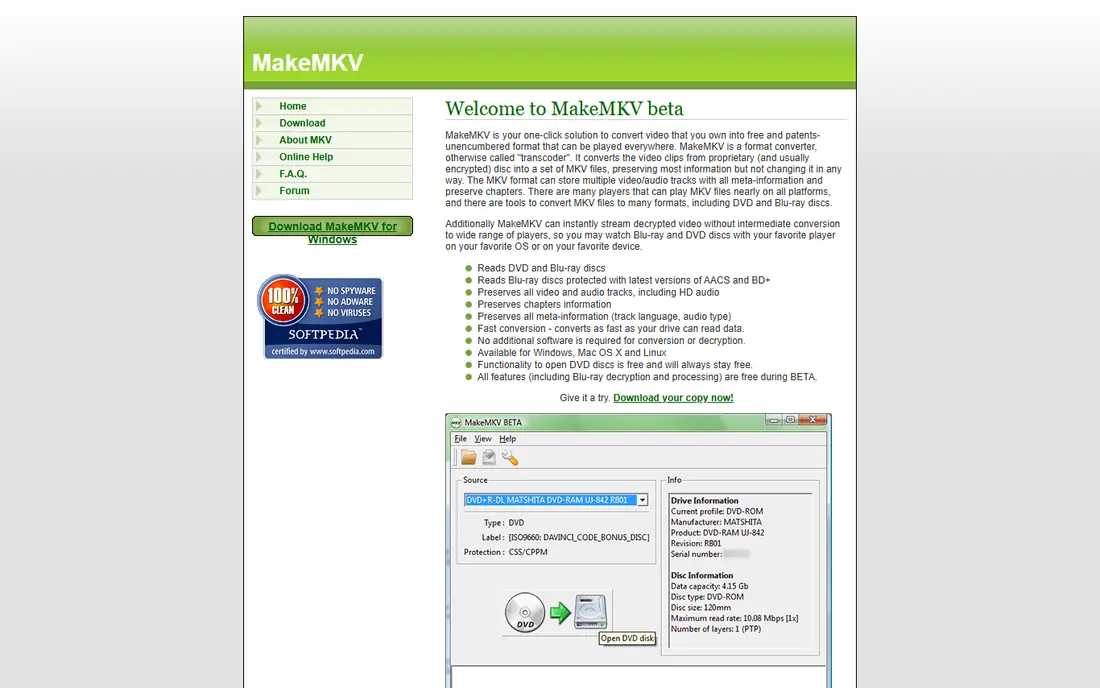
MakeMKV takes a different approach: it copies a disc you own to a lossless MKV file without re-encoding. That means full quality, all audio tracks, subtitles, and chapters preserved, and a fast copy since the video is not compressed again. The interface is simple, and the result plays well on media servers and modern players. For an archive-quality copy, MakeMKV is hard to beat.
The honest catch is this: Files are large, since nothing is compressed, and MKV is the only output, so you may still want HandBrake afterwards to make a smaller file for a phone or tablet. Before you commit, check the current pricing page and the plan limits against the size of your team and the work you actually do each week, because the right plan on paper can still be the wrong plan in practice.
- Lossless MKV copies with chapters and tracks
- Fast direct copying
- Simple interface
- MKV output only
- Large files
- Blu-ray features need a paid key after trial
WinX DVD Ripper Platinum
Who it suits: Fast ripping with many output formats
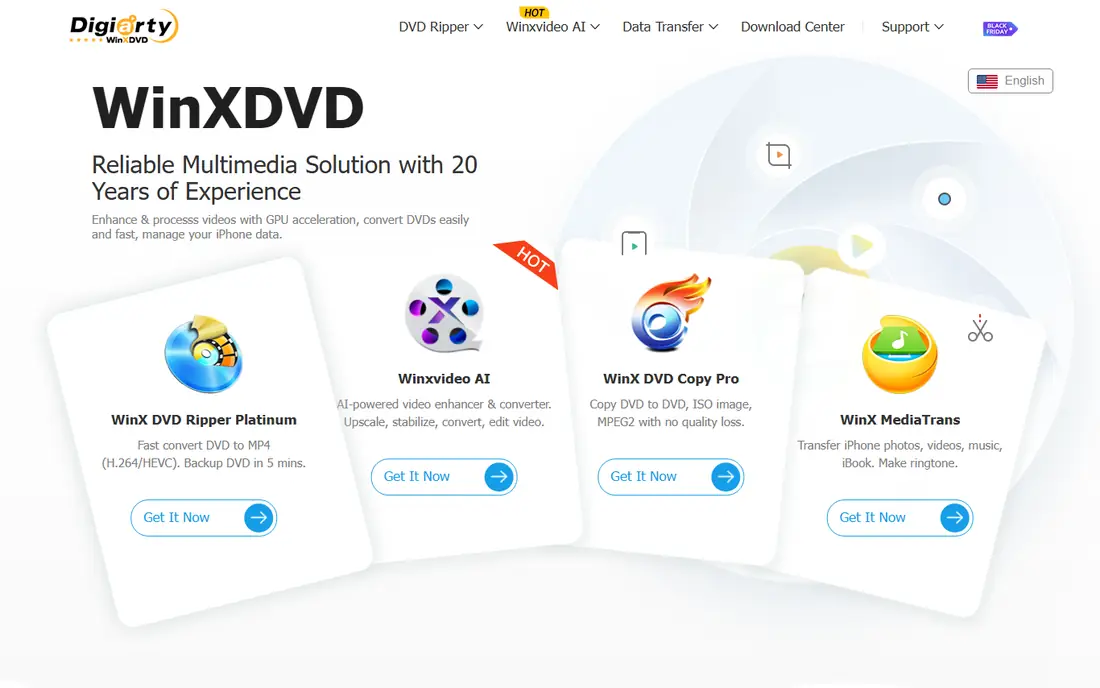
WinX DVD Ripper Platinum is built for speed and convenience, with a long list of output formats. It converts discs to MP4, MKV, and many device-friendly formats, uses GPU acceleration to cut conversion time, and offers presets for phones, tablets, and TVs. For a large collection, that speed and preset library save real time. For a big collection and a Windows or Mac machine, it is a strong paid choice.
The honest catch is this: The free trial only converts the first minutes of a title, so full use needs a paid licence, and the interface packs in many options that beginners may not need. Before you commit, check the current pricing page and the plan limits against the size of your team and the work you actually do each week, because the right plan on paper can still be the wrong plan in practice.
- Many output formats
- GPU acceleration
- Device presets
- Trial limits rips to the first minutes
- Paid licence needed for full use
VideoProc Converter AI
Who it suits: Fast conversion plus video editing tools
VideoProc Converter AI combines DVD conversion with broader video tools, which suits users who also edit footage. Its GPU acceleration speeds up conversion, its format list is broad, and basic editing, trimming, and enhancement tools sit in the same app. That makes it useful beyond a single ripping job. For users who convert and edit, the bundle makes sense.
The honest catch is this: The trial is limited, full use needs a paid licence, and the interface can feel busy if you only want a simple disc-to-file conversion. Before you commit, check the current pricing page and the plan limits against the size of your team and the work you actually do each week, because the right plan on paper can still be the wrong plan in practice.
- GPU-accelerated conversion
- Many formats
- Basic editing and enhancement
- Paid licence for full use
- Interface is busy for simple rips
Leawo DVD Ripper focuses on flexible output, turning a disc you own into video or audio files for many devices. Its format list covers common video and audio types, device presets simplify the choice, and basic editing tools help trim a title before conversion. For users who want audio tracks from a concert disc, that flexibility helps. For format flexibility, Leawo is a solid paid option.
The honest catch is this: Full use needs a paid licence, and some related features live in separate Leawo modules, so check what the single licence actually includes. Before you commit, check the current pricing page and the plan limits against the size of your team and the work you actually do each week, because the right plan on paper can still be the wrong plan in practice.
- Many video and audio outputs
- 3D and editing options
- Device presets
- Paid licence needed
- Some features are spread across separate modules
DVDFab DVD Ripper
Who it suits: Disc conversion with cloud decryption features
DVDFab DVD Ripper is a long-running paid tool with broad format support and regular updates. It converts discs you own to common video formats, uses GPU acceleration, and offers profiles for many devices. Its cloud-based features aim to handle newer discs, which matters if a collection includes recent releases. For a user who wants a maintained, full-featured paid ripper, it is worth comparing.
The honest catch is this: Pricing is module-based and needs careful reading, since the ripper, converter, and related tools are sold in ways that can confuse a first-time buyer. Before you commit, check the current pricing page and the plan limits against the size of your team and the work you actually do each week, because the right plan on paper can still be the wrong plan in practice.
- Broad format support
- GPU acceleration
- Regular updates
- Paid licence and modules
- Price and structure need careful reading
VLC is best known as a media player, but it can also convert a disc you own to a basic digital file. Since many people already have VLC installed, it is a handy no-cost way to try conversion without installing a dedicated ripper. It plays almost any file, and its conversion tools cover the basics. For a one-off conversion, VLC is a fine free option.
The honest catch is this: Conversion is slower and less flexible than a dedicated ripper, with fewer presets and no advanced handling, so it suits an occasional disc rather than a whole shelf. Before you commit, check the current pricing page and the plan limits against the size of your team and the work you actually do each week, because the right plan on paper can still be the wrong plan in practice.
- Free and open source
- Plays almost anything
- Basic disc conversion built in
- Conversion is basic and slow
- No advanced presets or protection handling
WonderFox DVD Ripper Pro
Who it suits: Simple paid ripping for Windows
WonderFox DVD Ripper Pro keeps the workflow simple, which helps users who find HandBrake intimidating. Its step-by-step process, format list, and device presets make a first rip straightforward, and speed is competitive for a paid Windows tool. For a user with a Windows PC and a stack of discs, that simplicity is the appeal. For a simple Windows ripper, WonderFox is worth a trial.
The honest catch is this: It is Windows only, so Mac and Linux users need another tool, and the trial limits how much of a title you can convert. Before you commit, check the current pricing page and the plan limits against the size of your team and the work you actually do each week, because the right plan on paper can still be the wrong plan in practice.
- Simple workflow
- Many formats
- Device presets
- Windows only
- Trial limits conversion length
How we picked these
We compared official feature pages, pricing pages, app store listings, and public documentation for each product on this list, and we kept only options that are currently available and clearly fit the topic. We looked at the core job each product does, who it is built for, what it costs to start, and where its limits show up in everyday use. We did not claim hands-on testing we did not do, and where a vendor does not publish a price we say so plainly instead of guessing. That approach keeps the comparison honest, and it lets you check every claim against the vendor's own site before you spend anything.
How to choose DVD ripping software
Decide between a small file and a lossless copy
A compressed MP4 plays anywhere and takes little space, while a lossless MKV keeps full quality but needs far more storage. Choose the goal first, since it points to HandBrake or a paid converter for small files, and to MakeMKV for an archive copy.
Check your discs and your computer
Home videos and unprotected discs work with free tools, while commercial discs raise copyright and protection questions that vary by country. Also check your operating system, since some paid rippers are Windows only, and check whether your computer has an optical drive or needs an external one.
Try a single disc first
Convert one disc end to end, play the result on the device you will actually use, and check audio tracks, subtitles, and chapters. A tool that works for one disc will usually work for a collection, while a tool that fails on audio or subtitles will frustrate you on every disc.
Frequently asked questions
What is the best software for ripping DVDs?
HandBrake is the best software for ripping DVDs you own when the discs are unprotected, since it is free and flexible. MakeMKV suits lossless archive copies, while WinX and VideoProc suit large collections that need speed.
What is the best DVD ripper software for free?
HandBrake and MakeMKV are the best free DVD ripper options, with HandBrake winning on small playable files and MakeMKV winning on lossless copies. VLC also converts discs for free, though its tools are more basic.
What is the best DVD decryption software?
Paid tools such as WinX, VideoProc, and DVDFab advertise handling of protected discs, but legality depends on your country and on the disc, so check local copyright rules first. This article does not advise bypassing protection where the law forbids it.
What is the best DVD converter software for a phone?
A converter such as HandBrake or WinX with device presets is the best DVD converter software for a phone, since it makes a small MP4 that plays on mobile. Check the preset for your phone model and test one file before converting a whole collection.
Is it legal to rip a DVD you own?
Ripping a disc you own for personal use is treated differently in different countries, and in some places bypassing copy protection is restricted even for personal use. Check the rules where you live, keep copies for personal use only, and do not share or sell converted files.
Sources we checked (8)

Online Jobs is an independent blog about careers, online work, learning new skills and the tools that help people earn. More about us.
Keep reading
All posts
Windows 11 Alternatives
Explore Windows 11 alternatives that run on your current PC, from beginner-friendly Linux systems to ChromeOS Flex, with install notes and trade-offs.
Eventbrite Alternatives
Compare the best Eventbrite alternatives for ticketing fees, free events and event pages, with honest notes on cost, discovery and fit for organisers.
Chrome Alternatives
Chrome alternatives compared: Brave, Firefox, Vivaldi, Edge and more for privacy, speed and tab organisation, with free plans, pros and cons to compare.