Best Driving Apps in 2026: 8 Apps Compared

How we put this together: we compare official feature and pricing pages, app store listings, privacy policies and public user reviews. Prices change, so check the provider's site before you pay.
Key takeaways
- Google Maps is the best all-round driving app because it combines places, traffic, offline maps, and multi-stop routes.
- Waze is the best pick for live hazard and traffic alerts from other drivers on a commute.
- Apple Maps suits iPhone users who want a clean layout, strong privacy controls, and CarPlay integration.
- HERE WeGo and OsmAnd suit offline driving and areas with weak signal, where downloaded maps matter most.
Quick comparison
| Name | Who it suits | Starting price | Free option | |
|---|---|---|---|---|
 Google Maps | All-round driving and places | Free | Yes | Visit |
 Waze | Live traffic and hazard alerts | Free | Yes | Visit |
 Apple Maps | Clean iPhone and CarPlay navigation | Free | Yes | Visit |
 HERE WeGo | Offline maps and multi-modal routes | Free | Yes | Visit |
 TomTom | Traffic-focused driving guidance | See website | No | Visit |
 Sygic | Offline navigation with speed alerts | See website | No | Visit |
 OsmAnd | Privacy-focused offline maps | Free | Yes | Visit |
 MapQuest | Detailed multi-stop route planning | Free | Yes | Visit |
The best driving apps
The best driving app depends on whether you want live traffic alerts, offline maps, multi-stop planning, or a clean CarPlay layout. The apps below cover everyday driving, commuting, long trips, and areas with patchy signal, and most of the core navigation features are free. Pick one main app for daily driving and keep a second for offline or specialist routes.
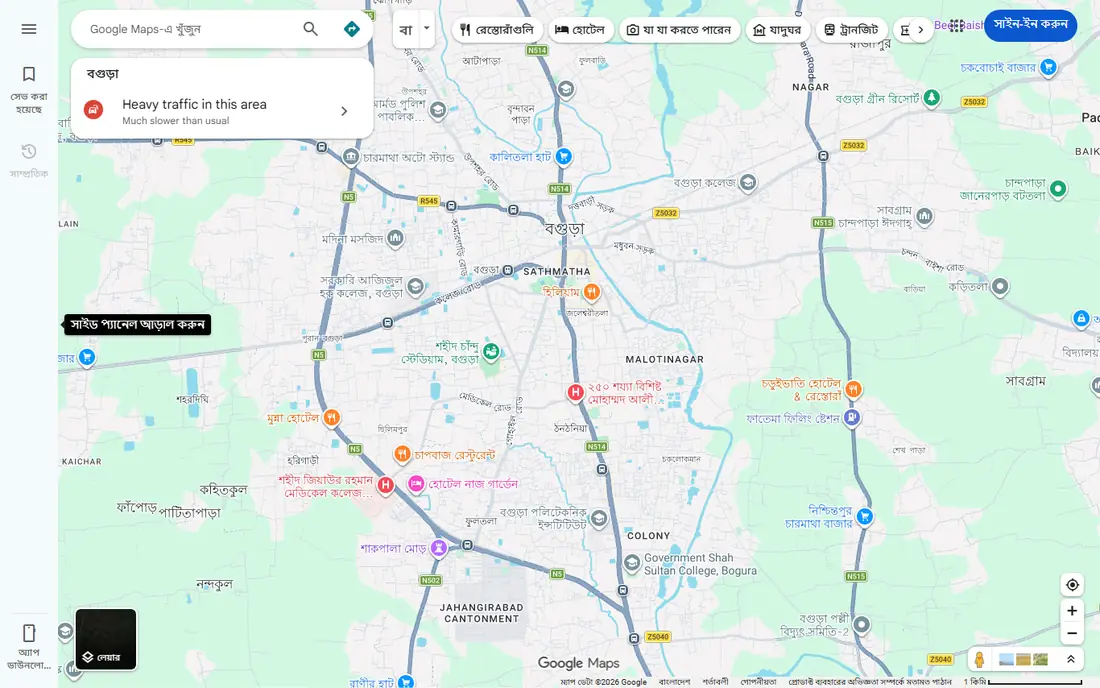
For a first look, Google Maps is the sensible starting point for most drivers, because it handles directions, places to stop, fuel and charging, traffic, and offline maps in one free app. Multi-stop routes and place search make it strong for unfamiliar journeys, where finding a stop matters as much as the route itself.
The screen can feel busy when you only want the road ahead, because Google Maps is built for finding places as well as driving to them. If you prefer a focused hazard view on a commute, keep Waze as a second app and use Google Maps for everything else.
- Places, traffic, and offline maps in one app
- Multi-stop routes
- CarPlay and Android Auto
- Interface can feel busy
- Some advanced routing controls are limited
- Data use for live features
If you want a simple starting point, Waze focuses on live, community-driven navigation, with drivers reporting accidents, hazards, closures, and speed cameras. That stream of reports helps it reroute fast around congestion, which is why many commuters keep it open even when they know the route.
The alerts can distract, and reroutes sometimes favour small streets to save a few minutes. Offline support is also limited compared with Google Maps or HERE WeGo, so Waze suits connected commuting more than remote trips with patchy signal.
- Community hazard and traffic reports
- Fast reroutes
- Strong for commuting
- Alerts can distract
- Routing can favour small streets
- Offline maps are limited
A good way to judge this one is to ask who it helps most. Apple Maps suits iPhone users who want a clean, calm navigation screen with strong privacy controls and tight CarPlay integration. Detailed maps, lane guidance, and Look Around views help on unfamiliar junctions, and Siri integration keeps hands on the wheel.
The limit is platform, because Apple Maps is built for Apple devices. Place data also varies by region, so Google Maps may still win for searching businesses in some areas. Use Apple Maps as your daily iPhone app and keep Google Maps for place-heavy trips.
- Clean layout and lane guidance
- Strong privacy controls
- Deep iPhone and CarPlay integration
- Apple devices only
- Some advanced EV routing needs a compatible car
- Place data varies by region
Start here if HERE WeGo is well known for offline maps and reliable transit data, which makes it a strong backup for travel in areas with unstable connectivity. You can download maps, plan driving and transit routes, and navigate without a constant data connection.
Live traffic is thinner than on Google Maps or Waze, and place search is narrower, so it suits offline reliability more than live commuting. Keep it as a second app for trips with patchy signal, and use a live traffic app when you are connected.
- Strong offline maps
- Transit and walking routes
- Clear driving guidance
- Live traffic is thinner than Google or Waze
- Interface is plainer
- Place search is narrower
What stands out first is TomTom offers focused driving guidance with strong traffic data, speed limit information, and camera alerts in its app. That focus suits drivers who want clear guidance and traffic awareness without the place-search clutter of a general maps app.
Some features need a paid plan, and functions differ between iOS and Android, so check the plan for your phone before you pay. Place search is also narrower than Google Maps, so keep a general maps app for finding stops on unfamiliar trips.
- Strong traffic data
- Speed limit and camera alerts
- Focused driving screen
- Some features need a paid plan
- Functions differ by platform
- Place search is narrower
The key question with this option is fit. Sygic suits drivers who want offline navigation with speed alerts and a dedicated driving screen. Downloaded maps cover trips without signal, and CarPlay and Android Auto support keep it usable in the car without holding your phone.
Some features sit behind a paid plan, and the interface feels dated compared with Google or Apple Maps. Live traffic also varies by region, so test Sygic on your usual routes before relying on it for rush-hour commuting.
- Offline maps
- Speed camera alerts
- CarPlay and Android Auto support
- Some features need a paid plan
- Interface feels dated in places
- Live traffic varies
Consider this one when OsmAnd is built on OpenStreetMap data and suits drivers who want offline maps with a privacy-focused design. You can download detailed maps, navigate offline, and customise the map style, which appeals to travellers and rural drivers.
Live traffic is limited, and the interface takes learning compared with Google Maps. Routing can also feel less polished in complex city junctions. Use OsmAnd for offline and privacy-focused driving, and keep a live traffic app for busy commutes.
- OpenStreetMap data
- Strong offline maps
- Privacy-focused design
- Live traffic is limited
- Interface takes learning
- Routing can feel less polished
For many readers, MapQuest suits detailed multi-stop planning, especially on the web, where you can build a route with many stops and review it before you drive. That planning strength helps for road trips and errands with several destinations in one outing.
The mobile app is thinner than Google Maps or Waze, and live traffic is less strong, so MapQuest works best as a planning tool rather than a daily live navigation app. Plan the route on the web, then use a live app for traffic on the day.
- Detailed multi-stop planning
- Web route tools
- Clear printed directions
- Mobile app is thinner than rivals
- Live traffic is less strong
- Fewer place features
How we picked these
We compared official feature pages and app store listings for each app, and we checked turn-by-turn navigation, live traffic, offline maps, multi-stop routes, and CarPlay or Android Auto support. We gave weight to apps that are still maintained, cover your country well, and offer the routing you actually need, from commuting to long trips. We did not treat user counts or store ratings as proof of route quality, because map coverage varies by region and changes over time.
How to pick a driving app
Match the app to your usual journey
Commuters benefit most from live traffic and hazard alerts, while long-trip drivers benefit from places, fuel stops, and offline maps. Delivery drivers need multi-stop optimisation, while rural drivers need downloaded maps. List your top three journey types and pick the app that handles all three, not just one.
Test it on a route you know
Drive a familiar route with a new app and compare its arrival estimate, reroutes, and lane guidance with what you know. That test reveals whether its traffic data and map detail are strong in your area. Repeat the test at rush hour, because traffic quality matters most when roads are busy.
Download maps before you need them
If you drive through areas with weak signal, download map areas before you leave and test offline navigation. Offline maps cover directions within the downloaded area, but live traffic and reroutes need a connection. Keep a second app with offline maps as a backup on long trips.
Frequently asked questions
What is the best driving app overall?
Google Maps is our all-round pick because it covers places, traffic, offline maps, and multi-stop routes in one free app. Waze is better for live hazard alerts, while Apple Maps suits iPhone users who want a clean CarPlay layout. Pick based on your daily journey, not brand alone.
What is the best free navigation app?
Google Maps, Waze, and Apple Maps are all free for core navigation, including turn-by-turn directions and live traffic. Google Maps offers the broadest free feature set, Waze offers the strongest community alerts, and Apple Maps offers the cleanest iPhone experience.
What is the best free map app for offline driving?
HERE WeGo and OsmAnd offer strong offline maps, while Google Maps lets you download map areas for offline directions. HERE WeGo suits multi-modal offline routes, while OsmAnd suits privacy-focused offline use. Download maps before you leave and test them on a short trip.
What is the best car navigation app for CarPlay?
Google Maps, Waze, and Apple Maps all work with CarPlay, with different strengths. Google Maps covers places and multi-stop trips, Waze covers live alerts, and Apple Maps offers the cleanest CarPlay layout for iPhone users. Try each on your commute and keep the one you find clearest.
What is the best driving directions app for multi-stop routes?
Google Maps handles multi-stop routes well for everyday trips, while specialist route apps suit delivery drivers with many stops. MapQuest also suits detailed multi-stop planning on the web. If you run many stops daily, compare a specialist route planner against Google Maps on your actual route.
Sources we checked (8)

Online Jobs is an independent blog about careers, online work, learning new skills and the tools that help people earn. More about us.
Keep reading
All posts
Zoom Alternatives
Zoom alternatives compared for 2026: Google Meet, Microsoft Teams, Webex, Jitsi and more for free calls, large meetings and webinars for teams and classrooms.

Which Software Is Best for Data Entry
Compare the best data entry software for forms, OCR scanning, and spreadsheets, with free plans, pricing, and honest limits for each tool before you commit.

What's the Best App to Read PDFs
Find what's the best app to read PDFs in 2026, from Adobe Acrobat Reader and Foxit to PDF Expert and Xodo, with free options and honest limits for every device.