Best Digital Signage Software for Offices in 2026: 8 Tools Compared


Small offices that want the lowest honest price · Starting price: $8 per screen per month
How we put this together: we compare official feature and pricing pages, app store listings, privacy policies and public user reviews. Prices change, so check the provider's site before you pay.
Key takeaways
- Yodeck and DigitalSignage.com are the cheapest ways to start, with Yodeck free for one screen and DigitalSignage.com free for three.
- ScreenCloud is the strongest enterprise pick for offices, with 80+ apps, SOC 2 security and its own $95 player hardware.
- OptiSigns covers the widest hardware mix and offers a free plan for three screens, though the free screens carry its branding.
- Rise Vision adds screen sharing and emergency alerts on top of signage, which suits offices that want one platform for both.
- Appspace is the pick when signage is only part of a wider workplace platform, since it also covers intranet, room booking and visitor management.
Quick comparison
| Name | Who it suits | Starting price | Free option | |
|---|---|---|---|---|
| Yodeck | Small offices that want the lowest honest price | $8 per screen per month | Yes | Visit |
 ScreenCloud ScreenCloud | Enterprise office networks with strict security needs | $20 per screen per month | Free trial 14 days | Visit |
 OptiSigns OptiSigns | Offices with mixed hardware, from smart TVs to old PCs | $10 per screen per month | Yes | Visit |
 Rise Vision Rise Vision | Offices that also want screen sharing and emergency alerts | $11 per display per month | Yes | Visit |
 NoviSign NoviSign | Offices that want design-led screens without hiring a designer | $14 per screen per month | Free trial 30 days | Visit |
 TelemetryTV TelemetryTV | Offices that want live data dashboards on screens | $8 per device per month | Free trial | Visit |
 Appspace Appspace | Large offices that want signage inside a full workplace platform | See website | Free trial | Visit |
 DigitalSignage.com DigitalSignage.com | Offices that want the lowest possible per-screen cost | $3 per screen per month | Yes | Visit |
The best digital signage software for offices
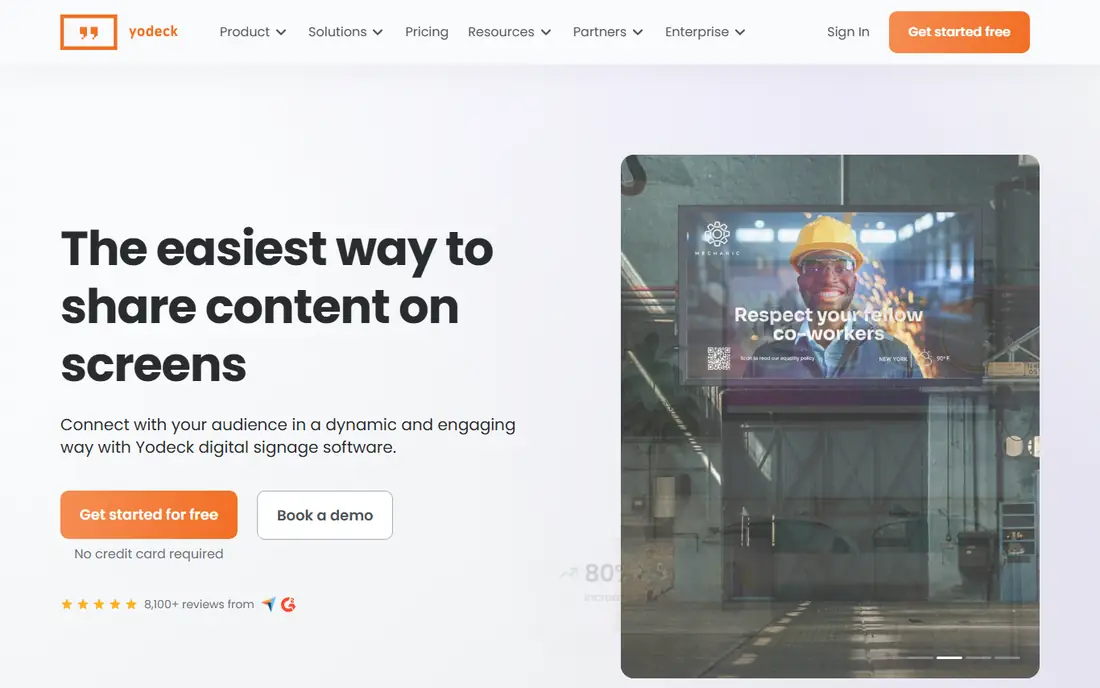
Yodeck is the first quote most small offices should get. Its Basic plan costs $8 per screen per month, and its homepage confirms prices start at $8, with a free single screen and a free player included with annual plans. The platform serves more than 65,000 companies.
The strengths are the template library of more than 800 designs, more than 140 apps including Power BI, SharePoint, Google Drive, Canva and Microsoft Teams, and offline playback so screens keep running if the internet drops. Tag-based screen grouping is included on every plan, so one action can publish to every lobby screen at once. The limit is depth: custom user roles, Workspaces and audit logs sit on the Enterprise plan at $16 per screen per month.
- One screen free forever, free player on annual plans, 800+ templates, screens keep playing offline
- Advanced enterprise controls sit on higher tiers, no phone support on the cheapest plan
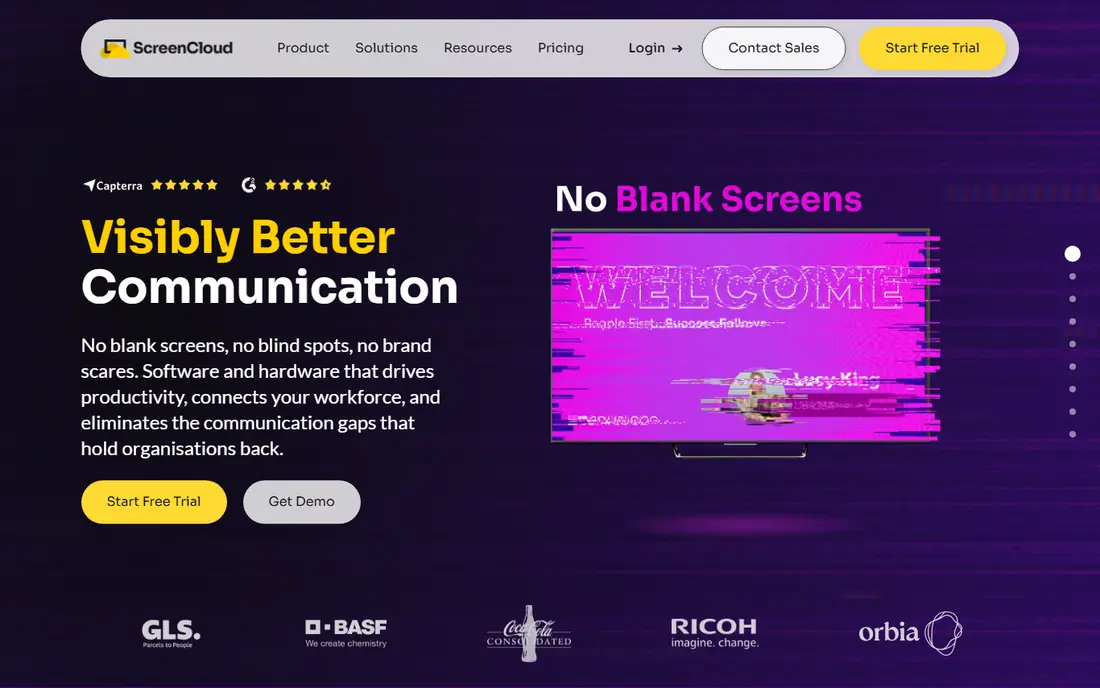
ScreenCloud pitches itself as the full-stack option, and for larger offices that framing fits. It supplies software, its own PIXI player hardware at $95 per device, remote device management, and support. The Core plan starts at $20 per screen per month on annual billing, Pro at $30, and Enterprise is quoted, with a 25-screen minimum.
The app library of more than 80 apps covers Microsoft 365, Google Workspace, Canva, YouTube, dashboards and emergency alerts, and a Cast feature lets an urgent message take over screens temporarily. Security is a real differentiator: role-based access, single sign-on, encryption and SOC 2 certification are built in. The trade-off is price. At $20 per screen, a 20-screen office pays $400 a month before hardware, so ScreenCloud makes most sense when security, scale and support matter more than the lowest bill.
- 80+ apps and integrations, SOC 2 Type 2 security, own PIXI player hardware, Cast for urgent takeovers
- No permanent free plan, per-screen price adds up fast across many screens, Pro plan needs a 5-screen minimum
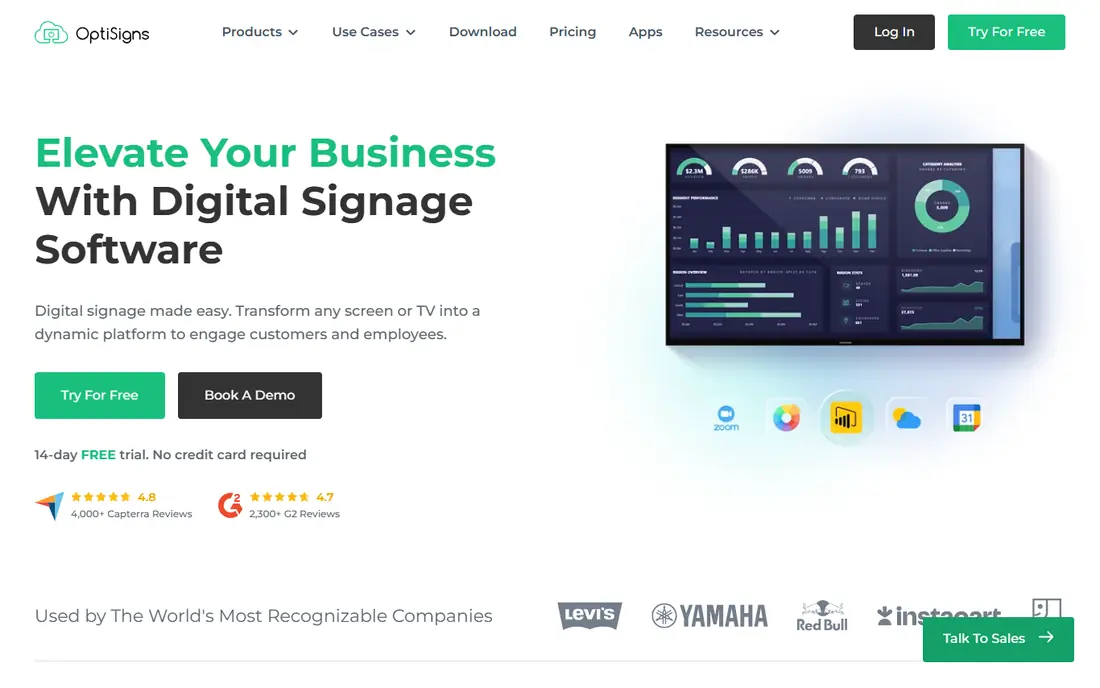
OptiSigns wins on hardware flexibility. Its player runs on Windows, macOS, Linux, Android, Fire TV, Raspberry Pi and smart TVs, and a web player can turn any browser into a display, so an office can start with screens it already owns. The free plan covers three screens with OptiSigns branding, a 25 MB file size limit and 25 basic apps. Standard costs $10 per screen per month, or $9 on annual billing, with 100+ apps, split-screen zones and unlimited cloud storage.
Higher tiers add the controls bigger offices need: Pro Plus at $15 per screen per month adds approval workflows, team workspaces and proof of play, while Engage at $30 adds interactive kiosks and QR features. The app count of more than 140 includes Power BI, Google Slides, YouTube, Microsoft 365 and Slack. Watch the add-ons, though: video walls, wireless presentation and background music are billed separately, so price the full setup, not just the base plan.
- Free plan covers 3 screens, 140+ apps, runs on almost any device, web player needs no hardware
- Free screens carry OptiSigns branding, file size capped at 25 MB on free plan, paid add-ons for video walls and wireless presentation
Rise Vision
Who it suits: Offices that also want screen sharing and emergency alerts
Rise Vision started in education, but its feature mix fits offices well. Beyond signage, the same platform handles wireless screen sharing, so any meeting room display doubles as a presentation hub, and emergency alerts through the Common Alerting Protocol can push safety messages to every screen at once. Its homepage lists more than 750 customizable templates.
Pricing starts at about $11 per display per month, and its own help pages confirm a free plan covering one display, plus a 30-day risk-free trial. The Advanced plan at about $138 per display per year adds emergency alert support, display control and branding. Rise Vision also sells its own media player and Avocor displays, or you can bring your own hardware. For an office that wants signage, screen sharing and alerts in one contract, Rise Vision is the most complete bundle here.
- 750+ templates, screen sharing from any device, emergency alerts via Common Alerting Protocol, free training
- Paid plans are per display with no volume break at the entry tier, best known for schools rather than offices
NoviSign
Who it suits: Offices that want design-led screens without hiring a designer
NoviSign is built around its design studio. You build screens from ready-made blocks, with more than 500 templates, more than 50 widgets for weather, news, calendars and tickers, and a Studio AI feature that builds a screen from a written description. That matters in offices where the person updating screens is an office manager, not a designer. The platform has run since 2011 and serves more than 20,000 businesses.
Business costs $14 per screen per month on annual billing, with the drag-and-drop editor, scheduling, offline play and remote management. Business Plus at $17 adds Canva integration, calendar sync, Power BI and Tableau, and proof of play. Premium at $25 adds single sign-on, API access, approvals and audit logs. The 30-day trial needs no credit card, though trial storage is capped at 80 MB. NoviSign suits offices that care about how screens look, since its team offers free setup help and training by phone, chat and email.
- Drag-and-drop studio with AI content generation, 500+ templates, 50+ widgets, free setup help and training
- No permanent free plan, storage is limited on lower tiers, some reviewers call the interface dated
TelemetryTV is the most developer-friendly tool in this list, and that shapes its office fit. The Entry plan at $8 per device per month covers scheduling, screen zones and Canva integration, with no minimum device count. Core at $13 adds API access, group permissions and activity logs. Elite at $16 adds proof of play and premium support, but needs at least 10 devices.
What sets it apart is programmatic content: screens can show different content based on location, room or device data, and teams can build custom web apps with Git integration and enterprise hosting, which suits offices showing live metrics or internal tools. The 70+ turnkey apps include YouTube, Canva and menu boards, and its own Android player hardware is available alongside bring-your-own-device support. Reviewers praise its value against rivals, but note that lower tiers carry limited support.
- Low entry price, 70+ turnkey apps, custom web apps with Git integration, programmatic content by location or device
- No permanent free plan, slide expiration and some advanced features need higher tiers, Elite needs 10 devices minimum
Appspace
Who it suits: Large offices that want signage inside a full workplace platform
Appspace is not really a signage tool. It is a workplace experience platform where signage is one module alongside an intranet, room and desk booking, visitor management and an employee mobile app. That is its whole argument: one platform, one login, and content published once across screens, desktops and phones.
Pricing is not published. Paid plans are priced per user and per device, and third-party buyer guides suggest the minimum monthly spend is substantial, so Appspace is most practical for large offices rather than a ten-person team. A free trial is available, and one comparison notes a free tier of two users and one device, though Appspace itself does not advertise a permanent free plan. If your office only needs screens, Appspace is too much platform. If you are already buying an intranet and room booking separately, consolidating them here can cut both cost and admin.
- Combines signage with intranet, room booking, desk booking and visitor management, strong Microsoft Teams integration, AI content generation
- No published pricing, per-user plus per-device billing adds up, heavier deployment than a signage-only tool
DigitalSignage.com
Who it suits: Offices that want the lowest possible per-screen cost
DigitalSignage.com is the cheapest real option in this list, and its homepage says so plainly: the first three screens are free forever, with no credit card and no ads, and paid plans start at $3 per screen per month. The platform has run since 2006 through MediaSignage, serves more than 10,000 organizations, and uses a browser-based editor called SignStudio plus a free SignPlayer that runs on Windows, Mac, Linux, Android, Chrome OS, Raspberry Pi, iPad or any web browser.
The free tier covers about 90% of features, and content is cached on the player, so screens keep playing if the internet drops. Paid Plus+ plans add volume pricing through a public calculator, while Enterprise adds white-label branding, proof of play, touch kiosks and IoT triggers. There is also a one-time $895 on-premise mediaSERVER option, which no other tool here offers. The trade-off is polish: the template and app library is smaller than Yodeck or ScreenCloud, and the interface feels older.
- First 3 screens free forever with no ads, from $3 per screen after that, runs on almost any hardware, on-premise option available
- Smaller template and app library than bigger rivals, interface feels older, enterprise features need the higher tier
How we picked these
We started from the main keyword and the related search for digital office signage platforms, then checked each tool against its official homepage and pricing pages, plus published pricing comparisons. Every tool here works in offices in October 2026, supports remote management from a browser, and publishes enough pricing detail to compare honestly, except Appspace, which we flag as quote-only. We left out tools that have shut down, rebranded without published pricing, or target only retail menu boards rather than office communication.
How to choose the right signage tool for your office
Count screens, then count editors
Price is per screen, so a $20 tool on 30 screens costs $600 a month while a $3 tool costs $90. But the editor count matters just as much. If one person updates everything, a simple tool is fine. If each department owns its screens, you need roles and approvals, which live on higher tiers at Yodeck, OptiSigns and NoviSign.
Decide what the screens must show
Announcement slides need only templates and scheduling, which every tool here covers. Live dashboards need Power BI or data integrations, which Yodeck, OptiSigns, Rise Vision and TelemetryTV handle well. Room bookings and visitor info point toward Appspace, while emergency alerts point toward Rise Vision.
Test on real hardware before you commit
Use the free plan or trial on the actual TV and player you plan to deploy, not just on a laptop. Check that content plays offline, that scheduling switches at the right time, and that the screen recovers on its own after a power cut. A tool that looks good in a demo can still struggle on a five-year-old TV with a weak Wi-Fi signal.
Budget hardware separately
Only Yodeck includes a free player on annual plans, and ScreenCloud sells its own $95 PIXI player. Everywhere else, budget for a stick, box or commercial display per screen, plus mounts and cabling. Reusing existing TVs with a cheap Android stick is the lowest-cost route.
Frequently asked questions
What is the best digital signage software for a small office?
Yodeck is the best starting point for a small office, with one screen free and paid plans from $8 per screen per month. DigitalSignage.com is cheaper still if you need up to three screens, since all three are free forever.
How much does digital signage software cost per screen?
Published starting prices in this list run from $3 per screen per month at DigitalSignage.com to $20 at ScreenCloud, with Yodeck at $8, TelemetryTV at $8, OptiSigns at $10, Rise Vision at $11 and NoviSign at $14. Hardware, add-ons and minimum screen counts can change the real bill, so price the full setup.
Do I need special hardware for office digital signage?
Not always. Most tools here run on a smart TV, an Android stick, a spare PC or a Raspberry Pi, and OptiSigns even offers a web player that needs no extra device. Dedicated players like Yodeck's free annual-plan player or ScreenCloud's PIXI are worth it for screens that must run all day without attention.
What is the best digital office signage platform for a large company?
ScreenCloud is the strongest pick for large office networks, thanks to SOC 2 security, role-based access, single sign-on and its own managed hardware. Appspace is the better fit if you also want an intranet, room booking and visitor management in the same platform.
Can office staff update screens without IT help?
Yes, on most of these tools. Yodeck, OptiSigns, NoviSign and Rise Vision all offer drag-and-drop editors and templates that non-technical staff can use, and role controls let IT limit each person to their own screens. Test the editor with the actual person who will update content before you buy.
Does digital signage work when the internet goes down?
Most tools here cache content on the player, so screens keep playing the last published content during an outage. Yodeck, OptiSigns, NoviSign and DigitalSignage.com all support offline playback, though live data feeds like weather or dashboards will freeze until the connection returns.
Sources we checked (11)
- https://yodeck.com/
- https://screencloud.com/
- https://www.optisigns.com/
- https://www.risevision.com/
- https://novisign.com/
- https://telemetrytv.com/
- https://appspace.com/
- https://digitalsignage.com/
- https://digitalsignage.com/_html/digital_signage_pricing_2026.html
- https://www.g2.com/products/screencloud-digital-signage/pricing
- https://www.g2.com/products/telemetryos-digital-signage/pricing

Online Jobs is an independent blog about careers, online work, learning new skills and the tools that help people earn. More about us.
Keep reading
All posts
DocuSign Alternatives
We compared the best DocuSign alternatives on price, free plans, templates, audit trails and ease of use, including free DocuSign alternatives for small teams.
Best Spend Management Software
Looking for the best spend management software? We compared 8 platforms on cards, approvals, travel and price to help your finance team pick the right one.
Best Recruitment Software for Direct Hire
Looking for the best recruitment software for direct hire? We compared 8 ATS tools on price, pipelines, interviews and hiring tools to pick the right one.