Best Day Planner App in 2026: 8 Apps Compared

How we put this together: we compare official feature and pricing pages, app store listings, privacy policies and public user reviews. Prices change, so check the provider's site before you pay.
Key takeaways
- Todoist is the best default day planner for most people, because fast capture and a free plan cover daily planning without a learning curve.
- TickTick gives the most features for the price, with tasks, calendar, habits, and a focus timer in one app.
- Sunsama suits readers who want a calm, guided daily ritual, while Motion suits readers who want software to schedule tasks automatically.
- Structured is the best visual timeline planner, especially on Apple devices, while Google Calendar remains the best free starting point.
- A day planner only works if you open it each morning, so pick the planning style you will actually repeat, not the longest feature list.
Quick comparison
| Name | Who it suits | Starting price | Free option | |
|---|---|---|---|---|
 Todoist Todoist | Fast task capture | $5 per month | Yes | Visit |
 TickTick TickTick | Tasks, calendar, and habits in one app | $35.99 per year | Yes | Visit |
 Sunsama Sunsama | Guided daily planning ritual | See website | Free trial | Visit |
 Motion Motion | Automatic scheduling | See website | Free trial | Visit |
 Structured Structured | Visual timeline planning | See website | Yes | Visit |
 Any.do Any.do | Simple lists and calendar | $4.99 per month | Yes | Visit |
 Google Calendar Google Calendar | Free shared scheduling | Free | Yes | Visit |
 Akiflow Akiflow | Pulling tasks into one calendar | See website | Free trial | Visit |
The best day planner apps
Day planner apps fall into three styles. List planners hold tasks and priorities, calendar planners put tasks on a timeline, and auto-schedulers place tasks for you. We compared official pricing pages, feature pages, and public documentation, and we focused on planning style, calendar integration, reminders, platform coverage, and price.
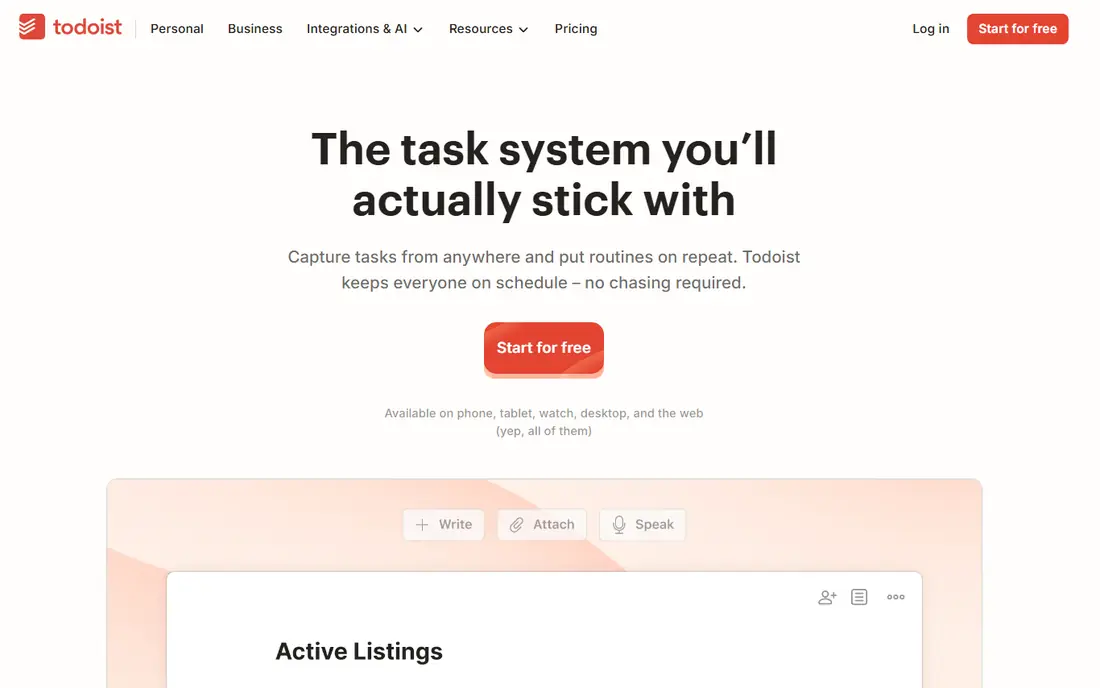
Todoist is built around speed. Type a task in plain language, such as a task due tomorrow at 9 in the morning, and Todoist parses the date and time for you. Projects, labels, filters, and priorities organize the list, and the free plan covers up to 5 projects, which is enough for personal planning by life area rather than by client.
Pro starts at $5 per month billed annually and adds unlimited projects, reminders, and AI task assistance. The honest limit is visual planning. Todoist is a list first, and a calendar view works best when connected to Google Calendar or Outlook. For readers who plan by list and want the fastest way to get a task out of their head, Todoist is still the default pick.
- Fastest capture on most devices
- Generous free plan
- Reliable reminders and recurring tasks
- No built-in calendar timeline on the free plan
- Timeblocking needs a calendar connection
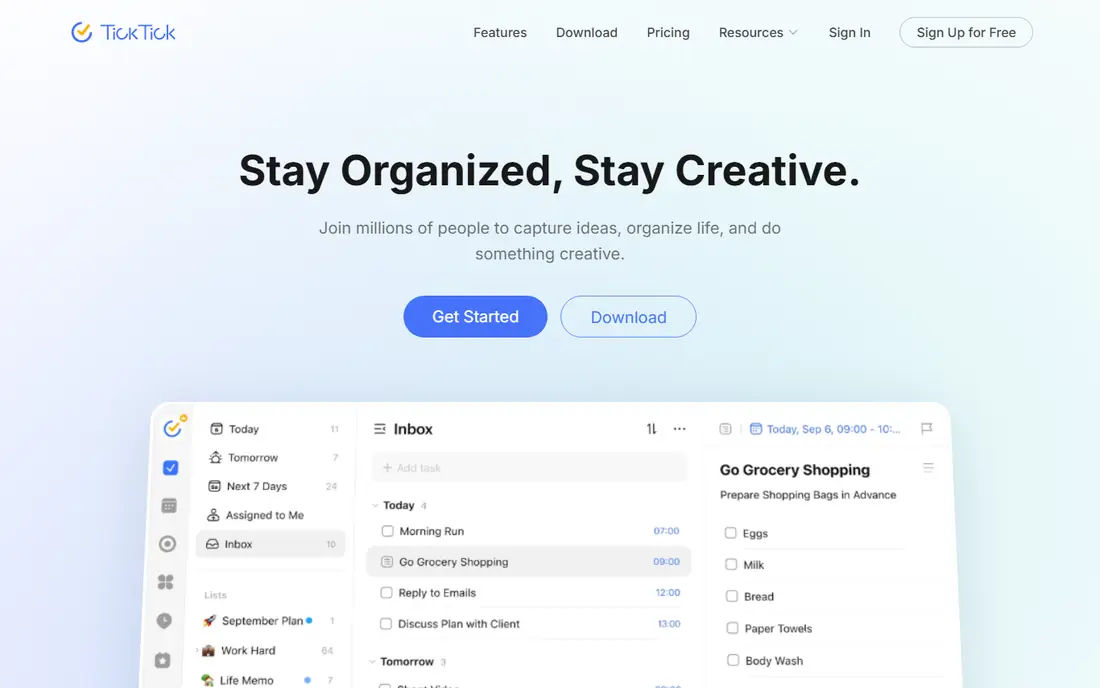
TickTick packs the most planning tools into the lowest yearly price here. Tasks and lists sit beside a calendar view, a habit tracker, and a Pomodoro focus timer, so a daily plan, a habit streak, and a focused work session do not need three apps. Premium costs $35.99 per year, with a monthly option in app stores, and the free plan covers a useful set of lists, tasks, and habits.
The trade-off is density. The app shows a lot at once, and new users can take a few days to settle on which views they actually need. TickTick suits readers who want one app for the whole day, and who like habits and focus sessions alongside tasks, without paying a premium planner price.
- Tasks, calendar, habits, and focus timer in one app
- Low yearly price
- Works on most platforms
- Interface can feel busy
- Some premium features need time to learn
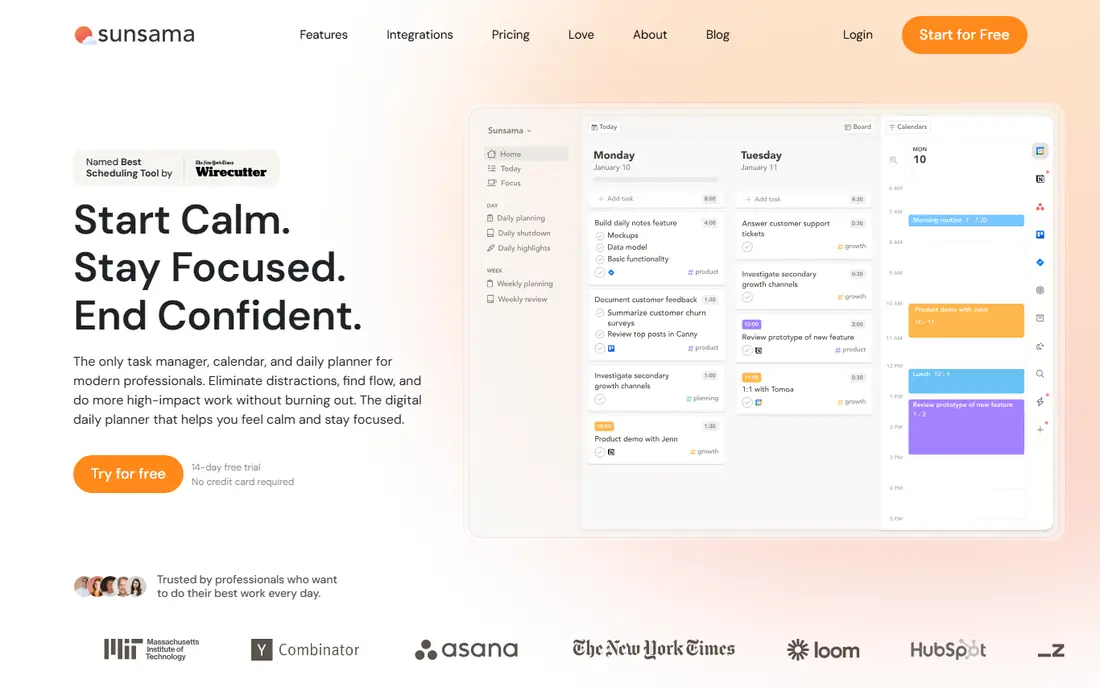
Sunsama treats daily planning as a ritual, not a list dump. Each morning, you pull tasks from connected tools, drag them onto the day, estimate how long each will take, and set a cutoff for when work ends. The guided flow helps readers who end the day with a long list of unfinished tasks and no clear sense of what actually mattered.
That ritual is also the cost. Sunsama requires a few focused minutes each morning, and it requires a Google or Outlook calendar connection to work. There is no free plan, only a 14-day trial, and the monthly price sits well above Todoist or TickTick. Sunsama suits professionals who want a slower, more intentional start to the day and who will protect that planning time.
- Calm guided planning each morning
- Tasks, calendar, and email in one daily view
- Work-life limits and shutdown ritual
- No permanent free plan
- Manual planning takes time each day
Motion takes the opposite approach to Sunsama. Instead of asking you to plan the day, it schedules tasks into open calendar time automatically, using priorities, deadlines, and task length. When a meeting moves or a task runs long, Motion reshuffles the plan, which helps readers whose calendars change often during the day.
The price reflects that automation, with individual plans above basic task apps and a short 7-day trial rather than a free plan. Some users also find early schedules odd, such as a deep work task placed late in the day, and need a week to tune priorities and working hours. Motion suits busy professionals with chaotic calendars who want scheduling handled for them, and who are willing to pay for that automation.
- AI schedules tasks around meetings automatically
- Reschedules when plans change
- Team scheduling on higher plans
- No permanent free plan
- Automatic schedules can feel unpredictable at first
Structured turns the day into a visual timeline, where each task occupies a block of time you can see at a glance. That layout helps readers who think in time, not in lists, and who want to see gaps, overlaps, and free time without opening a calendar. Building a morning routine or a school day schedule is fast, and the timeline makes it obvious when the day is overfull.
Task management itself is lighter than in Todoist or TickTick, with fewer options for projects, labels, and collaboration. Pro adds more features through monthly, yearly, or lifetime options, with prices varying by store. Structured suits visual planners, students, and Apple users who want a beautiful timeline first and a task list second.
- Clear visual timeline for the day
- Easy to build routines
- Works well on iPhone, iPad, and Mac
- Paid Pro needed for full features
- Task management is lighter than Todoist or TickTick
Any.do keeps daily planning simple. Lists, a calendar view, and reminders cover the core job, and a daily focus view, called My Day, helps you pick the tasks that matter today without re-reading the whole list. The free plan is genuinely useful for personal planning, and Premium starts at $4.99 per month billed annually.
Power users may miss TickTick habits, Todoist filters, or Sunsama guided planning, but that simplicity is the point for many readers. Any.do suits people who want a clean list and calendar, who do not want to learn a new system, and who will actually check the app each morning because it takes seconds to use.
- Simple list, calendar, and reminders in one app
- Daily focus view
- Works on most platforms
- Fewer power features than TickTick
- Premium needed for advanced reminders and themes
Google Calendar is the free baseline every other planner here is measured against. Events, shared calendars, invitations, and reminders work well, and Google Tasks adds a simple task list inside Gmail and Calendar. For households, student groups, and small teams that mainly need to coordinate times, Google Calendar is often enough on its own.
The limit is planning depth. Google Calendar does not guide a daily review, estimate task time, or auto-schedule work around meetings without a third-party tool. It also works best inside Google Workspace, so Outlook-heavy workplaces may prefer a different base. Start here if your budget is zero, then add Todoist, TickTick, or Sunsama when list planning or daily rituals become the bottleneck.
- Free
- Strong sharing and invitations
- Works with Gmail, Tasks, and most planner apps
- Task planning is basic without Google Tasks
- No guided daily ritual or auto-scheduling
Akiflow solves a specific problem. Work lives in many tools, so Akiflow pulls tasks from apps such as Notion, ClickUp, Asana, Gmail, and Slack into one calendar view, where you can drag each task into a time block. Keyboard shortcuts make that triage fast, which appeals to professionals who process dozens of tasks each morning.
Setup takes time, since each source needs connecting and each task source needs a routine for clearing. There is no free plan, only a trial, and pricing varies by billing period. Akiflow suits readers whose work is scattered across tools and who already timeblock, rather than readers looking for a first simple planner.
- Pulls tasks from Notion, ClickUp, Asana, Gmail, and more into one calendar
- Keyboard-first speed
- Timeblocking built in
- No permanent free plan
- Needs a calendar connection and setup time
How we picked these
We compared official pricing pages, feature pages, and public documentation, and we checked that each vendor homepage loads and belongs to the product named. We required a real daily planning workflow, not just a to-do list or a calendar alone, and we favored a mix of list planners, timeline planners, guided planners, and auto-schedulers. We included free, low-cost, and premium options so readers can match a planner to budget and planning style.
How to choose a planner you will keep using
Start with how you already plan. If you write a list each morning, Todoist, TickTick, or Any.do will feel natural. If you block time on a calendar, Structured or Akiflow will feel natural. If you want software to decide the schedule, Motion is the test. If you want a slower morning ritual, Sunsama is the test. Matching the tool to your existing habit matters more than any single feature.
Run a one-week trial with real work, not a sample project. Plan each morning in the new app, check it at lunch, and review it at shutdown. Notice where friction appears, such as slow capture, missing calendar sync, or a timeline that is hard to read on a phone. A planner that adds friction in week one rarely becomes a habit in week four, no matter how good its feature list looks.
Keep the system small
A day planner fails when it becomes a second inbox. Limit active projects, keep one inbox for new tasks, and review the list once a day rather than all day. Move long-term ideas to a separate notes app or project tool, and keep the day planner for today and this week. That small scope is what makes a daily plan usable on a busy morning.
Calendar connection is the hidden requirement
Several planners here require a Google or Outlook calendar to work well, and some require it to work at all. Check that requirement before you pay, especially if your workplace locks down third-party calendar access. If you cannot connect a calendar, a list planner such as Todoist or TickTick is a safer pick than a calendar-first planner.
Frequently asked questions
What is the best day planner app for most people?
Todoist is the best default for most people, because capture is fast, the free plan is useful, and Pro stays affordable. TickTick is the best value alternative when you also want habits, a calendar, and a focus timer in one app. Choose Sunsama or Motion only if you specifically want a guided ritual or automatic scheduling.
Is there a good free day planner app?
Yes. Google Calendar is free and covers scheduling and sharing, Todoist and TickTick offer useful free plans for tasks, and Structured offers a free timeline planner. Free plans usually limit projects, habits, or premium views, so check those limits against your daily list before committing.
What is the difference between Sunsama and Motion?
Sunsama asks you to plan the day manually in a guided ritual, which gives you control and a clear cutoff for work. Motion schedules tasks automatically around meetings and reshuffles when plans change, which saves planning time but gives you less direct control. Sunsama suits intentional planners, while Motion suits people with chaotic calendars.
Can a day planner app replace a paper planner?
Yes, for most people, if the app offers fast capture, reminders, and a view you check daily. Paper still wins for some readers who remember better by writing, or who want a screen-free morning. Many readers use both, with paper for the daily top three and an app for recurring tasks and shared calendars.
Do day planner apps work with Google Calendar and Outlook?
Most do, but the depth varies. Todoist, TickTick, Any.do, and Akiflow connect to Google Calendar and Outlook in useful ways, while Sunsama and Motion require a calendar connection to work. Check sync direction, since some apps only show calendar events and do not write task blocks back to the calendar.
How much should I pay for a day planner app?
Start free, then pay only when a limit blocks your routine. A good range is $5 per month for Todoist Pro or $35.99 per year for TickTick Premium, while Sunsama, Motion, and Akiflow cost more because they add guided planning or automation. Pay for the planning style you use daily, not for features you open once a month.
Sources we checked (8)

Online Jobs is an independent blog about careers, online work, learning new skills and the tools that help people earn. More about us.
Keep reading
All posts
Zoom Alternatives
Zoom alternatives compared for 2026: Google Meet, Microsoft Teams, Webex, Jitsi and more for free calls, large meetings and webinars for teams and classrooms.

What Is the Best Free Tool to Rotate a PDF
What is the best free tool to rotate a PDF? We compare eight free rotation tools on per-page control, limits, privacy and saved output quality in detail.

What Is the Best AI Dubbing Tool
We compared the best AI dubbing tools in 2026, from ElevenLabs and HeyGen to Rask AI, Dubverse and Veed, for videos and creators in many languages worldwide.