Best Data Visualization Tools in 2026: 9 Tools Compared

How we put this together: we compare official feature and pricing pages, app store listings, privacy policies and public user reviews. Prices change, so check the provider's site before you pay.
Key takeaways
- Tableau remains the benchmark for enterprise data exploration, from 70 dollars per user a month for Creator, with Viewer seats at 15 dollars.
- Microsoft Power BI is the best value for Microsoft-centric teams, from 10 dollars per user a month for Pro.
- Google Looker Studio is the best free dashboard tool, full-featured at no cost with strong Google ecosystem integration.
- D3.js is the best tool for fully custom, publication-quality visuals, free and open source for JavaScript developers.
- Metabase is the best startup-friendly self-service BI tool, free open source with a 100 dollar a month Pro plan.
Quick comparison
| Name | Who it suits | Starting price | Free option | |
|---|---|---|---|---|
 Tableau Tableau | Enterprise data exploration | $70 per month | No | Visit |
 Microsoft Power BI Microsoft Power BI | Microsoft teams and value | $10 per month | Yes | Visit |
 Google Looker Studio Google Looker Studio | Free Google dashboards | Free | Yes | Visit |
 Looker Looker | Governed embedded analytics | See website | No | Visit |
 D3.js D3.js | Fully custom visuals | Free | Yes | Visit |
 Metabase Metabase | Startup self-service BI | Free | Yes | Visit |
 Grafana Grafana | Real-time monitoring dashboards | Free | Yes | Visit |
 Infogram Infogram | Quick infographics and reports | $19 per month | Yes | Visit |
 Datawrapper Datawrapper | Publish-ready journalist charts | Free | Yes | Visit |
The best data visualization tools
Data visualization tools split into business intelligence platforms, developer libraries and quick chart makers. The right choice depends on your team size, technical skill and whether you need exploration, monitoring or publication. We compared nine tools on price, ease of use and fit, using 2026 comparison guides.
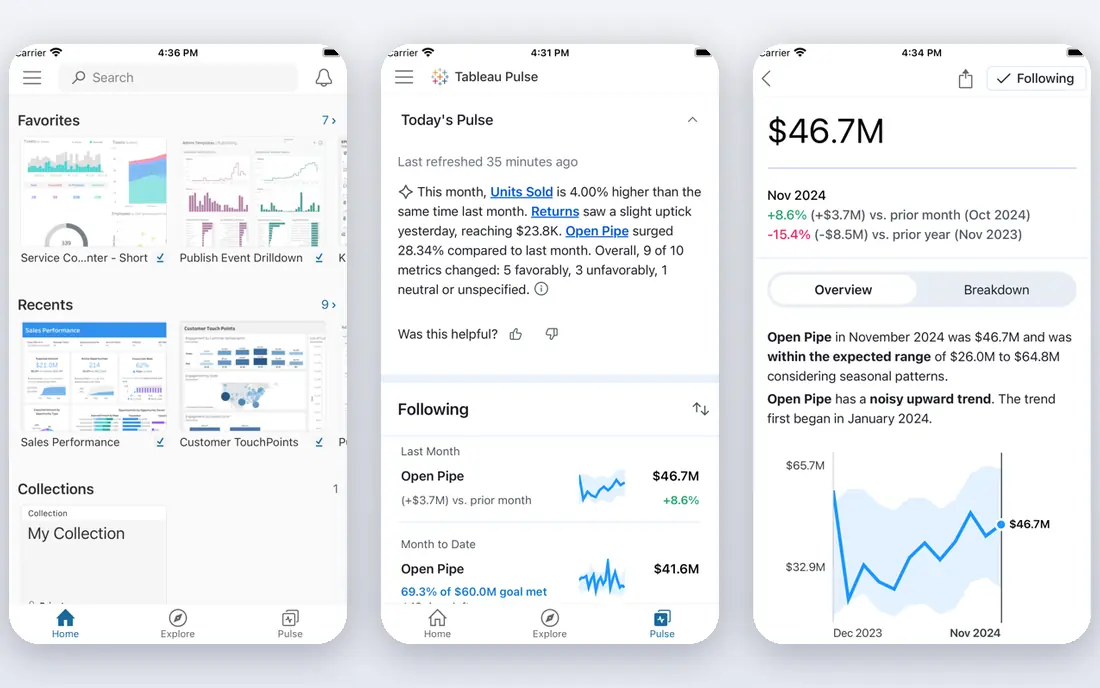
Tableau remains the benchmark for exploratory data analysis and complex visual storytelling. Its drag-and-drop interface lets analysts drill into data, filter across dimensions and discover patterns invisible in static reports. It handles large datasets with live and extract connections, and its calculation language supports advanced analytics.
Creator costs 70 dollars per user a month billed annually, Explorer 42 dollars and Viewer 15 dollars, with Tableau Plus with AI features at 115 dollars. Some listings show Creator at 75 dollars, so confirm current pricing. For organizations with dedicated analytics teams and complex data, Tableau excels.
- Unmatched visual exploration with drag-and-drop handling of complex multi-dimensional data
- Powerful calculation language
- Strong community and Salesforce integration
- Licensing escalates quickly for large teams
- Dashboard performance degrades with poorly optimized sources
- Moderate learning curve that steepens for advanced features
Power BI is the best value business intelligence tool for most teams. Pro costs 10 dollars per user a month in most 2026 listings, with some showing 14 dollars, and it integrates smoothly with Excel, Teams and Microsoft 365. Time to first dashboard runs 3 to 5 days, faster than Tableau's 1 to 2 weeks.
The free tier covers desktop authoring, and Pro adds sharing and collaboration. For cost-sensitive teams already in the Microsoft ecosystem, Power BI is the obvious choice, and its price undercuts Tableau dramatically at scale.
- Best value for Microsoft-centric organizations
- Pro from 10 dollars per user a month
- Smooth Excel and Teams integration
- Fast time to first dashboard
- Advanced features need Premium capacity
- Best only inside the Microsoft ecosystem
- Some listings show Pro at 14 dollars a month
Looker Studio, formerly Google Data Studio, is the best free dashboard tool. It is full-featured at no cost, with real-time data updates, strong collaboration and native connections to Google Analytics, Sheets, BigQuery and Ads. Marketing teams use it for client reporting because sharing is as simple as sharing a Google Doc.
It lacks Looker's governed data modeling and Tableau's exploration depth, and it works best with Google data sources. For free dashboards, especially for marketing and Google ecosystem data, Looker Studio is unbeatable.
- Completely free with full dashboard features
- Real-time data updates
- Strong Google ecosystem integration
- Easy collaboration and sharing
- Limited data modeling compared with Looker
- Best only with Google data sources
- Fewer advanced analytics features than Tableau or Power BI
Looker, now part of Google Cloud, is the best platform for governed, scalable analytics. Its LookML modeling layer defines metrics once and reuses them everywhere, preventing the conflicting numbers that plague self-service BI. Embedded analytics let SaaS companies put dashboards inside their own products.
Pricing is custom, with comparisons citing 5,000 dollars a month and up, and LookML requires real technical skill. For data teams that need governance and embedding at scale, Looker is the enterprise standard. For small teams, Looker Studio or Metabase fits better.
- Governed data modeling with LookML at scale
- Excellent embedded analytics for customer-facing products
- Strong Google Cloud integration
- Custom pricing from around 5,000 dollars a month
- High technical skill required for LookML
- Time to first dashboard runs 4 to 8 weeks
D3.js is the best tool for fully custom, publication-quality visualizations. It is a JavaScript library, not a dashboard app, giving developers complete control over every mark, interaction and animation. Newsrooms and data journalists use it for the distinctive graphics that template tools cannot produce.
It requires expert JavaScript skill, and a single project typically takes 2 to 6 weeks. There is no drag-and-drop interface and no data preparation. For developers who need a visual no other tool can make, D3.js is the only choice.
- Completely free and open source
- Unmatched customization for publication-quality visuals
- Huge gallery of examples
- Powers many newsroom graphics
- Expert JavaScript skill required
- 2 to 6 weeks per project is typical
- No drag-and-drop interface
- You build everything yourself
Metabase is the best startup-friendly self-service BI tool. Its open source edition is free for self-hosting, and its visual query builder lets non-technical users ask questions without SQL, with dashboards ready in 1 to 3 days. Pro costs 100 dollars a month and adds embedding, permissions and usage analytics.
It lacks Tableau's exploration depth and Looker's governance, but for startups and SaaS teams that want self-service analytics fast and cheap, Metabase is the best balance of power and simplicity.
- Free open source edition for self-hosting
- Low technical skill needed
- Time to first dashboard in 1 to 3 days
- Embedded analytics on Pro
- Pro costs 100 dollars a month
- Fewer advanced features than Tableau
- Performance depends on your database
Grafana is the best tool for real-time monitoring dashboards. DevOps teams use it to watch servers, applications and infrastructure, with live metrics, alerts and panels that update in seconds. The open source edition is free, and cloud plans start at 19 dollars a month.
It is built for metrics and logs, not executive business reporting, and its charts are less polished than Tableau's. For operational dashboards that must update live, Grafana is the standard.
- Free open source for self-hosting
- Best for real-time operational monitoring
- Cloud plans from 19 dollars a month
- Huge plugin ecosystem
- Built for metrics and logs, not business reporting
- Setup needs technical skill
- Business charts are less polished than Tableau
Infogram is the best tool for quick, beautiful reports and infographics. Its templates and drag-and-drop editor let non-technical teams turn spreadsheets into polished visuals in under a day, with interactive charts and maps that embed in websites and presentations.
Pro costs 19 dollars a month, with a free tier for basic use. It is a presentation tool, not an exploration platform, so analysts will outgrow it. For marketing and communications teams that need good-looking data stories fast, Infogram is ideal.
- Beautiful templates for infographics and reports
- Low technical skill needed
- Time to first dashboard under a day
- Good for non-technical teams
- Pro costs 19 dollars a month
- Less powerful for deep analysis
- Best for presentation, not exploration
Datawrapper is the best tool for publish-ready charts. Journalists and publishers use it to create clean, accessible charts and maps that embed in articles, with sensible defaults that look professional without design skill. The free tier covers basic charts, and paid plans add collaboration and branding.
Paid team plans are expensive in some listings, from 599 dollars a month, so confirm pricing before committing. For newsrooms and publishers who need a chart in an article, not a dashboard, Datawrapper is the standard.
- Free tier for publish-ready charts and maps
- Designed for journalists and publishers
- Clean, accessible default styles
- Easy embedding
- Paid plans are expensive for teams, with some listings from 599 dollars a month
- No full BI dashboard features
- Best for single charts, not exploration
How we picked these
We compared 2026 comparison guides, weighing price, technical skill required, time to first dashboard and fit for different audiences. We included enterprise platforms, free tools, developer libraries and quick chart makers because data visualization means different things to an analyst, a developer and a marketer.
Choosing by team
For enterprise analytics teams, Tableau is the benchmark. For Microsoft shops, Power BI wins on price and integration. For Google shops, Looker Studio is free and Looker adds governance. For startups, Metabase is the fastest self-service option. For developers, D3.js offers total control. For monitoring, Grafana is the standard. For quick presentation charts, Infogram and Datawrapper are the fastest paths.
Frequently asked questions
What is the best data visualization tool overall?
Tableau is the best data visualization tool for deep enterprise exploration, from 70 dollars per user a month. Power BI is the best value at 10 dollars per user a month for Microsoft teams, and Looker Studio is the best free option.
What is the best free data visualization tool?
Google Looker Studio is the best free dashboard tool, full-featured at no cost with Google ecosystem integration. Metabase open source and Grafana open source are also free for self-hosting, and D3.js is free for developers.
Is Power BI better than Tableau?
Power BI is better for cost-sensitive Microsoft teams, at 10 dollars per user a month versus Tableau's 70 dollars for Creator. Tableau is better for deep visual exploration and complex analysis by trained analysts. Both are excellent; the choice depends on budget and ecosystem.
What is the best data visualization tool for developers?
D3.js is the best data visualization tool for developers who need fully custom, publication-quality visuals and have expert JavaScript skill. Plotly and Highcharts are also strong developer libraries for faster, less custom work.
What is the best tool for real-time dashboards?
Grafana is the best tool for real-time operational dashboards, with live metrics, alerts and panels for DevOps monitoring. Its open source edition is free, and cloud plans start at 19 dollars a month.
Do I need to know how to code to use these tools?
No for most of them. Tableau, Power BI, Looker Studio, Metabase, Infogram and Datawrapper all use drag-and-drop interfaces with no coding required. D3.js requires expert JavaScript, and Looker's LookML modeling needs technical skill.
Sources we checked (9)

Online Jobs is an independent blog about careers, online work, learning new skills and the tools that help people earn. More about us.
Keep reading
All posts
Workday Alternatives
We compared the best workday alternatives for HR, payroll, and global hiring, from BambooHR and Gusto to Rippling, Deel, and HiBob for growing teams in 2026.

Which SaaS Tools Have the Best Customer Support
Which SaaS tools have the best customer support? Compare eight popular tools on help centres, live help, response options and overall support quality.

Top AI Helpdesk Software
Searching for top AI helpdesk software in 2026? We compared 8 AI helpdesks on automation, pricing, channels and ease of setup for small and growing teams.