Best CRM Software for Sales Teams in 2026: 9 Tools Compared

How we put this together: we compare official feature and pricing pages, app store listings, privacy policies and public user reviews. Prices change, so check the provider's site before you pay.
Key takeaways
- The best crm tool for sales teams is the one reps update daily, so ease of use matters as much as feature depth.
- Small teams often do better with a simple pipeline tool, while larger teams may need automation, forecasting, and permission controls.
- Free plans can work for a solo rep or a tiny team, but check limits on contacts, users, and automation before you rely on them.
- The best crm platforms for sales teams should connect to email, calendar, and the tools your team already uses.
Quick comparison
| Name | Who it suits | Starting price | Free option | |
|---|---|---|---|---|
 HubSpot CRM | All-round free starting point | See website | Yes | Visit |
 Salesforce Sales Cloud | Large and complex sales teams | See website | No | Visit |
 Pipedrive | Visual pipelines | See website | No | Visit |
 Zoho CRM | Value and customization | See website | Yes | Visit |
 Close | High-volume calling and email | See website | No | Visit |
 Freshsales | Simple AI-assisted selling | See website | Yes | Visit |
 monday Sales CRM | Flexible team workflows | See website | No | Visit |
 Capsule | Small-team simplicity | See website | Yes | Visit |
 Copper | Google Workspace teams | See website | No | Visit |
The best crm software for sales teams
A CRM should answer three questions at a glance: who are we talking to, where is each deal, and what happens next. The top crm software for sales teams differs in how much setup it needs, how it handles automation, and how well it fits a small team versus a large sales floor.
We compared official feature pages and pricing pages for the tools below, and we focused on pipeline views, contact management, automation, reporting, and integrations. We did not claim hands-on testing. The right pick depends on team size, sales cycle, and how much admin work reps will tolerate.
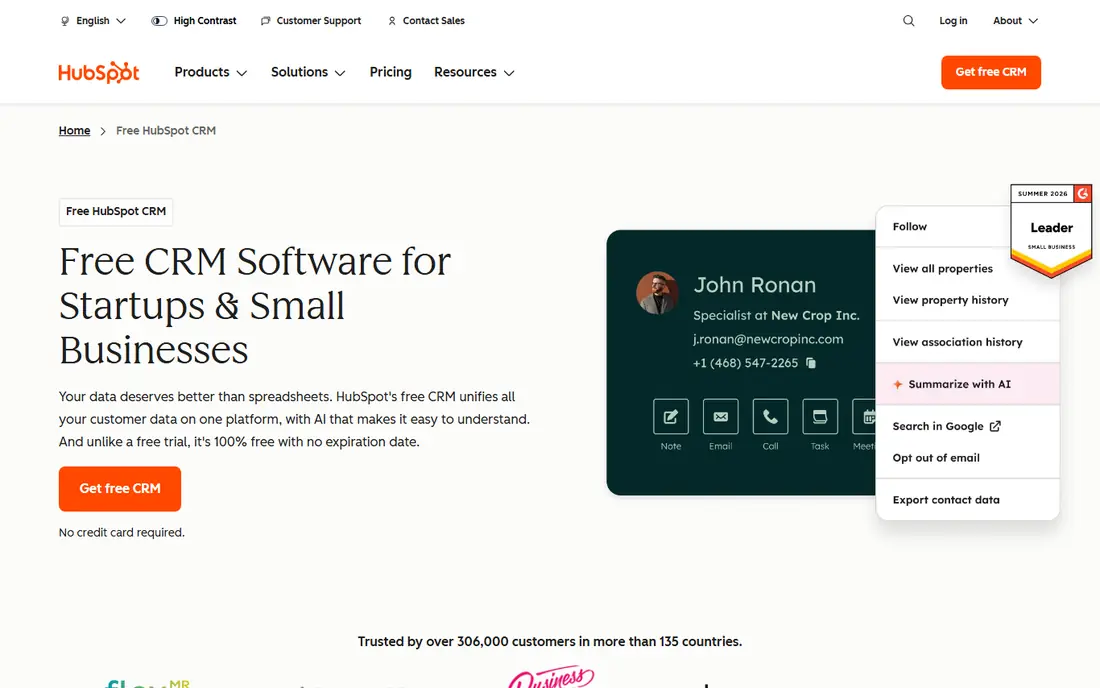
HubSpot is a sensible starting point for many sales teams because the free tier covers core contact, company, deal, and task tracking. A small team can set up a pipeline, log emails, and see deal stages without paying at first. That low barrier helps managers learn what the team actually uses before buying.
The catch appears as the team grows. Marketing, sales, and service hubs are priced separately, and advanced automation and reporting move to higher tiers. Map the features you need for the next year, not just this month, and check the total cost across hubs before you commit.
- Generous free starting tier
- Contact and deal tracking in one place
- Wide integration options
- Paid tiers can become costly as features grow
- Some advanced reports sit on higher plans
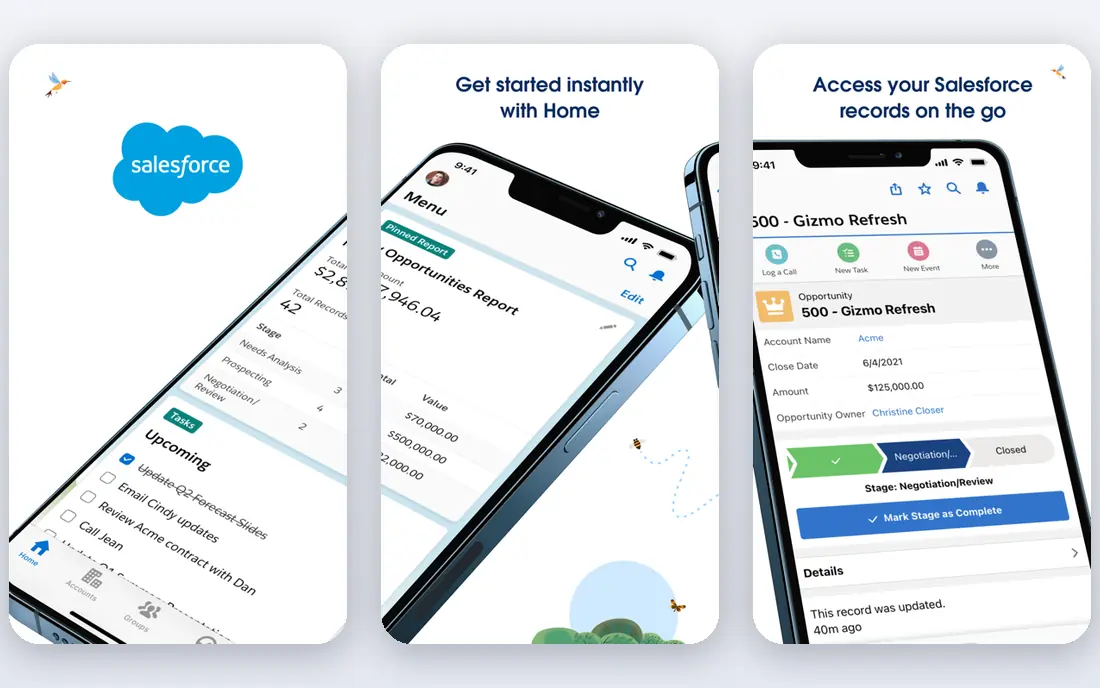
Salesforce suits teams with complex sales processes, multiple product lines, or strict approval steps. It can model detailed pipelines, territories, forecasting, and custom objects in ways simpler tools cannot. Large teams also benefit from its reporting depth and its large marketplace of add-ons.
That power comes with work. Salesforce often needs an admin, or at least a clear owner, to keep fields, workflows, and permissions clean. Small teams that want a tool up and running in a day may find it heavy. Choose it when complexity is real, not when a simple pipeline would do.
- Deep customization and automation
- Strong forecasting and reporting
- Vast app ecosystem
- Setup and admin time can be high
- Pricing and complexity can overwhelm small teams
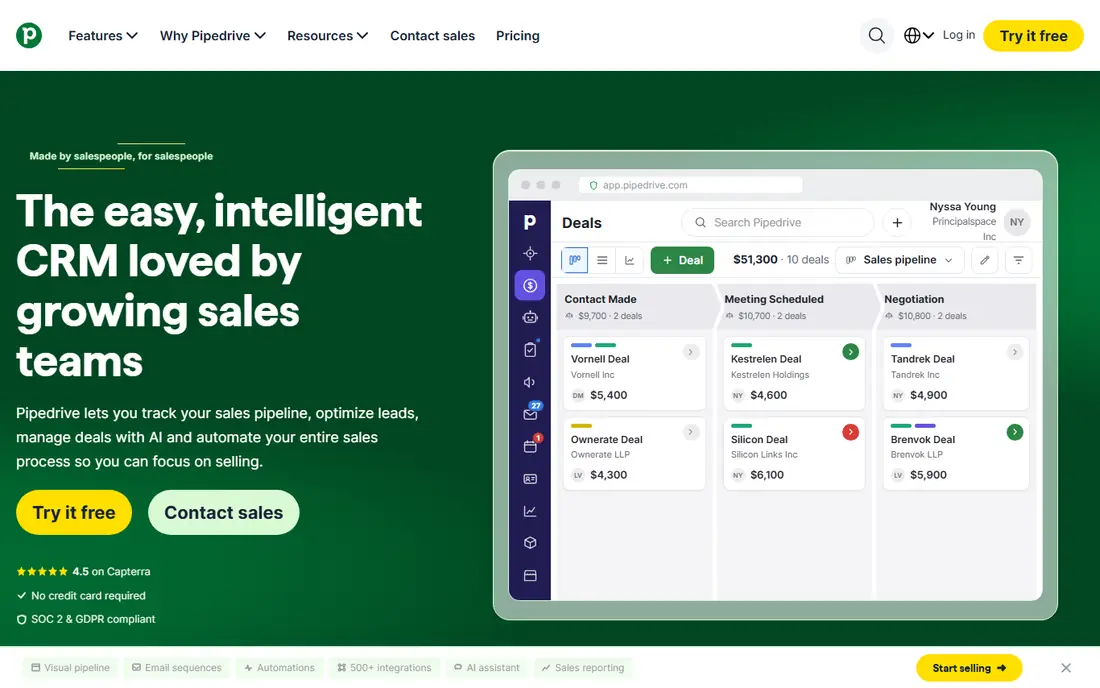
Pipedrive keeps the focus on the next action. Deals sit in a visual pipeline, activities are easy to schedule, and reps can see what needs attention today. That clarity helps teams that sell through calls, meetings, and follow-ups rather than long nurture campaigns.
It is less of a full marketing suite than HubSpot or Salesforce. If you need deep email marketing, complex lead scoring, or service ticketing in the same tool, you may need an add-on or a second system. For pipeline discipline, it is hard to beat for its simplicity.
- Clear drag-and-drop pipeline
- Activity reminders keep deals moving
- Easy for new reps to learn
- Marketing features are more limited
- Some reporting needs higher tiers
Zoho CRM gives small and midsize teams a lot of room to shape the system. You can adjust pipelines, fields, workflows, and reports, and the free tier helps tiny teams start without cost. Teams already using Zoho Mail, Books, or other Zoho apps get extra value from the shared ecosystem.
The breadth can also be a drawback. New users may face many menus and settings, so assign one owner to set up the pipeline and hide fields reps do not need. With a tidy setup, Zoho is one of the best free crm tools for sales teams that want room to grow.
- Broad features for the price
- Flexible customization
- Works well with other Zoho apps
- Interface can feel busy
- Setup takes care to keep fields tidy
Close is built for teams that live on the phone and in email. Calling, SMS, and email sit inside the CRM, so reps do not jump between tools to reach a lead. Activity history stays in one place, which helps managers coach and helps reps pick up a conversation quickly.
Teams that sell mainly through inbound forms, partners, or long email nurture may not need that calling depth. Check call rates, number options, and integration needs for your region before you buy. For outbound-heavy teams, the workflow savings are the main selling point.
- Built-in calling, SMS, and email
- Strong for outbound teams
- Clear activity tracking
- Less suited to teams that rarely call
- Pricing reflects its calling focus
Freshsales, from Freshworks, aims for a balance between simplicity and sales automation. Reps get pipeline views, contact timelines, and built-in communication tools without a long setup. A free tier lets small teams test the basics before paying.
Larger teams with very specific workflows may hit customization limits sooner than they would with Salesforce or Zoho. Still, for teams that want a modern CRM that reps will actually use, Freshsales is a practical middle ground. Check which AI and forecasting features sit on your chosen plan.
- Clean interface
- Built-in phone and email options
- Helpful deal insights on paid plans
- Advanced customization is more limited than Salesforce or Zoho
- Some features need higher tiers
monday Sales CRM suits teams that think in boards and custom workflows. You can shape deal stages, add automations, and track post-sale work in the same workspace. Teams that already use monday for projects often adopt it quickly.
The flexibility can blur the line between a CRM and a general work platform. Set clear rules for deal stages, required fields, and ownership so boards stay consistent. If your team likes visual planning and wants one workspace for sales and delivery, it fits well.
- Highly visual boards
- Flexible workflows across sales stages
- Good for teams that like customization
- Can feel more like a work tool than a pure CRM
- Pricing grows with users and features
Capsule is a good fit when a team wants a CRM, not a project. Contacts, deals, tasks, and history are easy to find, and new reps can learn it in a short session. That simplicity helps small businesses keep records tidy without hiring an admin.
It will not replace a large sales platform for forecasting, territory management, or deep automation. If your sales process is straightforward and your team is small, that limit rarely matters. Capsule keeps the focus on people and next steps, which is often enough.
- Simple contact and pipeline tracking
- Easy to learn
- Useful task and history views
- Fewer advanced automation options
- Less suited to large, complex sales operations
Copper is designed around Google Workspace. It can pull contact details and activity from Gmail, Calendar, and Drive, which cuts manual data entry for teams that live in Google tools. Pipelines and reports sit close to the inbox workflow reps already use.
Teams on Microsoft 365 or mixed tools will get less benefit. Check integration depth for your email and calendar setup before you choose it. For a Google-first sales team, Copper removes friction that other CRMs add.
- Deep Google Workspace integration
- Automatic capture from Gmail and Calendar
- Clean pipeline views
- Less value for teams outside Google Workspace
- Some advanced features need higher plans
How we picked these
We looked for CRMs that are actively sold, widely used by sales teams, and clear about pipeline, contact, automation, and reporting features on their official pages. We included free starting options, mid-priced pipeline tools, and enterprise options so teams of different sizes could compare fairly. We favored tools with clear pricing pages and integration lists.
We left out CRMs built only for a single niche, tools that have shifted mainly to another purpose, and products whose official homepage did not clearly match the tool. No tool here fits every team. Test a short trial with real deals, real reps, and real reporting needs before you migrate.
What to check before you buy
Start with your sales process on paper. List your stages, who owns each stage, what a qualified lead looks like, and what reports managers need each week. Then test whether the CRM supports that process without heavy workarounds. A tool that forces you to change a working process may cost more in lost deals than it saves in software fees.
Check data migration and daily use. Ask how contacts, deals, and history move from your current system or spreadsheet, and how long reps spend logging calls and emails. Look at mobile access, email integration, and permission controls, especially if managers need to limit what reps can edit or export. Also confirm pricing per user, billing period, and which automation and reporting features sit on each tier.
Pay attention to adoption. The best CRM on paper fails if reps keep deals in spreadsheets. Choose a tool with a short learning curve, set required fields sparingly, and review pipeline hygiene weekly in the first month. A simple system used well beats a powerful system used halfway.
Questions to ask in a trial
Run a trial with a small group and a real pipeline. Can reps log a call in under a minute. Can managers see stalled deals at a glance. Can you build the weekly report without exporting to a spreadsheet. If the answers are no, the tool may need more setup or a different tier, and that cost should be part of your decision.
Frequently asked questions
Which crm software is best for sales teams that are just starting out?
HubSpot, Zoho CRM, and Capsule are strong starting points because they offer free tiers and core pipeline features without a complex setup. Start with a small set of stages and required fields, then add automation only when the team asks for it.
What is the best crm tool for sales teams that make a lot of calls?
Close is built for high-volume calling, SMS, and email inside the CRM. Pipedrive and Freshsales also support calling workflows, but Close puts communication at the center, which suits outbound teams best.
Are the best free crm tools for sales teams good enough for a growing team?
Free plans work well for solo reps and tiny teams, and the best free crm software for sales teams often covers contacts, deals, and tasks. As users, automation, and reporting needs grow, expect to move to a paid tier, so check what that upgrade costs before you build everything on a free plan.
How do the best crm platforms for sales teams differ from a spreadsheet?
A CRM keeps contact history, deal stages, tasks, and reports in one place, and it can automate reminders and follow-ups. A spreadsheet can track deals, but it rarely keeps email, call, and task history together, and it becomes hard to manage as the team grows.
Is Salesforce too complex for a small sales team?
It can be, especially without an admin. Salesforce suits larger teams with complex processes, forecasting, and customization needs. Smaller teams usually get faster value from Pipedrive, HubSpot, or Zoho CRM, and can revisit Salesforce later if their process outgrows a simpler tool.
How long does it take to set up a CRM?
A simple CRM can be ready in a day or two with a basic pipeline and imported contacts. A complex setup with custom fields, automation, permissions, and migrated history can take weeks. Keep the first version simple, train reps on the daily workflow, and refine it after a few weeks of real use.
Sources we checked (9)

Online Jobs is an independent blog about careers, online work, learning new skills and the tools that help people earn. More about us.
Keep reading
All posts
n8n Alternatives
n8n alternatives compared for 2026, with Zapier, Make, Activepieces, and more, covering visual builders, code steps, self-hosting, and pricing models.

ZoomInfo Alternatives
The best ZoomInfo alternatives in 2026, compared on price, free plans, data coverage, and which tool fits small teams or large sales teams best in detail.

Zoom Alternatives for Webinars
Compare Zoom alternatives for webinars in 2026, from browser-based rooms to enterprise events, with prices, attendee limits, features and honest trade-offs.